To handle discontinued product pages SEO correctly, match each retired URL to the shopper’s actual need: keep useful information, redirect only to a close replacement, or return an honest missing-page response. The following workflow shows how to make and verify those decisions without misleading visitors.
Quick Answer
When a product disappears from your catalog, do not automatically redirect its URL to the homepage. First determine whether the product is temporarily unavailable, permanently discontinued with a close replacement, or gone without a relevant alternative. Keep a useful page live when it still helps shoppers; use a permanent redirect only when the destination satisfies essentially the same need; otherwise return an honest 404 or 410 response. Review internal links, structured data, and search performance after making the change.
Key Takeaways
- Decide based on availability, replacement relevance, and what visitors expect.
- Keep temporary stockouts accessible and explain when availability may change.
- Use a 301 or 308 redirect for a genuinely equivalent permanent replacement.
- Do not redirect unrelated products to generic categories merely to preserve link equity.
- Update navigation, internal links, product feeds, and structured data.
- Verify the HTTP response and landing-page experience before calling the work complete.
Prepare an Inventory Before Changing URLs
Start with a spreadsheet containing the old product URL, product name, status, organic landing-page traffic, referring links, closest replacement, and recommended action. You need access to the ecommerce catalog, the website’s redirect controls, and a way to inspect HTTP responses. Search Console can help identify landing pages receiving impressions or clicks, although its reports are not a complete backlink inventory. Ask the merchandising team which products may return before removing anything. A temporary supply interruption and a permanent catalog decision require different treatments. Record the decision owner and date so a future team member can understand why the URL changed. Export the list of internal links or find links from important categories, buying guides, and comparison articles. Those links often represent the fastest cleanup opportunity. Keep a backup of the redirect configuration and work on a staging environment when available. Do not treat an exported list as proof that every URL is indexed; indexing is a separate question.
Step 1: Separate Stockouts From Permanent Discontinuations
A temporarily unavailable product may still have useful specifications, reviews, warranty information, and search demand. Keep its page accessible with a clear out-of-stock notice, realistic restock information only when confirmed, and alternatives that genuinely fit. Never show an invented delivery date. For a permanently discontinued product, check whether the page still serves a useful reference purpose. Older models can remain valuable for manuals, compatibility details, replacement parts, or comparisons. A useful archived page should clearly say the item cannot be purchased, remove misleading purchase controls, and point to current alternatives. A page with no lasting usefulness and no relevant replacement may instead warrant a 404 or 410 response. Neither response is a punishment: both communicate that the requested resource is unavailable. The correct choice follows user needs, not a universal rule to preserve every URL forever.
Step 2: Evaluate Replacement Relevance
Do not decide solely because two products belong to the same category. Compare the original product’s primary use, specifications, price bracket, compatibility, and buyer expectations with the proposed replacement. A discontinued 128 GB storage card might have a direct successor with the same capacity, interface, and device compatibility. A generic electronics category does not answer the same request. If a replacement satisfies substantially the same purpose, a permanent redirect may be appropriate. If the substitute is merely something the retailer wants to sell, keep the informative old page or use a genuine not-found response instead. When multiple replacements are possible, an archived product page with an honest comparison can be more helpful than a forced redirect. Remember that redirecting a page also changes where existing external links and bookmarked visits lead; the destination must make sense to those users.
Step 3: Choose the Right HTTP Treatment
| Situation | Recommended starting point | What to check |
|---|---|---|
| Temporary stockout | Keep a useful 200 page | Availability and messaging |
| Permanent close successor | 301 or 308 redirect | Replacement matches intent |
| Useful retired model information | Keep a clearly archived 200 page | No misleading purchase offer |
| No useful content or substitute | 404 or 410 | Helpful site navigation |
Google’s redirect guidance describes permanent redirects as signals that a URL has moved. Its HTTP status documentation explains how errors and response codes affect crawling and indexing. A 302 or 307 is generally reserved for temporary moves, not an indefinite discontinued-product replacement. Avoid chains such as old product to intermediate product to final product. Point directly to the final destination. A redirect should not send users into a loop or a broken URL. Do not use a canonical tag as a substitute for a redirect when the old URL truly needs to move.
Step 4: Work Through a Reproducible Example
Imagine a shop sold the fictional TrailLight 200 headlamp at /products/traillight-200/. It is permanently retired. The catalog team confirms TrailLight 220 replaces it, with the same intended outdoor use and compatible battery format. Your decision record should say: input is the retired URL; rule is a confirmed close successor; action is a permanent redirect to /products/traillight-220/. The expected result is that requesting the old URL returns 301 or 308 with a Location header pointing directly to the new URL, and the destination returns 200 with an accurate product description. Check with curl -I https://example.com/products/traillight-200/, then request the destination separately. Verify that the visible destination clearly identifies the successor, that navigation works on mobile, and that no redirect chain appears. This is an illustrative example, not a claim of a live test. Edge case: if TrailLight 220 requires a different proprietary battery, the replacement may not be suitable. Reassess the redirect and consider retaining an archived compatibility page instead. Document that exception rather than applying a rule mechanically.
Step 5: Repair Internal Links and Product Signals
After changing URL behavior, update links in category grids, site navigation, related-product widgets, blog buying guides, and comparison tables. A redirect may technically work, but sending your own visitors through avoidable redirects creates unnecessary hops and can obscure which products you recommend. Review any sitemap entry for the removed URL. An XML sitemap should generally list the canonical URLs you want indexed, not discontinued URLs that redirect or return errors. If the old page remains live, make its canonical choice consistent with its purpose; do not automatically canonicalize distinct archived content to a newer product. Update structured product information to reflect actual availability and offers. Google’s Product structured data documentation provides the relevant framework. Ensure pricing and availability on the page agree with any structured data. Also update merchant feeds and promotional links where applicable. For a wider content maintenance workflow, see our product page optimization guide and category navigation guide.
Step 6: Validate the Change and Monitor Results
Use a small checklist before release: the old URL returns the intended response; redirects point to relevant live destinations; final pages render on mobile; no loops or multi-hop chains exist; links and sitemaps are updated; and product offers are accurate. Inspect a sample of each decision type rather than only the easiest example. Compare Search Console page-level impressions and clicks before and after changes, allowing time for recrawling and reporting delays. A change in traffic alone does not prove the redirect caused it; demand, seasonality, ranking changes, and product availability can also matter. If a page loses relevant visibility, check whether the destination actually answers the old query. Use the content-decay diagnostic to avoid assuming every decline has the same cause. A useful outcome is not merely an error-free redirect file: shoppers should reach accurate, relevant information, and search engines should receive consistent URL signals.
Common Mistakes and Practical Limits
The most damaging shortcut is mass-redirecting every retired product to the homepage. That often creates a poor experience because a shopper seeking a specific model lands somewhere unrelated. Another mistake is treating every out-of-stock product as permanently removed, destroying a page that could remain useful when inventory returns. Do not preserve a thin archived page solely because it once had backlinks; it needs genuine reference value. Also avoid changing hundreds of URLs without a rollback plan or a sample-based review. Search Console does not show every crawl immediately, and it cannot promise when a search result will change. A 301 is not a guarantee that all historic rankings transfer. For related site structure, our website architecture guide explains why navigable pathways matter. If your store uses faceted navigation, review our product filters and links guide before changing category destinations. 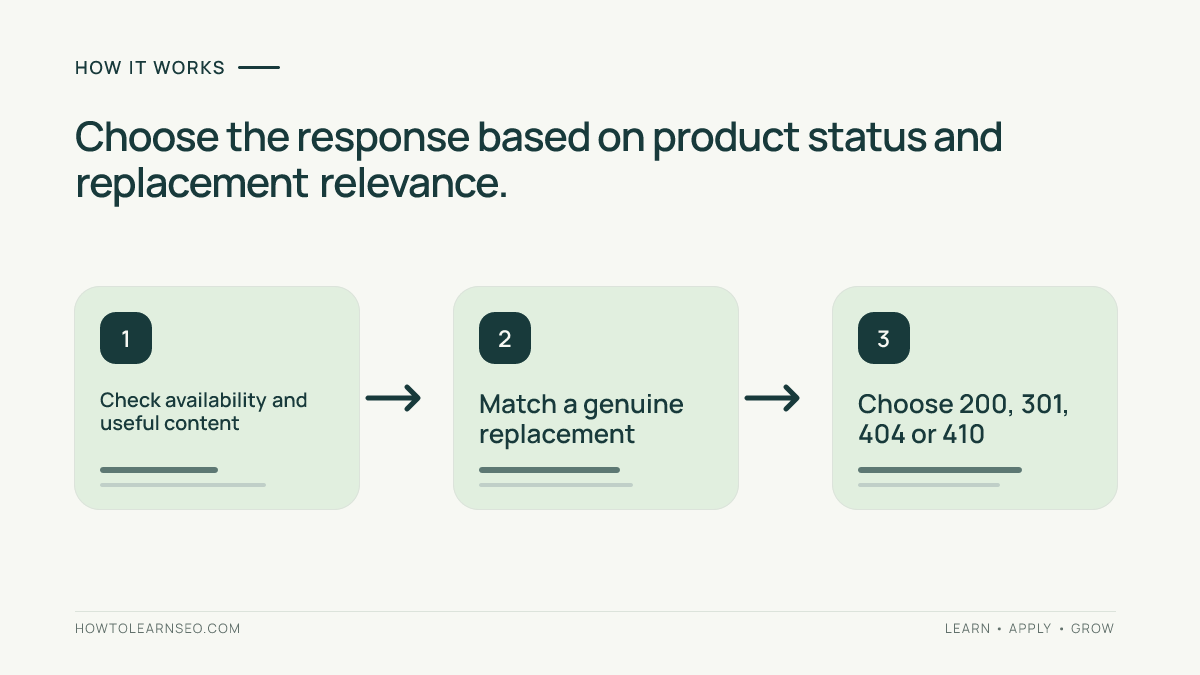
A Simple Release Checklist
Before approving deployment, ask a second person to review the decision sheet and at least one example of each URL treatment. Check that the product team has approved successor claims, support staff know where archived instructions live, and analytics annotations describe the release. Test a retired URL that has an equivalent replacement, one without a replacement, and one that is merely out of stock. Capture response codes, final destinations, and screenshots of visible messages for future troubleshooting. Confirm that cached navigation and internal search results do not continue advertising unavailable items. If you discover a mistaken redirect, correct it at the source and retest; adding another redirect on top usually makes diagnosis harder. Keep the inventory for the next catalog cleanup, because a repeatable decision trail is more valuable than remembering why individual URLs disappeared. 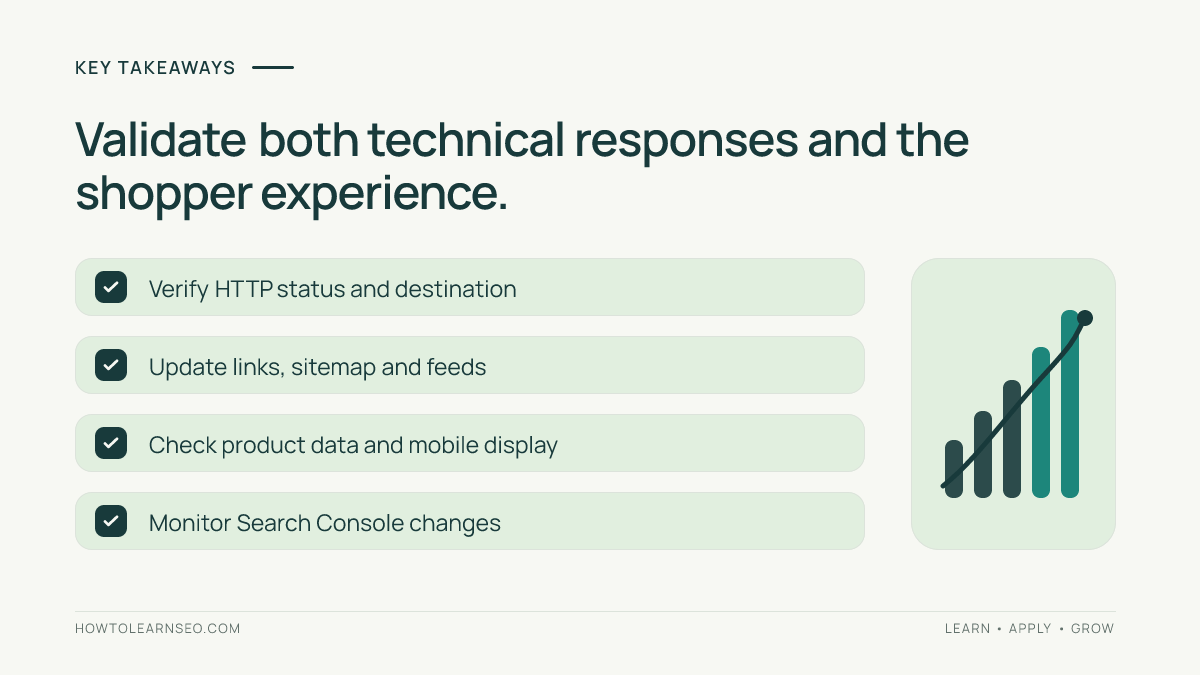
Frequently Asked Questions
Should I redirect every discontinued product to its category?
No. Redirect only when the destination meaningfully satisfies the original request. A category may be too broad; an archived page or honest error response can be better.
Is a 404 bad for SEO when a product is gone?
Not inherently. A genuine 404 or 410 accurately communicates that a URL no longer exists. Make sure important internal links no longer point there.
What if the product will return next month?
Keep the useful product page live and clearly mark it unavailable. Publish a restock date only when the business has verified it.
Can I keep an old product page indexed?
Yes, when it still provides unique and useful information such as compatibility, manuals, or model comparisons. Remove misleading offers and explain its retired status.
Should discontinued product URLs remain in XML sitemaps?
Usually not if they redirect or return 404 or 410. Sitemaps should focus on canonical URLs you intend search engines to discover and index.
How soon will Google process a permanent redirect?
Timing varies with crawling and other factors. Verify the HTTP response immediately, then monitor indexing and search performance without assuming a fixed deadline.
Conclusion
Discontinued product pages SEO is a catalog decision as much as a technical one. Keep temporary stockouts useful, redirect only to credible successors, and retire truly obsolete URLs cleanly. A documented inventory, response-code testing, accurate product information, and updated internal links make the process repeatable. Start with a small batch, verify the shopper experience, then expand the workflow.