
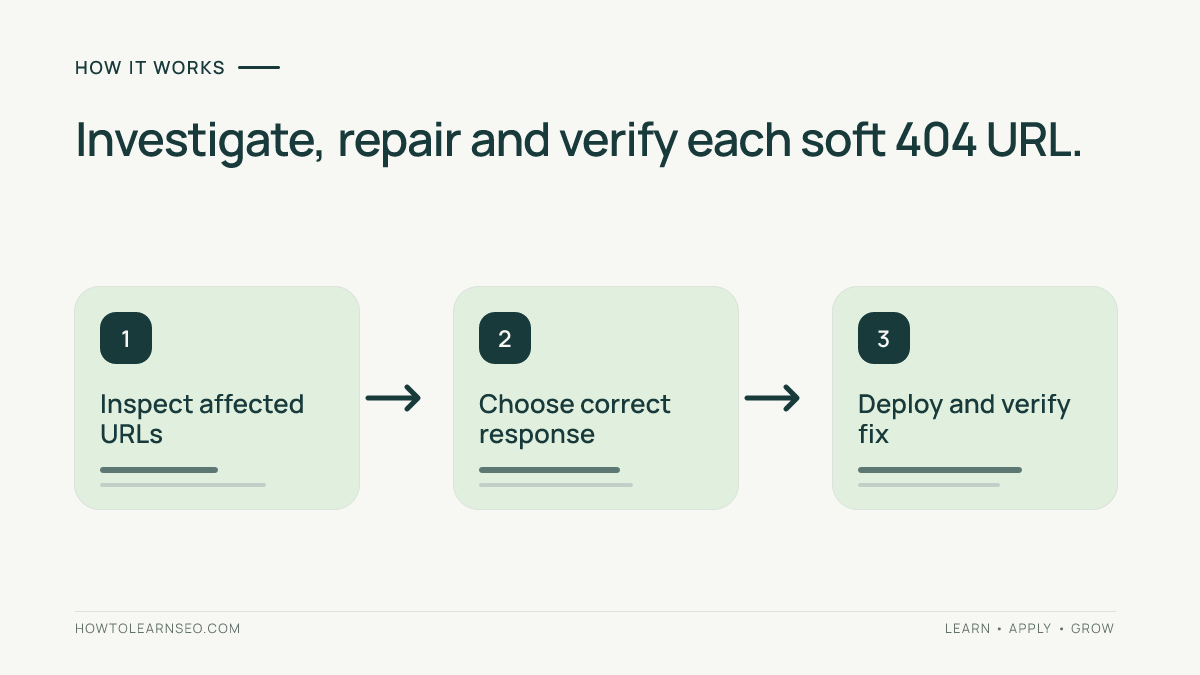
To fix soft 404 pages, first identify the affected URLs in Google Search Console, check their real HTTP status and rendered content, and choose a correction based on what the page should do. Restore a useful page if it belongs on the site, return a genuine 404 or 410 if it is permanently missing, or redirect to a closely matching replacement. A soft 404 warning is a diagnostic clue, not an instruction to redirect everything.
Quick Answer
Open the Page indexing report in Search Console and inspect soft 404 examples. Test each URL in a browser and with an HTTP status checker. If it should exist, restore useful content and fix rendering problems. If it is gone, return 404 or 410. If it moved, use a relevant 301 redirect. Verify the result and monitor subsequent crawls.
Key Takeaways
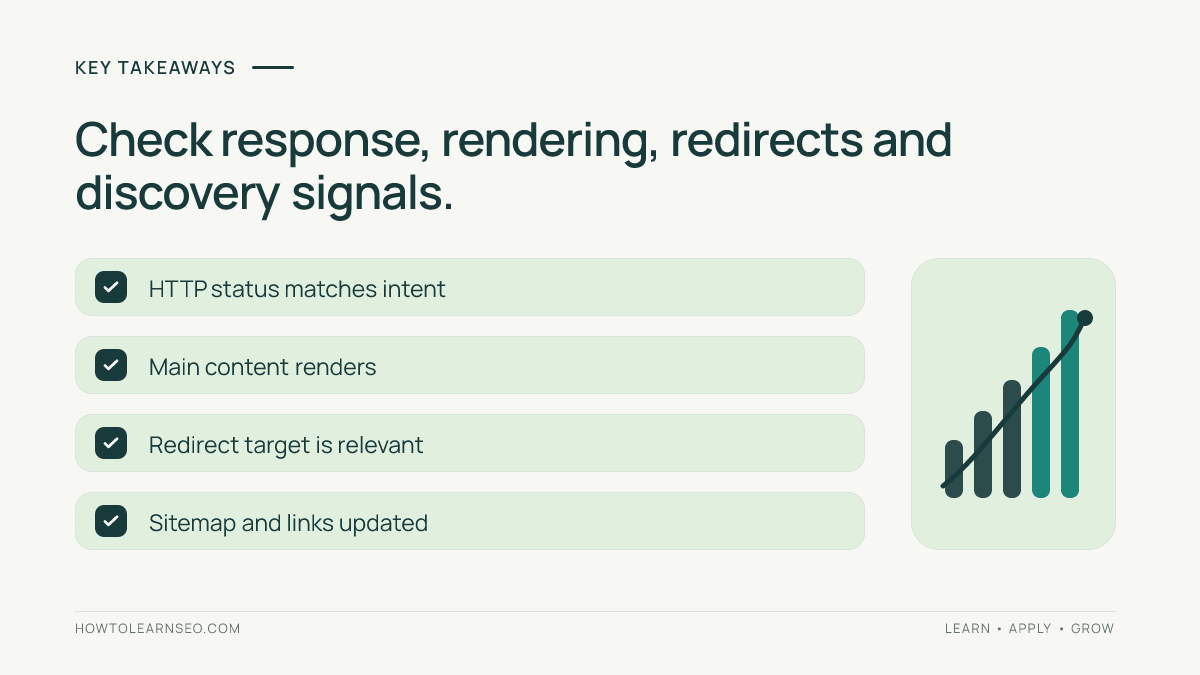
- HTTP 200 can conceal a missing or nearly empty page.
- Inspect the rendered page, not just response headers.
- Choose restoration, 404/410, or a relevant redirect based on user intent.
- Do not redirect every missing page to the homepage.
- A corrected URL is not automatically guaranteed indexing.
Understand the Soft 404 Diagnosis
A standard HTTP 404 tells browsers and crawlers that the resource was not found. A soft 404 is Google’s interpretation that a URL behaves like a missing page even though the response does not clearly say so. Common examples include discontinued products showing only an unavailable notice, empty search-results pages, deleted articles that still return 200, and templates whose main content fails to load.
Google’s official HTTP status documentation explains why correct server responses matter. Its Page indexing report guide describes indexing classifications. These reports reflect crawl observations and may lag behind site changes, so confirm the current response before editing anything.
Collect the Evidence Before Choosing a Fix
You need access to the relevant Search Console property, permission to inspect the CMS or server, and a way to request URLs from outside the admin dashboard. A browser, developer tools, and a command-line HTTP client are sufficient for an initial audit. Server logs can help when problems occur intermittently. Create a spreadsheet with URL, reported issue, current status, rendered content, intended purpose, recommended action, owner, and verification date.
- Open Search Console and choose the correct property. Find the soft 404 reason in the Page indexing report and export affected examples.
- Group URLs by template: product pages, blog articles, filters, internal searches, parameter URLs, and broken landing pages.
- Open representative pages while logged out. Check whether visitors receive meaningful primary content, an empty template, or a misleading error screen.
- Check the HTTP status. Try
curl -I https://example.com/old-url/; if HEAD behaves differently, use a normal GET request. - Use URL Inspection to examine Google’s recorded information and run a live test where supported. The live test is diagnostic, not an indexing guarantee.
- Review canonical tags, robots directives, sitemap entries, internal links, and redirects for the affected URLs.
Do not conclude that a 200 response is healthy merely because the header says success. A blank product grid with a header and footer is still unhelpful. Conversely, a useful page might have briefly failed during a previous crawl. Compare recent logs, page content, and deployment history before deciding whether the issue is persistent.
How to Fix Soft 404 Pages by Their Actual Purpose
Restore content when the page should exist
If a page represents a real product, service, location, or article, fix the missing content rather than removing the URL. Restore its primary information, resolve failed API requests, and check whether JavaScript rendering is preventing the main content from appearing. A product page can explain availability and show accurate specifications or relevant alternatives, but do not invent details simply to increase word count.
Compare server-rendered HTML with the browser’s final rendered view. When JavaScript delivers essential content, a failed request can leave Google with an empty shell. The server-side versus client-side rendering guide explains the underlying trade-offs. Test from a logged-out session so you do not mistake admin-only content for public content.
Return a real 404 or 410 for permanently removed URLs
If the content is gone and there is no suitable replacement, return HTTP 404 Not Found or 410 Gone. You may still show a friendly branded error page with navigation and useful links. The important distinction is that the HTTP response must communicate that the original resource is unavailable. Some CMS themes, CDNs, and custom error handlers accidentally return 200 for visually correct error pages.
Inspect both the body and response code after deploying the change. Remove the missing URL from sitemaps and internal links intended for live pages. For additional troubleshooting, consult the 404 errors and broken pages guide. A legitimate 404 is not inherently a technical failure that must be redirected.
Redirect only when the replacement matches the original intent
A permanent 301 redirect can be appropriate when a page moves or a discontinued product has a close successor. The new destination should answer substantially the same visitor need. Redirecting every deleted URL to the homepage often creates a poor experience and may still be interpreted as a soft 404. Avoid redirect chains, loops, and irrelevant category destinations.
Update internal links to the final URL rather than relying on redirects indefinitely. Check the destination’s response, content, and canonical URL. The 301 redirects guide provides the background for implementing permanent moves. If no close equivalent exists, a truthful 404 or 410 is usually the clearer choice.
Investigate empty searches and filtered category pages
Internal search pages and faceted ecommerce filters can produce thousands of combinations. An empty filter result may be a normal user experience rather than a valuable search landing page. Decide whether each URL should have a useful indexable destination, a clear missing-page response, or a different crawl strategy. Do not block URLs in robots.txt merely to conceal incorrect response codes before understanding the cause.
A broad noindex rule can accidentally exclude important category pages. The ecommerce category navigation guide explains how filters interact with site architecture. Evaluate URL patterns and template behavior rather than fixing every parameter combination separately.
Worked Example: Discontinued Product with a Misleading Response
Imagine a shop with a URL /products/blue-travel-mug/. The product is discontinued, but the server returns HTTP 200 while the page displays only “Unavailable” and the site footer. Search Console lists it as a soft 404. A replacement mug exists at /products/blue-insulated-mug/. This is a hypothetical teaching example, not a claim about a tested store.
- Input: record the original URL, its HTTP 200 response, the missing product information, and the candidate replacement.
- Decision rule: compare the old and new products’ size, function, and buyer intent. Redirect only if the successor is a genuinely close match.
- Action: configure a server-side 301 from the discontinued URL to the matching successor, then remove the obsolete URL from the XML sitemap.
- Expected result: the old URL returns 301 with a Location header pointing to the successor; the destination returns 200 and useful product content.
- Verification: request the old URL without automatically following redirects, then follow it and inspect the final status, canonical, and content.
- Edge case: if the proposed destination is an unrelated homepage or category, reject the redirect and use a real 404 or 410 instead.
This example illustrates why the decision should begin with visitor intent rather than a mechanical redirect rule. If important internal pages link to the obsolete product, update those links directly. A redirect may help users reach a successor, but it does not guarantee that historical rankings or signals will transfer unchanged.
Verify the Repair and Monitor Recurrence
After deployment, check the exact affected URL from an external client. Confirm its HTTP status, response body, redirect destination where applicable, and the absence of accidental loops. For a restored page, inspect visible primary content and ensure it is accessible without a login. For a removed page, confirm that the 404 or 410 is returned by the server rather than simulated with text.
Check canonical tags, robots directives, internal links, and XML sitemap membership. Removed and redirected URLs generally should not remain listed as canonical sitemap entries. The sitemap and canonical URL audit offers a related verification workflow. Review representative examples from every affected template instead of assuming one successful test covers the entire site.
For pages intended to be indexed, Search Console URL Inspection may offer a request-indexing action. Google’s recrawling guidance explains that a request does not guarantee immediate processing. For intentionally deleted URLs, continued exclusion is often the correct outcome. Record the fix date and monitor new examples rather than judging success solely by a report that may be delayed.
Common Mistakes That Keep the Problem Alive
- Changing the visible message but leaving HTTP 200: inspect the actual response header.
- Redirecting every removed URL to the homepage: map close replacements individually.
- Ignoring JavaScript failures: inspect the rendered main content and failed resource requests.
- Leaving deleted URLs in sitemaps: update sitemap generation and verify its live output.
- Blocking the URL before Google can observe a corrected response: evaluate crawl access carefully.
- Assuming a live URL test guarantees indexing: monitor crawl and indexing behavior over time.
If the issue persists, compare trailing-slash variants, URL parameters, cached CDN responses, mobile rendering, and canonical targets. Confirm that error handling is consistent across application and proxy layers. A template-level bug can affect hundreds of URLs, so fixing the shared response logic may be more valuable than changing individual pages.
Frequently Asked Questions
Is a soft 404 the same as an HTTP 404?
No. HTTP 404 is an explicit server response. A soft 404 is Google’s assessment that a URL resembles a missing page despite a different or misleading response.
Should every soft 404 redirect to the homepage?
No. Redirect only to a genuinely equivalent destination. When content is permanently gone without a close replacement, return a real 404 or 410.
Can broken JavaScript cause a soft 404?
Yes. If essential content fails to render, Google may see a nearly empty page even when the server returns 200. Check rendered HTML and resource failures.
Does fixing a soft 404 guarantee indexing?
No. Correcting content or HTTP behavior removes one possible obstacle, but Google still decides whether the page is eligible and useful for indexing.
Should deleted URLs remain in an XML sitemap?
Generally not. A sitemap should emphasize canonical URLs intended for discovery and indexing, not pages deliberately returning 404, 410, or permanent redirects.
How long until Search Console reflects a fix?
There is no fixed timeline. Google must recrawl and process the URL, and reports may lag. Verify the live response while monitoring subsequent updates.
Conclusion
To fix soft 404 pages effectively, make each URL tell the truth about the resource it represents. Restore useful content where appropriate, return proper missing-page codes for removed resources, and redirect only to close equivalents. Confirm the response and rendered experience, then monitor Search Console for recurring template problems. The goal is accurate behavior for visitors and crawlers, not indexing every historical URL.