This Sitebulb review explains its technical SEO crawling and auditing workflows, practical limitations and purchasing considerations. The central question is whether Sitebulb helps your team turn detectable website problems into verified fixes.
Quick Answer
Sitebulb is a technical SEO crawler that helps analysts inspect site structure, discover technical problems and communicate audit findings. Its value lies in turning a crawl into understandable, verifiable work rather than merely exporting thousands of warnings. It is best suited to teams that regularly audit websites and can act on the findings. It cannot guarantee indexing, traffic or rankings, and current product limits should be checked before buying.
Key Takeaways
Evaluate Sitebulb against a real website and defined technical questions. Document crawl scope and exclusions before running it. Treat hints and warnings as hypotheses requiring confirmation. Prioritize high-value templates, user journeys and important URLs over issue totals. Compare desktop and cloud options using current official information. Use Google Search Console for first-party indexing and search reporting. Choose the product only if it improves the speed or clarity of verified technical repairs.
What Sitebulb does
Sitebulb analyzes websites by following discoverable URLs and examining responses, links and page-level signals. Its reports can help SEO practitioners understand architecture, redirects, indexability signals and other technical conditions. A crawler is especially helpful when a defect repeats across hundreds of pages and cannot be identified efficiently by opening pages one by one. However, crawl results depend on configuration, access and website behavior. A report is not a record of everything Google has seen, nor proof that a particular issue caused ranking loss. A successful audit identifies a specific problem, confirms it independently, proposes a proportionate fix and verifies the result. The platform should be judged by how well it supports that complete sequence. If an analyst cannot explain why a warning matters to users or search engines, the warning alone is not an adequate reason to change the website.
Who should consider Sitebulb
Technical SEO consultants may benefit from repeatable crawl projects and explanations they can share with clients. In-house teams can use structured findings to work with developers on site architecture, broken navigation and templates. Agencies handling multiple websites may value consistent reporting across projects. A small blog with straightforward pages and infrequent changes might be adequately served by simpler tools and Search Console. A large ecommerce business needs to evaluate crawl scale, rendering requirements, scheduling and collaboration before subscribing. Start by listing recurring questions: are important products reachable, are redirects behaving correctly, and did the last release introduce new technical problems? Identify who investigates each issue and who implements fixes. Without ownership, even detailed audit reports can become a backlog of unresolved observations. Buying a tool is not a substitute for building an audit process.
Desktop and cloud options
Sitebulb has offered desktop and cloud-oriented products, but the current features, pricing and allowances should be verified directly with the vendor. Desktop crawling can appeal to analysts who prefer working locally and controlling individual audit projects. Cloud-based workflows may be more suitable for shared access or recurring monitoring, depending on the plan. Do not assume both products have identical limits, integrations, rendering capabilities or data retention policies. Ask where crawl data is stored, who can access it and whether the setup complies with client security requirements. A consultant running occasional audits has different needs from a team monitoring a changing catalogue every week. Check the official Sitebulb website for current product descriptions and terms. Record the exact offering evaluated rather than using the general product name to imply every feature is universally available.
Define a useful crawl scope
A strong technical audit begins with a question and a boundary. Decide which hostname, subdomains, URL patterns and templates matter. Document whether staging environments, search-result pages or tracking parameters should be excluded. Review robots directives and avoid placing unnecessary load on the server. Determine whether authenticated sections or JavaScript rendering are required. Collect an independent list of important URLs from the CMS, sitemaps or first-party reports. Then run a small representative crawl before a large one. If critical category pages are absent, correct the configuration before interpreting results. Note the crawl date, speed, inclusion rules and any access failures. These details allow another analyst to reproduce findings. A comprehensive-looking report on the wrong URL set is less useful than a smaller audit that accurately answers the business question.
A reproducible ecommerce audit example
Imagine a retailer with 8,000 products and 120 categories. These numbers are hypothetical and are not claimed Sitebulb measurements. The audit question is whether important products can be reached through category navigation without excessive parameter paths. First, export the canonical product and category URLs. Next, identify faceted filters that create multiple combinations and decide which are intentionally indexable. Test ten representative URLs per template before expanding the crawl. Compare the crawler’s discovered URLs with the independent inventory. Expected output: a shortlist of missing important pages, unexpected parameter routes and templates responsible for the discrepancy. Verify by following navigation in a browser and checking relevant Search Console evidence. Edge case: a filtered category may be a legitimate landing page, so excluding every parameter URL could hide useful content. The analyst must understand the merchandising and SEO strategy before recommending exclusions.
Crawlability and indexability are different
Crawlability concerns whether a bot can discover and request a URL. Indexability concerns whether a search engine may include it in search results after processing the page and its signals. A third-party crawler can observe response codes, links and some directives, but cannot establish that Google has indexed a page. A successful response does not guarantee indexing, and a canonical element is a signal rather than an absolute command. When Sitebulb flags a potential conflict, inspect a representative URL and compare its directives, canonical target and internal links. Then check the relevant first-party evidence. Google’s crawler documentation
Internal linking and architecture
Internal links help users and crawlers navigate between relevant pages. Sitebulb can support analysis of link paths, depth and relationships within the crawled URL set. Begin with business-critical pages and inspect whether relevant category, navigation and editorial pages link to them. A page missing from the crawl is not automatically an orphan across the entire website: it may appear in a sitemap or be excluded by configuration. Examine contextual usefulness rather than chasing a target number of links. A product category should help visitors reach appropriate products; a guide should point toward genuinely relevant next steps. Our internal linking guide
Redirects and broken URLs
A crawler can identify broken destinations, redirect chains and unexpected HTTP responses. Interpretation matters: an intentionally retired page may legitimately return a not-found or gone status, while an important navigation link to a broken page needs attention. Do not redirect every missing URL to the homepage. Check whether the old page has a genuinely relevant replacement and whether internal links should be updated directly. For chains, record the starting link, intermediate steps and final destination. A template may be responsible for hundreds of repeated redirects, making one shared fix more efficient than individual edits. Verify the final behavior with a browser or HTTP request after deployment. The goal is a reliable path to useful content, not a cosmetically perfect report. Keep a record of intentional redirects so future audits do not repeatedly flag approved behavior as a new problem.
JavaScript rendering and dynamic pages
JavaScript can change which content and links appear after a page initially loads. A basic HTML crawl may therefore differ from a rendered crawl. Determine which templates actually rely on client-side behavior before enabling resource-intensive rendering across the whole website. Compare representative URLs in both modes where the product supports it. Check whether essential navigation uses crawlable links, whether content requires user interaction and whether scripts fail under realistic conditions. Rendering results can help identify hypotheses but are not proof of how every search engine processes a page. Google’s JavaScript SEO guidance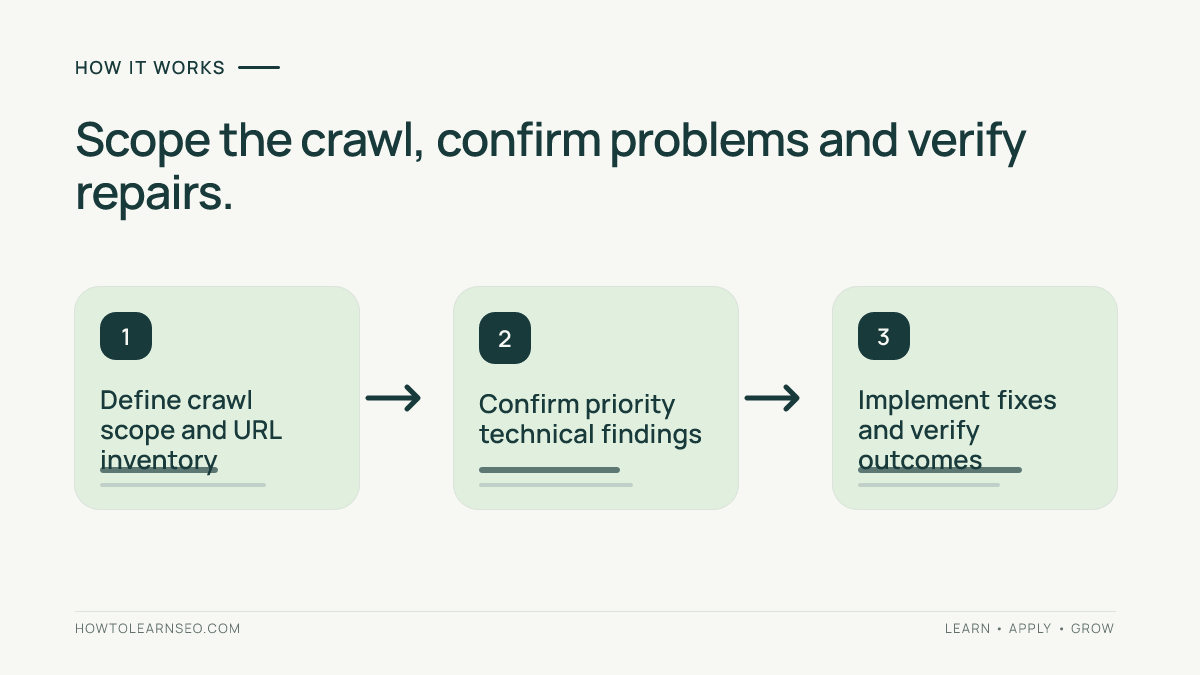
Canonical tags and duplicate URL patterns
Faceted navigation, tracking parameters and product variants can create several URLs with overlapping content. A crawl may reveal conflicting canonical declarations or links pointing to unintended variants. Start by grouping URLs according to actual search intent. Decide which version should represent substantially equivalent content, then inspect whether internal links, redirects and canonical signals support that decision. Do not canonicalize genuinely distinct pages merely because they share a template. A canonical declaration does not force Google to select that URL. Test representative examples and compare them with Search Console indexing information. A template-level correction is often preferable to editing many pages separately. After release, inspect the generated HTML and recrawl the affected patterns. The outcome should be a coherent URL strategy that preserves useful landing pages while reducing accidental duplication, not a blanket rule that removes every filtered or parameterized page.
XML sitemaps and URL inventory gaps
A sitemap lists URLs that the site wants search engines to discover, but inclusion does not guarantee crawling or indexing. Compare sitemap entries with the crawler’s discovered URLs and a separate inventory of important content. Investigate redirected sitemap URLs, missing category pages and important pages without useful internal links. Be careful with apparent discrepancies: the crawl may be intentionally limited to one section while the sitemap includes the entire site. Document the reason before classifying a difference as an error. The fix might involve sitemap generation, internal navigation or canonical consistency. Verify a representative sample after deployment. A sitemap and a crawl do not need identical URL counts to be healthy. They need to communicate a consistent picture of which important pages exist and how users and crawlers can find them.
Metadata and on-page checks
Crawlers can surface missing or duplicated titles, descriptions and headings. Those findings are starting points for editorial review. Duplicate titles across genuinely distinct pages may deserve attention, while repeated labels on intentionally similar utility pages might be lower priority. Inspect the page’s purpose and the search results before rewriting titles in bulk. A title should accurately identify the page’s unique content; a description should help readers understand its value even though Google may show a different snippet. Our meta titles and descriptions tutorial
Structured data and search features
Structured data describes entities and page properties in a machine-readable format. A technical audit may help identify markup patterns or issues, subject to the tool’s current capabilities. Begin with the actual page type and relevant Google documentation. A product, recipe and article have different appropriate properties. Validate representative markup with suitable testing tools and confirm that the visible content supports the claims. Do not add review ratings that users cannot see or mark up information that does not exist. A valid markup test does not guarantee a rich result. Separate syntax, eligibility and actual appearance when reporting outcomes. If a shared template generates invalid data across many pages, fix the template rather than opening hundreds of independent tickets. Recheck the live output after deployment and retain the original evidence for comparison.
Performance signals and resources
A crawl may expose resource-related patterns that merit further investigation, but it is not a substitute for user-experience measurement. A large image or script does not automatically prove that every visitor experiences a slow page. Device capabilities, network conditions, caching and interactions affect outcomes. Use the crawl to identify representative templates, then examine appropriate field and lab performance data. Distinguish Core Web Vitals from general file-size observations. Prioritize issues that affect important user journeys and can be addressed by the engineering team. After implementation, verify the actual page experience and monitor relevant metrics. Avoid claiming that rankings improved because one resource warning disappeared. The strongest technical recommendation links an observed condition to a plausible user problem and a testable repair, with uncertainty clearly stated.
Prioritizing issues rather than counts
An explanatory audit report can make a technical symptom easier to understand, but severity labels are not business priorities. A minor-looking broken link on a high-value checkout journey may deserve faster action than hundreds of warnings on low-impact pages. Create a prioritization table with affected template, number of important URLs, user impact, organic relevance, fix effort and confidence in diagnosis. Group repeated symptoms by root cause. Confirm representative examples before assigning work. Avoid opening a developer ticket for every row of a raw export. A short list of verified template problems with clear owners can produce more value than an enormous issue spreadsheet. Revisit priorities after releases or site changes. The purpose of the audit is to direct scarce engineering and editorial attention toward meaningful improvements, not to make a dashboard counter reach zero.
How to verify a technical finding
Suppose a crawl reports that important category navigation links pass through several redirects. Choose a representative category page and record the source URL, original destination, redirect path and final response. Independently confirm the behavior in a browser or HTTP inspection. Determine whether a shared template creates the links. If so, propose a template change that points directly to the intended destination. Expected result: users and crawlers can follow the category link without unnecessary hops. After deployment, repeat the browser check and run a targeted crawl. Edge case: a redirect may be intentional for a temporary campaign or experiment, so confirm the business requirement before removing it. This is a reproducible illustrative workflow, not a claim that a particular live website exhibited the problem. The evidence should make the repair understandable to a developer who never opened the SEO tool.
Visualizations and stakeholder reports
Crawl diagrams and issue visualizations can help stakeholders understand why architecture matters. Use each visual to answer a specific question: which important sections are difficult to reach, or which template produces a repeated defect? A striking graph is not proof of poor SEO. Its shape depends on crawl scope and representation choices. Annotate exclusions and assumptions before sharing it. Pair a visualization with a short explanation, an example URL and a recommended action. A product team may respond better to a demonstrated broken path than to an abstract site-health score. Keep the executive summary separate from the detailed technical appendix. That lets decision-makers approve work while developers still have the evidence needed to reproduce and verify it.
Sitebulb versus Screaming Frog
Sitebulb and Screaming Frog SEO Spider are both established technical crawling options. Sitebulb is often considered for explanatory audit reporting and visual communication; Screaming Frog is frequently evaluated for flexible crawling and data extraction. These are broad workflow distinctions, not assertions that either tool universally lacks a feature. Test the same site section with comparable inclusion and rendering rules. Measure whether each tool detects a meaningful problem, how easily an analyst can explain it and whether the output helps a developer reproduce it. Our Screaming Frog review
Comparing Sitebulb with broader SEO suites
Broad platforms such as Moz Pro, Semrush, Ahrefs and SE Ranking combine technical analysis with different keyword, link and monitoring workflows. Sitebulb is worth considering when detailed technical auditing is a recurring requirement. A general suite may be sufficient for a small marketing team that needs several capabilities in one subscription. A specialist crawler may be preferable when diagnosing complex navigation, redirects or rendering is the primary bottleneck. Compare real tasks rather than feature names. Check crawl coverage, report clarity, exports, collaboration, recurring monitoring and current limits. If you already pay for a broad suite, test whether its existing audit functions meet your needs before adding a new expense. Conversely, do not assume a broad platform replaces specialist analysis in every environment. The decision depends on your website, team and recurring workload.
Pricing and plan limits
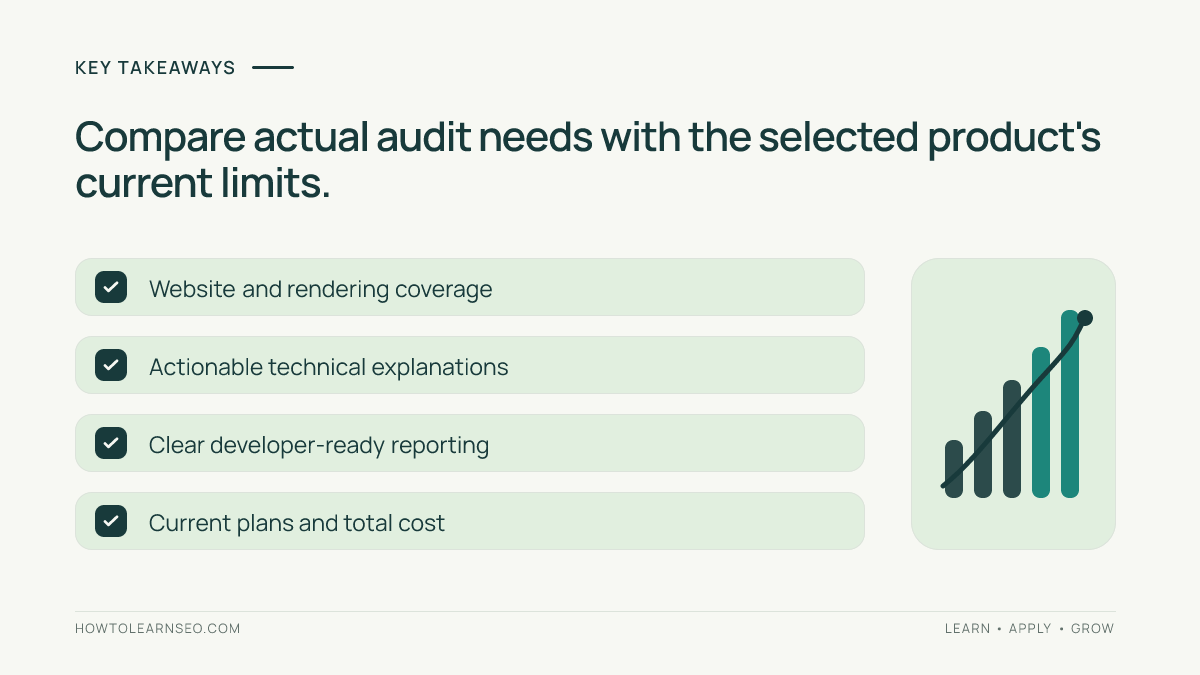
Sitebulb prices, trial terms, product packaging and capacity limits may change. Verify them on the official vendor website rather than copying a historical figure from another review. Record the plan, currency, billing period, supported projects, crawl allowances and any relevant collaboration or scheduling terms. Include operational costs such as training, analyst time, workstation or infrastructure needs and separate verification tools. A cheaper subscription can be poor value if it cannot handle your actual site. A more expensive option may be unnecessary when audits are infrequent. Check whether the product supports your required rendering and access configuration before buying. This review intentionally avoids asserting a current price without direct confirmation. The buying question is whether the selected plan enables a repeatable, valuable workflow at a reasonable total cost.
A seven-day evaluation plan
Day one: define three technical questions and collect an independent URL inventory. Day two: configure a representative crawl and confirm that important templates are included. Day three: examine internal links and identify one meaningful architecture question. Day four: investigate redirects, canonical signals and response codes on selected URLs. Day five: assess any rendering-dependent pages and compare crawler findings with browser behavior. Day six: write a developer-ready issue brief with reproduction steps, impact and acceptance criteria. Day seven: compare time spent, confidence in findings, reporting usefulness and current plan cost with your existing workflow. These are suggested evaluation steps, not a claim that a paid Sitebulb account was tested. If trial limits prevent a necessary check, document that limitation. A successful trial should end with at least one defensible action and a process the team can repeat.
Audit decision worksheet
Use a worksheet with columns for question, input, observed condition, decision rule, expected output and verification. Example: are priority product pages reachable from their categories? Inputs include an approved product inventory and a crawl of category navigation. The rule is to prioritize commercially important pages with confirmed discovery problems. Expected output is a repair brief identifying the affected template and desired links. Verification requires following the repaired navigation and running a targeted crawl. Edge case: discontinued products may be intentionally hidden, so consult merchandising requirements before demanding links. A second worksheet can examine canonical conflicts using pairs of URLs and a documented preferred destination. These are illustrative examples rather than live test results. The worksheet makes technical recommendations reproducible and prevents the audit from becoming a collection of unsupported opinions.
Common mistakes and limitations
Common mistakes include crawling the wrong host, excluding important sections, treating every warning as equally urgent and confusing a third-party crawl with Google’s index. A lower issue count may result from accidentally narrowing scope rather than fixing a problem. A large count may represent one shared template defect. Rendering every URL can waste resources when only a few templates need it. Sending raw exports to developers without reproduction steps makes implementation harder. Another mistake is repeating audits without checking whether previous fixes were deployed. Sitebulb also cannot observe pages that its settings or access restrictions prevent it from reaching. Record the crawl configuration, date, representative evidence and exclusions. These habits make results trustworthy and help colleagues distinguish confirmed defects from hypotheses.
Buying verdict and next steps
Sitebulb deserves consideration when technical audits are frequent and the team values clear explanations, structured findings and visual communication. It is less compelling when the website is simple, audits are rare or existing tools already answer the important questions. Run a representative crawl and judge whether the software helps identify a meaningful problem, explain it, assign a fix and verify the outcome. Confirm the chosen product’s current capacity and pricing. If it saves analyst time or improves the reliability of decisions, it may justify the subscription. If the result is only a larger warning dashboard, postpone purchasing. A crawler is valuable because of the actions it supports, not because it promises rankings or displays a proprietary score.
Frequently Asked Questions
Is Sitebulb suitable for beginners?
Sitebulb can help beginners interpret technical audit findings, but users should understand crawling, indexing, redirects, canonical signals and site architecture before acting on every warning.
Does Sitebulb replace Google Search Console?
No. Sitebulb analyzes website conditions through crawling, while Search Console provides first-party Google Search and indexing reporting for verified properties.
Is Sitebulb better than Screaming Frog?
Neither is universally better. Compare them using the same crawl scope, rendering needs, export requirements, reporting tasks and current subscription terms.
Can Sitebulb guarantee Google indexing?
No. A third-party crawler can inspect detectable technical signals, but Google makes its own crawling and indexing decisions.
Does Sitebulb have desktop and cloud products?
Sitebulb has offered desktop and cloud-oriented products. Verify current availability, features, limits and pricing on the official website.
How do I confirm a Sitebulb issue is real?
Independently reproduce the behavior on representative URLs, document the expected fix, and verify the affected pages after deployment with targeted checks.
Conclusion
Sitebulb is worth evaluating if technical audits are a recurring task and the software helps your team diagnose, communicate and verify meaningful repairs. Test a realistic site section, check current product limits and compare the outcome with your existing workflow. An effective audit improves decisions and user journeys rather than merely reducing warning counts.