
This Surfer SEO review examines the Content Editor, optimization scores, editorial workflows, auditing considerations, pricing and limitations. The key test is whether the platform helps create more useful content without replacing human judgment with a proprietary score.
Quick Answer
Surfer SEO is a content optimization platform that helps teams research search-result patterns, draft and refine pages, and assess selected on-page characteristics. It is most useful as a structured editorial assistant, not an authority on what Google will rank. Its recommendations need to be checked against search intent, factual accuracy and genuine reader needs. A subscription is worthwhile only if the workflow saves time without turning articles into formulaic copies of competing pages.
Key Takeaways
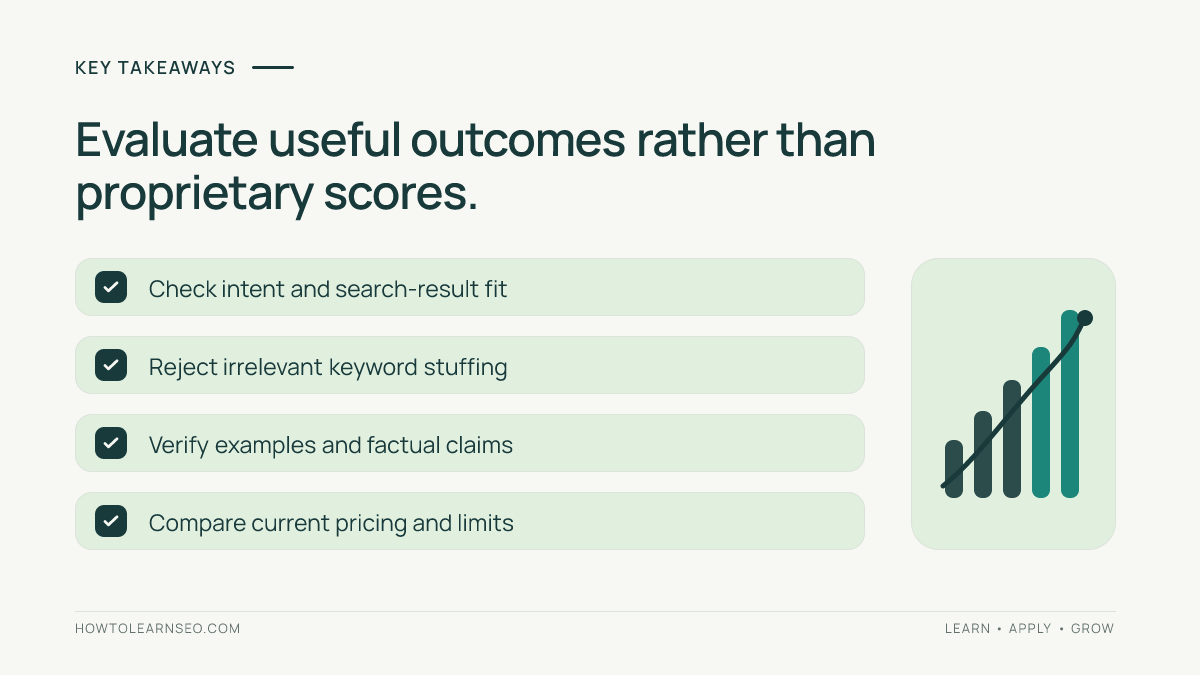
Surfer SEO can support content briefs, optimization reviews and repeatable editorial processes. Content scores are proprietary indicators, not Google ranking factors. Suggested terms and word counts should never override clarity or accuracy. Compare recommendations with the actual search results and first-party performance data. Check the current product and plan allowances before subscribing. Teams should test whether Surfer improves the finished page, not merely whether it raises a score inside the editor.
What Surfer SEO is designed to do
Surfer SEO focuses on content research and on-page optimization. Its interface and feature set have evolved, so specific functions and quotas should be verified on the current official product pages. The general workflow begins with a target query, examines pages competing for that search, and uses observed patterns to help structure or assess content. This can make editorial planning faster when a team needs to publish many well-defined resources. It can also create a trap: writers may treat an automatically generated recommendation as a rule rather than an estimate. Google does not require every page to contain a fixed number of phrases, headings or words. The useful question is whether the resulting article answers the reader’s problem better. A Surfer SEO review should therefore judge the product by research quality, workflow efficiency, editing flexibility and the quality of the final content.
Who should consider the platform
Content strategists, freelance SEO writers and agencies producing recurring search-focused pages may find a shared optimization interface helpful. In-house teams can use it to standardize how briefs are reviewed and how changes are documented. The fit is weaker for a site that publishes infrequently or already has a mature editorial process supported by Search Console and manual research. Technical SEO teams primarily concerned with redirects, server logs and crawling may get more value from specialist diagnostic software. Before subscribing, identify the bottleneck. Is the team struggling to understand search intent, organize competing-page evidence, or review drafts consistently? If the real issue is weak expertise, missing product knowledge or lack of original evidence, software cannot solve it alone. Assign responsibility for fact-checking, editorial decisions and measurement before integrating a scoring tool into production.
How Content Editor fits into writing
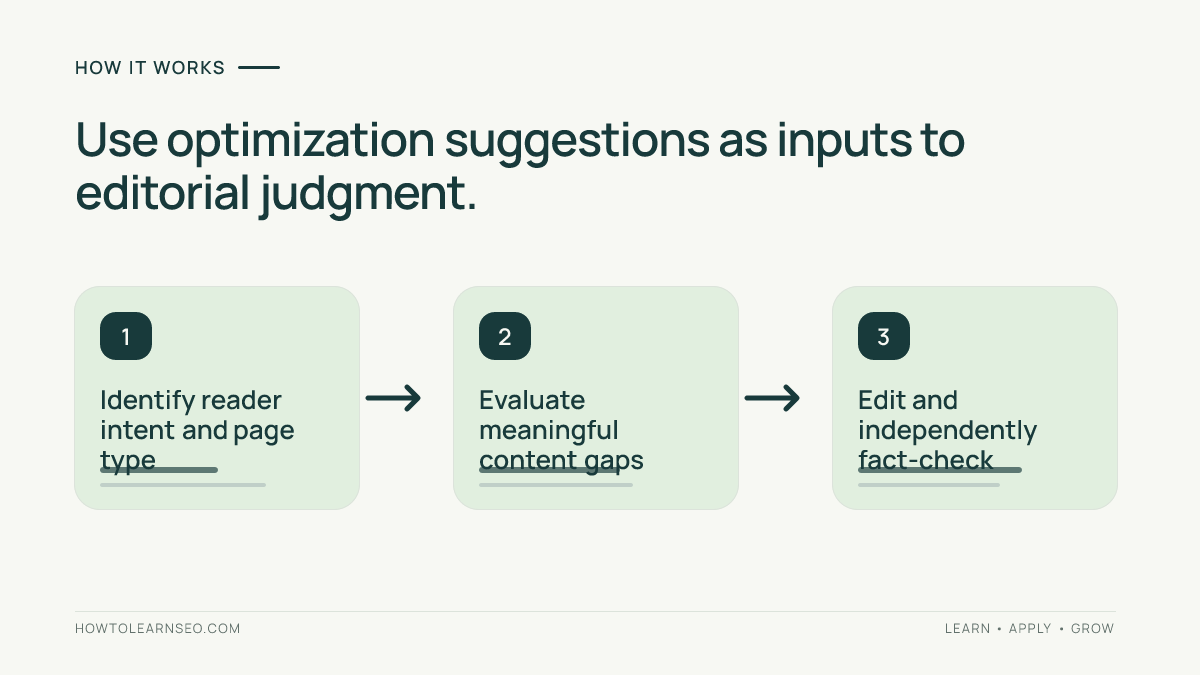
Surfer’s Content Editor is commonly associated with writing and optimization against selected search-result patterns. A practical workflow starts with the intended reader and a specific page purpose. Choose the target market and query carefully, then inspect the current results to confirm that the dominant intent matches your planned page. Use the editor’s suggestions to identify potentially missing concepts or questions. Draft the explanation in your own structure, with original examples and evidence where possible. Review suggested phrases individually: some are necessary concepts, while others may be irrelevant or awkward in your context. Do not add words merely to reach a numerical target. After editing, read the article without the optimization sidebar. If it feels repetitive, inaccurate or unfocused, the page needs editorial work regardless of its score. The finished resource must stand on its own.
Understanding content scores
A content score compresses a vendor’s assessment into a convenient number. It can help compare a draft with a selected reference set, but it is not a direct Google ranking signal or a guarantee of performance. Scores can be influenced by the selected competitors, query interpretation and the amount of suggested language included. A page may receive a higher score after adding irrelevant phrases, while a concise specialist answer may score lower despite being more useful. Treat the score as a diagnostic prompt: which meaningful concept might be missing, and would adding it help the reader? If the answer is no, document why the recommendation was rejected. Avoid presenting a score improvement as proof that organic traffic will increase. Use first-party search data and real user outcomes for performance evaluation. The metric should inform judgment rather than replace it.
Search intent before optimization
Search intent is the task a person hopes to complete after entering a query. A comparison query usually needs alternatives, criteria and tradeoffs; a tutorial needs ordered steps and verification; a product query needs relevant specifications and purchasing information. If the current results overwhelmingly satisfy one of these jobs, forcing a different page format may be unproductive. Before using an optimization editor, manually inspect several relevant results and note their page types. Identify gaps that you can address with better evidence, a clearer explanation or a practical demonstration. Do not assume that copying the average structure creates a better page. A useful differentiation may be a worked example, transparent limitations or firsthand expertise. For the broader framework, see our search intent guide. The objective is to meet the real task, not to mimic a competitor’s outline.
A reproducible content brief example
Imagine a bicycle retailer preparing a guide about choosing a commuter bike. The hypothetical target query is ‘how to choose a commuter bicycle.’ This is an illustrative planning example, not a claim about measured Surfer results. Input: the query, the intended country, a shortlist of relevant search results and the retailer’s own product expertise. First, identify the reader’s decisions: route distance, terrain, carrying needs, fit and maintenance. Second, create sections that answer those questions with a comparison table and a realistic buying scenario. Third, use optimization suggestions to check for genuinely missing concepts, not to force every proposed phrase into the copy. Expected output: a distinct buying guide with actionable criteria. Verification: ask whether a reader can select an appropriate bike type and explain the tradeoffs, then monitor relevant Search Console queries and qualified visits. Edge case: if search results are mainly product listings, a category page may be more suitable than a long guide.
Keyword suggestions and semantic coverage
Related-term suggestions can expose vocabulary that an article overlooks. They may also include phrases that appear frequently because competing pages share similar templates, advertisements or irrelevant sections. Evaluate each suggestion by asking whether it represents an important entity, user question or technical distinction. For a beginner tutorial, define unfamiliar terms before using them repeatedly. For a product comparison, mention features only when they matter to the decision. Never insert a phrase in a way that changes a factual claim or creates an unnatural sentence. Semantic coverage is about explaining a topic thoroughly, not achieving a specific density. Google can interpret language and context without an exact phrase being repeated at a predetermined frequency. Use the editor as a checklist of possibilities, then apply a substantive human review. Strong content has coherent reasoning and useful evidence, not merely a collection of correlated words.
Word count and heading recommendations
Competitor-derived word-count ranges and heading patterns can be helpful for planning scope, but they are not mandatory ranking formulas. A question that can be answered clearly in 500 words should not become a 3,000-word essay just because a tool suggests a longer range. Conversely, a complex migration guide may need detailed instructions that exceed the observed average. Build the outline around tasks and decision points. Headings should accurately preview the sections below them and make the page easier to scan. If a recommended heading duplicates another section, combine them. If a topic requires an example or a troubleshooting table that competitors lack, add it because it helps users. For heading hierarchy guidance, consult our heading tags SEO tutorial. Prioritize completeness and readability over mechanical similarity.
Researching competing pages responsibly
Surfer’s analysis of competing content can highlight recurring subjects, but it cannot determine whether those pages are correct, current or useful. Choose the comparison set carefully. A broad query may return ecommerce categories, discussion threads and informational guides, each serving different intents. Comparing all of them without judgment can produce confusing recommendations. Inspect the reference pages for relevance, publication context and evidence. Record what a competing page does well and where it leaves a reader uncertain. Your article should contribute an independent explanation, not reproduce its wording or unique examples. If every competing page repeats the same unsupported statistic, do not amplify it. Find a primary source or omit the claim. The best competitive analysis produces a sharper reader-focused brief and a distinctive contribution rather than a stitched-together imitation.
Auditing existing content
Content auditing is useful when a page has changed performance or no longer answers the current search intent. Before opening any optimization tool, collect a stable baseline from Search Console and analytics. Note the page’s primary query cluster, important conversions, publication history and recent changes. Review the live search results to determine whether the expected page type has shifted. Then compare the article with relevant competing resources and evaluate suggestions one by one. A missing practical example may be more important than a missing phrase. Avoid rewriting a successful page simply because a content score looks low. Make a controlled set of improvements, record the changes and monitor the relevant queries over a meaningful period. Our content decay diagnosis guide explains how to distinguish performance changes before editing. Optimization should solve a verified problem.
Building an editorial workflow
A practical team process separates planning, writing, expert review and publication. The strategist defines search intent, audience and the unique value proposition. The writer creates an original draft using credible sources and practical examples. An editor checks whether the answer is accurate, readable and complete. The SEO reviewer uses Surfer suggestions as one input, resolves meaningful gaps and documents rejected recommendations. Finally, a publisher verifies metadata, internal links and page presentation. This sequence prevents a scoring tool from becoming the final authority on content quality. Establish who can override suggestions and how exceptions are recorded. If several people edit the same draft, maintain a change log so the team knows why a section was added or removed. A good workflow produces consistent judgment, not identical article templates across unrelated subjects.
AI-assisted drafting and factual review
Some content platforms provide AI-assisted writing capabilities, and available Surfer features should be checked against current official documentation. Generated text can accelerate brainstorming or initial structure, but it may invent facts, misinterpret sources or repeat generic language. Do not publish an AI-produced claim simply because it appears fluent or fits a content score. Require a human editor to verify technical instructions, product specifications, dates, quotations and any numerical assertion. Replace generic examples with realistic scenarios and clear assumptions. If a recommendation relies on current vendor behavior, confirm it with the vendor’s official documentation. Avoid claiming personal tests that were never performed. For sensitive topics, seek qualified subject-matter review. The purpose of AI assistance should be to reduce routine drafting effort while preserving editorial accountability. Search optimization cannot compensate for factual unreliability.
Internal linking and content clusters
A strong article should connect readers to relevant supporting resources. Use internal links to clarify prerequisites, expand related concepts and help users complete the next task. Do not add links solely to meet a target count or to repeat exact-match anchor text. Start with the site’s existing content inventory and identify which pages genuinely complement the new article. For example, a content optimization tutorial may benefit from links to search intent, heading structure and measurement guidance. Avoid linking multiple pages that compete for the same primary search intent. Review whether the destination is published, accessible and up to date. Our internal linking guide
Measuring performance after publication
A content score is an internal platform metric; organic outcomes require separate evidence. Use Google Search Console to monitor impressions, clicks, queries and page-level performance, accounting for reporting limitations. Use analytics to examine relevant engagement and conversions. Record a publication or update date and avoid attributing every later change to the optimization work. Search demand, competition, seasonality and search-result layouts can all affect results. Compare appropriate periods and look at the query cluster rather than one isolated ranking. If a page gains impressions but no clicks, inspect whether the snippet and intent match what users need. If clicks rise without conversions, review the landing-page journey. The official Search Console performance documentation explains the first-party reporting definitions. A credible review distinguishes measurable outcomes from hypotheses.
How Surfer compares with Semrush
Surfer SEO is commonly evaluated for content-focused workflows, while Semrush offers a broader ecosystem spanning multiple SEO research and monitoring tasks. That distinction does not mean either platform lacks all features outside its core positioning. Compare the specific task you need to complete. For a writer producing search-focused articles, ease of briefing, editing and meaningful recommendations may matter most. For an SEO generalist managing competitor research, technical audits and campaigns, a broader suite may offer operational convenience. Test both with the same query, intended page type and editorial acceptance criteria. Measure how much useful work is completed and how many suggestions require correction. Our Semrush review
How Surfer compares with other content tools
Content optimization products differ in their research models, editor experience, integrations and pricing. Some emphasize writing guidance, others brief creation, content inventory or AI drafting. A useful comparison uses one representative article and a defined quality rubric. Ask whether the tool identifies meaningful omissions, supports clear human editing and helps the team preserve original insight. Check whether it can handle your language, market and content format. A platform may be attractive for long informational articles but less relevant for product pages, technical documentation or locally targeted services. Review collaboration needs and export formats before paying. Resist choosing a product because it offers the highest possible content score. Different vendors use different methods, and the same article can receive very different ratings. The better product is the one that makes your actual editorial process more reliable.
Pricing, subscriptions and allowances
Surfer’s prices, subscription tiers, credit allowances and included features can change. Check the official Surfer website and its current pricing information before making a purchase. Record the plan name, currency, billing period, number of editor uses or other applicable allowances, and any limits on collaboration or AI features. Estimate your realistic monthly production volume and the proportion of drafts that genuinely need tool-assisted review. Include training, editing and fact-checking time in the total cost. A low advertised price can be poor value if essential usage requires a higher tier. Conversely, a large plan may be wasteful for a publisher that updates only a few pages. Avoid treating an old pricing screenshot as current evidence. This review does not assert an unverified live subscription price or claim every feature is included in every plan.
A seven-day trial plan
Day one: define the editorial problem and select a representative target query. Day two: inspect the live search results and document the dominant intent before using the tool. Day three: create a brief and identify genuinely missing questions. Day four: draft an article with original examples and source-supported claims. Day five: review optimization suggestions, accepting only those that improve clarity or coverage. Day six: conduct a separate factual and editorial review, then compare the final article with the initial brief. Day seven: assess time saved, corrections required, collaboration needs and current subscription cost. These are proposed evaluation steps, not a claim that a paid account was independently tested. The output should be a finished page that a subject-matter editor would approve. If the tool increases scores but also increases repetition or fact-checking burden, that is important negative evidence.
A reproducible decision worksheet
Use columns for reader job, draft gap, proposed change, expected benefit and verification. Example input: a draft guide to commuter bicycles, its intended audience and a list of questions gathered from relevant search results. Proposed action: add a comparison of riding distance, terrain, storage and maintenance because those criteria affect the buying decision. Expected output: a table helping readers choose a suitable category of bike, not a paragraph stuffed with related terms. Verification: ask a reviewer to make a choice using only the guide and explain the tradeoffs. Edge case: a reader with accessibility needs may require specialist fitting advice, so the guide should state its limitations. If Surfer recommends an unrelated phrase, reject it and record the reason. This workflow converts suggestions into testable editorial decisions without inventing ranking improvements.
Common optimization mistakes
The first mistake is treating a content score as Google’s opinion of a page. The second is adding every suggested phrase without checking relevance. The third is copying competing outlines so closely that the article contributes no independent value. The fourth is expanding word count without adding useful information. The fifth is using AI-assisted drafting without verifying claims and examples. The sixth is updating a page solely because a tool score is low, without diagnosing its actual performance. The seventh is reporting a later ranking change as proof of causation. Another frequent mistake is neglecting conversion goals while chasing impressions. Prevent these errors with a clear search-intent brief, independent editorial review, documented source checks and first-party measurement. A good optimization process should make a page more useful, not merely more similar to competing pages.
Strengths and limitations
Surfer’s appeal is a focused interface for content planning and optimization. It can help a team review topics consistently and identify omissions that a writer might miss. Its limits are equally important. Competitor-derived patterns can reward conformity, and proprietary scores can be mistaken for ranking factors. Recommendations depend on the selected query and reference set. The platform cannot replace subject expertise, original evidence, technical site maintenance or business measurement. Feature availability and usage allowances also depend on current plans. For a small team with a disciplined editorial process, Surfer may save time. For a team that follows suggestions mechanically, it can produce repetitive content. The right evaluation weighs editorial usefulness, correction effort and cost rather than the highest score attainable in the interface.
Official sources and verification
For current Surfer capabilities and plan terms, consult the official Surfer product documentation and website. For how Google describes helpful content, read the official people-first content guidance. For interpreting search performance, use Search Console’s official reporting documentation. Vendor documentation can confirm intended functionality but should not be treated as independent evidence that a tool increases rankings. This article is a method-based review, not a claim that every paid tier was purchased or that a controlled ranking experiment was performed. Check feature names and availability before using an old tutorial. Explain uncertainty openly and avoid fabricated keyword volumes, precise ranking forecasts or guaranteed traffic gains. The credibility of a tool review depends on the quality of its distinctions as much as its coverage.
A practical buying verdict
Surfer SEO is worth evaluating when content production is frequent and the team needs a repeatable way to review search intent, topic coverage and editorial gaps. It is less compelling when a site publishes rarely or already has a reliable process that solves those problems without extra cost. Test a realistic article, track how many recommendations genuinely improve it and measure the time required for independent editing. Confirm the current plan allowances before purchasing. If the platform helps writers create clearer, more complete resources while preserving originality, it may justify its subscription. If the main outcome is a higher proprietary score and more formulaic writing, reconsider. The goal is a page that serves readers and supports the business, not an optimization number.
Frequently Asked Questions
Is Surfer SEO useful for beginners?
Surfer can help beginners organize content research, but users still need to understand search intent, source verification and why automated recommendations are not ranking rules.
Does a high Surfer content score guarantee rankings?
No. The content score is a proprietary assessment, not a Google ranking factor or a guarantee of organic traffic.
Can Surfer SEO replace Google Search Console?
No. Surfer supports content optimization, while Search Console provides first-party Google Search reporting for verified properties. They answer different questions.
Should I follow every keyword recommendation?
No. Add a suggested concept only when it improves accuracy, completeness or reader understanding. Reject irrelevant or awkward phrases.
How does Surfer compare with Semrush?
Surfer is often evaluated for content-focused workflows, while Semrush offers broader SEO research and monitoring capabilities. Compare both on your actual tasks.
Where can I check Surfer SEO pricing?
Check the current official Surfer website for subscription tiers, billing terms, usage allowances and feature availability before purchasing.
Conclusion
Surfer SEO can be valuable for teams that regularly research, write and improve search-focused content. Its recommendations are most useful when they prompt thoughtful editorial decisions, not mechanical keyword additions. Compare a realistic workflow with your current process, verify all important claims, and check current plan terms. Better pages and better decisions matter more than a higher content score.