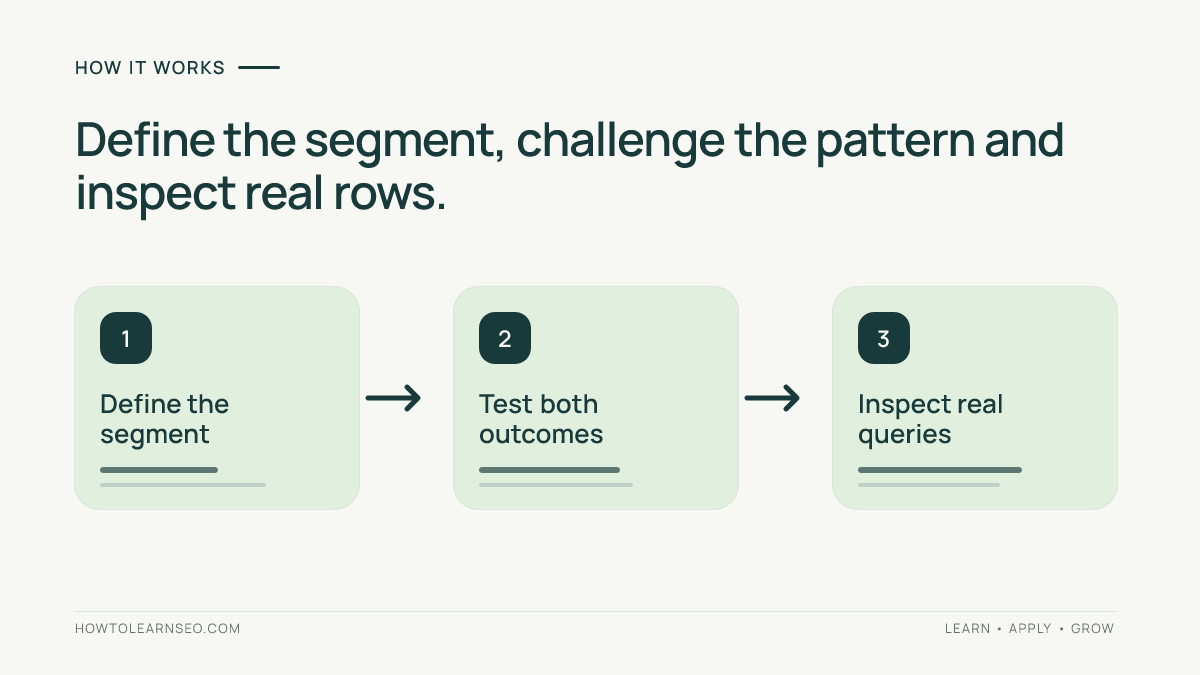
An AI assistant can propose a plausible regex that silently includes the wrong searches. Before using Search Console regex filters for a content decision, define the intended segment, challenge the pattern with examples, and inspect the actual filtered rows.
Quick Answer
Validate an AI-generated filter in three stages: write an inclusion rule, check expected matches and non-matches, then apply it to the correct Search Console property and dimension. A pattern being accepted proves syntax compatibility, not that it measures the audience you intended.
Key Takeaways
- Ask for Google RE2 syntax and an explanation of every operator.
- Include difficult negative examples, not just obvious positive ones.
- Keep the report scope fixed while checking the filter.
- Save the approved pattern, examples and limitations with the analysis.
Prepare the Data and Define the Segment
You need access to a Search Console property with Performance data, a query export, and a text editor or spreadsheet. An AI assistant is optional; no paid API or WordPress plugin is required. Start with the Search Console guide if property selection or Performance reports are unfamiliar.
Use a recent, complete reporting period, retaining the original query text. Record property, dates, search type, country, device and existing filters. Google flags preliminary data in the report; its Performance overview explains the available dimensions and metrics. Avoid comparing a preliminary period with a settled one.
Write one plain-language rule before requesting code. For example: “Find queries containing the consecutive words internal linking, with whitespace between them and no letters immediately touching either end.” This is a lexical segment, not an automatic classification of search intent. Review intent separately before proposing content.
Ask AI for a Reviewable Pattern
Give the assistant synthetic examples first. For a client export, follow your organization’s data-handling rules and remove confidential information. The prompt below is an illustrative instruction, not an observed model response:
Create a Google Search Console query filter using RE2. Include the consecutive words internal linking, allowing one or more whitespace characters between them. Require a non-letter boundary or string edge on both sides. Return one plain pattern without surrounding slashes, explain every part, and list expected matches and non-matches. Do not use lookarounds or backreferences. Do not infer rankings, search volume, AI usage or search intent.
A candidate for that exact rule is:
(^|[^a-z])internal\s+linking([^a-z]|$)The boundary groups accept an edge or non-letter; the middle names the phrase. The whitespace quantifier permits repeated spaces. This deliberately English-letter rule is not a universal multilingual word detector. If your task is different, change the rule and examples together rather than blindly reusing the expression.
The official RE2 syntax reference documents grouping, alternation, repetition and character classes. It also marks lookarounds and backreferences as unsupported. Reject an elaborate expression you cannot explain, even if the assistant confidently calls it compatible.
Test Search Console Regex Filters Against Counterexamples
Build a small validation table before examining traffic totals. Put the input string in one column, your expected decision in another, and the evaluated result in a third. Mark disagreements explicitly. Use an RE2-compatible evaluator with case-insensitive partial matching. A tester using another engine can accept unsupported syntax; treat its result as provisional.
Google documents RE2, partial matching and case-insensitive defaults in its advanced filtering instructions. Anchors constrain string edges; case-sensitive matching requires an explicit override. Keep those settings consistent when evaluating examples outside the report.
Illustrative Validation Table
These synthetic cases describe expected behavior for the candidate above. They are not observed Search Console results or a claim of live product testing.
| Query example | Expected | Reason |
|---|---|---|
| internal linking | Include | Exact phrase at both string edges |
| best internal linking tools | Include | Phrase surrounded by spaces |
| INTERNAL LINKING audit | Include | Case-insensitive report matching |
| internal-linking guide | Exclude | Hyphen is not whitespace |
| internal linkings | Exclude | A letter immediately follows linking |
| external linking | Exclude | Different first word |
Also test two spaces between the words: the candidate should include that case. If hyphenated wording belongs in your segment, add it as an expected positive and request a revised pattern. Preserve the original version so a broader definition cannot silently change a historical comparison.
Apply the Pattern and Inspect Real Rows
- Open the intended property’s Search results Performance report.
- Set the recorded date range and search type; remove unrelated filters.
- Choose Add filter, Queries, then Custom (regex).
- Paste the plain pattern, select Matches regex, and apply.
- Review returned queries, especially ambiguous and unexpected examples. Export the filtered view with its settings.
Use Queries for query text and Pages for URLs; they are different inputs. For a negative segment, use the report’s Doesn’t match regex option rather than an unsupported negative lookahead. Google’s negative-match guidance explains this alternative.
If the report rejects the pattern, resolve syntax before interpreting data. If it accepts the pattern but returns nothing, check the property, period, dimension and other filters. Absence of returned rows alone cannot distinguish an overly narrow expression from absent reportable queries.
Approve the Filter Before Making Content Decisions
Save the rule, final pattern, positive and negative cases, export date and reviewer decision. Approval means the pattern meets the stated rule on checked examples, not that every hidden query is covered. Map relevant query groups to existing pages using keyword mapping; do not create an article for each spelling variation.
When totals differ, consult Google’s data-discrepancy guidance. Query privacy omissions, table limits and aggregation can prevent matching and non-matching totals from reconstructing the unfiltered total. Record these limits instead of forcing the arithmetic to balance.
A filter for question-shaped queries does not identify AI citations, assistant referrals or crawler requests. Those require separate evidence. This tutorial validates text selection; it does not measure comprehensive GEO visibility or establish ranking improvements.
Frequently Asked Questions
Do I need regex for one simple phrase?
Usually not. A containing filter is easier to review when one literal substring answers the question. Regex becomes useful when alternatives, variable spacing or explicit boundaries matter. Choose the simplest filter that represents your rule, and document any cases it intentionally leaves out before comparing results.
Can AI validate its own regex reliably?
It can explain a candidate and propose useful counterexamples, but that is not independent verification. Write expected decisions yourself, check the syntax reference, and inspect real returned rows. If the explanation and pattern disagree, hold the filter until you can resolve the mismatch without relying on the model’s confidence.
Why did a negative filter not recover every remaining query?
The visible query data is not a complete list of every search. Privacy omissions and reporting limits affect what can be reconstructed, and query filtering changes which data contributes to totals. Compare results within the same scope and state the coverage limitation rather than treating the remainder as an exhaustive audience segment.
Should I revise the pattern whenever new wording appears?
Review new wording against the original segment definition first. A relevant missed variant may justify a new version; unrelated wording should remain excluded. Save the change and rerun both comparison periods consistently. Otherwise a larger segment can look like growth even when search performance has not improved.
Will using these filters change indexing or rankings?
No. A Performance filter changes the data view you analyze. It does not edit your website, change crawler access or submit pages for indexing. Any later content decision needs its own evidence and checks. Keep analysis approval separate from permission to change a live page or its technical settings.
Conclusion
Reliable Search Console regex filters begin with a precise rule and challenging examples. Let AI propose the expression, then approve its syntax, boundaries and actual returned rows yourself. Preserve the final definition so later reports measure the same segment.