
Server-side rendering versus client-side rendering is an important technical SEO decision for websites built with JavaScript frameworks. The choice affects when content, links and metadata become available to a crawler, but it is not a ranking trick. This guide compares three delivery models, explains Google’s current guidance on dynamic rendering and provides a repeatable test before a team changes production architecture.
Quick Answer
For JavaScript SEO, make important content and links reliably available in HTML. Server-side or static rendering can expose the main page without requiring a browser to execute client-side scripts. Client-side rendering can still work, but it adds dependencies and must be tested. Google calls dynamic rendering a workaround rather than a long-term solution in its official guidance.
Key Takeaways
- Compare what the server sends with what a browser eventually displays.
- Keep essential text, navigation and metadata accessible to crawlers.
- Use server rendering or hydration when the architecture benefits from it.
- Do not assume Google always sees a page exactly as a user does.
- Test representative URL types before migrating an application.
Understand the three common delivery patterns
With server-side rendering, the server assembles the page’s HTML before returning the response. With client-side rendering, the initial HTML may contain a lightweight application shell, and JavaScript later creates the visible content. Static generation produces HTML ahead of requests, while hydration can attach interactivity after meaningful content is already present. Real projects often mix these techniques within one website.
Google’s JavaScript SEO basics explains that crawlers can process server HTML and that Google may also render JavaScript content. A page is not automatically unindexable because it uses a JavaScript framework, but the timing and availability of content are important. Our JavaScript SEO beginner’s guide covers the broader crawling and indexing background.
Compare raw HTML with rendered content
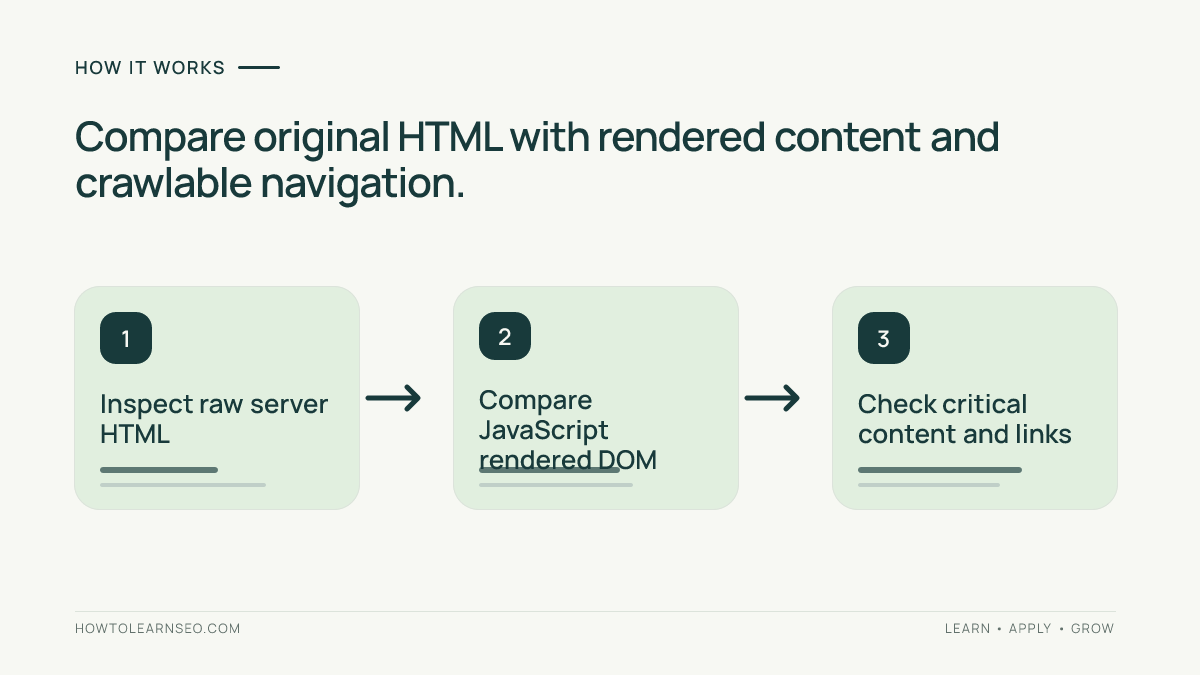
Choose a product, article or category URL and inspect the network response before scripts run. Does its HTML contain the page’s main text, title and links? Then inspect the rendered DOM after JavaScript execution. Compare meaningful text, canonical signals and navigation. If a product description exists only after a slow external API call, both users and crawlers may encounter incomplete information when that request fails.
Do not confuse View Source with the finished DOM. Browser developer tools and the network panel help show which content arrived from the server and which was inserted later. A visible page in your own browser proves only that this browser session succeeded. The HTML available to crawlers may differ because of blocked resources, cookies, network behavior or authentication dependencies.
What Google’s rendering system changes and what it does not
Google describes a crawl-and-render process for pages it can access. A successful response can enter a rendering queue, where a headless browser executes supported JavaScript and Google analyzes the rendered HTML. Rendering time and resources can vary, and content requiring user gestures or unavailable API calls may not appear as intended. Other search engines may implement JavaScript handling differently, so cross-engine testing matters.
Do not design critical navigation that exists only after a complex interaction, or hide the page’s main answer behind a request that frequently fails. The issue is not whether JavaScript is “bad for SEO”; it is whether search engines and visitors can consistently access the intended document. Our Google indexing guide explains why successful discovery does not promise inclusion in search results.
Why dynamic rendering is not the default solution
Dynamic rendering identifies bots and serves them a separately rendered version while human users receive a client-side experience. This can create a maintenance burden because two representations of the same content must remain consistent. Google’s documentation treats it as a workaround and recommends server-side rendering, static rendering or hydration for long-term solutions. Deliberately presenting different substantive claims to crawlers and people is not an acceptable optimization strategy.
If an older site uses dynamic rendering, review whether it is still necessary before retiring it. A safe migration requires URL sampling, content comparisons and server monitoring rather than removing the rendering layer overnight. Developers should document the fallback behavior for API failures, route changes and user-agent requests. The objective is one accurate, accessible experience rather than a special crawler-only marketing page.
Worked example: a client-rendered product guide
Input: Consider a fictional guide at /guides/camping-stoves/. The server initially returns a page shell with navigation, but the stove comparison table and supporting links appear only after a browser fetches an API. An engineering review finds that the endpoint can return an error during deployment. These observations are illustrative, not actual findings from an audited website.
Action and rule: Move the essential comparison data and links into the server-rendered or statically generated HTML while preserving optional client-side sorting. Keep titles, canonical tags and internal links accurate before hydration. Retest the page with JavaScript disabled, then with JavaScript enabled and a simulated API failure. Avoid assuming that a single browser screenshot validates the crawlable response.
Expected output: A visitor and crawler can read the comparison and follow main links even if interactive sorting fails. Verify: Compare raw HTML, rendered DOM, important HTTP status codes and Search Console’s rendered-page view after deployment. Edge case: If prices change frequently, define a reliable freshness strategy; static HTML that displays obsolete prices can be more misleading than a slower but accurate solution.
Check routing, links and metadata during a migration
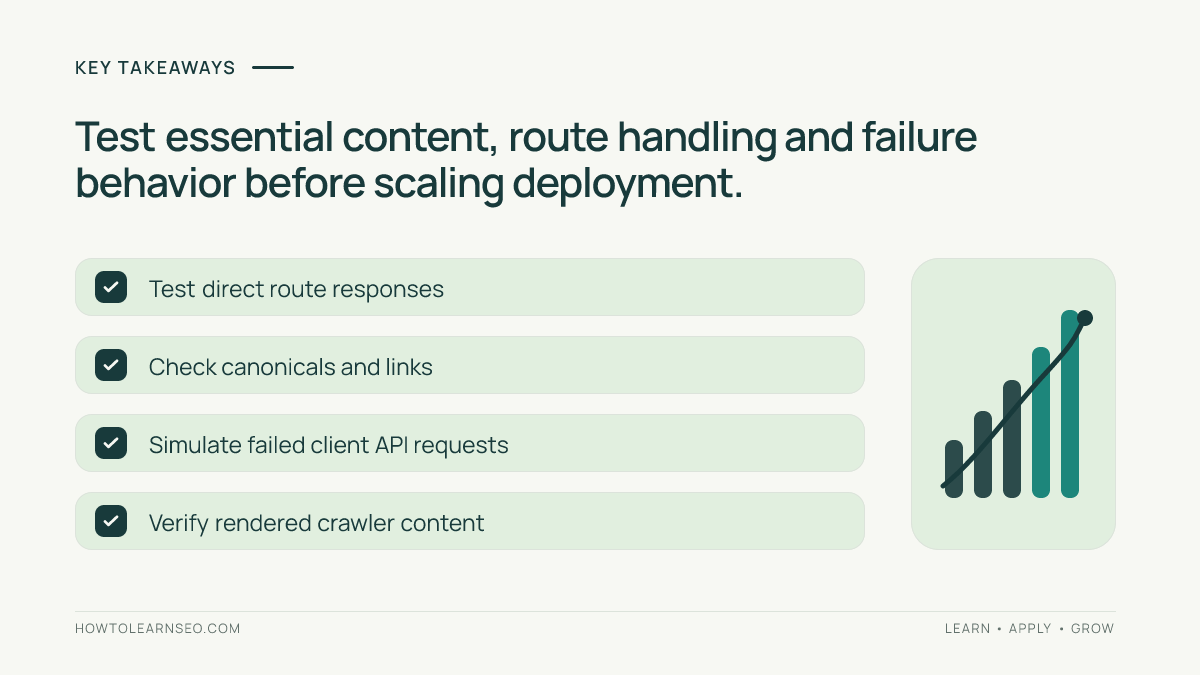
JavaScript frameworks often handle routes in the client, but every intended indexable URL should also resolve directly from a fresh request. Test deep links rather than visiting only the homepage and clicking within the application. Check that important links use discoverable anchor URLs and that redirects, error pages and canonical signals behave correctly. A client route displaying a friendly error screen with an HTTP 200 response can confuse diagnosis.
Document the old and new HTML titles, description tags, heading structure, structured data and essential content for a representative set of pages. Test indexable content types separately: homepage, guide, product, category and pagination states. Our site architecture guide can help teams identify which navigational paths matter most. Deploy gradually and retain rollback procedures for route or rendering errors.
Balance rendering strategy with user experience
Server rendering is not automatically fast, and client rendering is not automatically slow. Bundle size, hydration cost, caching, images and server response time all influence how the page feels. Measure representative experiences with field or laboratory tools and consider the Core Web Vitals guide for the broader performance discussion. Focus on delivering usable content promptly rather than optimizing for one theoretical framework label.
Keep a monitoring plan for successful HTTP responses, rendering differences, crawl errors and user-facing API failures. If a page gains indexability but loses functional product selection, the migration is incomplete. The most defensible architecture provides accurate content, reliable navigation and necessary interactivity to both humans and search engines, with clear ownership of ongoing changes.
Frequently Asked Questions
What is server-side rendering for SEO?
Server-side rendering delivers important page content in the HTML response, reducing reliance on client-side JavaScript execution to expose it to crawlers.
Can Google index JavaScript-rendered pages?
Google can render many JavaScript pages, but important content and links may be delayed or unavailable if scripts fail, resources are blocked or rendering behaves differently.
Is dynamic rendering recommended by Google?
Google describes dynamic rendering as a workaround, not a preferred long-term solution, and recommends server-side rendering, static rendering or hydration where suitable.
Does server-side rendering automatically improve rankings?
No. It can improve content availability and reliability, but useful content, page experience, accessibility and many other signals still matter.
How can developers inspect what Google sees?
Compare raw response HTML, a browser-rendered page and the rendered content available in Search Console’s URL Inspection tools for a representative indexed URL.
Can a hybrid site use server and client rendering together?
Yes. A site may deliver essential page content from the server and use client-side code for interactive features, provided content and navigation remain accessible.
Conclusion
Server-side rendering, client-side rendering and hydration are implementation choices with SEO consequences, not automatic ranking signals. Check which content appears in the initial HTML, how the rendered page differs and whether important links survive failures. Prefer sustainable architectures over crawler-specific workarounds, then validate changes with representative URLs before scaling.