
Screaming Frog SEO Spider review: this desktop crawler helps technical SEO teams investigate URL responses, internal links, metadata and indexability signals at scale. It does not guarantee rankings. The best buying decision depends on site size, audit frequency and whether someone can act on the evidence.
Quick Answer
SEO Spider is worth evaluating when a repeatable technical crawl can answer specific questions. Start with an authorized sample, verify findings, and compare your needs with current official licensing. This review does not claim unperformed tests or unverified prices.
Key Takeaways
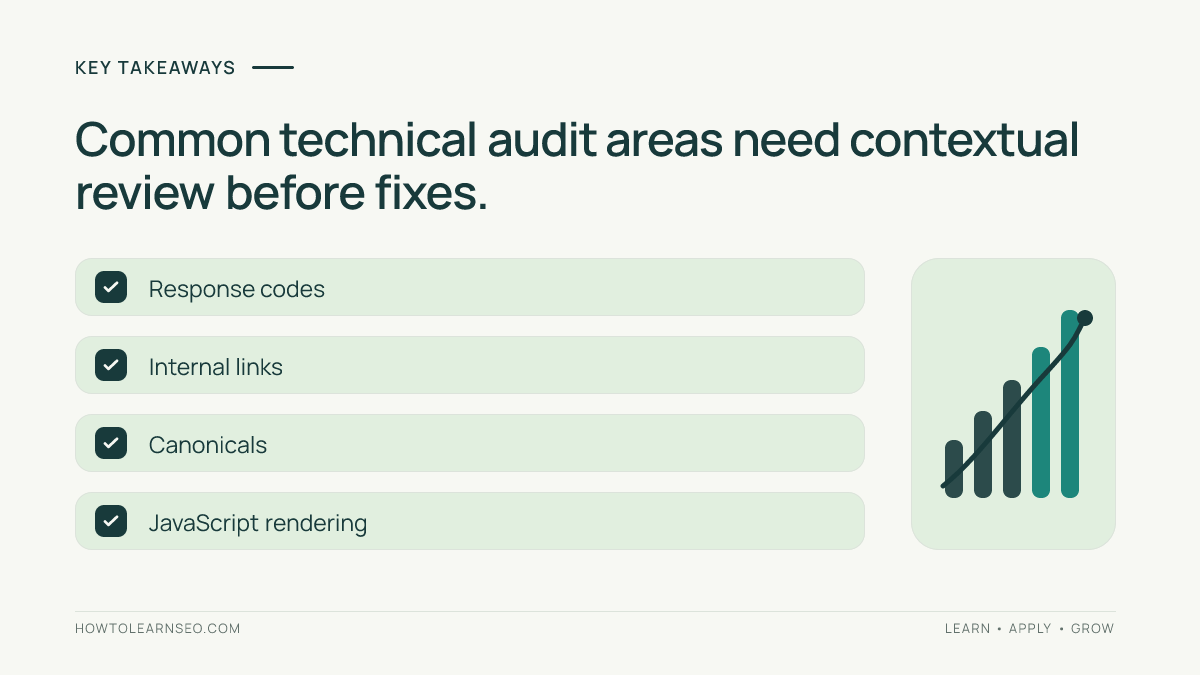
- Its core strength is structured technical crawl evidence.
- Crawl output is not the same as Google’s index.
- Warnings require contextual review and verification.
- Paid licensing should solve a documented workflow limitation.
- Retesting is essential to demonstrate that a fix worked.
What Screaming Frog actually measures—and what it cannot
SEO Spider is a website crawler: it requests pages, parses their responses and organizes observations into a structured interface. That makes it valuable for diagnosing a technical problem that repeats across hundreds of URLs. It is not a keyword database, an analytics platform or a direct view into Google’s index. A crawl may reveal that a product template declares the wrong canonical, but it cannot establish how many shoppers searched for that product or whether Google chose that canonical.
Think of the crawler as an evidence collection system. The inputs are starting URLs, link discovery rules, request settings and optional configuration. The outputs are observed URLs and attributes, including status codes, link relationships, metadata and directives. The interpretation is a separate professional task. A response marked 200 can still serve an unhelpful page. A URL marked noindex may be correctly excluded. A redirect may be deliberate, not broken.
Before every audit, write a question that can be answered by crawl evidence: Which navigation links resolve to errors? Which sitemap URLs are noncanonical? Which article templates omit a primary heading? Avoid a vague objective such as ‘find all SEO issues.’ A narrow question makes scope, sampling and verification easier.
For example, a content publisher might suspect that its archive pages generate thousands of near-identical title tags. Crawl representative archive and article URLs, group titles by page type and inspect the template. If a shared variable is missing, the useful recommendation is a template correction, not a spreadsheet of hundreds of individual titles. Re-run the same representative URLs after deployment to confirm the fix.
The quality of a crawl also depends on its exclusions. Login walls, robots restrictions, blocked assets, URL parameters and JavaScript navigation can all affect discovery. Document these conditions. When reporting that 40 URLs have a certain attribute, state the crawl population and settings; otherwise the number can be mistaken for a sitewide total.
What the crawler does
SEO Spider collects URL-level technical evidence rather than measuring rankings. A crawl can reveal response codes, metadata, canonicals, headings, link paths and other patterns under a defined configuration. The findings describe what the crawler observed, not everything Google indexed. That distinction is important when reporting results to clients or executives.
Use it when a site contains enough pages that manual browser inspection is unreliable. A small brochure website may not need a paid crawler; a large catalog, multilingual site or migration often benefits from structured exports. The key question is whether the analyst can translate a finding into a decision and a verified fix.
Detailed use cases by team and website type
In-house technical SEO: Use repeatable crawls to turn vague concerns into engineering tickets. Instead of telling developers that internal linking is weak, provide the source page, destination, response, affected template and desired acceptance test. A useful ticket is actionable without requiring the developer to reverse-engineer a crawler export.
SEO agencies: Standardize the scope and evidence across clients, but do not standardize conclusions. A news publisher, a SaaS documentation site and a retail catalog can share a crawler while requiring very different interpretations of faceted navigation, archived content and redirects. Keep a per-client configuration record and explicitly note whether authenticated or staging environments were included.
Content editors: Investigate missing titles, repeated descriptions, heading structure and broken editorial links. Prioritize patterns caused by publishing templates. A duplicate title across a small group of deliberately paginated pages may require different treatment from duplicate titles across unique product detail pages.
Developers and QA teams: Check whether a release changed status codes, canonical declarations, internal links or indexability on representative URLs. Pair the crawl with browser inspection, server logs and automated tests where appropriate. SEO Spider helps identify symptoms; it does not replace application testing.
Migration managers: Compare legacy inventories, redirects and destination responses before and after a launch. A redirect map is a plan, not proof of deployed behavior. Test a stratified sample of high-value pages, old product URLs, category URLs, media and common legacy patterns before expanding coverage.
Small business owners: A full technical crawler may be unnecessary if the website has only a few stable pages and no recurring maintenance process. Start with Search Console, browser checks and a limited crawl. The license is worthwhile only if its additional capabilities solve a real, repeated problem.
International and multilingual sites: Crawl each relevant language or market section and check URL accessibility, navigation paths and declared signals. Avoid assuming that every market must have identical content or URL counts. Regional pages can legitimately differ in products, regulations and language.
The common thread is ownership. A crawler produces the most value when somebody can triage findings, authorize fixes and verify outcomes. Without that operating process, more exported rows simply create more backlog.
Who should use Screaming Frog
Technical SEO specialists can inspect sitewide patterns and provide developers with reproducible URL examples. Agencies can standardize recurring audits. Content teams can investigate duplicate titles and broken editorial links, while migration teams can check redirects and old-to-new URL mappings.
It is less suitable when the main need is keyword discovery, paid advertising data or daily rank tracking. Those jobs require different sources. The strongest buyer has an audit question, access to the website, a person responsible for fixes and a way to measure whether the change worked.
How to evaluate the free edition against a license
Begin with the current official feature matrix, not an old comparison article. Vendors can change licensing terms, feature availability, crawl ceilings and integrations. Record the date you checked the vendor’s site and the currency shown at checkout. This review deliberately avoids presenting an unverified price as current.
Build a requirements table with four columns: task, frequency, required output and consequence if unavailable. Example entries might include monthly redirect audits, weekly broken-link checks, a one-time migration validation and quarterly JavaScript inspection. Separate essentials from conveniences. A team that crawls 80 static pages once a quarter has a different need from an agency auditing multiple large properties each week.
Test the free edition with a representative, authorized site section. Can you locate the intended URL, inspect inlinks, export the evidence you need and reproduce the result independently? If the answer is yes for all recurring tasks, paying may not be necessary. If the workflow is blocked by a specific crawl limit or licensed feature, document exactly which deliverable cannot be completed and how often the obstacle arises.
Consider total cost of ownership beyond the license. Crawls use computer resources; JavaScript rendering and very large sites may demand additional memory, time and storage. Analysts need training, and stakeholders need useful reports. A cheaper tool that requires extensive manual reconciliation can be less economical than a more capable option, but the reverse is also possible.
A defensible purchase request includes a pilot result. For instance: ‘Our monthly category audit requires checking 4,000 candidate URLs and exporting their inlinks; the current workflow cannot complete that scope efficiently.’ That statement is stronger than ‘This is the industry-standard tool.’ Avoid claiming saved hours until you have measured them on your own process.
Before renewal, repeat the exercise. Have the site size, staff, crawl frequency or reporting requirements changed? Are the licensed capabilities still used? A tool should retain its place in the stack because it solves an ongoing problem, not because it was once purchased.
Free and paid licensing
SEO Spider offers free and licensed usage, but feature availability, crawl limits and prices can change. Check the vendor’s official SEO Spider page for the current matrix and checkout terms. This review does not present an unverified price or claim a paid subscription was tested.
Make a purchasing worksheet: properties, approximate URL counts, audit frequency, essential exports, JavaScript requirements, team skills and computer resources. Pilot a representative sample before deciding that a license will save time. The economic value is faster defensible decisions, not a promised increase in organic traffic.
Practical configuration checklist before a large crawl
1. Confirm authorization. Identify the property owner and permitted environment. Coordinate with engineering for high-traffic or fragile production systems. A technically possible crawl is not automatically an authorized one. Respect access controls and agree on a safe request rate.
2. Choose the exact starting point. Decide whether the audit covers a domain, a subdirectory, a staging site or a supplied list. A subdirectory audit may need carefully chosen inclusion rules; otherwise shared navigation can take the crawl far beyond the intended section.
3. Decide how to handle parameters. Tracking, sorting and filter parameters can multiply URLs dramatically. Do not exclude them blindly: some filtered pages may have meaningful, indexable content. First sample parameter families and decide which are relevant to the audit question.
4. Record user-agent and rendering choices. The response delivered to a crawler may differ from the response seen by a logged-in user or a browser executing scripts. If you change the user agent or rendering mode, label the results accordingly rather than comparing them as if they were identical.
5. Check robots and authentication. Restrictions can prevent observation. Record whether the crawl respected site rules and whether approved credentials were needed. Do not treat an inaccessible page as automatically broken.
6. Run a small pilot. Select one homepage, one category, one detail page, one redirect and one intentionally excluded URL. Check their status, canonical, title and internal-link observations against direct browser or request checks. If those basics disagree, investigate before scaling.
7. Preserve the configuration. Save the project settings, date, target, exclusions and relevant assumptions. A future analyst should be able to explain why two crawls produced different URL counts.
8. Plan the output before collecting it. Decide whether the result will be a developer ticket, a migration acceptance sheet, a content template diagnosis or an executive summary. Collecting every possible column can obscure the fields actually needed for the decision.
A common failure is beginning with the entire website, discovering a huge parameter explosion and then deleting rows until the spreadsheet looks manageable. That approach hides the real cause. Stop, fix the scope, rerun the pilot and only then scale the crawl.
Set up an authorized crawl
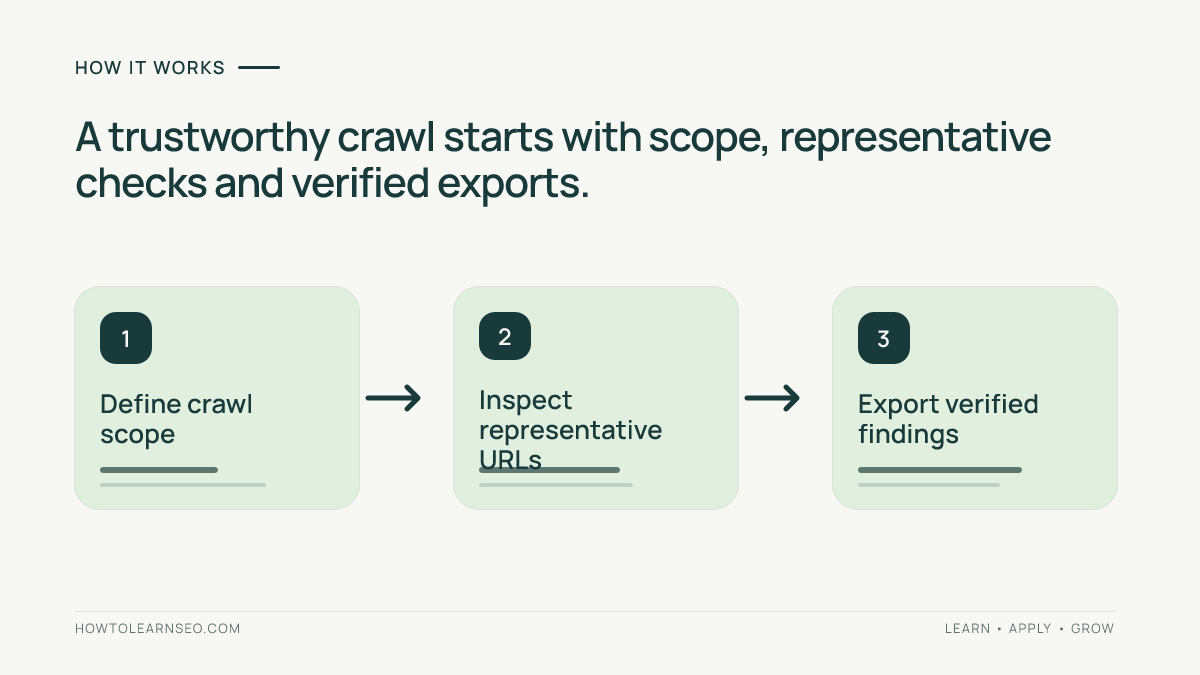
Confirm permission to crawl the target domain, especially if it is a production store with fragile infrastructure. Record the date, starting URL, user agent, crawl speed, inclusion rules, excluded paths, rendering mode and authentication. Without that record, two crawl exports may not be meaningfully comparable.
Begin with a small representative set: homepage, category, article, redirect and intentionally excluded page. Check whether the crawler sees the expected content and responses. Then expand. A mistaken parameter rule or consent screen can produce thousands of misleading rows if not caught in a pilot.
Spider mode versus list mode
Spider mode follows discoverable links from a starting address, making it useful for investigating navigational reachability. List mode checks a supplied URL inventory, which is helpful for migration maps or known legacy addresses. The two approaches answer different questions and should be labeled separately in reports.
A URL missing from a spider crawl is not automatically an orphan. It may have been excluded by settings, blocked, hidden behind authentication or generated by JavaScript. Compare the crawl with authorized sitemaps or other inventories before making a sitewide claim.
Worked example: a broken product link
Suppose a running-shoes category links to /products/old-trail-shoe/, which returns HTTP 404. Crawl the approved store, filter internal URLs by response code, inspect the retired product’s inlinks and identify the category page as the source. Reproduce the 404 independently to rule out a transient request failure.
Decide whether an equivalent replacement exists. If yes, update the category link to the live product and consider a direct permanent redirect from the old URL. If not, remove the broken recommendation or link to a genuinely relevant category; a blanket homepage redirect may confuse visitors. An intentionally removed product can correctly return 404. See the 404 troubleshooting guide and 301 redirect guide.
Record input: category links to retired URL. Rule: redirect only when a genuinely equivalent replacement exists. Action: change the source link and, where justified, redirect the old URL directly. Expected output: destination returns 200 and navigation no longer points to 404. Verification: recrawl the three relevant URLs and click manually. Edge case: temporarily unavailable seasonal stock should not be treated as permanently retired.
How to prioritize crawl findings without creating busywork
A raw issue count is not a prioritization system. Start with user impact, page importance, the number of affected templates and confidence in the evidence. A broken global-navigation link on a commercial category can deserve urgent attention; an old unlinked URL returning an intentional 404 may require no action.
For every issue group, record the observation, a plausible cause, a proposed change and an acceptance test. Example: ‘Twenty product pages in one template link to an outdated size-guide URL.’ The action might be to update the shared component. The acceptance test is that a fresh crawl and a browser click both reach the intended live guide. This avoids creating twenty separate tickets for one underlying defect.
Distinguish status codes from page quality. A 200 response says the server returned a successful response, not that the page is valuable or indexed. A 301 may be correct after a permanent move; a chain of several redirects may warrant simplification when it adds latency or obscures destination logic. A 302 can be appropriate for a genuinely temporary move. A 404 is not automatically an SEO emergency. A 5xx deserves investigation, but one transient failure during a heavy crawl should be reproduced before escalating.
Use a simple severity matrix. High priority: important customer journeys fail, essential content is inaccessible or a shared template affects a large number of valuable pages. Medium priority: repeatable issues with a credible impact but no immediate outage. Low priority: cosmetic warnings, intentional exclusions or cases where no beneficial fix has been established. Severity should be justified, not copied from the crawler’s warning label.
Before reporting a change as successful, compare like with like. Keep the same scope and configuration where possible. Report both the number of affected URLs and the population crawled. A fall from 100 warnings to 20 is not meaningful if the second crawl examined only one fifth as many pages.
For a multi-team project, add owner, due date and evidence link to each finding. Close the ticket only after checking the live behavior, not merely because a deployment was announced. Technical SEO work is complete when the expected user-facing or crawler-visible result is observed.
HTTP response codes
A 200 response does not prove that a page is indexed or useful. A 301 can be appropriate for moved content, but redirect chains and loops need investigation. A 404 can be intentional, while a 5xx may reflect a real outage or a transient crawler-specific failure.
Prioritize by business impact and internal-link prominence. A broken URL in global navigation matters more than a retired address with no internal links. Confirm unusual responses with another request before escalating, and use the SEO audit guide to place the finding in a broader workflow.
Titles, descriptions and headings
The crawler can group missing, duplicate or unusually long metadata across page templates. Such patterns may reveal a CMS template problem. However, duplicate text is not always an error, and search engines can rewrite snippets. Avoid presenting character-count filters as rigid ranking rules.
Sample multiple pages within each template group. Identify whether a missing variable or shared component causes the pattern, then fix the template rather than manually editing hundreds of URLs. Retest representative pages and document what changed.
Canonicals and URL parameters
Canonical tags indicate preferred URLs but do not guarantee that search engines will select them. A crawler can expose inconsistent declarations, canonical targets that redirect and parameterized variants. The decision still depends on whether pages are duplicates or serve genuinely different search intents.
A newsletter-tracking URL may reasonably point to its clean article URL, whereas a filtered category might deserve independent visibility. Review Google’s canonicalization guidance and the site’s canonical tutorial before applying broad rules.
Internal links and orphan pages
Internal-link reports connect a technical issue to the pages that generate it. Review source URL, destination, anchor text, response and page type. A count of inlinks is not a complete measure of relevance: a strategically important page may need prominent navigation even if it has some links.
A spider cannot reliably discover a page with no reachable links. Compare the crawl against sitemaps, Search Console or another authorized URL inventory. Investigate missing URLs rather than labeling them confirmed orphans. The orphan-page workflow provides a complementary method.
JavaScript, navigation and rendering: a deeper diagnostic workflow
Modern sites may populate menus, product listings or article bodies after JavaScript runs. A crawler that reads only initial HTML can therefore see a different set of links and text from a rendered browser. That difference is a diagnostic clue, not automatic proof that Google cannot process the page.
Choose a representative page with a known dynamic component. Inspect the initial HTML, then inspect the rendered page in a browser. Compare the actual link destinations, primary content and important metadata. If the component exists only after rendering, run a targeted crawl using the appropriate rendering option and record the changed settings.
Next, determine whether the observed difference matters. A decorative carousel may be irrelevant to discoverability; a category menu containing the only links to important product pages is more consequential. Check whether those links are ordinary navigable anchors and whether a user can reach the destinations without relying on unusual interaction.
Be alert to environmental differences. Consent banners, geolocation, personalization, blocked scripts, request timing and authentication can alter rendered output. A headless browser may not behave exactly like a real user session or Google’s systems. Reproduce surprising findings with more than one observation before assigning a root cause.
Consider an illustrative case: a retailer’s category page initially contains ten products, but additional items appear after a button click. A standard spider crawl finds only the first ten product links. The analyst should not immediately recommend server-side rendering. First check whether the additional products are available through paginated URLs, a sitemap or another discoverable route. If they are not, work with developers to establish an accessible link path and verify it after deployment.
Rendering can consume significant resources. Do not enable it for every URL merely because the site uses a JavaScript framework. Start with the templates where rendering changes a meaningful SEO signal, and expand only when the pilot demonstrates the need. This keeps audits faster, easier to interpret and less disruptive.
JavaScript rendering
A JavaScript-heavy site may expose different links and content in initial HTML and rendered output. Rendering can help investigate this, but it does not reproduce Google’s processing environment exactly. Browser timing, scripts, consent banners and resource blocking can change what a crawler observes.
Compare a representative category, article and navigation menu in both modes. Confirm findings in a browser before recommending architecture changes. Google’s JavaScript SEO documentation is useful context. Rendering may require more resources, so avoid enabling it across every URL without a defined need.
Sitemaps and indexability
A sitemap supplies a list of candidate URLs, not proof of indexing. Compare sitemap entries with crawler responses, canonicals and directives. A sitemap containing redirecting or noncanonical addresses can indicate maintenance work, but the site’s intended URL policy must be established before changing anything.
Search Console provides Google’s observed indexing and performance data, which a desktop crawl cannot replace. A crawled URL is not necessarily indexed, and a missing URL may simply be outside crawl scope. Treat discrepancies as questions for investigation.
Turning exports into a useful technical SEO report
The most common reporting mistake is sending a large spreadsheet of warnings without a decision. Stakeholders need to know what was observed, why it matters, what should change and how the result will be verified. Keep the full export as supporting evidence, but summarize findings at the issue-family level.
A practical issue record can contain: issue ID, page type, affected URL, source URL if relevant, observed status or directive, reproduction steps, business impact, recommended owner, proposed action, acceptance test and verification date. Include a small sample of affected URLs plus the total observed count under the documented crawl scope.
For example, a migration report might identify a legacy category URL that redirects to the homepage instead of the closest new category. The evidence is the old URL, observed redirect destination and intended mapping. The action is to correct the mapping after confirming the new category is a relevant equivalent. The acceptance test is a direct redirect to the appropriate live destination, with internal links updated where needed.
Use separate views for different audiences. Developers need exact URLs, response behavior and test criteria. Editors need page-template patterns and copy-related implications. Product owners need priority, dependencies and likely user impact. Executives usually need a concise explanation of material risks and completed fixes, not every low-priority metadata warning.
Make recurring audits comparable. Record the crawl date, configuration, URL population and any changes in site architecture. If the site added thousands of products between runs, raw issue counts may rise even while the proportion of affected pages falls. Where useful, show both counts and rates, with a clear denominator.
Do not confuse a closed ticket with a verified fix. After deployment, recrawl the relevant URLs, inspect representative pages manually and capture the observed result. If the issue persists, reopen it with fresh evidence. If the finding was a false positive caused by configuration, correct the audit process and document that decision rather than changing a healthy website.
Exports and repeatable audits
A useful export includes the exact affected URL, observed evidence, page template, recommended action, owner and acceptance test. A giant spreadsheet of warnings without ownership rarely results in improvements. Group template-level defects into coherent tickets with representative examples.
Keep crawl settings stable when comparing results. If one run includes 2,000 URLs and another includes 8,000 because parameter rules changed, raw issue counts are misleading. Report scope differences and compare affected page types where possible.
Migration audits
Before a migration, inspect the old URL inventory and planned redirect mappings in an authorized environment. Verify that destination pages are relevant and that intended redirects do not chain unnecessarily. After launch, check real production responses and internal links rather than assuming the mapping sheet reflects deployed behavior.
A staged retest should begin with critical pages, navigation and representative redirect families. Expand once the sample passes. Coordinate crawl rate with engineering during sensitive launch windows. Preserve old and new exports for issue triage.
Limitations
SEO Spider is not a replacement for keyword research, conversion analytics, competitive demand analysis or rank monitoring. Some findings depend on machine resources, site access, crawl scope and operator knowledge. A crawler warning is evidence for review, not an automatic instruction to change the website.
Some pages are intentionally noindexed, removed or canonicalized. Treating every flagged row as a defect can create unnecessary work. Verify business intent and technical behavior before recommending fixes.
Alternatives
Google Search Console complements crawling with search-engine observations but cannot substitute for every internal link and template inspection. Browser developer tools are useful for reproducing individual defects. Other desktop or cloud crawlers may offer different reporting, scheduling and deployment models.
Evaluate alternatives using a real pilot under comparable scope. Weight URL capacity, rendering needs, exports, team learning curve, security requirements, frequency and total cost. More warnings do not necessarily mean a better audit.
Decision framework: when Screaming Frog is the right choice
Score the product against the jobs your team actually performs. Start with five questions: How many URLs need examination? How frequently will you crawl? Are important pages rendered with JavaScript? What exports or integrations are essential? Who will investigate and resolve the findings? A tool can be excellent and still be the wrong purchase for a particular organization.
Choose a desktop crawler when: you need detailed URL-level inspection, repeatable technical audits and direct control over scope and configuration. This is especially relevant for migrations, template diagnostics and recurring technical quality assurance. Validate that your computer and team workflow can handle the intended crawl volume.
Choose Search Console as a complement when: you need Google’s indexing and search-performance observations. A crawler cannot replace those observations, while Search Console does not provide the same complete, configurable internal-link traversal. Using both can expose discrepancies worth investigating.
Consider cloud-based alternatives when: your organization values scheduled collection, centralized access or collaborative dashboards more than a local desktop workflow. Compare security requirements, reporting needs, supported crawl scope and total cost rather than relying on a generic best-tool ranking.
Delay purchasing when: the website is small, audits are rare or no one is available to act on findings. Start with a documented manual checklist and a limited crawl. If the workflow becomes repetitive or exceeds the capabilities you have, reassess with evidence.
Run a small bake-off using the same authorized URL sample. Give each tool the same questions: find broken navigation links, identify inconsistent canonicals, inspect a JavaScript-dependent page and produce a developer-ready report. Compare completeness, clarity, time spent and false positives. Do not claim one tool won unless you have actually performed that comparison.
Finally, evaluate operational fit. A team that cannot preserve crawl configurations or interpret exceptions may struggle with any sophisticated crawler. Budget for process design and analyst training. The strongest return comes from a cycle of question, crawl, evidence, action and retest—not from the software license alone.
Buying checklist
List the top five tasks your team performs: redirect validation, metadata auditing, internal-link checks, JavaScript inspection or migration QA. Mark each as essential, useful or unnecessary. Confirm which tasks the current free version supports, then identify exactly which paid capability solves an unmet need.
Assign a person to each recurring report and define how fixes will be verified. If no one can interpret the exports or act on findings, start with a narrower audit instead of buying software for its own sake.
Sample audit acceptance checklist for a real team
Imagine an editorial website preparing to release a redesigned navigation menu. Before deployment, the SEO analyst selects five representative page types: homepage, category hub, evergreen guide, paginated archive and retired article. For each type, record the intended destination links, expected status codes and whether the page should remain indexable. This is the baseline against which the new design will be assessed.
After release, crawl those pages with the same documented settings. Inspect links that now return errors, redirects that unexpectedly chain and important destinations that are no longer reachable from the menu. Verify the suspicious cases in a browser, because a crawler observation alone does not establish the cause. Separate genuine release regressions from intentional changes agreed by the content team.
Create a short ticket for each distinct root cause. For example, if a shared menu component points every category page to a retired guide, file one component-level ticket with several representative source URLs rather than dozens of identical tickets. Specify the correct destination and an acceptance test: the menu link resolves directly to the approved live page, and the same crawl no longer reports the retired target.
Once engineering deploys the correction, repeat the targeted crawl and inspect a small sample manually. Record the date, observed outcome and any remaining exceptions. If the fix works on the homepage but not on article templates, keep the issue open. This process illustrates why a technical crawler is most useful as part of a controlled release and verification workflow rather than as a one-click list of warnings.
Verdict
Screaming Frog SEO Spider deserves consideration when you regularly need repeatable URL-level technical evidence. It is less compelling when your main problem is choosing keywords or tracking rankings. Its practical value is turning crawl observations into scoped, verified engineering and editorial actions.
Start with a small authorized crawl, compare your real requirements against the official license matrix and upgrade only when a documented limitation matters. Do not assume that buying a crawler will itself improve rankings, traffic or revenue.
Frequently Asked Questions
Is Screaming Frog SEO Spider free?
It offers a free mode and paid licensing. Check the official vendor website for current feature limits, price and licensing conditions.
Does the tool automatically improve Google rankings?
No. It gathers crawl evidence. Teams must interpret findings, implement justified fixes and verify outcomes; rankings are not guaranteed.
Can a spider crawl find every orphan page?
No. Compare crawled URLs with authorized sitemaps and other inventories, then investigate URLs missing from link discovery.
Should every 404 be redirected?
No. Some removed URLs should return 404. Redirect only to a relevant equivalent, and repair broken internal links.
Is JavaScript rendering always necessary?
No. Enable it when rendered links or content are material to the audit, and pilot representative pages before scaling.
Was this review based on a paid hands-on benchmark?
No. This is a documentation-based assessment with reproducible workflow examples, not a claim of paid testing or measured traffic gains.
Conclusion
Choose Screaming Frog SEO Spider for defined technical investigations, not as a ranking shortcut. Verify current licensing, pilot representative URLs, record settings, prioritize confirmed defects and retest changes. The value is a more dependable audit process, not a software-generated promise.