An orphan pages SEO audit finds important URLs that exist on a website but are not reachable through the site’s normal internal links. These pages may be known to a sitemap, analytics tool or CMS while remaining difficult for visitors and crawlers to discover through navigation. The audit’s goal is to make useful public pages findable, not to add links indiscriminately.
Quick Answer
Audit orphan pages by comparing a crawl from the homepage with a separate list of canonical public URLs from the CMS and XML sitemap. Investigate URLs missing from the crawl, check whether they should be indexable, and add relevant HTML links or resolve obsolete pages. A sitemap is helpful but not a replacement for sensible navigation. See our internal linking guide for context.
Key Takeaways
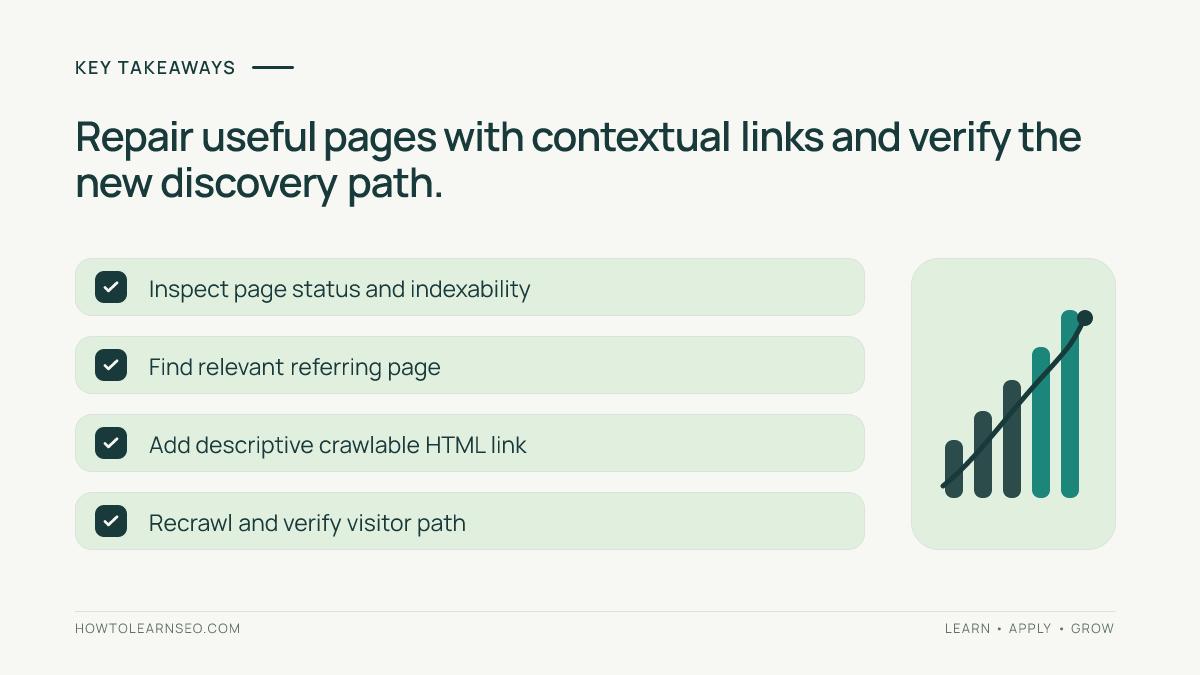
- An orphan is defined relative to the pages and links that an audit actually examines.
- Compare multiple URL sources instead of trusting one crawler report.
- Filter out redirects, noindex pages and intentionally private content.
- Repair valuable pages with relevant crawlable links, not sitewide link spam.
- Recrawl and test the intended user journey before calling the issue fixed.
Understand orphan pages versus low-link pages
A page with just one internal link is not necessarily orphaned, although it might be hard to reach. A genuinely orphaned page has no discovered inbound internal links in the sampled crawl graph. Some sites contain hidden support documents, expired landing pages or draft URLs that should not be linked in public navigation. The audit should first decide whether the page deserves public discovery, rather than automatically treating every unmatched URL as an error.
Google’s link best practices explain that standard anchor elements with href attributes give crawlers reliable navigation paths. A JavaScript-only click handler may work for users yet fail to expose a normal link. Check how a page is linked in rendered HTML before concluding that the whole page is inaccessible.
Build two independent lists of URLs
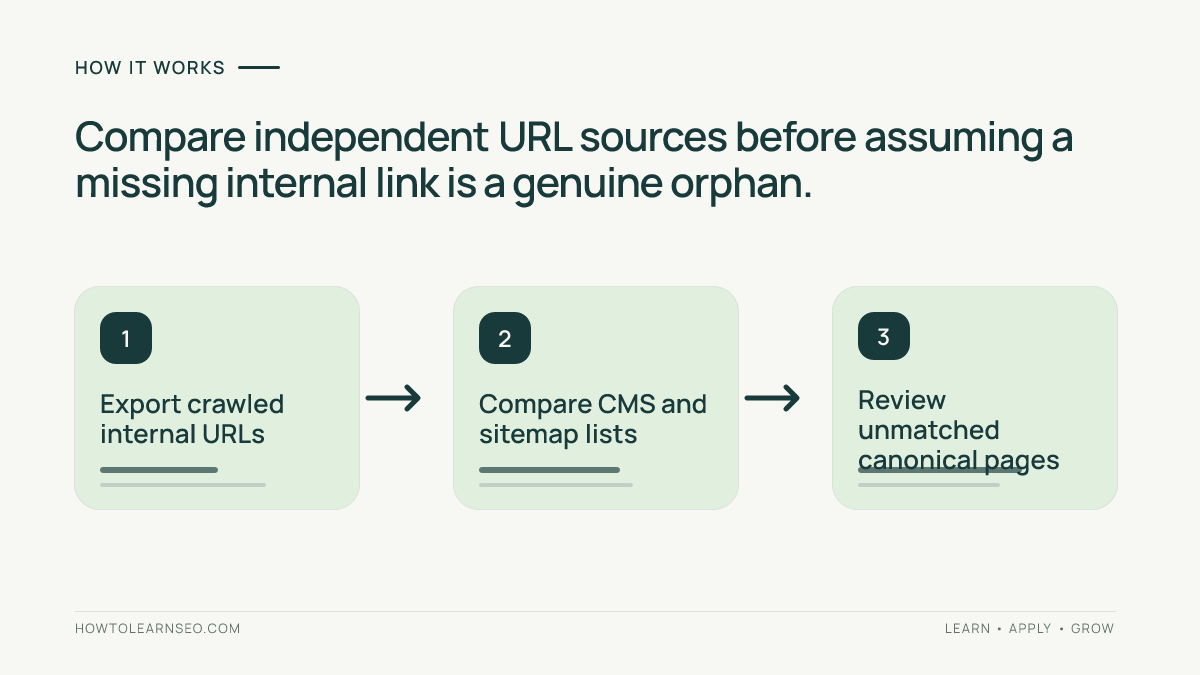
List A contains URLs found by crawling from the homepage and important navigation starting points, following ordinary internal links to a defined depth. List B contains pages the site believes exist: published CMS entries, canonical URLs in an XML sitemap, and relevant Search Console or analytics landing-page exports. A URL present in B but absent from A is a candidate orphan, not final proof.
Google’s sitemap documentation describes sitemaps as discovery aids, not a guarantee of crawling or indexing. Use a CMS export when possible, because sitemaps can omit useful pages or contain outdated URLs. Our website architecture guide explains how the navigation graph should expose important resources.
Normalize addresses before comparing
Two rows can represent the same destination while appearing different in a spreadsheet. Strip tracking parameters when they are not content identifiers, resolve redirects, account for intended trailing-slash conventions and distinguish uppercase paths only when the server treats them as equivalent. Keep the original and final URL in separate columns rather than silently discarding evidence. Also separate alternate-language URLs and product variants that legitimately resolve differently.
Compare the normalized sets and label each candidate with HTTP status, indexability, canonical target, CMS publication state and business value. Do not delete URLs merely because they are absent from a single crawl. Password-protected resources, dynamically loaded navigation and audit configuration can create false positives. The correct output is an investigated queue, not an indiscriminate list of pages to link.
Investigate each candidate with page-level evidence
Open a candidate URL directly and confirm that it renders meaningful public content. Use Search Console’s URL Inspection tool to review Google’s known URL status and its selected canonical when available. A live test can identify some access or indexability problems, but a successful live result does not guarantee indexing. Check the page’s canonical and robots directives along with the site’s intended public policy.
Ask which parent category, topic hub, related guide or user task should naturally lead to this resource. Our Google indexing tutorial covers related visibility checks. Avoid placing every orphan link in a footer or sidebar simply to satisfy a crawler metric; users need meaningful context and clear link text explaining why the destination matters.
Choose an appropriate repair route
For a helpful evergreen page, add one or more relevant HTML anchors from published pages that already discuss its subject. For a misplaced article, improve its topic cluster or navigation hierarchy. For a retired URL that has a genuine replacement, evaluate an appropriate redirect; where no equivalent exists, an honest unavailable response may be better. For intentionally nonpublic content, preserve its access policy instead of linking it from public pages.
Google explains that sitemaps should contain preferred canonical URLs. Use the sitemap and site navigation consistently; they solve related but different discovery problems. A link from a relevant guide can help both people and crawlers find an important page. Our HTML sitemap guide provides one supplemental browsing pattern, not a substitute for contextual linking.
Worked example: an unlinked migration checklist
Input: Imagine a fictional SEO training site where the published CMS and sitemap include /migration-checklist/, but a crawl from the homepage and learning hubs never finds it. Search Console shows the page is eligible for indexing, and the article contains an original detailed migration worksheet. These are hypothetical audit inputs; no real website was tested.
Rule and action: Since the worksheet is useful and public, identify the site’s existing guide to redirects or migrations and add a descriptive HTML link pointing to the canonical checklist URL. Record the source URL, destination, anchor text and deployment date. Do not add an unrelated footer link or rewrite the checklist just to make it appear different.
Expected output: A visitor reading the relevant migration guide can discover the worksheet naturally. Verification: Start a fresh crawl from the homepage, confirm the referring page is in the path, inspect its href value and check the destination’s status. Edge case: If the destination is actually noindex because it contains internal-only documentation, confirm the access requirement rather than making it public.
Prioritize and monitor without overreacting
Start with pages that serve meaningful search intent, have useful inbound external links or support important customer workflows. Resolve broken navigation, misleading canonicals and major discoverability problems before polishing minor anchor text. A low-value old campaign page may deserve consolidation instead of new links. Treat the audit as part of site architecture maintenance, not a one-time spreadsheet exercise.
After fixes, compare crawl coverage and sample referral paths. Search Console indexing data can update later than your deployment, so avoid claiming immediate ranking changes. Large sites may need periodic reconciliation between CMS publication lists and crawled navigation, especially after template changes. Our crawl budget guide explains related large-site discovery considerations.
Frequently Asked Questions
What is an orphan page in SEO?
An orphan page has no discoverable incoming internal links from the site pages included in an audit, even though it may still exist in a sitemap, database or external link.
Are all orphan pages bad for SEO?
No. Some are intentionally isolated, private or temporary. Investigate whether the page should be public, indexed and reachable through normal navigation.
Can a sitemap fix an orphan page?
A sitemap can help discovery but does not substitute for useful contextual or navigational links when the page should be part of the browsing experience.
How do I find orphan pages without paid tools?
Compare crawlable URLs discovered from the home page with indexable URLs exported from the CMS, sitemap, analytics and Search Console; check differences manually.
Should I redirect every orphan page?
No. Add a relevant internal link when the page is useful, consolidate genuine duplicates, or remove retired content according to its purpose and status.
How can I verify an orphan page was repaired?
Recrawl from a sensible start page, confirm at least one relevant crawlable link reaches the intended URL, inspect the page status and monitor its indexing over time.
Conclusion
An orphan pages SEO audit should end with a verified navigation improvement or a clear reason to leave a page unlinked. Compare independent URL sources, investigate the candidates, choose relevant referring pages and recrawl the actual user path. Linking every URL everywhere is not the goal; helping the right visitors reach useful content is.