
To find and fix orphan pages, compare your known published URLs against pages reachable through internal links, inspect the differences, and add relevant links to useful destinations. This guide shows the exact workflow, a spreadsheet example and how to verify the repairs without creating unnecessary pages.
Quick Answer
To find and fix orphan pages, compare a list of known website URLs with URLs reachable through internal links. Identify important pages that have no crawlable internal links pointing to them, then add relevant links from navigation, hubs or related articles. Confirm the links work in the rendered page and recrawl the website. Do not link every obsolete or intentionally hidden URL merely to make a report look clean.
Key Takeaways
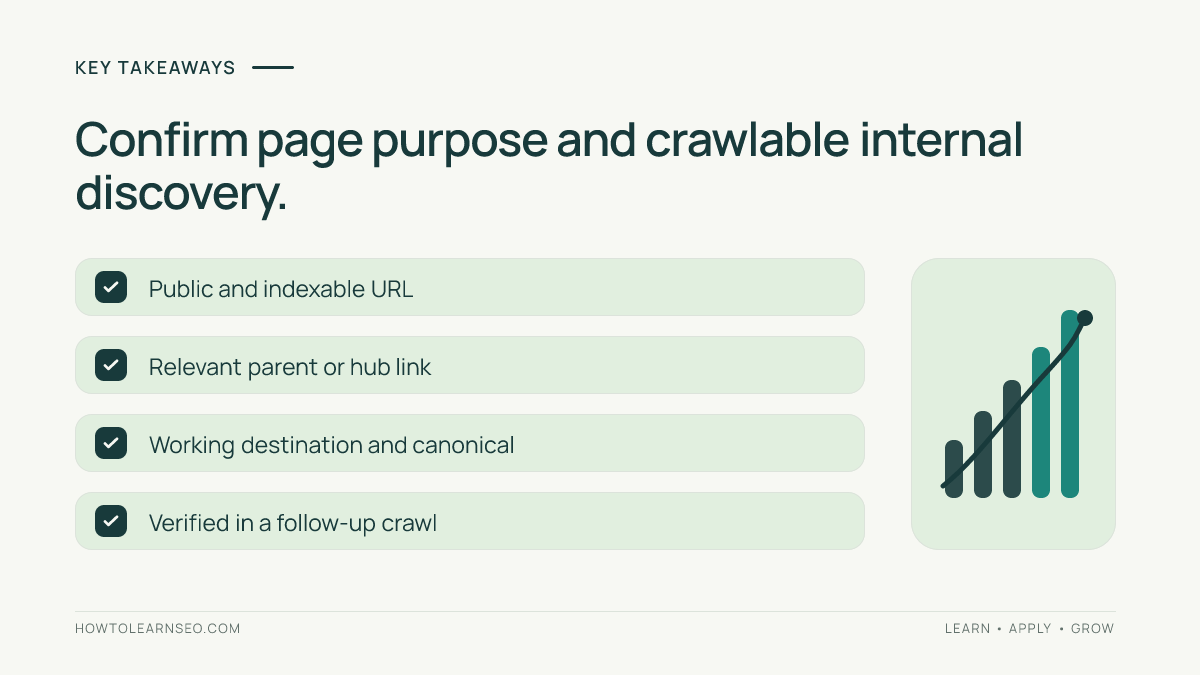
An orphan page lacks discoverable internal links from the website’s crawlable link graph. A crawler alone cannot reliably list every orphan because it discovers pages by following links. Combine crawl results with XML sitemaps, CMS exports, analytics and Search Console. Prioritize indexable pages that serve a real visitor purpose. Add contextual links from genuinely related pages, not random footer links. Verify source and destination URLs after publishing. Record exceptions for retired, private or intentionally unlinked pages.
Why orphan pages matter
Internal links help visitors and search engines discover related pages. A useful article with no links from the rest of a site can be difficult for visitors to find and may receive less consistent crawler discovery. However, orphan status does not automatically mean a page is absent from Google’s index: search engines may learn about URLs through sitemaps or external links. The real problem is often a disconnected information architecture. Fixing it requires deciding where the page belongs, whether it is still useful and how visitors should reach it. Avoid treating orphan counts as a direct ranking metric. Focus on navigation, relevance and the quality of the destination.
Before you begin: gather four inputs
First, obtain a crawl of the site’s public internal links using a crawler that follows links from the homepage or another defined entry point. Second, export URLs from your CMS, including published posts and pages. Third, collect URLs from XML sitemaps. Fourth, review relevant landing pages in Search Console or analytics, where available. Normalize the URLs so protocol, hostname, trailing slash and tracking parameters do not create false mismatches. Record the date of each export. A CMS export can contain drafts or private pages, so filter for pages intended to be public. A sitemap can contain stale entries. Neither source should be treated as automatically correct.
Step 1: Crawl the site’s accessible links
Configure the crawler for the intended production hostname and verify that it can follow navigation and article links. Start with the homepage and a few important hub pages. Check whether menus are rendered in a way the crawler can see. Record crawl scope, exclusions and rendering assumptions. A crawl that accidentally excludes a subfolder will make many pages appear orphaned. Export the set of HTML URLs discovered by following internal links. If the site is large, confirm whether the crawler reached its configured URL limit. The output is a list of reachable URLs, not a complete inventory of all published pages.
Step 2: Build a separate URL inventory
Export published public URLs from the CMS and combine them with sitemap URLs. Add known landing pages from Search Console or analytics when relevant. Remove obvious non-HTML assets and entries that are not intended to be accessible. Keep the source of each URL in a column so you can explain where it came from. Normalize the paths consistently but do not erase meaningful distinctions between languages or different product variants. Google’s sitemap guidance explains the role of XML sitemaps. A sitemap can help discovery, but it is not a substitute for sensible internal navigation.
Step 3: Compare inventories carefully
In a spreadsheet, place known public URLs in one sheet and crawled reachable URLs in another. Match normalized URL strings and flag known URLs absent from the crawl. Those are orphan candidates, not proven problems. Recheck whether each candidate redirects, returns an error, is blocked, is canonicalized elsewhere or simply lies outside the crawl scope. Inspect representative examples manually. If a URL is reachable through a link loaded by JavaScript, decide whether your crawler configuration missed it. The comparison becomes useful only when false positives are removed. Our SEO audit guide provides a broader framework for confirming technical findings.
Worked example: an overlooked service guide
Imagine a fictional plumbing business with 80 published public pages. A link crawl discovers 72, and the CMS export lists 80. After normalization, eight URLs are candidates. Inspection finds three intentional retired pages, two URLs excluded because of crawl settings and three useful service guides with no internal links. Input: the two URL lists and a page-purpose inventory. Rule: prioritize published, indexable pages with a clear visitor task and no discoverable inbound internal links. Action: add links from the relevant service hub and related maintenance articles. Expected result: visitors can reach the three guides through meaningful navigation. Verification: open the source pages, follow each link and rerun the crawl. Edge case: a private appointment-confirmation page should not be linked publicly just to reduce the orphan count. All numbers are illustrative.
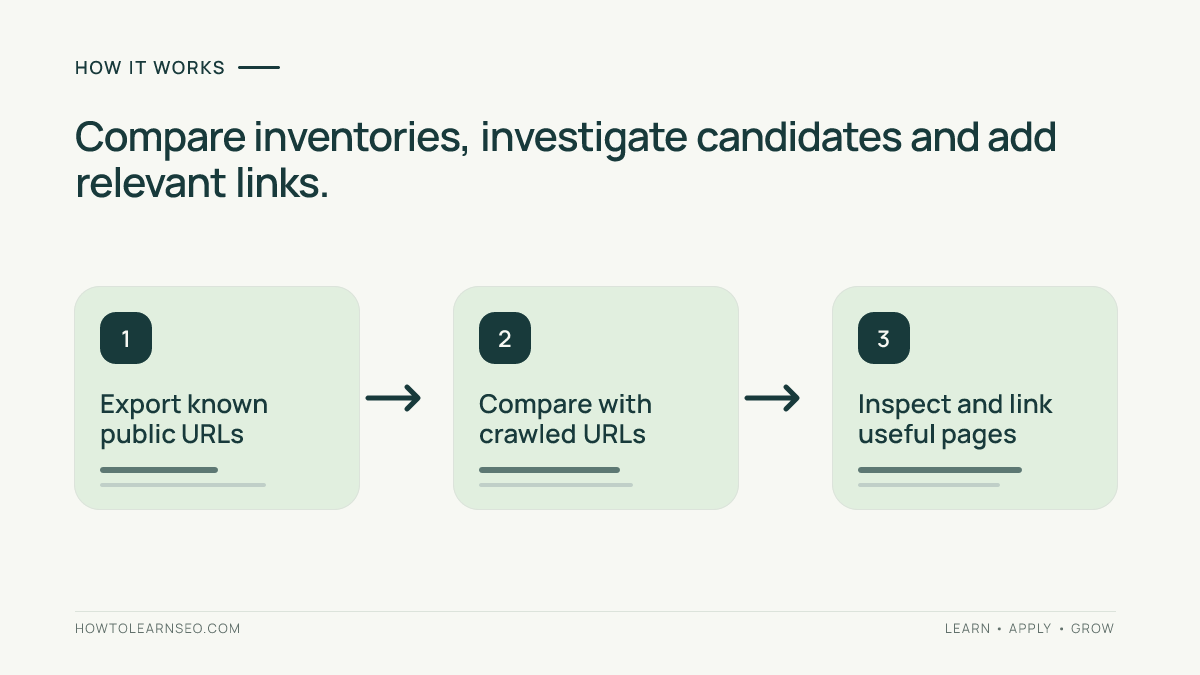
Step 4: Choose appropriate linking pages
For each confirmed orphan, identify the page’s parent topic and the questions it answers. A guide about preventing frozen pipes might belong under plumbing maintenance and be linked from a seasonal checklist. Prefer links where readers genuinely need the destination. Write anchor text that describes the page, rather than using repeated exact-match keyword strings everywhere. Do not add hundreds of unrelated links to a global footer. If a topic has several useful supporting pages, consider a hub page that organizes them. Our internal linking guide explains how contextual links support discovery. The goal is a coherent route through related content.
Step 5: Check indexability and canonical signals
Before adding links, confirm that the destination is intended to be indexable. Review its status code, robots directives and canonical target. A page intentionally marked noindex may still need links for visitors, but the SEO objective differs. If a page is a duplicate of a better destination, consolidating content may be more appropriate than strengthening both. A canonical declaration is a signal, not a guarantee of Google’s selection. Google’s canonicalization documentation explains this distinction. Avoid automatically turning every candidate into an indexed page. Make a content decision first, then a linking decision.
Step 6: Publish links and verify them
Update the selected source pages or navigation components. Check that the links use correct URLs and are visible in the rendered HTML or otherwise reliably accessible. Open each link on mobile and desktop when practical. Confirm that the destination returns the expected page without an irrelevant redirect. Re-run a targeted crawl and check whether the formerly orphaned pages now appear in the reachable set. Record which source pages were changed and when. Do not claim that the fix improved rankings immediately. Better discoverability can be verified directly; search performance requires subsequent observation under consistent reporting settings.
Step 7: Monitor important pages
Use Search Console to monitor indexing and search visibility for priority destinations while remembering that indexing is not guaranteed. Compare similar periods and account for seasonality or other content changes. Our advanced Search Console review explains reporting limitations. For business outcomes, examine appropriately configured landing-page analytics rather than relying on crawl counts. A repaired orphan might begin receiving more internal visits before organic search changes. Maintain a small change log so future audits can distinguish deliberate improvements from unrelated fluctuations. Measure the result that matters: useful pages are easier to discover and use.
Prevent orphan pages in future publishing
Add a simple publishing checklist: choose the parent category, identify at least one relevant hub or article that should link to the new page, publish the page, add the link and verify it. Review navigation when categories change. For ecommerce sites, check what happens to product pages when inventory or collections are reorganized. For content sites, update hub pages when publishing related tutorials. Avoid setting arbitrary minimum internal-link counts without considering relevance. A useful page may need only a few well-placed links. Periodically compare your CMS inventory with a fresh crawl, especially after migrations or redesigns.
Troubleshooting false orphan reports
If hundreds of pages suddenly appear orphaned, check crawler configuration before changing the website. A blocked subfolder, missing JavaScript rendering or an unexpectedly low crawl limit can create a false alarm. If only parameterized URLs appear, decide whether they represent distinct useful pages. If a page is linked only from a sitemap, it may still be discoverable to search engines but difficult for visitors to reach. If a URL redirects, examine the intended final destination instead of adding more links to the old address. Record exclusions so the next audit does not reopen intentional cases. A reliable audit explains the cause of each group rather than generating tickets for every row.
Limitations and decision rules
A website crawl is a snapshot under defined conditions. It cannot prove that a search engine has never discovered a page, and a CMS export may include URLs that should not be public. Search Console does not provide a complete list of every internal link either. Treat orphan detection as a reconciliation exercise across imperfect sources. Prioritize important, live pages that serve distinct needs. Do not expose private content, revive obsolete pages or create duplicate destinations simply to reduce a warning count. The best fix is sometimes a new contextual link, sometimes consolidation and sometimes documenting that no action is needed.
Frequently Asked Questions
What is an orphan page in SEO?
An orphan page is a URL with no discoverable inbound internal links from the site’s crawlable link structure.
Can an orphan page still be indexed?
Yes. Search engines may discover URLs through sitemaps or external links, although internal linking remains important for navigation.
Can a crawler find every orphan page?
No. A link crawler needs a separate source such as a CMS export or sitemap to identify pages it could not reach.
Should every orphan page receive a link?
No. Link useful public pages where relevant, and handle retired, duplicate or private pages according to their purpose.
How do I verify an orphan page fix?
Open the source link, confirm the destination works and rerun a crawl to see whether the URL is now reachable.
Do orphan pages always hurt rankings?
No. Orphan status is not a guaranteed ranking penalty, but disconnected useful pages can be harder for visitors and crawlers to discover.
Conclusion
Orphan-page audits work best when they combine a link crawl with a reliable inventory of published URLs. Verify each candidate, link valuable pages from relevant locations and recrawl to confirm discovery. Treat obsolete or intentionally hidden pages differently. A successful fix improves website navigation and produces a documented, reproducible result.