This Google Search Console review examines advanced performance analysis, indexing evidence, URL Inspection, reporting limitations and how it compares with paid SEO platforms. The central question is how to turn first-party search observations into decisions that can be verified.
Quick Answer
Google Search Console is Google’s free first-party interface for monitoring how a verified website appears in Google Search. For advanced SEO work, its strength is evidence about search queries, pages, indexing and selected technical signals. Its limitations matter just as much: performance data can be aggregated or filtered, some queries are omitted, and it does not explain every ranking decision. This review evaluates the tool as an ongoing SEO reporting system rather than repeating beginner setup instructions.
Key Takeaways
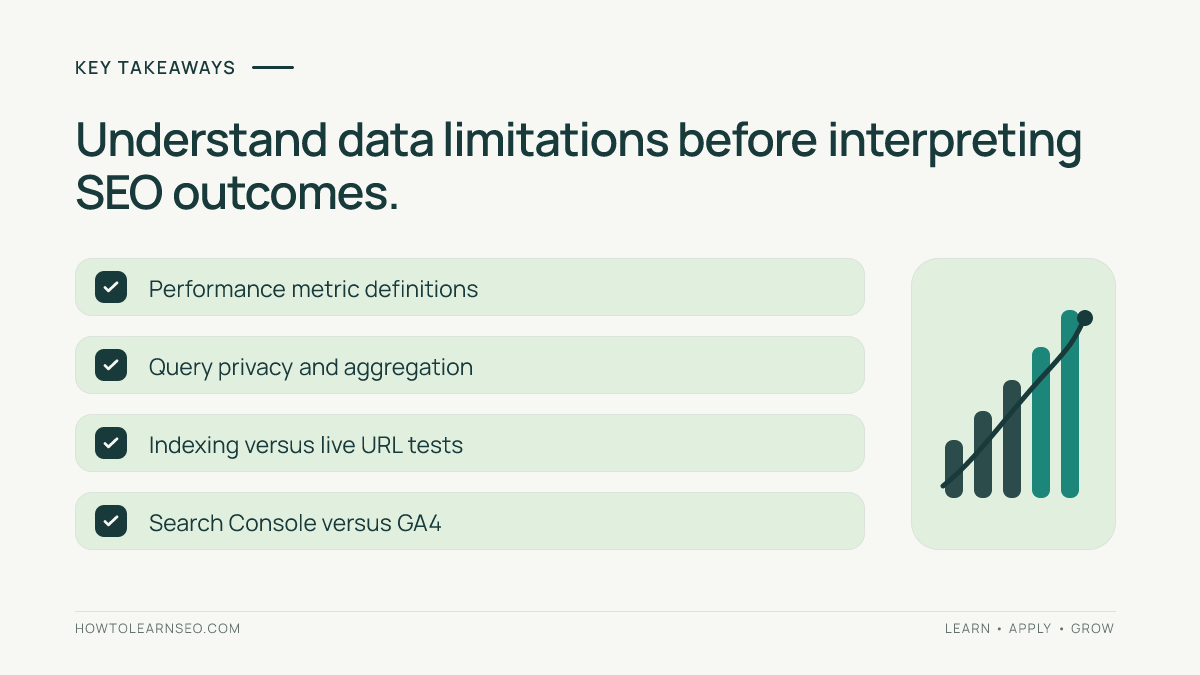
Search Console is essential for verifying Google Search performance, but it is not a complete analytics or crawling suite. Choose the correct property type and document reporting settings. Compare query, page, country, device and search-appearance dimensions carefully. Treat average position as an aggregate, not a live rank. Distinguish indexing reports from a third-party crawl. Use URL Inspection to investigate specific URLs while respecting its limitations. Join first-party reports with other sources only after checking definitions. Build decisions around verified page changes and meaningful search outcomes.
What makes Search Console different
Most SEO platforms estimate search visibility through crawlers, sampled rankings or proprietary models. Search Console instead reports selected information from Google’s own systems for verified properties. That distinction makes it particularly valuable when assessing actual Google Search impressions and clicks. Yet first-party does not mean exhaustive. Privacy thresholds, aggregation, processing delays and report-specific definitions affect what appears. Search Console also cannot tell you exactly why an algorithm ranks a page in a particular position. A good advanced workflow combines first-party evidence with page inspection, technical auditing and business analytics. The tool answers questions such as which pages gained impressions in a particular country, whether an important URL is indexed and which queries appear associated with a page. It does not directly measure all organic conversions or provide a complete inventory of every query. Understanding those boundaries prevents false conclusions and improves the quality of SEO reporting.
Who needs an advanced GSC workflow
In-house SEO teams can use Search Console to monitor important landing pages and identify search demand changes. Technical SEO specialists use indexing and inspection reports to investigate discoverability. Editorial teams can examine how existing content appears for relevant queries before planning improvements. Agencies need consistent property access, reporting definitions and change logs to make comparisons credible. Ecommerce teams may analyze product and category pages separately, while international sites should segment countries and languages carefully. A tiny website can still benefit from a simple monthly review, but complex sites often need repeatable exports and defined reporting conventions. Before building dashboards, decide who will review changes, how frequently and what decisions the data should inform. A sophisticated chart that nobody acts on is less useful than a concise list of confirmed issues and owners. The advanced value of Search Console comes from reliable interpretation, not from collecting every available metric.
Property setup affects interpretation
Search Console supports different property scopes, including domain properties and URL-prefix properties. A domain property can aggregate across protocols and subdomains, while a URL-prefix property applies to a defined prefix. Comparing two properties with different scopes can produce misleading trends. Document which property is used for each report and whether it includes staging, regional subdomains or separate protocols. Verify that the intended team members have appropriate access and avoid sharing unnecessary permissions. If a site migrates from one hostname to another, plan how the reporting history will be interpreted. An apparent change may reflect a scope difference rather than search performance. The official property guidance explains ownership and property types. For an introductory walkthrough, see our Google Search Console beginner guide. This advanced review focuses on using the resulting data responsibly.
Performance report: useful metrics
The Performance report provides clicks, impressions, click-through rate and average position for eligible search data. Each metric answers a different question. Impressions reflect eligible appearances under Google’s reporting definitions, not a count of all people who searched for a term. CTR divides clicks by impressions in the relevant reporting context. Average position is an aggregate, not the exact rank every user saw. A page with rising impressions and falling CTR may have expanded into broader queries rather than lost relevance. A drop in clicks may reflect demand, search-result changes, ranking shifts or reporting differences. Always segment before assigning a cause. Google’s Performance report documentation describes metric definitions and filters. Treat a metric as evidence for a question, not a diagnosis on its own.
Choosing dimensions and filters
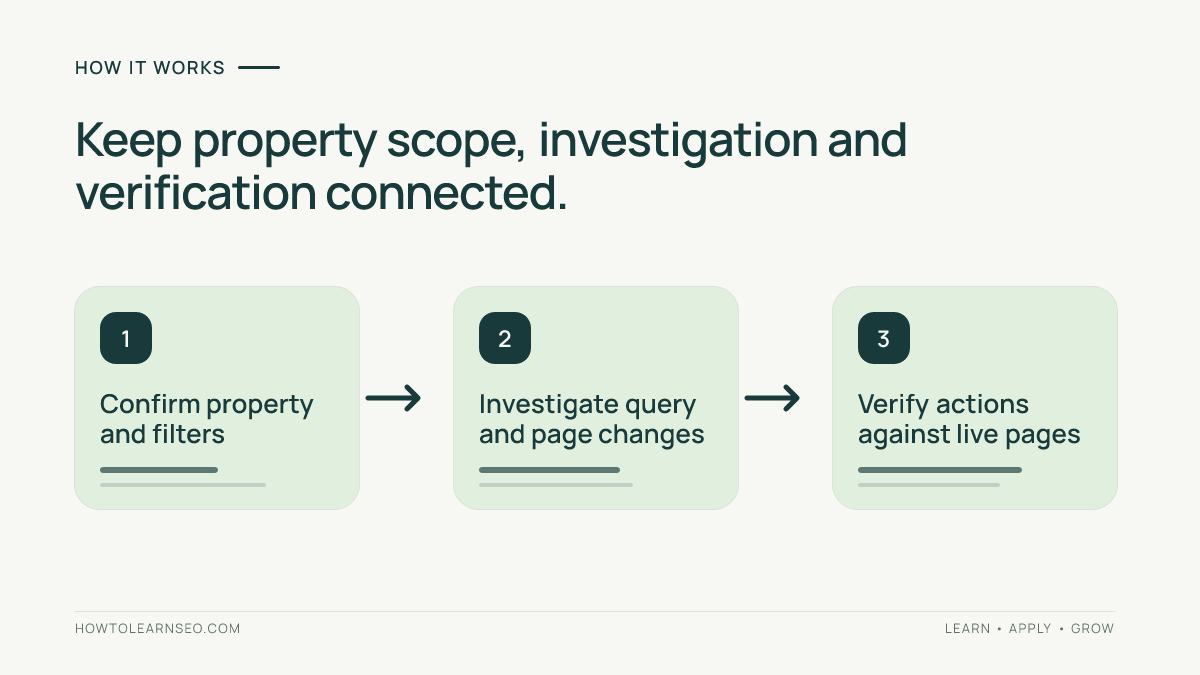
Search Console performance analysis can be segmented by dimensions such as query, page, country, device and search appearance, subject to report availability. The chosen filter changes the population being measured. For example, a page-level trend across all countries should not be compared casually with a query-level trend limited to one country. Write down search type, date range, country, device and any regex or page filters before interpreting a change. If an exported table appears not to reconcile with a headline total, consider anonymized queries, data aggregation and row limits. Do not add every filtered query row and assume it equals all impressions. Save reusable reporting definitions for recurring analysis. A reliable comparison uses the same scope across periods and clearly identifies any exceptions. That discipline matters more than whether the report is viewed in the interface, a spreadsheet or a dashboard.
A reproducible CTR investigation
Imagine a fictional travel website with a guide to airport transfers. Its Search Console page report shows 24,000 impressions and 840 clicks in one 28-day period, compared with 20,000 impressions and 900 clicks in the prior comparable period. These are illustrative numbers, not live measurements. The current CTR is 3.5%, versus 4.5% previously. First, confirm the same property, search type, country and device filters. Next, inspect the guide’s associated queries and note whether the mix expanded toward broad informational searches. Review the live title, snippet context and search results without assuming a title rewrite will solve the decline. Decision rule: prioritize a change only if a specific, relevant query group and page promise show a plausible mismatch. Expected output: a documented hypothesis and a limited content or metadata improvement. Verification: compare subsequent periods with consistent settings while acknowledging seasonality. Edge case: impressions may have increased because of newly visible low-CTR queries, so the overall CTR decline alone does not prove deterioration.
Why query totals can differ
Search Console may omit some query information for privacy and apply different aggregation rules across reports. This can make visible query rows add up to less than the headline totals. Filters can also change which rows appear. An analyst who interprets the missing difference as lost traffic may create a false alarm. Separate the report’s aggregate totals from the visible query breakdown. When exporting, preserve the selected dimensions and filters in the file name or worksheet notes. Do not promise that an API export will reveal every anonymized query. For a more focused workflow, our query coverage tutorial explains how to examine gaps before using query exports for further analysis. When reporting keyword opportunities, qualify conclusions that depend on incomplete query coverage. The most reliable insights often come from meaningful patterns across pages and query groups rather than exhaustive lists.
Average position is not a live ranking
Average position can be useful for understanding broad search visibility trends, but it should not be described as a fixed ranking for a keyword. Position varies by query, location, device, time and search-result format. Aggregating different impressions produces a value that may not match any single user’s experience. If a page’s average position changes, inspect the underlying query and country mix before assuming a ranking loss. A page appearing for many new broad queries can shift its average even when core queries remain stable. Conversely, an apparent improvement may reflect fewer impressions for difficult queries. When evaluating a specific commercial term, use the most relevant query and market filters and review the actual search experience as supporting context. Avoid comparing Search Console’s averages directly with a third-party rank tracker without explaining methodological differences.
Page-level analysis and content updates
A page-level view helps identify which URLs contribute to search changes. Begin with pages tied to a clear business or editorial objective. Compare comparable periods and then inspect associated query groups, countries and devices. Check whether the page was updated, redirected, canonicalized or affected by a site release. A rise in impressions without a corresponding rise in clicks may justify inspecting intent and snippets, but it is not automatically a failure. For pages losing visibility, consider demand changes and competition before rewriting content. Our content decay diagnosis guide outlines a targeted investigation. Record what changed and when, then monitor subsequent evidence. Avoid mass-refreshing pages merely because a dashboard highlights a decline. An effective update addresses a confirmed gap in usefulness, accuracy or accessibility.
Indexing reports and their limits
Indexing reports help website owners understand how Google has processed groups of URLs and why some are not indexed. Excluded URLs are not necessarily errors: redirects, duplicates and intentionally blocked pages may be expected. A sudden rise in one reason deserves investigation, but it must be interpreted alongside site changes and URL inventory. Start by asking whether the affected URLs are intended to be indexed. Then inspect representative examples and confirm their live directives, canonical targets and internal links. Google makes its own indexing decisions, and a crawler cannot guarantee inclusion. The official Page indexing report guidance describes report categories. Use indexing reports to prioritize important content, not to chase a universal goal of indexing every URL. A clean report is not more valuable than a site that deliberately excludes low-value duplicates.
URL Inspection for specific questions
URL Inspection provides information about a particular URL in Google’s systems and may offer a live test, depending on the feature and access. Its results require careful interpretation. An indexed canonical may differ from the canonical declared by the page, and a live test does not guarantee that Google will index the page afterward. Use inspection when a specific high-value URL has a clear question: is Google aware of it, what canonical was selected or can the current version be accessed? Compare the report with the actual HTML, robots rules and server responses. Keep screenshots or notes of the observation date because site state and Google processing can change. Avoid repeated inspection of thousands of URLs as a substitute for template-level technical diagnosis. The best use is focused confirmation of a representative problem.
Sitemaps as discovery evidence
Submitting a sitemap helps communicate important URLs, but it does not guarantee crawling or indexing. Compare submitted URLs with the website’s approved inventory and with the actual navigation. A sitemap containing redirects, errors or unwanted canonical variants may deserve correction. However, an apparent difference between sitemap counts and indexed counts is not itself proof of a technical failure. Search engines can decide not to index some accessible pages. Use sitemaps as one input in a broader discovery investigation. For a large site, sample important templates and identify whether a shared CMS rule creates inconsistencies. After a sitemap update, verify that it is accessible and contains the intended canonical URLs. Then allow time for Google to process changes rather than interpreting every immediate count fluctuation as success or failure.
Core Web Vitals and experience signals
Search Console can surface Core Web Vitals reporting based on available user-experience data, but it is not a complete laboratory testing environment. A reported issue group may represent multiple similar URLs, and field data can lag behind a deployment. Use the report to identify affected page types, then examine representative URLs with appropriate performance tools and development diagnostics. Distinguish field measurements from controlled lab observations. A large image or script may be a plausible cause, but verify the actual bottleneck before assigning work. After implementation, confirm the user experience and monitor the relevant reporting window. Do not promise a ranking improvement from a single metric change. Performance work should first improve real interactions and accessibility, with search benefits treated as possible rather than guaranteed outcomes.
Enhancements and structured data
Search Console may show reports for supported structured-data search features when Google has detected relevant markup. The presence or absence of a report is not a comprehensive inventory of every structured-data type on the website. Check whether the page genuinely qualifies for the intended feature and whether the markup matches visible content. Fix syntax or required-property problems at the template level when possible. Test representative pages with appropriate validation tools and verify the live output. A valid result does not guarantee a rich appearance in search. Do not add fabricated ratings, prices or review information simply to satisfy a markup recommendation. Record which template was corrected and how the outcome will be checked. The purpose of structured data is accurate machine-readable description, not the pursuit of every possible enhancement badge.
Links report and backlink interpretation
Search Console includes link reporting for verified properties, but it is not a comprehensive backlink intelligence platform. Its sampled or processed observations may differ from the link indexes used by third-party vendors. Do not treat a difference in totals as proof that one tool is wrong. Examine whether links are relevant, editorial and useful to readers. Avoid evaluating a website solely by a backlink count or a proprietary authority score. If investigating suspicious links, start with actual source pages and Google’s policies rather than an automated toxic-link label. Search Console’s role is particularly useful as first-party context alongside external research. A specialist platform may offer broader competitor discovery, while Search Console remains focused on the verified property. Use both types of data according to their definitions, not as interchangeable measurements.
Manual actions and security issues
Manual action and security reports serve different purposes from ordinary performance metrics. They can alert verified owners to specific issues requiring attention, but their absence does not prove that every page follows best practices or that a site is secure in all respects. If a report identifies a problem, follow the relevant official remediation process and verify the underlying fix before requesting review where appropriate. Do not confuse a ranking decline with a confirmed manual action. Similarly, an automated crawl warning is not evidence of a Google penalty. Maintain appropriate access controls and ensure that security-related findings reach the responsible team. These reports should be reviewed promptly when alerts occur, even if routine performance reporting happens weekly or monthly.
Comparing Search Console and GA4
Search Console measures Google Search performance under its own definitions, while Google Analytics 4 measures site and app interactions through a different collection system. Clicks are not the same as sessions, and data can differ because of consent, tracking implementation, processing, time zones and other factors. Avoid forcing the totals to match. Instead, define the question each source answers. Use Search Console to investigate search queries and landing-page visibility. Use GA4 to examine relevant engagement and conversions where tracking is properly configured. When combining page-level data, normalize URLs carefully and document attribution limitations. Our GSC and GA4 landing-page joining guide explains common checks. A joined dashboard should preserve source definitions and warn users against interpreting combined metrics as one measurement system.
API exports and large-site workflows
The Search Console API can support repeatable reporting, but it does not eliminate the underlying data limitations. Query results may be constrained by row limits, aggregation and anonymization. Build exports around clear reporting questions rather than assuming a single download represents every search impression. Preserve property scope, search type, date range, filters and dimensions. Test whether page-level totals reconcile appropriately before joining datasets. For a large international website, segment markets consistently and avoid mixing unrelated page groups. Store the extraction date and any transformation rules. Validate a sample of API results against the interface where practical. If a report cannot answer a question reliably, state the limitation instead of inventing precision. The purpose of automation is consistent analysis, not a claim of complete visibility.
Search Console versus paid SEO suites
Paid platforms may provide competitive keyword research, backlink exploration, rank tracking, site crawls and content recommendations that Search Console does not offer in the same way. Search Console’s first-party Google reporting remains valuable even when a team subscribes to other products. The question is not which single tool wins, but which combination supports the actual workflow. A site owner may need Search Console plus a basic crawler. An agency may require a broader research suite and client reporting system. Evaluate additional subscriptions by the decisions they enable beyond first-party data. Do not assume a paid platform has access to Google’s complete query records or ranking algorithm. Proprietary estimates can complement, but not replace, direct observations. Search Console is free to use, though implementation and analyst time still have real costs.
A seven-day advanced evaluation
Day one: confirm the correct property and document access, scope and reporting time zone. Day two: define three important page groups and compare consistent Performance report periods. Day three: inspect query coverage and identify whether aggregation or filters limit conclusions. Day four: investigate one high-value URL with indexing reports and URL Inspection. Day five: review relevant Core Web Vitals or enhancement reports and verify representative pages. Day six: compare a selected landing page with GA4 while preserving different metric definitions. Day seven: produce a one-page decision brief with confirmed findings, uncertainties, recommended actions and owners. This is a suggested workflow, not a claim that the author tested a particular account. A successful evaluation yields a repeatable reporting routine and at least one defensible next step.
A decision worksheet for reporting
Create columns for question, input, comparison rule, expected output, verification and edge case. For the fictional airport-transfer guide, the question is whether declining CTR reflects a weaker snippet or a broader query mix. Inputs are page-filtered Search Console metrics for two comparable periods, associated queries and the live search results. The rule is to prioritize only relevant query groups with a plausible mismatch between search intent and page promise. Expected output: a documented hypothesis and one targeted editorial change. Verification: monitor subsequent periods with the same filters while accounting for demand changes. Edge case: new broad queries increase impressions and lower overall CTR even though core commercial queries remain stable. This worksheet keeps the analysis actionable and prevents a single aggregate number from becoming an unsupported diagnosis.
Common mistakes
Do not compare properties with different scopes. Do not treat average position as a fixed ranking. Do not assume visible query rows equal all impressions. Do not interpret every excluded URL as an indexing error. Do not treat a live inspection result as an indexing guarantee. Do not equate Search Console clicks with GA4 sessions. Do not attribute a change to an algorithm update without examining other explanations. Do not optimize for an arbitrary CTR benchmark across unrelated query types. Do not promise rankings after submitting a sitemap. Finally, do not automate dashboards without documenting filters, processing delays and data limitations. These errors can be prevented by a short reporting checklist and representative manual verification.
Final assessment
Google Search Console is a foundational SEO reporting tool because it provides first-party evidence from Google Search for verified properties. Its advanced value comes from disciplined segmentation, clear definitions and careful investigation of important URLs. It is not an all-purpose competitor intelligence platform, a complete analytics suite or a guarantee of indexing. For most website owners, the best next investment is not another dashboard but a repeatable process that turns Search Console observations into verified improvements. Use the free tool consistently, document uncertainty and add complementary software only when it answers a distinct business question.
Frequently Asked Questions
Is Google Search Console free?
Yes. Google Search Console is a free Google service for eligible verified website properties, though analysis and implementation still require time.
Is Search Console better than paid SEO tools?
It provides valuable first-party Google Search data, while paid tools may offer competitor research, crawling and other functions. They serve different purposes.
Why do query rows not equal total impressions?
Privacy-related query omissions, aggregation and report filters can make visible query rows differ from headline totals.
Does URL Inspection guarantee indexing?
No. Inspection provides information about a URL and may offer a live test, but Google makes its own crawling and indexing decisions.
Why do Search Console clicks differ from GA4 sessions?
They use different definitions, collection systems and processing rules. Consent, tracking and attribution can also contribute to differences.
Can Search Console show every keyword a website ranks for?
No. Query reporting has privacy and aggregation limitations, so the visible data is not a complete list of every search query.
Conclusion
Search Console is essential for understanding a verified property’s Google Search visibility, but its data requires careful segmentation and interpretation. Use the reports to investigate specific questions, verify page behavior and prioritize useful changes. Complement it with analytics or crawling tools when necessary, and never confuse an aggregate metric with a guaranteed ranking outcome.