
Search engines cannot crawl every URL on the web every moment. They decide how much crawling a website can support and which URLs are worth requesting. The set of URLs Google can and wants to crawl is commonly called a site’s crawl budget.
That definition sounds simple, but crawl budget is often misunderstood. It is not a fixed daily allowance, it is not a direct ranking factor, and getting Googlebot to make more requests does not guarantee that more pages will be indexed. For many small websites, crawl budget is not a problem at all.
This guide explains what crawl budget really means, when it deserves attention, how to identify wasted crawling, and how to improve crawl efficiency without accidentally blocking important pages.
Quick Answer: What Is Crawl Budget?
Crawl budget is the number and selection of URLs that Googlebot can and wants to crawl on a website over time. Google explains it through two main components:
- Crawl capacity limit: how much crawling the website’s servers can handle without becoming overloaded.
- Crawl demand: how much Google wants to crawl the site based on factors such as URL inventory, page quality, popularity, relevance, and freshness.
These components work together. A fast, stable server can support more requests, but Google may not use that capacity if there is little demand. A large, frequently updated site may have strong demand, but repeated server errors can reduce the amount Googlebot safely requests.
Crawl budget matters most for very large sites, rapidly changing sites, and websites with many URLs listed as “Discovered – currently not indexed.” A normal blog or business website whose new pages are crawled promptly usually needs good technical hygiene, not aggressive crawl-budget optimization.
Key Takeaways
- Crawl budget combines crawl capacity and crawl demand; it is not one fixed number.
- Crawling, indexing, and ranking are different stages. A crawled page is not automatically indexed or ranked.
- Most websites with fewer than roughly a thousand pages do not need advanced crawl analysis unless a technical issue is present.
- Large duplicate URL inventories, faceted navigation, internal search pages, soft 404s, redirect chains, and unstable servers can waste crawling.
- Clean architecture, consistent canonicals, accurate status codes, current sitemaps, fast responses, and crawlable internal links improve efficiency.
- Robots.txt manages crawling, not guaranteed removal from search. Noindex controls indexing but still requires Google to fetch the page.
- The goal is not maximum crawling. The goal is reliable crawling of valuable, unique, indexable URLs.
How Crawl Budget Fits into Crawling and Indexing
Crawl budget makes more sense when placed inside the full search process. The site’s guide to how search engines work explains the broader journey, but the relevant sequence is:
- Google discovers a URL through links, sitemaps, redirects, or other signals.
- Google decides whether and when to request that URL.
- Googlebot crawls the URL and receives a response.
- Google processes and, when necessary, renders the page.
- Google evaluates canonicalization, quality, duplication, directives, and other signals.
- The page may or may not be selected for indexing.
Crawl budget mainly affects steps two and three. It can influence how quickly Google reaches useful pages, especially on a large site where millions of possible URLs compete for attention. It does not override what happens later. A page can be crawled frequently and remain excluded because it is duplicate, thin, noncanonical, or not useful enough for the index.
This distinction also works in the other direction. A page that is rarely updated may be crawled infrequently without having an SEO problem. Google does not need to request an unchanged evergreen page every day to keep it indexed.
The Two Parts of Crawl Budget
1. Crawl capacity limit
Googlebot is designed to avoid overwhelming a website. Crawl capacity represents the amount of crawling Google estimates the host can support. It considers the number of simultaneous connections and how long the server holds those connections open.
Capacity can rise when the website responds consistently and quickly. It can fall when response times increase, servers return repeated 5xx errors, or the site sends rate-limiting responses such as HTTP 429. Google’s own crawling resources are also finite, so a technically unlimited rate is not available.
Think of capacity as the safe width of a doorway. A healthy, responsive server can let more requests pass. A slow or unstable server makes Googlebot use the doorway more cautiously.
2. Crawl demand
Crawl demand reflects which URLs Google considers worth crawling or recrawling. Important influences include:
- Perceived URL inventory: the total set of URLs Google knows or suspects may exist on the host.
- Page quality and uniqueness: useful, distinct pages create better reasons to crawl than large groups of near-duplicates.
- Popularity and relevance: widely referenced or important URLs tend to receive more attention.
- Freshness needs: frequently changing pages may need more regular recrawling than stable pages.
- Site-wide changes: a migration or major restructuring can temporarily increase the need to reprocess URLs.
Demand explains why adding server resources does not automatically cause valuable pages to be crawled more often. If Google already knows that much of the inventory is duplicate, stale, or low value, capacity is not the limiting factor.
Does Your Website Need Crawl-Budget Optimization?
Most website owners should begin by answering this question, because unnecessary crawl controls can cause more harm than the original concern.
Google’s crawl-budget guidance primarily addresses very large or frequently changing sites and sites with a substantial discovery backlog. Its approximate examples include one million pages changing moderately often and 10,000 pages changing daily; they are diagnostic context, not eligibility cutoffs. Start with actual crawling and inventory evidence before choosing advanced controls.
You probably do not have a crawl-budget problem when:
- your site has hundreds or a few thousand stable pages;
- new and updated pages are normally crawled within a reasonable period;
- the Page Indexing report shows no large discovery backlog;
- Googlebot is not triggering server-capacity problems;
- your internal links and sitemap consistently expose important pages; and
- the site does not generate large numbers of filter, search, session, or parameter URLs.
You should investigate when:
- important new pages remain discovered but uncrawled for long periods;
- a large site has many indexable URLs but Googlebot spends most requests elsewhere;
- faceted navigation or parameters create thousands or millions of combinations;
- server logs show heavy crawling of duplicates, expired URLs, redirects, or errors;
- the Crawl Stats report shows host availability problems or rising response times;
- large sections are orphaned or several clicks away from strong hub pages; or
- a migration, platform change, or sudden URL expansion altered crawling patterns.
A single URL that has not been crawled recently is not evidence of a site-wide budget shortage. Look for patterns across templates, directories, response codes, and time periods.
What Wastes Crawl Budget?
Faceted navigation and filter combinations
Faceted navigation can generate a separate URL for every combination of size, color, brand, price, rating, and sort order. A useful category with 100 products can turn into thousands of URL variations that show nearly the same inventory.
Some filtered pages may deserve indexation because they satisfy real search demand. Others exist only for user convenience. Decide which combinations have unique value, give indexable selections stable URLs and content, and prevent low-value combinations from expanding the crawlable inventory indefinitely.
Duplicate and parameter URLs
Tracking parameters, session identifiers, print versions, mixed capitalization, trailing-slash variants, and reordered parameters can expose the same content under multiple addresses. Consistent internal linking, redirects where appropriate, and the correct use of canonical tags help consolidate those signals.
A canonical is a hint about the preferred version; it is not a command that instantly stops crawling every duplicate. Reducing the creation and internal linking of duplicate URLs is more efficient than generating them freely and relying only on canonicalization afterward.
Internal search results
Site-search pages can create effectively unlimited URLs from user queries. They are usually poor landing pages for organic search and can expose empty, repetitive, or low-value results. Keep internal search useful for visitors, but avoid making every possible query crawlable and indexable.
Calendars and infinite URL spaces
Event calendars can produce “next month” links forever. Relative date parameters and automatically generated archives may create URLs far into the past or future. Establish boundaries so crawlers cannot follow an endless sequence with little unique value.
Soft 404 pages
A soft 404 displays a missing or empty result while returning a successful 200 response. Google may continue requesting the URL because the server claims that a real page exists. Permanently missing pages should normally return 404 or 410 so crawlers receive an honest signal.
Long redirect chains
Redirects are useful when URLs move, but chains make crawlers follow several requests to reach the final page. Update internal links and sitemap entries to point directly to the destination, and simplify legacy chains using the principles in the 301 redirect guide.
Server errors and slow responses
Repeated 5xx errors, connection failures, timeouts, or 429 responses can reduce crawl capacity. Even when pages eventually load for users, unstable behavior tells Googlebot to proceed more carefully. Server health is therefore a crawl-budget issue before it is a content issue.
Stale sitemaps
A sitemap filled with redirected, blocked, noncanonical, or deleted URLs sends mixed signals. An XML sitemap should list the canonical URLs you want crawled and indexed. Use accurate last-modified dates only when the page’s meaningful content actually changed.
Disconnected pages create a discovery problem
An orphaned page is not evidence that Google wasted requests on that page. It may receive too little discovery support. Check whether important pages have crawlable paths from relevant hubs using sound website architecture. Keep this separate from a crawl trap, where generated duplicate URLs actually consume requests. The fixes address different observations.
How to Diagnose a Crawl-Budget Problem
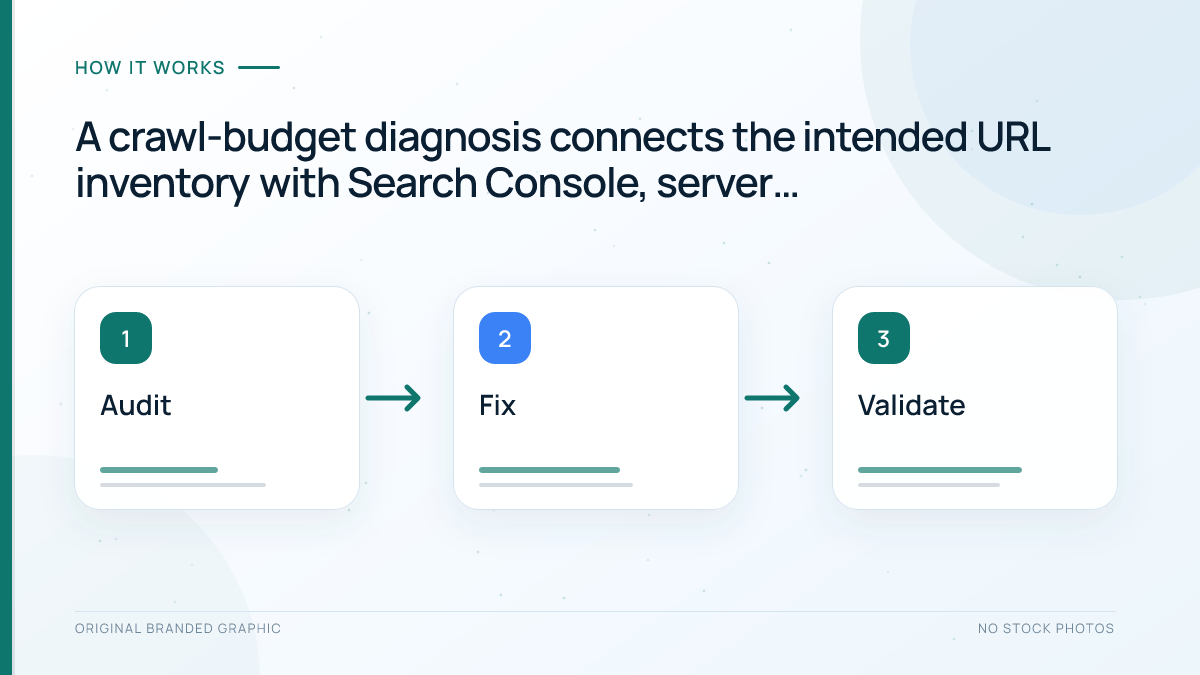
A crawl-budget audit should combine Search Console, a site crawl, and server evidence. Each source answers a different question.
Step 1: Define the indexable inventory
Count the canonical URLs the business genuinely wants in search. Break them down by template or directory, such as products, categories, articles, locations, or profiles. Compare that intended inventory with the number of URLs your platform can generate.
If the site wants 50,000 pages indexed but exposes three million crawlable combinations, the inventory mismatch is a likely cause of inefficiency.
Step 2: Review the Page Indexing report
Look for large or growing groups such as:
- Discovered – currently not indexed;
- Crawled – currently not indexed;
- Duplicate without user-selected canonical;
- Alternate page with proper canonical;
- Soft 404;
- Not found;
- Server error; and
- Blocked by robots.txt.
These labels do not all mean the same thing. “Discovered – currently not indexed” may point to a discovery or crawl-priority issue at scale. “Crawled – currently not indexed” means Google already fetched the page, so requesting more crawling is unlikely to solve the underlying quality, duplication, or canonicalization problem.
Step 3: Open the Crawl Stats report
The Google Search Console guide covers the platform’s main reports. For crawl analysis, open Settings and then Crawl stats in a root-level property.
Review:
- total crawl requests over time;
- total download size;
- average response time;
- host availability;
- requests grouped by response code;
- requests grouped by file type;
- Googlebot type; and
- whether requests were for discovery or refresh.
Do not judge the chart only by whether the line rises or falls. A decline can be healthy if duplicate URLs were removed. A rise can be wasteful if Googlebot is trapped in faceted pages. Interpret changes alongside releases, migrations, outages, sitemap updates, and URL-generation rules.
Step 4: Analyze server logs
Server logs show individual requests, but a Googlebot user-agent string alone does not authenticate the requester. Use Google’s crawler-verification methods, such as matching the source IP to the appropriate published range or checking reverse DNS and confirming the hostname resolves back to that IP.
Then separate request counts from unique URLs. In an illustrative log sample, 50 requests to five filter URLs are 50 requests and five distinct destinations, not 50 pages discovered. Group verified document requests by template, response, parameter pattern, and time, keeping CSS, images, and scripts distinguishable. A reduction in repeat filter requests is useful evidence of that specific change; it does not prove the saved capacity reached important pages or caused indexing.
Useful questions include:
- Which directories receive the most Googlebot requests?
- What share goes to canonical 200 pages?
- How much goes to redirects, 404s, 5xx errors, or blocked patterns?
- Are important new URLs being requested?
- Are low-value parameters crawled repeatedly?
- Does one host or subdomain consume unexpected capacity?
Log analysis is most valuable on large sites. A small site should not build an elaborate pipeline merely because Googlebot revisited a few old URLs.
Step 5: Crawl the website yourself
Run a technical crawl from the homepage and compare the results with the sitemap and intended inventory. Identify orphaned pages, redirect chains, duplicate canonicals, inconsistent status codes, parameter expansion, and excessive click depth.
Step 6: Inspect representative URLs
Choose examples from both important and wasteful groups. Use URL Inspection to see discovery, crawl, indexing, and canonical information. A few examples cannot prove the condition of millions of pages, but they help validate the pattern behind the aggregate data.
How to Optimize Crawl Budget Safely
1. Control the URL inventory at its source
The strongest fix is to stop producing unnecessary crawlable URLs. Configure filters, search pages, calendars, session parameters, and sorting options so they do not create an endless space. Remove internal links to combinations that have no search value.
This is better than allowing unlimited URLs and trying to repair the problem with several conflicting directives later.
2. Consolidate true duplicates
Choose one preferred URL for equivalent content. Link internally to it consistently, include it in the sitemap, redirect obsolete duplicates when users no longer need them, and use a self-referencing canonical on the preferred page.
Do not canonicalize pages that are materially different merely to reduce URL counts. Canonicalization should reflect real equivalence or near-equivalence.
3. Use robots.txt for the right purpose
A robots.txt file can prevent crawling of unimportant patterns, which may be useful on large sites. It does not guarantee that a known URL disappears from search, and it prevents Google from fetching the page to see a noindex directive.
If a page must be removed from search, use an appropriate removal method: allow crawling and apply noindex, return 404 or 410 when the content is gone, require authentication for private content, or use a temporary removal tool when speed is necessary. If a stable URL pattern should never be crawled because it is a low-value duplicate space, a carefully tested robots rule may be suitable.
Do not block scripts or styles that Google needs to render important pages. Test broad rules on staging or a sample pattern before applying them across the site.
4. Return accurate status codes
Serve 200 for valid pages, permanent redirects for true moves, 404 or 410 for permanently removed content, and honest server errors when the site cannot complete a request. Do not redirect every missing URL to the homepage; that can create soft 404 signals and a poor user experience.
5. Keep redirects direct
Update links, canonicals, hreflang annotations, and sitemaps after a move so they reference the final URL. Preserve necessary redirects for users and external links, but remove avoidable hops inside the site.
6. Maintain an accurate sitemap
Include only canonical, indexable URLs that return successful responses. Remove obsolete URLs after they are properly redirected or retired. Split very large sitemaps into logical groups so indexing patterns can be diagnosed by page type.
Use the lastmod field accurately. Changing it every day without meaningful content changes creates noise rather than reliable freshness information.
7. Strengthen internal discovery
Link priority pages from relevant hubs and related content. Use crawlable anchors, descriptive context, and a hierarchy that does not bury key pages. Resolve orphaned URLs and limit navigation paths that create duplicate states.
8. Improve server health and page efficiency
Reduce response time, investigate 5xx and 429 patterns, cache expensive responses, and keep rendering resources efficient. When a page has not changed, correct support for HTTP 304 responses can let crawlers reuse cached content and reduce bandwidth and processing.
Capacity improvements matter when the server is genuinely limiting crawling. They will not create demand for weak or duplicate pages.
9. Improve page quality and uniqueness
Google’s crawl demand considers overall value, uniqueness, relevance, and popularity. Merging redundant pages, improving thin templates, and publishing genuinely useful content can be more effective than technical attempts to force additional requests.
10. Monitor after each change
Record the date of a rule, migration, or platform release. Watch Crawl Stats, Page Indexing, server logs, and template-level crawling over the following weeks. Crawling patterns do not always change immediately, so compare meaningful periods rather than reacting to a single day.
Noindex, Robots.txt, Canonicals, and Crawl Budget
These controls solve different problems. Using them interchangeably is one of the most common crawl-management mistakes.
| Method | Primary purpose | Can Google crawl? | Important limitation |
|---|---|---|---|
| Noindex | Keep an accessible page out of the index | Yes, Google must fetch it to see the directive | It does not immediately eliminate crawl requests |
| Robots.txt disallow | Prevent crawling of a URL or pattern | No, when the rule is obeyed | The URL may still be known or appear without a useful snippet |
| Canonical | Signal the preferred version among duplicate or similar pages | Yes | It is a consolidation signal, not a guaranteed crawl block |
| 404 or 410 | State that content does not exist | Google may recheck it less often over time | The status must be genuine and not hidden behind a 200 response |
| 301 or 308 redirect | Send users and crawlers to a permanent replacement | Google requests the source and follows the target | Long chains waste requests and slow consolidation |
The correct choice depends on the goal. A private account page needs access control. A deleted product with no replacement needs a 404 or 410. A moved article needs a permanent redirect. A duplicate print view may need consolidation or crawl prevention, depending on whether it serves users and how the site exposes it.
Common Crawl-Budget Myths
“Every website has a fixed daily crawl quota”
Crawl behavior changes with capacity, demand, site health, URL inventory, and Google’s systems. A daily count is an observation, not a permanent allowance.
“More crawling improves rankings”
Crawling is required before indexing, but frequency is not a substitute for relevance, quality, or usefulness. Forcing requests to weak pages does not make them deserving of higher rankings.
“A sitemap guarantees crawling and indexing”
A sitemap is a discovery hint. It helps Google find canonical URLs and understand updates, but it does not compel Google to crawl or index every entry.
“Noindex saves crawl budget immediately”
Google must crawl the page to read a noindex directive. Noindex is the right indexing control in many situations, but it is not a crawl block.
“Blocking URLs transfers their budget to priority pages”
Blocking low-value spaces can improve efficiency on a genuinely constrained large site. It does not guarantee that every request saved will be reassigned elsewhere, especially when crawl demand or capacity was not limiting.
“A crawl decline always means a problem”
A decline may reflect fewer duplicates, stable content, successful consolidation, or lower freshness needs. Investigate important-page coverage and server health before treating the chart itself as an error.
A Practical Crawl-Budget Checklist
- Confirm that the site is large, rapidly changing, or showing a meaningful discovery backlog.
- Define the exact canonical URL inventory the business wants indexed.
- Compare intended URLs with every crawlable URL the platform generates.
- Review Page Indexing groups by template and trend.
- Check Crawl Stats for response time, host status, response codes, and request purpose.
- Use server logs to identify heavily crawled directories and parameter patterns.
- Prevent infinite filter, calendar, search, and session URL spaces.
- Consolidate true duplicates and link consistently to preferred URLs.
- Return honest 200, redirect, 404, 410, 429, and 5xx responses.
- Remove redirect chains from internal links and sitemaps.
- Keep sitemaps limited to canonical, indexable, successful URLs.
- Use robots.txt only after defining whether the goal is crawl control or index removal.
- Ensure critical scripts and styles remain accessible.
- Improve server stability, response time, caching, and rendering efficiency.
- Connect priority pages through clear hubs and crawlable internal links.
- Measure changes across useful time periods and annotate major releases.
Frequently Asked Questions
Is crawl budget a Google ranking factor?
No. Crawl budget is not a direct ranking factor. Efficient crawling can help Google discover and refresh important pages on a large site, but pages still need to be indexable, useful, relevant, and competitive before they can rank.
How do I know my website’s crawl budget?
Google does not provide one permanent crawl-budget number. Use Search Console’s Crawl Stats report, Page Indexing report, URL Inspection, and server logs to understand how often Googlebot crawls, which URLs it requests, and whether capacity or demand problems exist.
Do small websites need to optimize crawl budget?
Usually not. If a small site has clear internal links, an accurate sitemap, stable hosting, and new pages are crawled reasonably quickly, advanced optimization is unnecessary. Small sites should focus first on indexability, content quality, architecture, and technical errors.
Does blocking pages in robots.txt improve crawl budget?
It can reduce requests to unwanted URL patterns on a large site, but it does not guarantee that saved capacity moves to other pages. Robots.txt also does not guarantee deindexing. Use it only when crawl prevention is the actual goal and test rules carefully.
Does noindex stop Googlebot from crawling a page?
No. Googlebot must crawl the URL to see the noindex directive, and it may revisit the page later. Noindex controls whether the page can remain in the index; it is not designed to stop crawling.
Can faster hosting increase crawl budget?
Faster, more stable hosting can improve crawl capacity when slow responses or server errors are the constraint. It will not automatically increase crawl demand. Google may still crawl less if the site has duplicate URLs, low-value content, or little need for frequent updates.
Conclusion
Crawl budget is best understood as the intersection of what Googlebot can crawl safely and what Google wants to crawl. Most small websites do not need to chase a higher crawl count. They need accurate status codes, a clean sitemap, dependable internal links, stable hosting, and useful pages.
For large or rapidly changing sites, the biggest opportunity is usually URL-inventory control. Stop infinite crawl spaces, consolidate true duplicates, retire obsolete URLs correctly, strengthen priority paths, and keep the server healthy. Then measure whether Googlebot spends a greater share of its activity on canonical, valuable pages.
The objective is not to make every URL crawlable or to maximize requests. It is to help search engines reach the right content efficiently while giving users a clean, reliable website.