
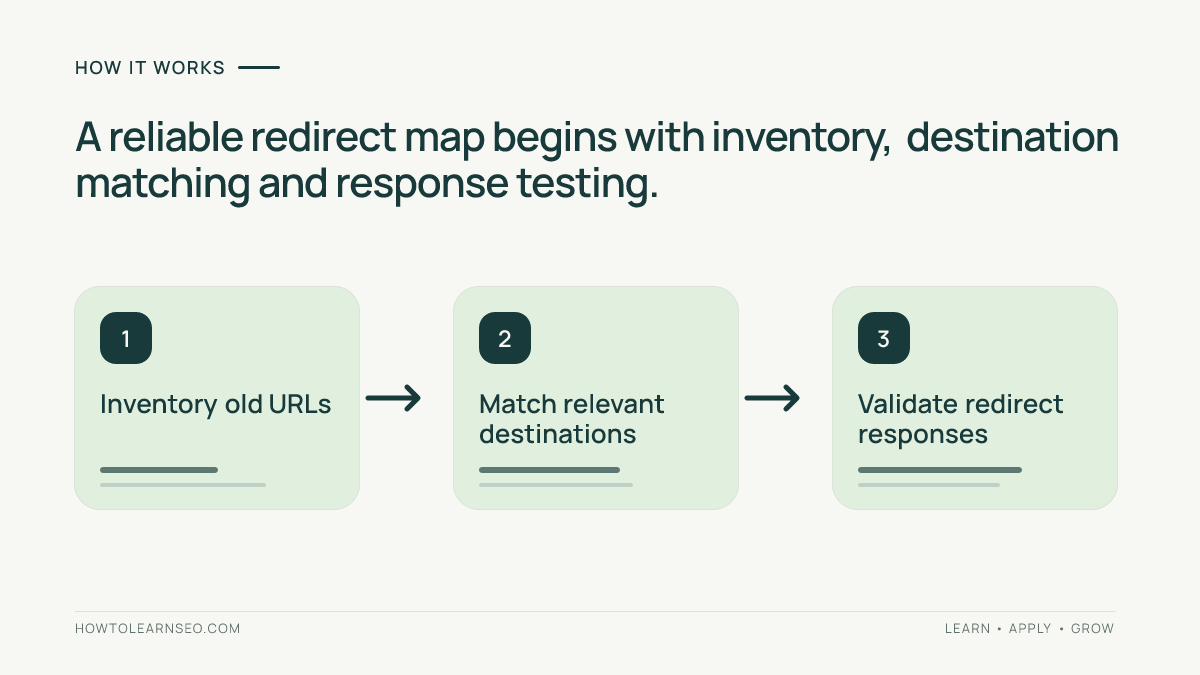
To build an SEO redirect map for a website migration, inventory every important old URL, assign its closest relevant destination, choose the correct HTTP response, and test each mapping before and after launch. A redirect map is a controlled migration document, not a blanket instruction to send every missing page to the homepage.
Quick Answer
Export the old site’s URLs, group them by page purpose, match each to a new page that genuinely satisfies the same visitor need, and record the planned 301 or other handling in a spreadsheet. Check redirects in staging where possible, then crawl old URLs after launch and monitor indexing and organic landing pages. Keep a record of exceptions and owners.
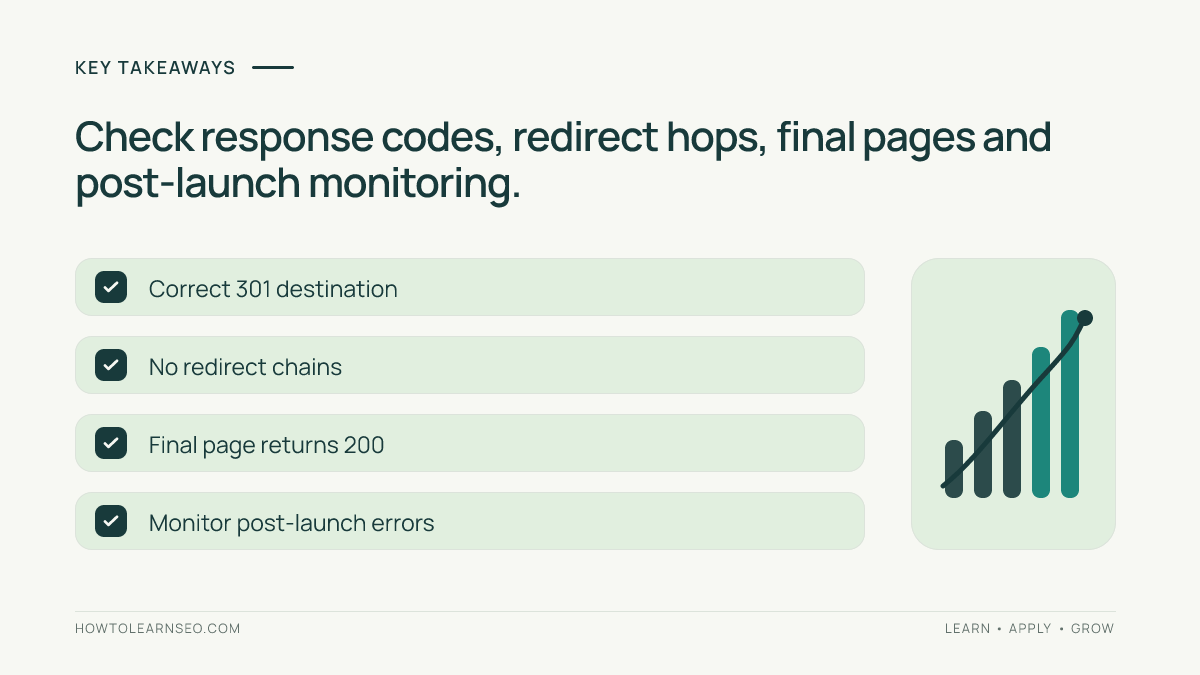
Key Takeaways
- Map URLs by intent rather than by similar-looking slugs.
- Use permanent redirects when a page genuinely moves permanently.
- Avoid redirect chains, loops and irrelevant homepage redirects.
- Test status codes and final destinations, not just visual page loading.
- Keep a rollback plan and monitor important landing pages after launch.
Decide What Your Migration Actually Changes
Before touching redirects, document whether you are changing a domain, URL paths, protocol, site architecture, or several of these at once. A domain move can affect every URL; a content consolidation may affect only a few sections. The scope determines how large the inventory must be and how you will judge success.
Ask the developer for the planned URL structure, launch window, hosting and CDN configuration, and access to redirect rules. Ask the content owner which pages will be retained, merged, retired or rewritten. Do not assume that a page with a similar name is an equivalent destination: the visitor’s underlying task matters more than the wording of the address.
If you are still learning the fundamentals, review the site’s 301 redirect guide before designing rules. A permanent redirect communicates that a resource has moved; it does not make a poor destination useful. Confirm the actual published internal URL during implementation rather than relying on a guessed path.
Create a Reliable Inventory of Old URLs
Start with a crawl of the current site, its XML sitemaps, analytics landing-page reports, and Search Console page data if access exists. These sources overlap but are not interchangeable. A crawler may miss orphan URLs; a sitemap may include outdated entries; analytics may omit pages with little measured traffic. Combine them and deduplicate the resulting absolute URLs.
Include pages that receive internal links, backlinks, conversions or organic search visits, even if they are absent from the current navigation. Also include known PDFs and other files if they are changing addresses. Mark parameterized and faceted URLs separately; you should not automatically redirect every query-string variant without understanding how it is used.
For each source URL, capture its current HTTP status, canonical URL, page title, template, business purpose, estimated priority and proposed action. Record the date of the export. The inventory is a snapshot; a site that continues publishing content before launch needs a final delta check.
Design the Redirect Map Spreadsheet
Create columns for old URL, current status, new URL, action, reason, priority, content owner, test result and notes. Store absolute URLs including protocol and hostname so cross-domain changes are unambiguous. Give every row one explicit decision: redirect, retain, serve a genuine 404/410, or investigate.
Do not automatically mark every removed URL as a redirect. A discontinued service with no relevant substitute may be better left unavailable than redirected to an unrelated category. For an ecommerce example of this decision, see how to handle discontinued product pages.
A practical priority system is P1 for URLs with meaningful conversions, important inbound links or prominent internal navigation; P2 for useful informational pages; and P3 for low-value or uncertain URLs. These are workflow labels, not Google ranking factors. Review P1 rows manually before generating bulk rules.
Match Each Old URL to the Best Destination
Open the old page and ask what a visitor expected to accomplish there. Match that task to the closest live or planned new resource. A detailed service page should usually point to the replacement service page, not a generic services directory. If two older articles have been merged into one comprehensive guide, both may legitimately redirect to that consolidated guide.
When the topic changes materially, avoid forcing a redirect simply to preserve a URL count. Check whether the new destination answers the old query without requiring the visitor to start over. If no equivalent exists, document why a 404 or 410 is appropriate and remove broken internal links to that address.
Review the intended information architecture alongside orphan-page discovery. A redirect can take visitors to a replacement page, but that page still needs discoverable internal links and useful navigation. A successful migration should not depend entirely on redirects for finding content.
Worked Example: Migrate a Small Service Section
Imagine a plumbing company moving three old pages: /services/leak-repair/, /services/emergency-plumber/, and /offers/summer-discount/. The new site contains /plumbing/leak-repair/ and /plumbing/emergency/ but has discontinued the seasonal promotion. This is an illustrative scenario, not a test conducted on a live website.
| Old URL | Action | Expected result |
|---|---|---|
| /services/leak-repair/ | 301 to /plumbing/leak-repair/ | Relevant replacement loads |
| /services/emergency-plumber/ | 301 to /plumbing/emergency/ | Emergency service page loads |
| /offers/summer-discount/ | 404 or 410 if permanently gone | No misleading redirect |
For the first row, request the old URL without following redirects and confirm an HTTP 301 with a Location header pointing to the exact replacement. Then follow the redirect and confirm a final HTTP 200, a working page, and an appropriate canonical. Repeat for the emergency page. For the retired offer, confirm the intended unavailable status and remove links promoting the expired offer.
The edge case is a new emergency page that has not yet launched. Do not deploy a redirect to a nonexistent target. Either publish and verify the target before launch or hold the corresponding rule until it exists. This simple dependency check prevents a large class of migration failures.
Implement Redirects Without Chains or Loops
Have the developer translate the approved map into server, application or CDN rules appropriate to the hosting stack. Exact-match rules are safer for exceptional URLs; patterns can help with truly uniform path changes. Test patterns against a sample of unaffected pages before deployment, because an overly broad rule can redirect unrelated content.
Prefer a direct old-to-final destination. If /old/ redirects to /middle/ and then /new/, update the first rule to point straight to /new/ when you control both steps. A loop, where URLs redirect back to each other, makes the page inaccessible. Test HTTP and HTTPS variants and both hostnames where relevant.
Google’s site move guidance explains why planning URL mappings and monitoring the move matter. For individual response codes, consult its HTTP status documentation. Do not assume every response is a search penalty; diagnose what the response actually means.
Also check the new site’s canonical tags and sitemap entries. The new XML sitemap should list canonical destination URLs rather than old redirecting addresses. The site’s sitemap and canonical audit workflow can help identify mismatches after deployment.
Test the Map Before and After Launch
For a manageable set of high-priority URLs, test each one manually with an HTTP header checker or command-line request. For larger inventories, ask the developer for a scripted status-code export. Verify the initial response, Location header, number of hops, final response, page content, and whether the final URL is indexable when intended.
A browser loading a page is not sufficient proof: browsers follow redirects automatically and can hide chains. Compare the observed final URL with the approved spreadsheet, flag mismatches, and assign each failure to an owner. Keep screenshots or response logs for critical cases rather than marking them passed from memory.
Test representative mobile navigation and internal links, too. A redirect map is not a substitute for updating internal links to point directly to the new URLs. Use the site’s mobile navigation testing guide to ensure important destination pages remain reachable for real visitors.
Monitor Search Performance and Resolve Exceptions
Immediately after launch, inspect crawl errors, index coverage, canonical selection and sitemap processing in Search Console where available. Compare important organic landing pages before and after the move, allowing for normal reporting delays. Check conversions and business outcomes as well as clicks; a technically valid redirect can still lead to an inferior experience.
Review the highest-priority mapped URLs daily during the initial launch window, then reduce frequency as issues stabilize. Escalate unexpected 404s, redirect chains, wrong destinations and indexable staging URLs. Keep a change log with the old rule, replacement rule, date and reason so developers can reverse an incorrect deployment safely.
Do not judge a migration from a single day’s ranking movements. Search systems need time to discover and process changed addresses, and traffic varies for reasons unrelated to redirects. Use a consistent comparison window, annotate the migration date, and distinguish confirmed technical errors from ordinary fluctuations.
Common Mistakes and Practical Limitations
The most damaging shortcut is redirecting every removed URL to the homepage. That often fails the visitor’s intent and can be treated as a soft 404 in search. Another mistake is exporting only sitemap URLs, missing older pages with valuable backlinks or external references. Inventory breadth matters more than producing an impressive-looking spreadsheet.
A redirect map cannot fix missing replacement content, broken site templates, incorrect robots directives or an unreliable server. Coordinate with developers and content owners, and reserve time for a post-launch crawl. If the website has tens of thousands of URLs, use sampling for low-priority groups but fully review exceptional and commercially important patterns.
Google’s redirect documentation provides further detail about permanent and temporary redirects. Always check current official guidance for your implementation rather than copying an untested configuration from another hosting environment.
Frequently Asked Questions
Should every old URL receive a 301 redirect?
No. Use a 301 when a page has permanently moved to a genuinely relevant replacement. A URL with no useful substitute can return a proper 404 or 410 instead.
Can I redirect all removed pages to my homepage?
Avoid blanket homepage redirects. They can confuse visitors and may be interpreted as soft 404s when the destination does not satisfy the original request.
How do I check whether a redirect works?
Inspect the old URL’s HTTP response and Location header, follow the destination, and confirm the final page returns the expected status and useful content.
Do I need to update internal links after adding redirects?
Yes. Update navigation and contextual links to point directly to the final URLs, reducing unnecessary hops and helping users discover the intended pages.
How long should I keep migration redirects?
Keep permanent redirects for as long as they are useful, particularly when old URLs still receive visits or links. Google’s site-move guidance recommends keeping them for at least one year.
What if the replacement page is not ready at launch?
Do not redirect to a missing page. Coordinate publication of the destination with the rule deployment, or postpone that specific redirect until the target is verified.
Conclusion
An SEO redirect map for a website migration succeeds when each important old address has a deliberate, tested outcome. Inventory widely, match by user intent, review high-priority exceptions, verify actual HTTP behavior and monitor the move after launch. Treat the map as a shared operational checklist that connects content decisions with technical deployment.