A WordPress staging site SEO audit checks that unfinished pages remain private while the public site stays accessible to search engines after launch. An AI-generated migration checklist cannot independently see your hosting configuration or live headers. Use its suggestions to plan checks, not to replace the evidence.
This workflow is for site owners moving a WordPress installation or launching a redesigned site. It covers staging access, indexability, canonical URLs, internal links and final release checks. It does not promise immediate search rankings or indexing.
Quick Answer
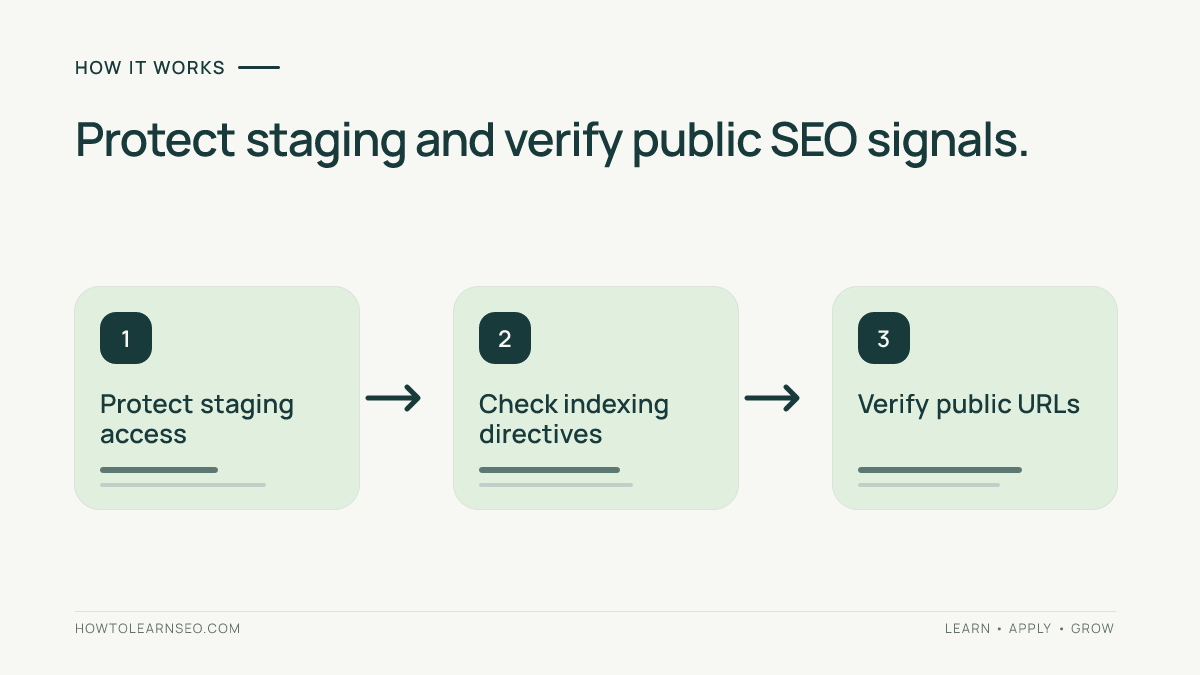
Protect staging with authentication, check robots and noindex separately, map test URLs to public URLs, and inspect production HTTP responses, canonicals, sitemaps and navigation. Repeat representative tests after launch, document any defect and recheck the real published URL after a fix.
Key Takeaways
- Robots.txt cannot keep confidential staging content private.
- A blocked crawler may not see a noindex directive on the same URL.
- Staging-only noindex rules must not unintentionally follow the site to production.
- Audit deep pages, archives and resources as well as the homepage.
- Keep a dated release checklist with ownership and rollback decisions.
Build a Small Environment and URL Inventory
Start with the staging hostname, production hostname, planned launch time and responsible administrator. List any preview addresses supplied by hosting or page-building tools. Record which drafts must remain restricted and which approved pages are meant to become public. Never copy passwords or confidential customer data into an AI prompt.
Choose five representative templates: homepage, important article, category archive, deeper article and a media asset. For each, record its staging URL, expected production URL, intended robots instruction and canonical. Include an old URL if your redesign changes permalinks. This sample does not replace a full crawl, but it exposes problems that repeat across templates.
Our website architecture guide explains why navigation and page hierarchy matter. Concentrate first on defects that can leak private pages or block valuable public content, not cosmetic metadata discrepancies.
Step 1: Protect the Staging Environment
For confidential pages, use server authentication or an equivalent access restriction. Google recommends password protection to keep private content from being publicly available. A robots.txt file is only a request to participating crawlers; it is not security, and a prohibited URL can still be discovered through external links.
WordPress offers a setting under Settings and Reading to discourage search engines from indexing. That setting is not an access-control tool. Check what your host and plugins actually serve, ideally from an anonymous browser session. Verify that private staging pages cannot be opened without the approved access method.
See Google’s content-sharing guidance and WordPress’s documentation. Keep credentials out of your SEO evidence record, and restrict any temporary accounts used by the migration team.
Step 2: Separate Robots.txt and Noindex Checks
A robots.txt disallow tells compliant crawlers not to fetch a URL. Noindex tells search engines that support it not to index a page once they can access and read the instruction. If robots.txt blocks the URL, Google may never see its noindex directive. Neither instruction should be treated as a replacement for authentication.
Read the robots.txt tutorial and meta robots guide for implementation basics. Google’s noindex guidance explains why blocked pages and noindex can conflict. Review actual HTML and response headers rather than assuming a dashboard toggle controls every layer.
Production checks should confirm that important public pages do not inherit staging-only noindex settings. Look for a robots meta tag and an X-Robots-Tag HTTP header. A security plugin, hosting configuration or cache can affect the result. Correct the original rule and then verify the anonymous page again.
Step 3: Verify Public URL Signals
Record the final HTTP status, redirect chain, canonical target, robots instruction and relevant content for each sampled production page. Important public pages should be reachable without staging credentials. Their canonical tags should reference appropriate public URLs rather than a test hostname. Check that HTTPS works and the response does not silently redirect to staging.
Inspect navigation, breadcrumbs and article links for hardcoded preview addresses. Page-builder templates and reusable blocks may retain an old domain after a database move. Review the Google indexing guide for a distinction between technical eligibility and the later decision to index a page.
Open at least one public image and stylesheet anonymously. Browser previews from an administrator session can mask access restrictions. Record what was actually tested, because a page’s appearance alone does not prove every embedded resource loads for search crawlers or other visitors.
Worked Example: A Noindex Setting Left Behind
Imagine a fictional blog copied from a password-protected staging host to its public domain. Articles load normally, but a copied WordPress plugin setting adds noindex to every page. The owner sees a working website while the SEO audit detects an unsuitable indexing instruction. The fix is to identify the configuration source and verify the live directive after changing it.
A concise evidence row might contain the article URL, expected indexable state, observed noindex tag, response time, owner and retest result. After the fix, clear relevant caches and fetch the public page without logging in. Do not infer that Google instantly updates its stored index; a later crawl is separate.
In another illustrative case, robots.txt blocks staging but the content remains publicly accessible. That is a privacy failure, not a successful staging protection. Use appropriate authentication. These examples are teaching scenarios, not claims about a real website that has been tested.
Step 4: Check Sitemaps, Redirects and Navigation
Open the public XML sitemap and look for test hostnames, preview URLs, incorrect protocols and draft paths. A sitemap assists discovery but cannot guarantee indexing. Confirm that important pages also have real HTML links from the site’s navigation or relevant content.
Where the migration changed URLs, follow a sample of old addresses. Verify the final destination matches the original content intent, without unnecessary redirect chains or loops. A blanket redirect of unrelated pages to the homepage is usually not a substitute for a thoughtful URL map.
Check that menus remain usable on mobile, that images load from the public domain and that archives work at deeper levels. For language versions, review alternate links separately. Be specific about what the website offers rather than imposing generic checks for plugins that are not installed.
Step 5: Run a Post-Launch Retest
Repeat all representative checks after production deployment. Use Search Console’s URL Inspection where available, but understand that its indexed-state information may reflect an earlier crawl rather than the latest live response. Google does not guarantee indexing just because a page is accessible and technically suitable.
Keep a sheet with URL, expected state, observed state, severity, owner, date and resolution. Fix private-content exposure and major public indexability problems before lower-priority presentation details. Store rollback instructions with the deployment team and mark a finding resolved only after the live URL passes again.

Common Troubleshooting Mistakes
- Trusting only a dashboard screenshot: inspect the actual response and source.
- Using robots rules for privacy: staging needs genuine access control.
- Forgetting caches: public output may lag behind an approved setting change.
- Checking only the homepage: deeper templates can retain old rules.
- Trusting AI-generated URLs: verify every sampled final destination.
Frequently Asked Questions
Can robots.txt keep WordPress staging content private?
No. Robots.txt is a crawler instruction, not a security barrier, and a blocked address may still be discovered. Restrict confidential staging content with authentication or another genuine access-control mechanism, then review indexing signals separately.
Is the WordPress discourage indexing option enough for staging?
No. The setting asks search engines to avoid indexing but does not make pages private. Test anonymous access and implement server-level restrictions when unfinished pages or confidential business information must remain protected.
Can staging noindex settings remain on the production site?
Yes. Copied plugin or server configurations may leave a noindex directive on public pages. Inspect the final HTML and HTTP headers, correct the underlying setting, clear applicable caches and verify the actual public URL again.
Does a passed launch audit guarantee Google indexing?
No. A launch audit can confirm observable technical eligibility and correct public settings, but indexing and ranking are separate decisions. Monitor Search Console over time and avoid promising an immediate or guaranteed result.
Which evidence belongs in a staging SEO audit?
Record the staging and public URL mapping, access check, status code, canonical, robots directives, navigation, sitemap, date, owner and corrective action. Repeat the affected checks after deployment so the final approval reflects the actual published website.
Conclusion
WordPress staging audits should establish two outcomes: confidential test content stays restricted, and approved production content is available with appropriate search signals. Check real pages and headers, repair the source of each defect and preserve a clear release record.