
To optimize ecommerce category pages for SEO, build collections around real shopping intent, make products accessible, control filter URLs and measure useful outcomes. This step-by-step guide covers taxonomy, content, technical signals and verification using a realistic example.
Quick Answer
To optimize an ecommerce category page, match its purpose to a specific shopping intent, provide useful product selection tools, write a distinct title and introduction, keep important products accessible through crawlable links, and measure qualified organic traffic and sales. Do not create thin category pages for every keyword variation. Start with one high-value category, confirm its indexability and product inventory, improve its usefulness, and verify the result.
Key Takeaways
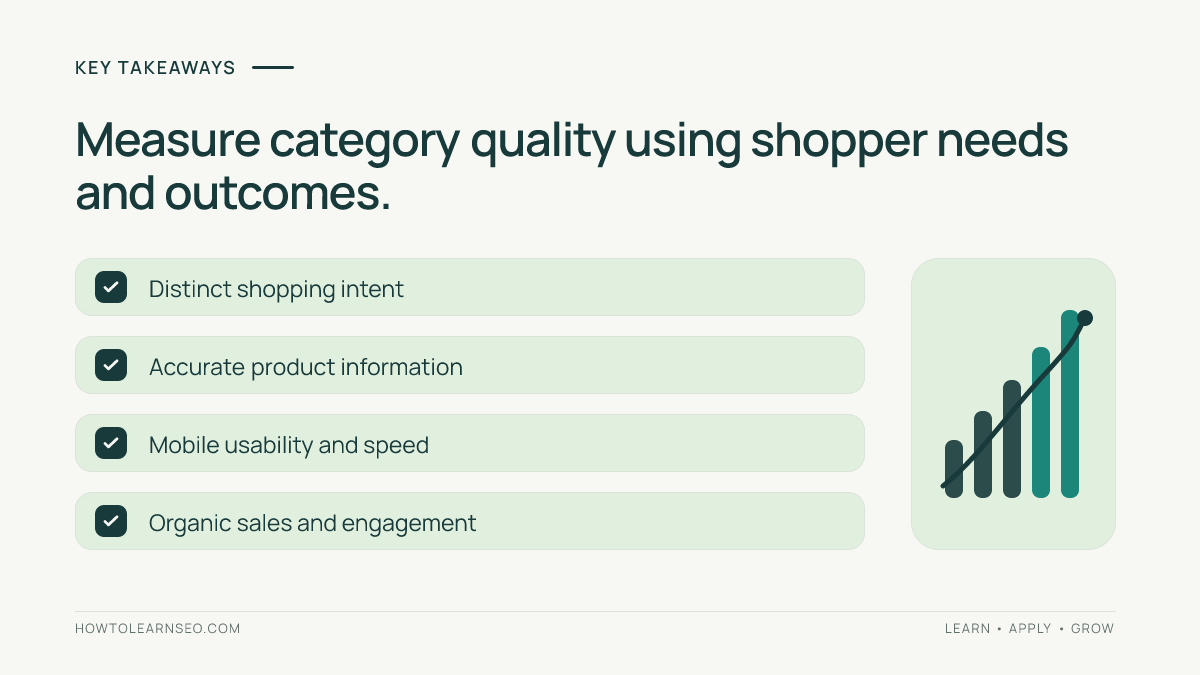
Choose categories based on real merchandise and customer needs. Give each important category a clear purpose distinct from neighboring collections. Keep navigation, filters, canonical URLs and pagination coherent. Add concise buying guidance that helps shoppers choose, not generic keyword-heavy filler. Make products easy to reach on mobile. Use accurate structured data only where applicable. Measure both search visibility and on-site outcomes. Test changes on representative pages before rolling them out across a large catalog.
Step 1: Select a category with a clear search intent
Begin with a category that already represents a meaningful product family, such as women’s waterproof hiking jackets. Searchers likely want to compare suitable products, sizes, prices and features, not read a long general history of outdoor clothing. Review the current search results and your actual inventory to decide whether the page should be a broad collection or a narrower subcategory. Do not create separate landing pages for nearly identical phrases if they would display the same products. Document the category’s primary audience, shopping task and distinguishing attributes. A good category makes it obvious what a visitor can buy and why those products belong together.
Step 2: Map categories before writing content
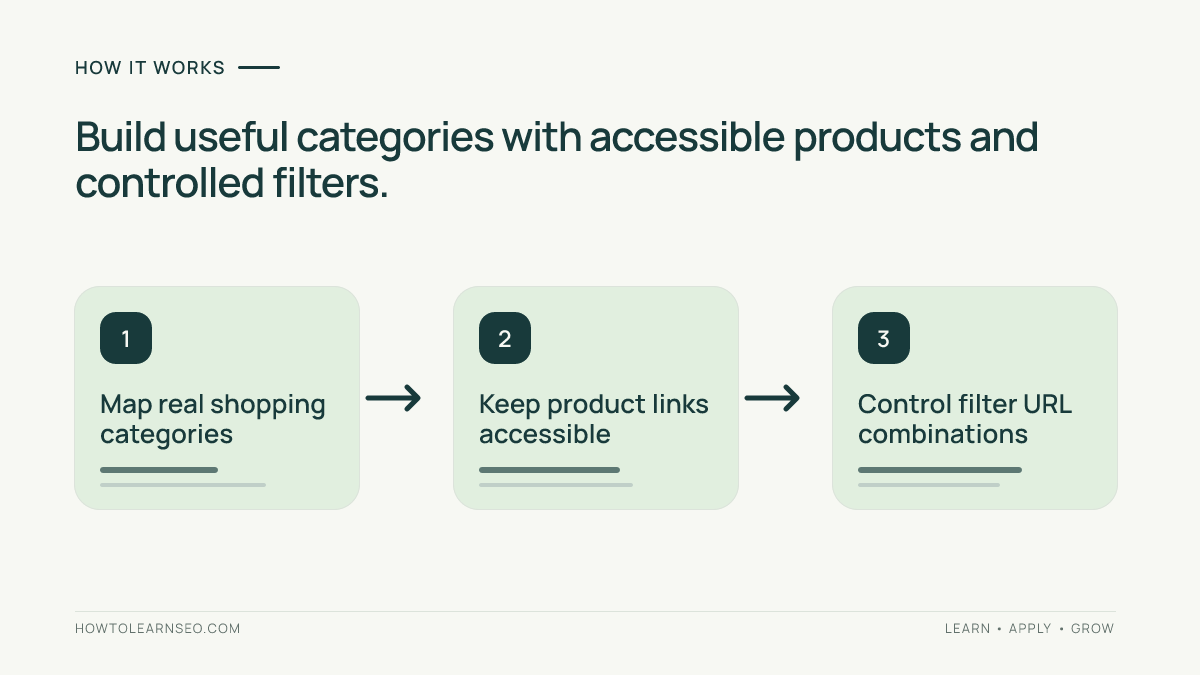
Create a simple map of parent categories, subcategories and product detail pages. Each category should have a distinct selection of products or a genuine reason to exist. For example, hiking jackets might contain waterproof shells and insulated jackets as useful subcategories. Avoid making a dozen overlapping collections that compete for the same intent. Choose descriptive URLs that reflect stable taxonomy rather than temporary marketing campaigns. Check how visitors reach the category from the main navigation and relevant content. If two categories serve the same shoppers with the same inventory, consider consolidating them rather than publishing another nearly identical page.
Step 3: Write a useful title and visible introduction
Give the category a unique HTML title and a clear on-page heading that describes the actual collection. A short introduction should explain the range and the most important buying distinctions. For waterproof jackets, mention factors such as fit, weather protection and intended activity only when those details are supported by the products offered. Avoid exaggerated promises such as best price guaranteed unless you can substantiate them. Meta descriptions can summarize the selection, but Google may generate its own snippets. Place the product grid where shoppers can find it quickly, particularly on mobile. Content should support choosing products, not bury them under paragraphs written only for search engines.
Step 4: Improve product discovery and internal links
A category page should provide direct paths to useful product pages and relevant subcategories. Use ordinary crawlable links where practical, with descriptive anchor text. Ensure the important products are not accessible only through a script-dependent interaction that search crawlers may struggle to follow. Add contextual links to helpful guides where they answer common buying questions. For instance, a jacket category might link to a sizing guide and a care guide. Review the internal linking structure regularly when products move between categories. Our internal linking guide explains how meaningful paths support discovery. A visitor should be able to understand the assortment and reach a relevant product without unnecessary steps.
Step 5: Design filters for shoppers and crawlers
Filters for size, color, price and availability help shoppers narrow a collection, but they can generate many URL combinations. Decide which filtered combinations deserve independent search landing pages, if any. Most combinations should not automatically become separate indexable pages. Keep useful filter interactions accessible while preventing an uncontrolled explosion of duplicate URLs. Review whether filter states create parameters, change canonical tags or alter links. Do not apply a blanket robots rule without understanding how it affects discovery and existing indexed URLs. Google’s faceted navigation guidance explains important tradeoffs. Test representative combinations and record the intended behavior for each.
Step 6: Handle pagination and product availability
Large categories often spread products across multiple pages or use infinite scrolling. Make sure important products remain discoverable through accessible URLs and links, even when the interface loads additional items dynamically. Test whether the next set of products can be reached without relying on a user gesture that a crawler may not perform. If a product goes out of stock temporarily, decide whether its detail page should remain accessible and useful. For permanently discontinued products, consider whether an appropriate replacement exists. Do not automatically redirect every discontinued product to the category homepage. Review how inventory changes affect category counts, internal links and user expectations. A technically accessible collection with no useful products may still disappoint shoppers.
Step 7: Use accurate product information and structured data
Display current prices, availability and meaningful product attributes based on the store’s actual data. Where structured data is appropriate, make sure it matches the visible page and the specific Google-supported feature. Do not fabricate ratings, shipping promises or offers to gain rich results. Category pages and individual product pages can have different structured-data considerations, so do not paste the same markup blindly across every template. Validate representative pages and inspect the rendered output. Google’s product structured-data documentation describes eligibility and implementation guidance. Valid markup is not a guarantee of special search appearance. Accurate information that helps customers decide is the primary goal.
Step 8: Improve mobile usability and performance
Check the category on a real mobile viewport. Filters, sorting controls and product cards should be easy to operate without obscuring the products. Images should have appropriate dimensions and load efficiently, while still showing enough detail to compare items. Avoid intrusive overlays that prevent shoppers from browsing. Measure important performance issues on representative templates, then investigate the actual causes before making changes. A slow category may be affected by oversized images, scripts or repeated third-party widgets. Do not assume that changing one performance metric will automatically improve rankings. Prioritize faster browsing, clearer choices and reliable checkout paths.
Worked example: waterproof hiking jackets
Imagine a fictional outdoor retailer with 48 waterproof hiking jackets spread across a broad outerwear category. The team proposes a dedicated category because customers repeatedly search for weather-specific jackets. Input: an approved inventory of 48 products, a list of important features and the current navigation map. Rule: create a distinct category only if its products and shopping purpose differ meaningfully from existing collections. Action: publish a descriptive category title, concise buying guidance, accessible product links and filters for fit and size. Expected result: shoppers can compare suitable jackets without navigating through unrelated coats. Verification: check rendered links, mobile filter behavior, canonical URL, product availability and organic landing-page outcomes. Edge case: a color filter creates dozens of thin URLs; keep those combinations from becoming uncontrolled indexable pages. These numbers are illustrative, not a report of live results.
Step 9: Check canonical and indexability signals
Inspect the preferred category URL, its canonical declaration and any alternate parameter versions. Confirm the page is not unintentionally blocked or marked noindex. A canonical tag is a signal rather than a guarantee that Google will select the intended URL. If categories overlap substantially, clarify their distinct purpose or consolidate them where appropriate. Check internal links and sitemaps for consistency. Google’s canonicalization guidance provides background on duplicate URL signals. Do not assume every parameter URL must be redirected to the base category; some states are useful to shoppers. Document which URLs should be discoverable, which should be indexable and why.
Step 10: Add concise buying guidance and FAQs
Useful category copy answers questions that influence product choice. A waterproof jacket collection might explain the difference between lightweight shells and insulated designs, when to prioritize ventilation and how sizing differs by brand. Keep claims tied to the actual products and avoid boilerplate copied across hundreds of categories. If customers repeatedly ask a specific question, answer it near the product grid or in a compact FAQ section. Do not generate dozens of artificial questions merely to add keywords. Where a detailed explanation is needed, link to a relevant guide rather than overwhelming the shopping interface. Content quality is measured by usefulness and accuracy, not the total number of words.
Step 11: Measure search and business outcomes
Use Search Console to examine impressions, clicks and relevant query patterns for the category. Use GA4 or another correctly configured analytics system to assess organic landing-page engagement and meaningful actions. These tools measure different things, so their counts need not match. Compare similar periods and account for promotions, stock changes and seasonality. A category may attract more traffic while generating fewer purchases because popular products sold out. Our advanced Search Console review explains query and reporting limitations. Our advanced GA4 review explains conversion measurement. Report both search visibility and shopper outcomes rather than celebrating impressions alone.
Step 12: Roll out changes carefully
After improving one representative category, test the live page on desktop and mobile. Verify navigation, canonical tags, product links, filters, metadata and structured data where relevant. Record the release date and a short change log. Then compare the results with similar categories before applying the same template broadly. Some improvements, such as clearer navigation or faster images, may be reusable across the catalog. Other decisions, such as buying guidance and subcategory structure, must reflect each collection’s actual merchandise. Avoid mass-generating hundreds of category descriptions from one generic template. Expand only after the process produces accurate, maintainable pages and the team can monitor their performance.
Common mistakes to avoid
Do not build separate categories for every slight keyword variation. Do not hide the product grid below lengthy filler copy. Do not let filters create unlimited indexable URL combinations. Do not remove access to important products through inaccessible infinite scrolling. Do not mark up prices or ratings that are not visible and accurate. Do not redirect every unavailable product to an unrelated page. Do not evaluate category SEO only by traffic, ignoring inventory and purchases. Most importantly, do not treat an automated audit warning as proof of a ranking problem. Verify each issue against actual shopper needs and live page behavior.
Maintenance checklist
Review category inventory, broken product links and outdated buying guidance after major catalog updates. Recheck canonical and filter behavior when the ecommerce platform or theme changes. Confirm that navigation still exposes high-priority categories. Audit representative mobile experiences and performance issues. Monitor important search landing pages with consistent definitions, and annotate promotions or stock disruptions. Assign an owner for category taxonomy and another for technical template changes. A quarterly review may be sufficient for stable collections, while rapidly changing catalogs need more frequent checks. The right cadence depends on product turnover and business risk. Keep the checklist short enough that the team actually completes it.
Frequently Asked Questions
How much text should an ecommerce category page have?
Use enough original copy to help shoppers choose products and understand the collection. There is no universal word count that guarantees rankings.
Should filtered category pages be indexed?
Only select filtered combinations with distinct, useful search intent should be considered for indexing. Avoid automatically indexing every parameter combination.
Do ecommerce category pages need structured data?
Use applicable structured data when it accurately describes visible content and meets Google’s current requirements. Do not add unsupported product claims.
Should out-of-stock products remain linked?
It depends on whether the product will return and whether the page remains useful. Avoid redirecting discontinued items to irrelevant destinations.
How can I measure category page SEO success?
Combine Search Console visibility data with properly tracked organic landing-page engagement, conversions and business outcomes.
What is the biggest category page SEO mistake?
Creating many overlapping or thin category URLs without a clear shopping purpose can undermine navigation and make the catalog harder to maintain.
Conclusion
Strong ecommerce category pages help shoppers find the right products and help search engines understand useful collections. Start with one meaningful category, verify its crawlable links and technical signals, improve buying guidance, then measure organic visits alongside actual customer outcomes. Scale what works without creating unnecessary duplicate pages.