This Google Analytics 4 review evaluates advanced SEO acquisition reporting, landing-page outcomes, key events, attribution and data limitations. It explains how to use GA4 alongside Search Console without confusing traffic collection with search visibility or guaranteed business results.
Quick Answer
Google Analytics 4 is Google’s event-based analytics platform for understanding website and app interactions. For SEO teams, its advanced value is analyzing organic landing-page engagement, key events, conversions and user journeys after a visit. It does not report every Google Search query or replace Search Console. GA4 also depends on implementation, consent and attribution settings, so apparent traffic changes need careful validation. This review focuses on its usefulness and limitations for advanced SEO reporting rather than repeating beginner setup instructions.
Key Takeaways
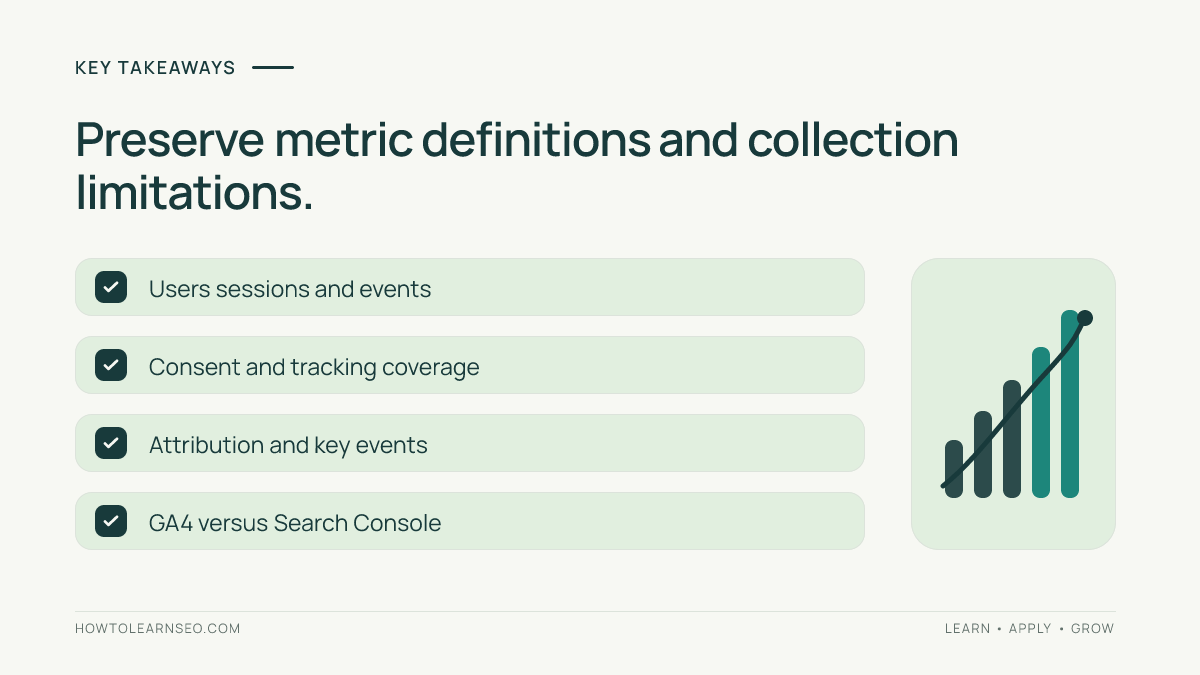
GA4 helps connect organic acquisition with measurable on-site outcomes, but it is not a ranking tracker. Confirm collection, consent and key-event definitions before interpreting dashboards. Distinguish users, sessions and events. Use landing-page reports and consistent channel definitions to evaluate SEO performance. Treat attribution and identity settings as analytical assumptions, not objective truth. Combine GA4 with Search Console only after checking their different metrics. Verify changes using real page behavior and implementation tests. A strong analytics process produces a defensible decision, not merely more charts.
What GA4 measures
GA4 collects events representing interactions with a website or app, subject to its implementation and processing rules. Its reporting model differs from the older session-oriented Universal Analytics approach. This can be powerful for SEO teams because organic visits are valuable only when they lead to useful outcomes, such as reading important content, submitting a qualified inquiry or purchasing a product. Yet the platform does not know a business goal unless the implementation expresses it accurately. An event named lead_submit is not automatically a qualified lead. A page_view is not proof that someone read the content. Before making claims, define what each event represents and whether it fires reliably. GA4 is best treated as an evidence system for behavior after acquisition. Search demand, query visibility and indexing still require other sources. An advanced review should examine both what the platform can measure and the gaps that remain.
Who benefits from advanced GA4 reporting
In-house SEO teams can evaluate which organic landing pages attract visitors who complete meaningful actions. Ecommerce marketers may analyze product discovery, cart activity and purchases when ecommerce events are implemented correctly. Publishers can examine content engagement and pathways to newsletter signup. Agencies can compare page groups and outcomes across periods while preserving each client’s tracking definitions. Large organizations may need stronger governance around events, consent, reporting identities and integrations. Small sites can still benefit from a focused report with only a few reliable metrics. Before building an elaborate dashboard, choose the decisions that matter. For example, determine whether a service guide produces qualified inquiries, whether a product category contributes to purchases or whether a content update improves engagement. Assign owners to implementation and interpretation. More event names and reports do not automatically produce better SEO decisions.
Property and data-stream structure
A GA4 property can receive data from web or app data streams, depending on its configuration. Analysts should document the property, stream and measurement ID used for the website under review. Accidentally combining unrelated domains or excluding a new hostname can distort comparisons. Cross-domain journeys require deliberate setup where relevant, and internal traffic definitions need testing. Before evaluating SEO performance, confirm that important pages send events to the intended property and that tracking is not duplicated. A page firing two page_view events may inflate apparent activity without reflecting two visits. Likewise, a checkout flow that changes domains can break continuity if implemented incorrectly. Record the setup and any known exclusions. The official GA4 setup guidance explains the property model. This review assumes the website is already configured and focuses on evaluating the resulting evidence.
Events, key events and business outcomes
GA4’s event model can capture interactions such as page views, clicks and purchases, but business meaning must be defined separately. A key event marks an interaction that matters to the organization. For a lead-generation website, submitting a form may be a useful key event, but spam or incomplete inquiries can make the raw count misleading. For ecommerce, purchase reporting requires correct transaction data and duplicate prevention. Document the event name, trigger, parameters and expected behavior. Test on representative devices and browsers where possible. Use a small number of trustworthy outcomes rather than marking every interaction as a success. Google’s key-event documentation provides current definitions. When a metric changes, verify whether the implementation changed before attributing the movement to SEO. Accurate measurement is the foundation for useful optimization.
Users, sessions and events
GA4 reports users, sessions and events using different definitions. An event can occur multiple times within a session, and one person may generate more than one session. The reported user count can depend on identity and consent-related settings. Avoid comparing these numbers as though they should match. A page with many events may simply have interactive components or repeated triggers. A session count is not a count of Google Search clicks. When preparing a report, label each metric and explain what it represents. If a team previously used Universal Analytics, avoid assuming historical measures are directly comparable. Establish a new baseline under the current implementation. For SEO evaluation, combine a clear acquisition definition with a business outcome such as a verified key event or purchase. That is more informative than chasing a single generic traffic total.
Organic search acquisition and channels
GA4 can group acquisition into default channels, including Organic Search, but channel attribution depends on the available source information and the platform’s rules. Before reporting SEO growth, confirm whether the analysis concerns first-user acquisition or session acquisition. These dimensions answer different questions. A person who originally arrived through search and later returned directly can appear differently depending on the report. Check whether campaign tagging or cross-domain issues are distorting source data. Do not assume all visits labeled Direct were truly typed into the address bar; missing attribution signals can affect classification. When reporting a landing-page campaign, state the selected acquisition scope and date range. A stable definition makes period comparisons meaningful. Changing the definition mid-report can create apparent growth or decline without a corresponding behavioral change.
A reproducible organic lead example
Imagine a fictional home-renovation company reviewing an organic landing page. In a comparable 30-day period, the page receives 1,200 organic sessions and 36 verified inquiry key events. The illustrative session-to-inquiry rate is 3%. In the preceding comparable period, it received 1,000 organic sessions and 40 inquiries, a 4% rate. These figures are hypothetical, not measured GA4 data. First, confirm the same property, channel definition and event implementation. Next, inspect the page and form flow for changes. Decision rule: prioritize an investigation when qualified inquiries fall despite rising relevant organic sessions. Expected output: a documented hypothesis about form friction or traffic intent. Verification: test the form, confirm event firing and monitor qualified inquiries after a targeted improvement. Edge case: the business may have changed lead-screening rules, so fewer recorded inquiries could reflect improved quality rather than worse performance. This example demonstrates why traffic and outcomes must be interpreted together.
Landing-page reporting for SEO
Landing-page reports are useful for connecting acquisition to the first page a session visited. They are not interchangeable with reports showing every page viewed. Choose a consistent landing-page dimension and segment by the relevant organic channel. Group URLs by meaningful template or business function when comparing performance. A product category, support article and contact page serve different purposes, so a single engagement benchmark may be misleading. Watch for query strings, trailing slashes and hostname changes that fragment page groups. Before joining GA4 pages with Search Console URLs, normalize the relevant paths and document the rules. Our GSC and GA4 landing-page joining guide explains common checks. A strong landing-page report identifies which pages attract relevant visits and whether those visits lead to intended outcomes, not merely which URLs have the most sessions.
Engagement metrics and interpretation
GA4 includes engagement-oriented metrics, but they should be interpreted against the page’s purpose. A visitor who quickly finds a phone number on a contact page may have a successful experience without a long session. A reader may spend several minutes on a guide without completing a tracked key event. Compare similar page types and use additional evidence where appropriate. Do not assume that a higher engagement rate always causes better Google rankings. Analytics measures user behavior under its own rules, while search ranking uses different systems. If a metric shifts after a design change, inspect whether event triggers, consent banners or navigation behavior changed. Record the hypothesis and test it before recommending a redesign. Engagement analysis should improve the user journey rather than become an isolated score optimization exercise.
Explorations for deeper analysis
GA4 Explorations can help analysts investigate segments, paths and relationships beyond standard reports, subject to property settings and available data. Start with a clear question rather than building an elaborate visualization. For example, ask whether organic visitors entering through a comparison guide proceed to relevant service pages before submitting inquiries. Define the segment carefully and confirm the selected date range. Watch for differences between exploration data and standard reports caused by reporting methods or limits. Document the dimensions, metrics and filters used. A useful exploration should end with a practical decision, such as improving a navigation link or clarifying a call to action. It should not be treated as a causal experiment simply because a path visualization looks convincing. Observed sequences do not prove why users behaved that way.
Funnel analysis and SEO journeys
Funnels can help evaluate whether visitors progress through a defined sequence, such as landing on a product page, adding an item to a cart and purchasing. The quality of the analysis depends on correct event implementation and an appropriate funnel definition. Some journeys are nonlinear, and visitors may return through other channels before converting. Do not interpret every exit as a failure. For a content-driven business, a visitor might read an article, leave and later subscribe through a direct visit. An SEO report should explain the attribution scope rather than claiming the first visit caused the final action. Use funnel findings to identify friction worth testing. Confirm that the observed drop is not caused by missing events, consent restrictions or a broken cross-domain setup. Then validate any change through behavior and outcome measures.
Attribution models and interpretation
Attribution assigns credit to touchpoints according to selected rules and available data. Different models and reporting scopes can yield different views of the same customer journey. For SEO, this means an organic visit may contribute to an eventual conversion without receiving all of the reported credit. Do not equate an attributed conversion count with a complete causal measurement of SEO’s impact. Document the attribution settings and distinguish acquisition reporting from attribution analysis. If the organization changes its model or conversion definitions, annotate the reporting timeline. A shift in attributed organic revenue may reflect measurement changes rather than altered customer behavior. The strongest analysis combines multiple views and explains uncertainty. Avoid using a single attribution report to make definitive claims about the incremental value of every channel.
Consent, identity and missing data
Consent choices, browser restrictions, ad blockers and implementation details can affect the data available to GA4. Reporting identity settings and modeled information may also influence some reports, depending on configuration and eligibility. These factors matter when comparing periods or markets with different privacy requirements. A decline in tracked sessions is not necessarily a decline in actual visitors. Document consent implementation changes, tag deployments and major browser-related shifts. Respect applicable privacy rules and avoid attempting to circumvent user choices. When data is incomplete, report the limitation rather than fabricating corrections. A practical analytics dashboard should distinguish measured outcomes from estimates and explain why totals may differ from server logs or other platforms. Trustworthy SEO reporting depends on transparent collection practices.
Debugging event collection
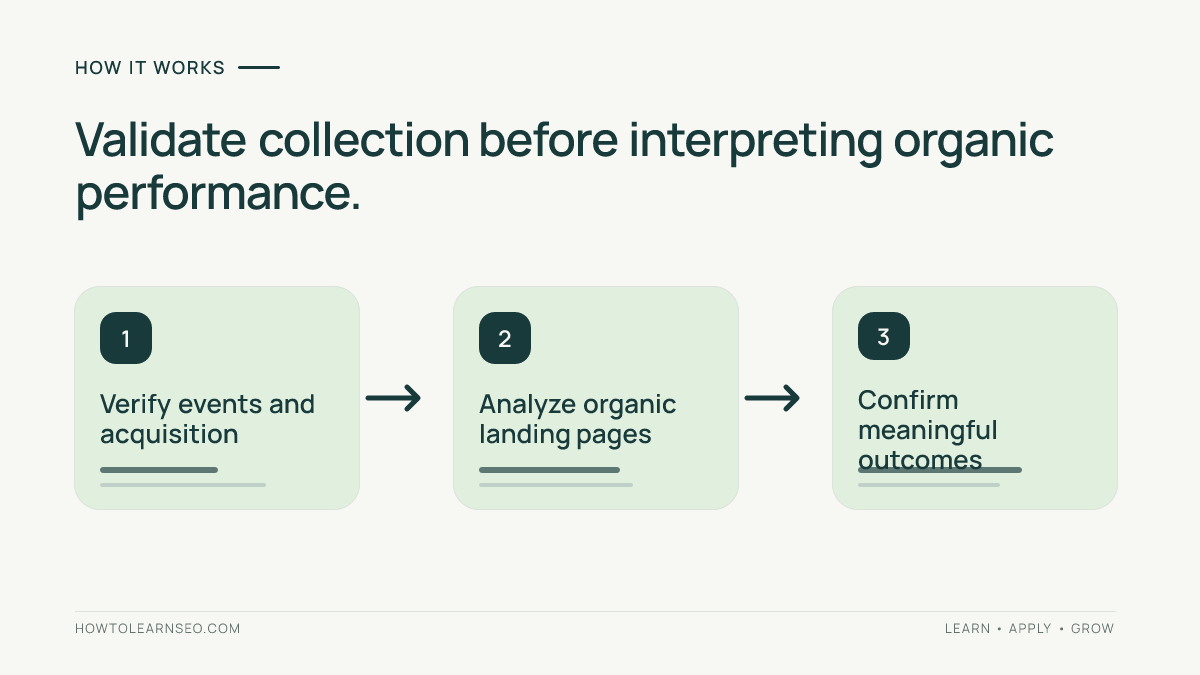
Before trusting an important event, reproduce the user action and inspect whether GA4 receives the intended information. Check that the event fires once when expected, carries relevant parameters and does not fire on unsuccessful submissions. For purchases, verify transaction identifiers and amounts where applicable. Test representative browsers and consent states in accordance with your implementation. Use available debugging tools and appropriate test environments. Record the expected event sequence and compare it with observed results. If a form is redesigned, repeat the test before comparing new results with old ones. A sudden jump in conversions may be caused by duplicate firing rather than business growth. For broader implementation context, our GA4 beginner guide introduces the fundamentals. The advanced rule is simple: verify measurement before interpreting performance.
Custom dimensions and content groups
Custom dimensions can make SEO analysis more useful when they represent stable business concepts such as content type, author group or product category. They require thoughtful event parameters and configuration. Avoid creating dozens of dimensions without a reporting purpose. Choose values that remain consistent across releases and document their definitions. A content group might distinguish how-to tutorials from product reviews, allowing the team to compare similar pages. However, a grouping rule that changes halfway through a quarter can make historical comparisons confusing. Test whether each important template sends the intended value. Keep high-cardinality identifiers and privacy considerations in mind. The aim is a small, maintainable reporting structure that supports decisions, not maximum configuration complexity. Every custom field should have an owner and a clear question it helps answer.
GA4 and Search Console together
Search Console reports Google Search clicks, impressions and related visibility data. GA4 measures interactions after acquisition under its own collection rules. Clicks are not the same as sessions, and differences can arise from consent, tracking, attribution, processing, time zones and user behavior. Do not force the totals to reconcile exactly. Instead, use Search Console to investigate which pages and queries attract search visibility, and GA4 to examine what visitors do after arriving. Our advanced Search Console review explains its distinct reporting limitations. When joining datasets, use a consistent URL mapping and date logic. Label each metric with its source and definition. A combined report can be powerful if it preserves differences rather than hiding them.
GA4 versus paid SEO platforms
Keyword suites, backlink tools and technical crawlers address questions that GA4 does not answer directly. GA4 does not provide a complete competitor keyword index or an exhaustive technical audit of a website. A specialist crawler can reveal broken links and canonical conflicts, while GA4 may help evaluate whether important landing pages support business outcomes. A rank tracker can monitor selected search positions, while GA4 measures behavior under its own collection rules. The tools are complementary, not direct substitutes. Before buying another subscription, list the questions your existing setup cannot answer. If you need competitor link research, an analytics platform is the wrong tool. If you need verified purchase events from organic visits, a backlink database is insufficient. Choose the smallest combination that supports reliable decisions and fits your team’s capacity.
GA4 versus Universal Analytics
Universal Analytics and GA4 use different data models, definitions and reporting approaches. Historical comparisons across the transition require explicit caveats. A metric with a familiar label may not have an identical meaning. GA4’s event-based approach can support flexible measurement, but it also requires disciplined implementation. Do not copy old dashboard formulas without reviewing their definitions. If a business maintains historical exports, annotate the platform transition and avoid presenting the entire series as one uninterrupted methodology. Establish comparable baselines within GA4 and prioritize current business outcomes. A new system is not automatically better or worse because its session totals differ from a discontinued one. Evaluate whether it answers today’s decisions accurately. Migration history is context, not proof of traffic growth or loss.
Data retention, exports and reporting limits
GA4 offers reporting and export capabilities, but available detail, retention settings, integrations and limits depend on the product configuration. Check current official documentation before promising a particular historical window or export capacity. Some exploratory analyses may be constrained by data retention or reporting thresholds. A dashboard may not expose every event-level record. If the organization needs long-term detailed analysis, define an appropriate data strategy early and document privacy responsibilities. Avoid assuming that a later export can recover data that was never collected or retained. Record the source, transformation rules and extraction date for recurring reports. A useful report is reproducible within known limitations. If a metric cannot be calculated reliably from available data, state that fact rather than substituting a fabricated estimate.
Pricing and operational costs
The standard GA4 offering is available without a typical subscription charge, while enterprise options and associated infrastructure or implementation services may involve costs. Verify current terms directly with Google rather than assuming every advanced capability is included. The more significant expense for many SEO teams is analyst and developer time. Event planning, consent implementation, debugging, governance and dashboard maintenance require ongoing work. A poorly configured free platform can produce more confusion than value. Before adding custom events or complex integrations, estimate the decisions they will enable and the effort to maintain them. Use official Google Analytics product information for current product positioning. This review does not invent enterprise prices or claim to have tested a paid configuration.
A seven-day evaluation workflow
Day one: verify the property, data streams and important tracking boundaries. Day two: inspect organic acquisition definitions and select meaningful landing-page groups. Day three: test two important key events and document their triggers. Day four: analyze one landing-page journey using a clear segment and time range. Day five: compare relevant Search Console evidence while preserving different metric definitions. Day six: review consent, attribution and reporting limitations that could affect interpretation. Day seven: produce a one-page recommendation with a verified issue, proposed action, owner and acceptance criteria. These are suggested steps, not a claim that a live property was audited. A successful evaluation produces trustworthy measurement and a practical decision, not simply a large number of reports.
A decision worksheet with edge cases
Use columns for question, input, decision rule, expected result, verification and caveat. For the fictional renovation company, the question is why organic inquiries fell despite higher sessions. Inputs are landing-page organic sessions, verified inquiry events, form behavior and a change log. The rule is to investigate whether the decline reflects a tracking defect, user friction or a changed audience. Expected output: a targeted repair or experiment with a clearly stated hypothesis. Verification requires a successful form test, correct event firing and subsequent comparison of qualified leads. Edge case: a stricter lead filter may reduce raw inquiries while improving sales quality. A second worksheet can examine ecommerce purchase duplication using transaction identifiers. These examples are illustrative and should not be reported as measured results from a real account.
Common mistakes and limitations
Do not confuse users with sessions or events. Do not treat a page_view as proof that content was read. Do not assume every Direct visit originated from someone typing the URL. Do not equate Search Console clicks with GA4 sessions. Do not interpret a conversion jump without checking event triggers. Do not claim an organic channel caused every later purchase. Do not compare periods across major consent or implementation changes without caveats. Do not use engagement metrics as direct Google ranking factors. Do not build a complicated dashboard before defining business outcomes. GA4 is constrained by collection, processing, identity, attribution and privacy choices. Its strongest use is transparent analysis of behavior and outcomes, supported by validation and clear definitions.
Final buying and workflow verdict
GA4 is a foundational analytics platform for SEO teams that need to understand what happens after organic visitors reach a website. It is not a search-query database, a technical crawler or a guarantee of better rankings. Its practical value depends on accurate events, meaningful key-event definitions and consistent reporting. Most teams should strengthen their measurement plan before investing in additional dashboard complexity. Use GA4 with Search Console and targeted technical tools where needed. If a report leads to a reproducible improvement in the user journey or measurement quality, it has done its job. If it only adds charts without trusted decisions, simplify the setup.
Frequently Asked Questions
Is Google Analytics 4 useful for SEO?
Yes. GA4 helps SEO teams analyze organic landing-page behavior, engagement and business outcomes after visitors arrive.
Does GA4 show every Google Search keyword?
No. Google Search Console provides search-query reporting with its own limitations. GA4 is primarily an on-site behavior and acquisition analytics platform.
Why do GA4 sessions differ from Search Console clicks?
They use different metrics, collection methods and processing rules. Consent, tracking, attribution and user behavior can also create differences.
Can GA4 measure organic search conversions?
Yes, when meaningful events or key events are configured and validated, GA4 can help report outcomes associated with organic acquisition.
Is GA4 a replacement for a technical SEO crawler?
No. GA4 measures site interactions, while technical crawlers inspect detectable page and link conditions.
Is Google Analytics 4 free?
A standard GA4 offering is available without a typical subscription charge, while enterprise options and related implementation costs may apply.
Conclusion
GA4 is most useful for SEO when its event collection is accurate and its reporting answers clear business questions. Validate important outcomes, preserve acquisition definitions and combine first-party sources carefully. Its value comes from verified decisions about organic visitor journeys, not from assuming every dashboard metric is complete or causal.