To organize Pinterest boards for website traffic, map each board to a specific reader need, name it clearly, add relevant Pins linked to matching pages, and measure visits rather than assuming impressions equal traffic. This guide shows a practical board-planning workflow with a testable example and common failure checks.
Quick Answer
Build Pinterest boards around the specific questions your website answers, not around every keyword you can imagine. Give each board a clear descriptive name, add a concise explanation, save original Pins that match the board’s topic, and link those Pins to useful relevant pages. Then compare outbound clicks and website visits by topic before expanding.
Pinterest board optimization is a practical information-architecture task: a visitor should understand what a board contains and why its Pins belong together. A well-organized account also makes it easier for your team to maintain consistent Pin-to-page relevance.
Key Takeaways
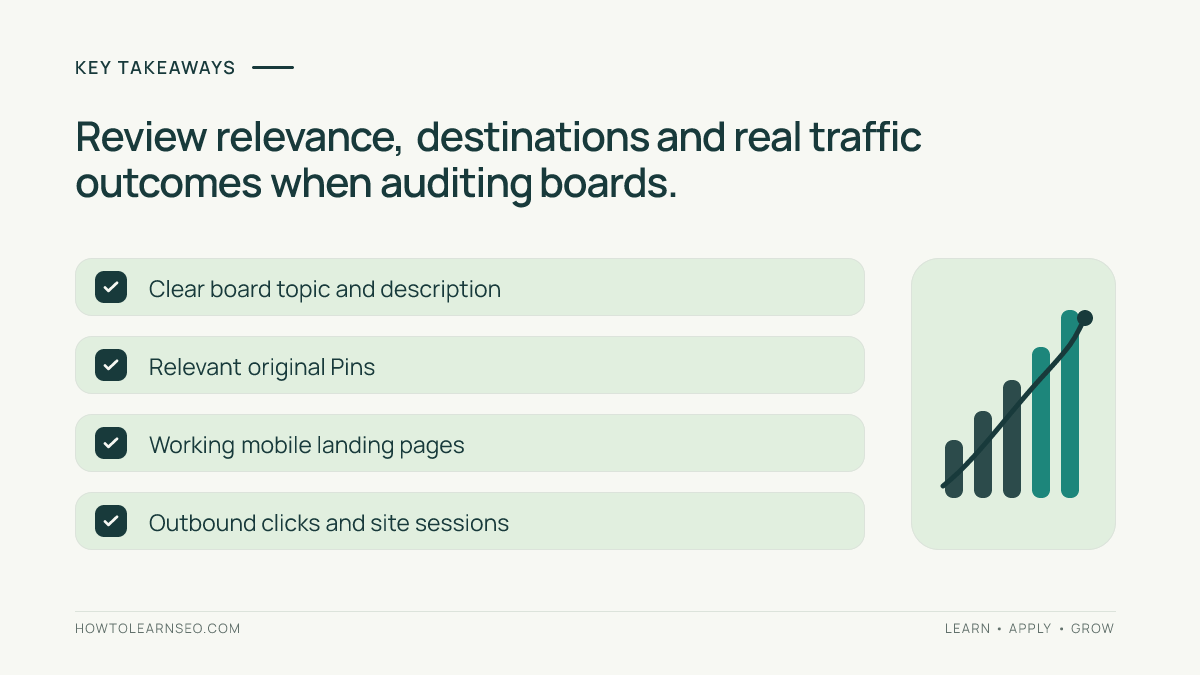
- Choose boards from real website topic clusters and reader needs.
- Use natural descriptive names and accurate descriptions rather than keyword stuffing.
- Match each Pin, board, and destination page to one coherent intent.
- Measure outbound clicks and qualified sessions, not impressions alone.
- Audit board overlap before creating another board.
Start With the Website, Not the Pinterest App
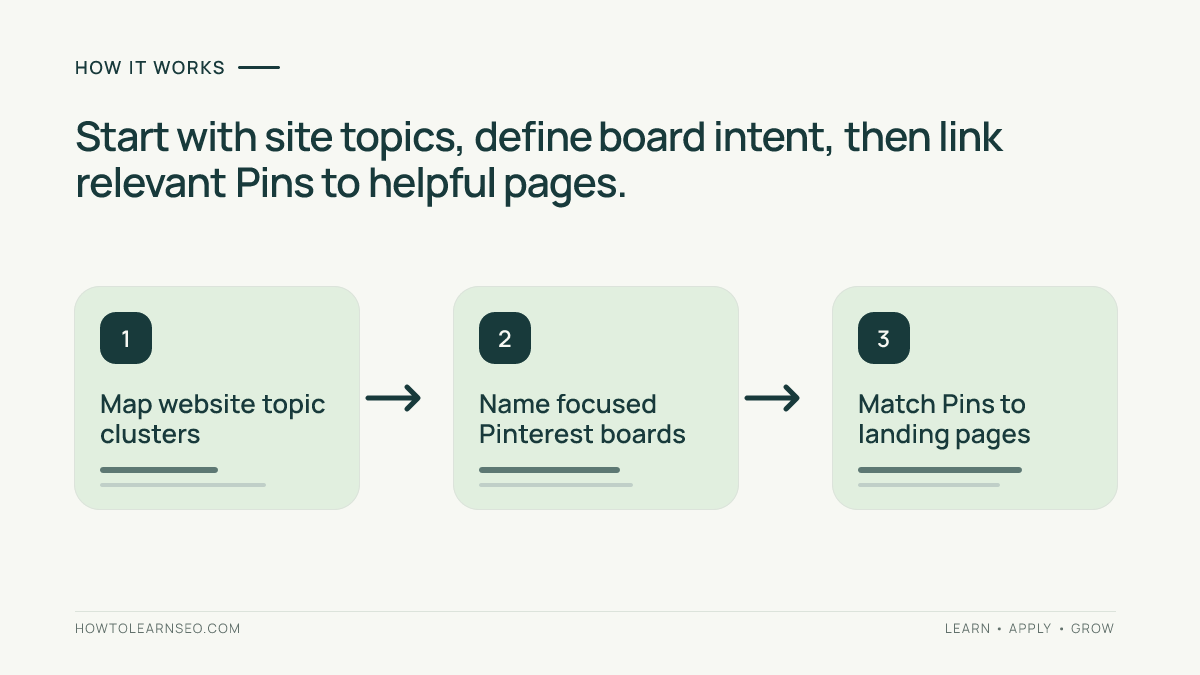
Open your website’s navigation, content inventory, and analytics before naming a board. List the categories for which you already have helpful, accessible pages. A board about a topic with no suitable destination page may attract attention without giving readers somewhere valuable to go.
For an SEO education website, possible topic clusters include keyword research tutorials, on-page checklists, technical SEO troubleshooting, and Pinterest traffic measurement. These are illustrative clusters, not recommendations to create all four boards immediately. Choose the clusters with sufficient useful material and clear audience demand.
For each cluster, write a one-sentence reader job: “Someone wants to learn how to find keyword ideas for an existing blog,” for example. If two proposed boards serve exactly the same reader job, combine them or define a meaningful boundary. This is the same intent-based thinking used in SEO topic clusters, although Pinterest distribution and Google indexing are different systems.
Before proceeding, check whether every proposed destination page loads on mobile, answers the promised question, and has a stable canonical URL. A visually appealing Pin cannot compensate for a broken or misleading page.
Build a Board Map With a Reproducible Example
Use a simple planning sheet with columns for board name, reader intent, qualifying articles, excluded topics, Pin concepts, and measurement notes. You do not need paid software. The purpose is to prevent boards from becoming vague collections.
Imagine a hypothetical site with twelve published articles: five about keyword research, four about Pinterest traffic measurement, and three about technical crawling. A reasonable first draft might include a “Keyword Research Tutorials” board and a “Pinterest Website Traffic Tracking” board. The crawling cluster may wait until the site has enough suitable Pins and landing pages.
| Proposed board | Included Pin | Destination promise | Exclude |
|---|---|---|---|
| Keyword Research Tutorials | Keyword mapping workflow | Learn to assign queries to pages | Unrelated social media design |
| Pinterest Website Traffic Tracking | UTM naming checklist | Measure Pinterest referrals in GA4 | General SEO crawl audits |
Decision rule: place a Pin in the board whose reader intent best matches its destination. Expected result: a visitor can predict the content of each board. Verification: ask someone unfamiliar with your account to sort five sample Pins into the two boards using only their names and descriptions. If they cannot do so consistently, revise the boundaries. Edge case: a guide about measuring Pinterest keywords could fit both; select its dominant job, or create distinct creatives emphasizing genuinely different lessons without duplicating the article’s promise.
This example is a planning exercise, not a report of tested performance. There is no universal minimum number of articles or Pins that makes a board successful.
Name and Describe Boards for Human Searchers
Use the phrase people would naturally use to describe the collection. “Pinterest Analytics for Bloggers” communicates more than “Growth Secrets.” Avoid repeating slight variations of the same phrase merely to insert extra keywords. A board name is a label, not an opportunity to list every possible query.
Write a short description explaining what people will learn, what kinds of Pins appear, and who benefits. For example: “Step-by-step tutorials for measuring Pinterest referral traffic, tagging links with UTMs, and understanding outbound clicks for content websites.” This sets a clear expectation without promising results.
Look at how to write Pinterest Pin titles and descriptions when crafting the individual Pins. Board descriptions and Pin descriptions have different jobs: the board explains the collection; each Pin explains the specific destination or lesson.
Pinterest’s official Help Center is the appropriate place to confirm the current board-editing controls and any interface differences by account or device. Menus can change, so do not rely on an old screenshot as a permanent instruction.
Create the Board and Populate It Carefully
- Sign in to the appropriate Pinterest account and open the profile’s saved content or board-management area.
- Use the available create-board control, enter the planned topic name, and review visibility options before saving.
- Open the board’s edit controls to add or refine its description when that field is available.
- Add a small collection of relevant Pins whose visuals and destinations accurately reflect the board topic.
- Open each Pin from the board to confirm that its link leads to the intended article and that the article works on mobile.
- Record the board name, intended reader, and associated landing pages in your planning sheet.
Do not create empty boards just to occupy a keyword phrase. Avoid misleading Pin overlays that promise a downloadable template when the landing page provides only a short overview. For a broader setup sequence, follow the site’s first-month Pinterest SEO workflow.
If your account presents different controls, use the current official help instructions rather than forcing a menu path from another account type. Confirm whether a board is public before using it as part of a discovery strategy.
Design Pins Around One Useful Page Outcome
Each Pin should make a specific, accurate promise. A board called “Pinterest Website Traffic Tracking” might include a UTM example, a source-versus-medium explainer, and a troubleshooting checklist. These are different creative angles pointing to a relevant measurement guide, not three interchangeable images with only the headline swapped.
For example, the hook “Find Your Pinterest Visits in GA4” is more useful than “Get Unlimited Traffic.” The former describes a reader action; the latter makes an unsupported promise. Pair the hook with an original visual showing a simplified source-to-report flow. Keep text legible on a phone and preserve enough contrast for accessibility.
On the destination, explain the actual workflow and show how to verify the result. The site’s Pinterest GA4 and UTM tutorial is an example of a page suited to a measurement-focused Pin. A Pin about GA4 should not redirect to a generic homepage or an unrelated tool review.
Use distinct visuals when a page supports different genuinely helpful angles. Avoid flooding boards with nearly identical Pins in a short period. The point is to help people discover the right answer, not to maximize the raw number of uploads.
Measure Whether Boards Attract Qualified Visits
Separate Pinterest exposure from website outcomes. Impressions indicate that content appeared; saves suggest interest in keeping it; outbound clicks show movement toward a destination. Your website analytics can then show what happened after arrival. These metrics answer different questions and should not be treated as substitutes.
In Pinterest Analytics, examine available performance measures for your content and, where the interface permits, compare related Pins or boards. For website sessions, inspect GA4 traffic acquisition reports and relevant campaign dimensions. Google’s official Analytics Help documents the current reporting concepts and configuration.
If using UTMs, keep a consistent convention such as utm_source=pinterest, utm_medium=organic_social, and a campaign value that identifies a meaningful content initiative. The exact campaign labels are your own convention, not a Pinterest requirement. Test the full tagged URL and make sure it resolves correctly before posting.
Review results across a reasonable observation window instead of reacting to a single day. Compare outbound clicks, engaged sessions, and any relevant conversions for comparable pages. An educational board may generate fewer visits than a broad inspiration board while attracting readers who spend longer with the content. Do not infer causation from one small comparison.
When interpreting engagement, consider page speed, mobile layout, and whether the landing page fulfills the Pin’s promise. A board cannot repair a weak destination. The SEO measurement planning guide offers a useful framework for defining outcomes before collecting numbers.
Audit and Refine Without Chasing Vanity Metrics
Schedule a periodic review of board boundaries and linked content. Start by finding boards with overlapping names, Pins that no longer fit their descriptions, and links to outdated or removed pages. Correct broken destinations promptly. Keep useful older boards when their topics remain relevant; age alone is not a reason to delete them.
If a board has impressions but few outbound clicks, inspect the Pin promise and the clarity of its destination. If clicks occur but sessions or engagement look unexpectedly low, check tracking configuration, redirects, page loading, and the landing-page experience. Some differences between platform click counts and analytics sessions are normal because measurement methods differ.
When a board lacks impressions, first examine its topical specificity, relevance, available content, and consistency of publication. Do not assume that changing a keyword will instantly improve distribution. Pinterest’s business resources can help you check current organic content guidance; they do not provide a guaranteed formula for reach.
Keep a simple change log: date, board, hypothesis, change, and observation window. Change one major variable at a time when feasible. This makes later decisions more interpretable and avoids mistaking normal fluctuations for evidence that a tactic worked.
Common Mistakes and a Practical Checklist
- Too many similar boards: merge or distinguish collections that serve the same reader job.
- Vague names: replace clever labels with plain-language topic descriptions.
- Unrelated Pins: keep board content aligned with its declared purpose.
- Broken destinations: test every important landing-page link on mobile.
- Only measuring impressions: review outbound clicks and website behavior as well.
- Assuming instant results: evaluate a consistent process over time without promising a traffic outcome.
A useful Pin-ready summary for this workflow is: “Organize Pinterest boards by reader intent, match every Pin to a helpful article, and measure visits rather than views alone.” This can become a future vertical creative, but no Pin needs to be generated or scheduled as part of this tutorial.
Frequently Asked Questions
How many Pinterest boards should a new website create?
Start with a small set of genuinely distinct topics that your website covers well. Add boards when you have enough useful Pins and relevant landing pages to sustain them.
Should a Pinterest board name contain keywords?
Use a clear topic phrase that a person would recognize, rather than a string of repeated keywords. The name should accurately describe the Pins inside.
Can one Pin appear on multiple relevant boards?
A Pin may fit more than one closely related board, but avoid repeatedly distributing the same creative to many weakly related boards. Prioritize relevance and fresh useful content.
Do Pinterest boards themselves guarantee website traffic?
No. Boards organize discovery, but visits depend on useful Pins, audience intent, visibility, a working destination link, and the value of the landing page.
How can I tell whether my board strategy is working?
Review outbound clicks and linked-site sessions over a meaningful period, alongside saves and impressions. Use tagged links when useful and compare results by topic, not only total views.
Should I delete a board that gets few impressions?
Not automatically. First check its topic fit, available Pins, board description, and linked pages. A narrow but valuable board may serve qualified readers even with modest impressions.
Conclusion
Pinterest board optimization works best as an extension of your website content strategy. Start with a few clear topic clusters, make each Pin-to-page connection useful, verify that destinations work, and judge progress by qualified visits and reader outcomes. Revisit the board map as your website grows, rather than creating new collections for every keyword variation.