Pinterest SEO for a website starts with a clear destination: create a Pinterest business presence, organize relevant boards, publish useful original Pins, and connect each Pin to a page that delivers what its promise describes. The first month should establish a repeatable process for discovery, qualified visits, and measurement—not chase impressions without understanding whether visitors reach your site.
Quick Answer
To set up Pinterest SEO for a website, identify a narrow audience and their searches, prepare useful landing pages, configure a business account, build descriptive boards, and publish original vertical Pins with accurate titles, descriptions, and destination URLs. Track outbound clicks and website sessions separately, then adjust creative and landing-page relevance using actual data. Account features and verification options change, so confirm their availability in Pinterest’s current settings.
Key Takeaways
- Begin with pages that answer real visitor questions, not a blank homepage.
- Use descriptive, natural search phrases in Pin titles, descriptions, and board context.
- Make each visual and linked page describe the same specific benefit.
- Use UTM-tagged links consistently where appropriate.
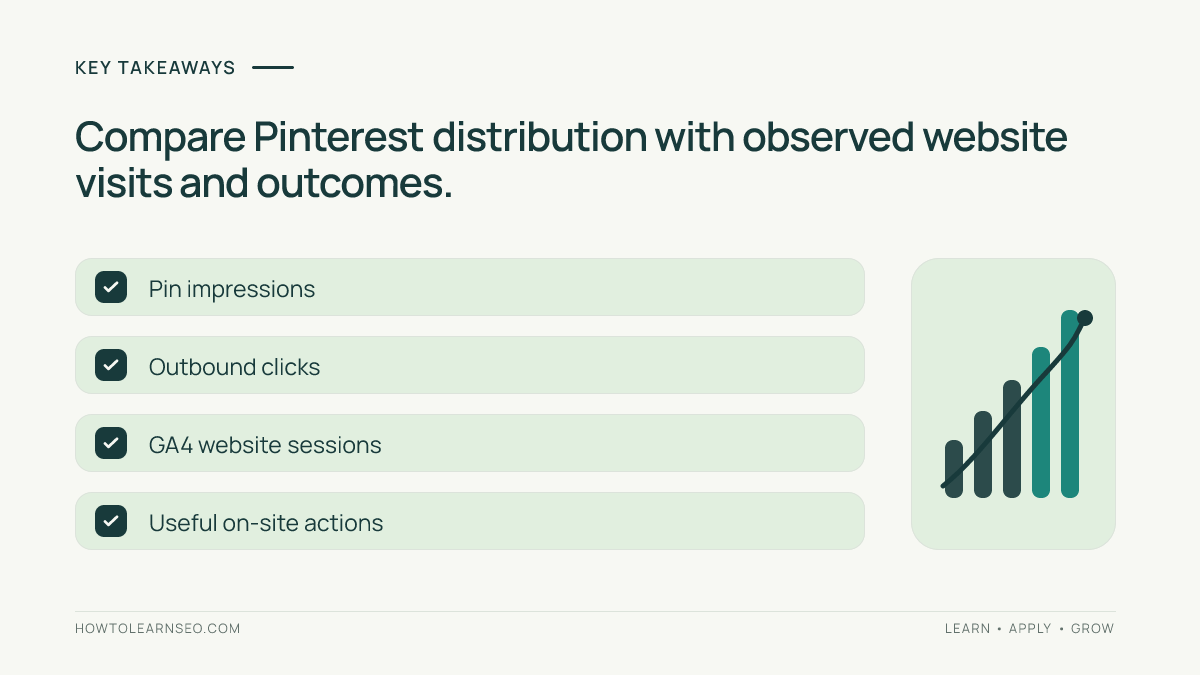
- Judge progress using outbound clicks, engaged website visits, and useful actions rather than impressions alone.
Decide What a Pinterest Visitor Should Accomplish
Pinterest is often used to explore ideas, save resources, and plan actions. A website owner needs a narrower objective than getting more Pinterest views. Choose a reader job that fits a helpful article or resource. A beginner SEO website, for example, might help someone build a keyword list, plan a content calendar, or fix an on-page problem. Each job should have a page that stands on its own.
Write down the audience, question, destination, and success event before creating graphics. For a guide about organizing blog topics, success might mean opening a worksheet or reading the steps. Do not treat a Pin save as equivalent to a website visit: someone may save an idea without opening its link. Record the intended outcome beside each planned Pin.
Prepare Your Website Before Publishing Pins
Choose useful destination pages
Select three to five existing articles that provide clear outcomes. Check that they load on mobile, have readable headings, show the promised answer promptly, and do not bury essential instructions beneath intrusive overlays. A Pin promising a downloadable checklist should lead to a page with that checklist, not a generic archive. If the content is thin, improve it before promotion rather than compensating with a sensational Pin.
The existing SEO content brief template models defining a reader job. The blog writing guide helps clarify useful page structure. Use these as supporting education, not automatic destinations for unrelated Pinterest Pins. A landing page must satisfy the precise expectation created by the Pin.
Check the page and its link
Open each target URL on a phone and desktop. Confirm that it loads, that the headline matches the Pin’s promise, and that images and resources work. Review the page’s title and social sharing image where supported. Avoid misleading redirects, excessive tracking parameters, or forced signups that prevent access to advertised information. Check that the site has a sensible navigation path for someone who wants to learn more.
Clear site architecture makes related learning resources easier to find. See the website architecture guide for principles that help readers continue after their landing page. The objective is useful navigation, not maximizing pageviews through friction.
Configure a Pinterest Business Presence
Use Pinterest’s current business-account setup flow and complete the profile with a recognizable name, accurate website reference, and concise description of what readers will learn. Choose branding that matches the site. Where Pinterest offers website claiming or verification, follow its current instructions and confirm success in the account rather than assuming a domain is claimed because it appears in a profile field.
Read the official Pinterest Business Help Center for current account and website guidance. Account menus and eligibility requirements vary. If a feature is unavailable, continue with honest linked content and measurement; do not install unverified code snippets or claim special distribution privileges.
Create a small number of boards organized around distinct reader needs. A site teaching SEO might separate Keyword Research Tutorials, Content Planning Checklists, and Website SEO Basics. A board named only Marketing gives less useful context. Write a brief board description that tells visitors what resources they will find; do not stuff repetitive keywords or create many empty boards to appear larger.
Research Pinterest Search Language Without Inventing Volume
Start with a seed topic taken from a real article. Type a natural phrase into Pinterest search and inspect relevant suggestions and results available to you. Record recurring wording, common formats, and whether results satisfy the same user job. Search suggestions are clues about phrasing, not verified monthly search volumes or proof that a keyword is easy to rank for.
Use Pinterest Trends when available for your market and topic, but interpret any relative-interest signal according to its displayed definition. A rise in relative interest does not tell you how many people will visit your website. Compare relevant phrases, then choose language that matches your content. Cross-check intent against the keyword research workflow, remembering that Pinterest behavior is not identical to Google search.
Keep a research sheet with columns for seed phrase, wording observed, audience problem, linked page, and evidence date. Note uncertainty explicitly. Avoid claiming an unverified phrase has a particular difficulty score or that a trend predicts traffic. If search features are unavailable, use descriptive language based on the actual reader question and revisit the research later.
Create Distinct Pins That Match the Page
For each page, plan two or three different editorial angles rather than reproducing the same visual with a changed background. A keyword research checklist page could support a step-based graphic, a common-mistakes graphic, and a decision-tree graphic. Each should offer a truthful preview of the same page while addressing a different reader question. Do not manufacture fake results or before-and-after traffic claims.
Design vertical graphics that remain legible on a small screen. Use one main idea, strong contrast, and whitespace. Avoid placing important words near edges where previews may crop them. Pinterest’s official business resources are the appropriate place to check current creative recommendations rather than treating any fixed size or posting frequency as a permanent algorithm rule.
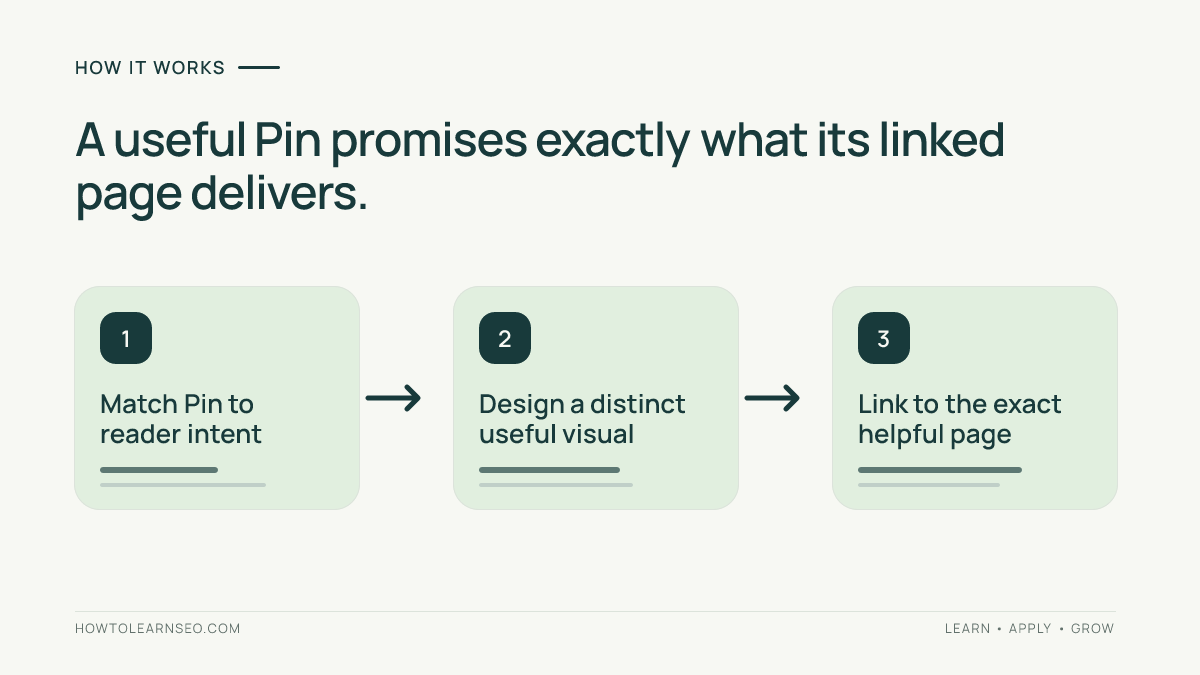
Write a natural Pin title saying what the visitor will learn. In the description, add context, a relevant phrase, and an accurate reason to open the page. A title such as Plan Blog Topics in Five Steps is more informative than You Won’t Believe This SEO Trick. Link directly to the matching tutorial. Review the destination before posting and avoid sending unrelated Pins to a generic homepage.
A Pin-ready hook for this guide is: Set up Pinterest search, boards, links, and tracking before posting your first website traffic Pin. A second angle can emphasize the landing-page checklist; a third can show the measurement flow. These are future creative concepts, not Pins that have been generated or scheduled.
Worked Example: From One Tutorial to a Measurable Visit
Imagine an educational website with an article titled Build a Blog Topic Calendar. Its audience is beginners who have ideas but no publishing sequence. The illustrative input is one complete article, a board for content planning, and a proposed Pin reading Organize Your Next 12 Blog Topics. The Pin should not promise a free spreadsheet unless the page actually includes one.
First, check the page’s mobile readability and specific planning steps. Second, create a vertical visual showing three actions: collect topics, group by intent, and assign dates. Third, write a clear title and description matching those actions. Fourth, choose the content-planning board and link the article URL. Finally, inspect the published Pin’s destination and page content from a visitor’s perspective.
For campaign analysis, a tagged destination could look like https://example.com/blog-topic-calendar/?utm_source=pinterest&utm_medium=organic_social&utm_campaign=topic_calendar. This is an illustrative URL, not a real published resource. Keep source and medium naming consistent across campaigns. Never replace the site’s canonical page with a parameterized duplicate in internal navigation.
Expected result: someone clicking the Pin reaches the promised calendar tutorial. Verification: test the link, inspect available outbound-click reporting, and review acquisition and landing-page data in GA4 after processing. A Pin may show impressions while GA4 records no attributable session; possible reasons include no clicks, tracking restrictions, consent, redirects, or reporting differences. Investigate rather than invent a conversion rate.
Edge case: if the Pin gets saves but few outbound clicks, test a more explicit preview of the article’s value. If clicks occur but engagement is weak, compare the Pin’s promise with the first screen of the page. If attribution is inconsistent, inspect UTM formatting and analytics setup before assuming Pinterest traffic disappeared.
Measure Qualified Website Traffic
Pinterest Analytics and website analytics answer different questions. Pinterest may report distribution and outbound activity, while GA4 reports events and sessions its implementation can observe. Their totals need not match exactly. For definitions and acquisition reports, consult Google Analytics traffic-source documentation and the current product interface.
Create a weekly review with four columns: Pin or campaign, outbound clicks, observed website sessions, and useful website actions. Add notes about landing pages and tracking changes. Compare like-for-like time windows rather than declaring success after one unusually strong day. The SEO measurement plan tutorial explains defining a measurement question before building a report.
Watch landing-page quality: mobile load problems, a confusing opening, or an unrelated call to action can waste visits even when the Pin is accurate. Do not optimize only for reach. A smaller number of relevant visits can be more useful than a large number of accidental clicks, although actual outcomes must support that conclusion.
A Sustainable First-Month Publishing Routine
In week one, audit destination pages, configure the business presence, research search language, and make a small board structure. In week two, publish a limited set of distinct Pins linking to your best pages and check every destination. In week three, review available impressions, outbound clicks, and website sessions; note which promises and page topics attract attention. In week four, refine weak landing pages, develop new creative angles, and document next month’s experiments.
This sequence is a manageable example, not an official Pinterest posting quota. A site owner with limited time can publish less frequently and still run a disciplined test. Avoid bulk-uploading near-identical designs, misleading descriptions, or repeating the same destination excessively merely to increase volume. Keep a creative log with the page, angle, publish date, and observed result.
Before expanding, verify that the workflow is repeatable. Can another editor tell which search phrase motivated each Pin, where the link leads, and how success will be checked? If not, improve documentation first. Sustainable organic growth depends on useful content, relevant presentation, and learning from measured behavior; no timetable guarantees a specific number of visits.
Common Problems and How to Diagnose Them
If Pins receive few impressions, first check whether the account, board, and Pin are publicly visible and whether the creative clearly communicates its subject. Then compare relevant search wording and experiment with a different visual angle. Do not assume a hidden penalty without evidence. If the Pin receives clicks but the site shows poor engagement, inspect mobile usability and content mismatch before creating more Pins.
If analytics show unexpected referral names or missing UTM campaign values, test a tagged link in a controlled visit, confirm redirects preserve parameters, and verify consent and analytics configuration. If a landing page has changed, update future creative to reflect the current page; do not promise a removed resource. Keep notes on changes so later comparisons remain interpretable.
Frequently Asked Questions
Does Pinterest SEO guarantee website traffic?
No. Relevant Pins and useful landing pages improve the approach, but distribution, clicks, and conversions vary. Measure actual outbound clicks and website behavior instead of assuming impressions become visits.
Should every Pin link to the homepage?
Usually not. Link to the most relevant article or resource that delivers the specific promise made by the Pin. A generic homepage adds unnecessary navigation before visitors reach the answer.
How many boards should a new website create?
Start with a few clearly distinct topics supported by real content. There is no universal board count that guarantees reach. Expand when you have enough useful pages and a meaningful new audience need.
Can I use one article for multiple Pins?
Yes, when each Pin offers a genuinely distinct and accurate angle. Avoid flooding Pinterest with nearly identical creatives or misleading variations that do not reflect the destination page.
Why do Pinterest clicks and GA4 sessions differ?
The platforms measure different events and may use different attribution rules, processing windows, consent signals, and filtering. Check outbound links, tracking parameters, and GA4 implementation before comparing totals.
Do I need paid ads to begin Pinterest SEO?
No. You can establish a business presence, publish helpful organic Pins, and review available analytics without buying ads. Paid promotion is separate and does not replace useful content.
Conclusion
Pinterest SEO for a website is best treated as a measurable content-discovery workflow. Begin with valuable destination pages, choose specific search language, publish distinct honest visuals, and check both outbound activity and website outcomes. Keep the first month small enough to learn from each Pin. The result is not a promised traffic number but a repeatable process for connecting relevant ideas to useful website resources.