To write Pinterest Pin titles and descriptions that bring qualified visitors to a website, start with the destination article’s actual promise, select a natural search phrase, describe the reader’s benefit clearly, and keep the image and linked page consistent. Then evaluate outbound clicks and website engagement rather than treating impressions as visits.
Quick Answer
A good Pinterest Pin title names a specific topic and useful result. Its description explains who the linked page helps, what they will learn, and why the visit is worthwhile. Use relevant language without stuffing keywords, and avoid promises the destination cannot deliver. Pinterest is a visual discovery platform, so the graphic and landing page are part of the same message.
Key Takeaways
- Begin with one published page and one reader problem.
- Choose language that matches the article rather than chasing broad phrases.
- Write a specific title and a description that adds useful context.
- Use original, legible creative and a relevant board.
- Verify the destination and measure outbound visits and engagement.
Begin With the Article You Want to Promote
Open the article on your website before drafting a Pin. Identify its intended audience, primary task, and distinctive practical material. If the page teaches a four-week posting calendar, it should contain a real calendar example or instructions for making one. A Pin promising a downloadable template must link to a page where that template is actually available. Do not let keyword ideas change the truth of the offer.
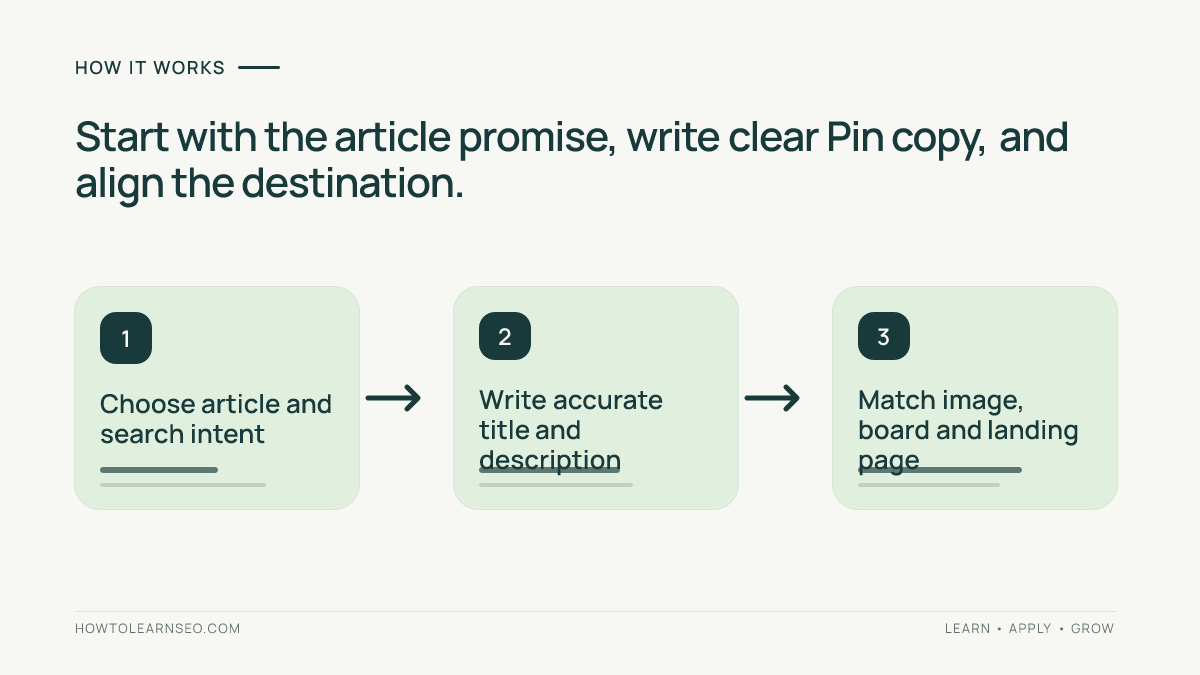
Write a one-sentence promise: ‘This guide helps small website owners plan four weeks of useful Pinterest Pins from existing blog topics.’ Keep it beside your draft. Every title, description, and visual should be consistent with this statement. If the page is too vague to support a concrete promise, improve the article first. For broader context, read the first-month Pinterest SEO setup guide.
Check the destination on mobile. It should load successfully, introduce the promised answer near the top, and provide readable steps without forcing visitors through unrelated offers. A slow page, broken link, or intrusive overlay can undermine otherwise strong copy. Prefer a direct article URL over an unnecessary redirect chain. Keep any campaign tracking parameters consistent with your analytics plan.
Choose Search Language That Fits the Reader’s Task
Search Pinterest for the central topic and observe the suggestions actually shown to you. Examine relevant results for the words and visual formats people use. If Pinterest Trends is available for your market, use it to explore relative interest and seasonal patterns. These are discovery clues, not evidence of exact monthly volume or keyword difficulty. Never invent demand numbers.
Distinguish broad concepts from specific tasks. ‘Pinterest marketing’ could describe many goals, while ‘Pinterest Pin description examples’ points toward a writing tutorial. Prefer the phrase that accurately describes your article. Ask whether a searcher wants a quick example, an in-depth method, or a template. The answer determines how much detail belongs in the Pin and what the landing page must provide.
Keep a lightweight worksheet: page URL, primary reader task, possible search phrase, Pin angle, and verification notes. This prevents four Pins from targeting the same vague intent. The site’s keyword gap analysis tutorial offers general thinking about topic overlap, but Google search metrics should not be represented as Pinterest search demand.
Write a Specific Pinterest Pin Title
Draft a plain-language title that communicates the subject and outcome. ‘How to Write Pinterest Pin Descriptions for Blog Posts’ tells readers what they will learn. ‘Secret Pinterest Trick That Changes Everything’ offers no credible scope. Put the most informative words early because interfaces can truncate text differently across placements and devices.
A useful formula is task plus audience or constraint. For example, ‘Pinterest Content Calendar for Small Blogs’ or ‘Write Better Pin Descriptions for Tutorials.’ These are starting patterns, not templates to repeat mechanically. Read the title aloud and remove unnecessary synonyms. If it sounds like a list of keywords rather than a helpful headline, revise it.
The text on the image need not exactly repeat the Pin title. A visual might say ‘Stop Writing Vague Pin Descriptions’ while the title specifies ‘How to Write Pinterest Pin Descriptions for Blog Posts.’ The graphic creates immediate recognition and the title clarifies searchable context. Both must be accurate, and the image headline must remain readable on a phone.
Write Descriptions That Explain the Click Value
Use two or three concise sentences to say who the guide is for, what it covers, and what someone can do afterward. Include the primary phrase naturally if it fits. Related terms can help explain the topic, but avoid repetitive keyword strings, generic hype, and a block of hashtags. Do not copy the title and stop there; add information the title cannot fit.
Example: ‘Writing Pinterest Pin descriptions for blog posts? Learn how to match search intent, describe your article accurately, and check whether Pins send visitors to your site. See the worked example and editing checklist.’ This offers a concrete reason to click without guaranteeing traffic. The linked article must include the example and checklist.
Calls to action should reflect real content. ‘Read the step-by-step checklist’ is appropriate when the page contains a checklist. ‘Download the free template’ is misleading when there is no download or when an undisclosed signup is required. If access has conditions, disclose them plainly. Avoid claims about secret algorithms, guaranteed virality, or instant earnings.
Consult the official Pinterest Help Center to confirm current Pin creation options and the Pinterest Business resources for platform guidance. Features and editor labels can change; old screenshots should not be treated as definitive instructions. Do not assume a particular character limit or placement behavior without checking the current interface.
Worked Example: Turn a Calendar Tutorial Into a Pin
Imagine your site publishes ‘How to Plan a Four-Week Pinterest Posting Calendar.’ It contains a weekly planning grid, an example schedule, and a method for reviewing clicks. The target reader owns a small blog and struggles to plan fresh Pins. The goal is to attract readers interested in this exact task, not anyone interested in social media generally.
- Input: the published article, its planning grid, and the reader problem of organizing weekly Pins.
- Candidate phrase: ‘Pinterest content calendar,’ subject to checking the language visible in Pinterest search.
- Title: ‘How to Make a Pinterest Content Calendar for Your Blog.’
- Description: ‘Plan four weeks of Pinterest content around existing blog posts. Follow a sample grid, choose distinct Pin angles, and learn what to measure after publishing. Read the complete guide.’
- Visual: a legible vertical calendar preview with the headline ‘Plan Four Weeks of Pins.’
- Expected result: the Pin communicates the calendar task accurately and directs interested readers to relevant instructions; no click count is assumed.
- Verification: open the published Pin, test the destination on mobile, then review outbound-click reporting and site engagement over a meaningful period.
Consider an edge case: the destination page contains only general social-media advice and no calendar. The proposed Pin is misleading even if it earns impressions. Either add the promised grid to the article or change the Pin to reflect the actual page. This correction improves reader trust more than repeating the phrase ‘Pinterest calendar’ in another field.
A second genuinely different creative could show how to turn existing articles into a weekly plan. A third might preview the blank planning grid. Distinct visual concepts serve different needs while linking to the same helpful resource. Merely swapping background colors and publishing near-identical copies does not add useful information.
Align the Graphic, Board, and Landing Page
Design a clear vertical graphic with high contrast and enough breathing room for the central idea. Use original elements and avoid tiny screenshots that cannot be read at mobile size. One visual should explain one benefit, not reproduce the whole article. Check important text against cropping in previews. Avoid borrowed artwork you do not have permission to use.
Choose a board that genuinely fits the subject. A Pinterest traffic measurement tutorial belongs on a measurement or website marketing board, not an unrelated inspiration board. Describe the board accurately and organize related Pins for visitors. Creating many overlapping boards solely to repeat keywords is not a useful content strategy.
Apply the reader-first planning principles in the SEO content brief guide. Confirm the linked page answers the Pin’s question immediately, with clear headings and practical details. Pinterest visitors may arrive with different expectations than Google searchers, but both need a coherent promise and an accessible answer.
Before publishing, test the exact link, including any tracking parameters. Check for errors, redirects, broken images, obstructive popups, and mobile formatting issues. If the page has changed since you created the Pin, update the creative or destination where the platform allows. Do not send visitors to a homepage when the Pin advertises a specific article.
Measure Website Visits Rather Than Vanity Metrics
Pinterest impressions indicate exposure, while saves indicate a different form of interaction. Neither proves a person visited your website. Where available, use Pinterest Analytics outbound-click metrics and compare them with GA4 acquisition reports for Pinterest-referred sessions, engagement, and relevant key events. Differences are normal because platforms count different events and apply different attribution and consent rules.
For clearer campaign analysis, consider consistent UTM parameters such as utm_source=pinterest, utm_medium=organic_social, and a descriptive utm_campaign. Avoid sensitive information in URLs and use consistent naming. Google’s official campaign URL guidance explains parameter behavior. The site’s GA4 conversion tracking guide provides related measurement concepts, although organic search and Pinterest referral traffic are not identical channels.
If impressions are high but outbound clicks are weak, inspect whether the visual and description offer a compelling, truthful next step. If clicks occur but engagement is low, review page speed, mobile usability, and content alignment. If click totals differ from sessions, check consent, redirects, tracking, and attribution before declaring a reporting failure.
Create a baseline and compare similar content over comparable periods. Seasonality, audience size, and distribution can affect results. Avoid judging a new Pin from a handful of impressions or attributing every change to one word in its title. Use the website measurement plan tutorial to decide which outcomes actually matter.
Pre-Publication Editing Checklist
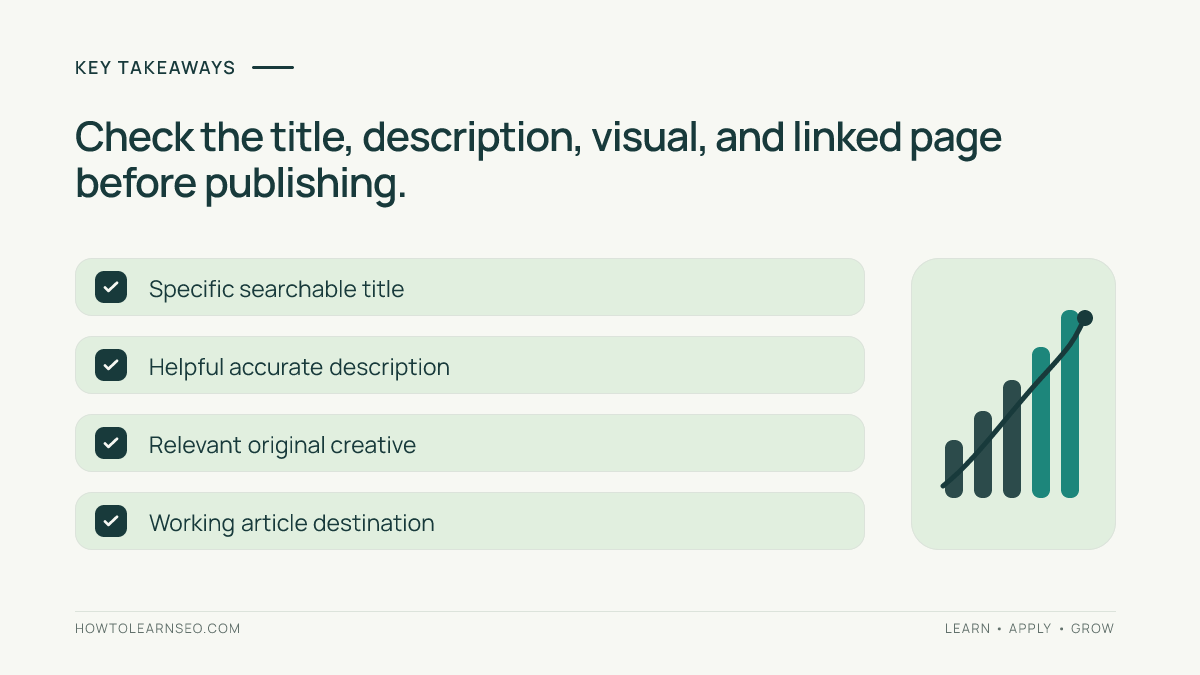
- Does the title identify the subject and credible outcome?
- Does the description add useful information without exaggeration?
- Does the graphic remain readable on mobile and use original elements?
- Does the board fit the topic and the linked page deliver the promise?
- Does the destination URL work with any tracking parameters?
- Is there a realistic plan to review outbound clicks and website engagement?
Pin-ready summary: ‘Write Pinterest titles around a real reader task, use descriptions to explain the linked article, and judge performance by qualified website visits.’ Repurpose this into a checklist graphic, a before-and-after copy example, or a visual workflow. Each should be meaningfully different and point to the full article rather than pretending the graphic alone contains every detail.
The biggest mistake is treating text fields in isolation. A clever headline cannot fix an irrelevant image or a page that lacks the promised answer. Likewise, a helpful article may need several thoughtfully distinct creative angles to explain its value. Keep notes about what changed and use evidence to guide improvements.
Frequently Asked Questions
Should I repeat the main keyword in both Pinterest fields?
Use the phrase naturally when it helps readers understand the topic. Avoid awkward repetition or stuffing related phrases simply to increase keyword density.
Do hashtags replace a useful Pin description?
No. A clear explanation of the linked page is more useful than a string of hashtags. Check current Pinterest guidance before relying on hashtags.
Can several Pins link to the same blog article?
Yes, when they offer genuinely distinct useful creative angles and accurately represent the same destination. Avoid near-identical repetitive uploads.
How soon should I evaluate a newly published Pin?
There is no universal waiting period. Use a meaningful observation window and avoid conclusions from tiny samples or unusually seasonal demand.
Why do Pinterest clicks and GA4 sessions disagree?
They represent different measurements and can vary because of consent, redirects, attribution, and filtering. Check implementation before comparing totals.
Will better Pin titles guarantee website traffic?
No. Search relevance, visual quality, audience fit, distribution, and the landing-page experience all influence visits. Optimization cannot guarantee results.
Conclusion
Writing Pinterest Pin titles and descriptions starts with understanding what a reader needs and what your page genuinely delivers. Choose relevant search language, explain the benefit clearly, align the graphic and board, test the destination, and measure actual visits. Refine useful content based on evidence instead of chasing impressions or promises of instant growth.