
To validate AI-generated HTTP 429 rules for search crawlers, test the proposed rate limit on an authorized staging site, inspect the status code and Retry-After header, and confirm that legitimate crawling resumes afterward. An AI recommendation is a hypothesis, not permission to block search engines. This guide gives you a controlled test and release decision.
Quick Answer
HTTP 429 means Too Many Requests. Before applying AI-suggested throttling to WordPress, define a measurable trigger, identify affected requests, test responses from an approved client, and verify recovery. Do not flood a live site or assume that a crawler user-agent string proves identity.
Key Takeaways
- Use staging with an explicitly configured threshold
- Capture status, headers, logs and timestamps
- Keep ordinary public pages accessible
- Distinguish temporary throttling from permanent exclusion
- Verify recovery and monitor after deployment
Understand 429 and search crawling
The HTTP standard defines 429 as indicating that a client sent too many requests in a given period. A server may include Retry-After to suggest when to retry. The standard does not prescribe one universal counting method: implementations can limit by IP, account or another identity. Read RFC 6585 and RFC 9110 for the underlying semantics.
Repeated unsuccessful fetches can interfere with search crawling. Google’s HTTP status and network error documentation explains how Google Search interprets responses. It does not promise that a rate limit will improve rankings. Treat rate limiting as an infrastructure protection decision whose SEO side effects require monitoring.
Prepare an authorized staging environment
Use a staging copy that resembles the production reverse proxy, CDN and security-plugin configuration. Confirm it cannot be indexed publicly and that access controls will not distort the test. Obtain site-owner approval and agree on a small maximum request count. Keep server logs, rule settings and rollback access available.
Choose a harmless public staging page, one static asset, an admin endpoint and an exempt URL. Record each normal response before enabling the test rule. Note whether the CDN, firewall, hosting layer or WordPress plugin actually enforces throttling: a plugin cannot inspect a request that an upstream firewall has already rejected.
Translate the AI suggestion into a rule
A testable rule identifies four things: client identity, time window, threshold and response action. For example, a staging-only policy could allow four requests per sixty seconds from one test IP, then return 429. This deliberately low number is only for illustration; it is not a recommended production threshold. Record exceptions, reset behavior and the configured Retry-After value.
“Block aggressive bots” is not testable because aggression is undefined. If the policy treats Googlebot differently, verify crawler identity through Google’s official verification procedure. A request header claiming Googlebot can be forged. Document the verification mechanism before approving any crawler-specific exemption.
Execute the controlled HTTP test
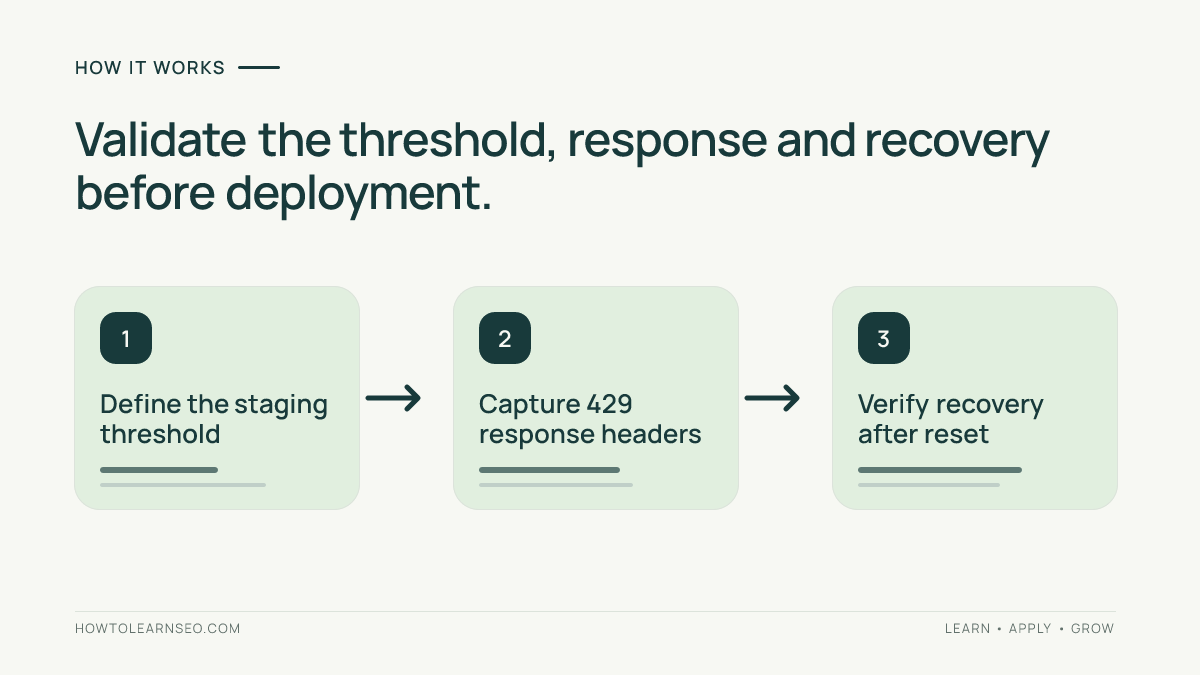
- Send one baseline request and save its response headers
- Send only the approved number of additional requests to reach the threshold
- Record the first limited response, including its status and Retry-After if present
- Wait for the configured reset window, then request the page again
- Repeat with the exempt URL and a second approved client identity
Use curl -i https://staging.example.test/sample/ to display the response headers and body, replacing the example hostname with your own authorized staging URL. Invoke requests individually; avoid aggressive loops. Save timestamps, source address, rule version and any relevant proxy identifiers. A browser refresh can conceal origin behavior when a cache serves an earlier response.
A 403 instead of 429 suggests another security rule intercepted the request. A 200 after the supposed limit may indicate a different client identity, caching or a misconfigured scope. Neither result demonstrates that the proposed rule works. Investigate the actual layer that issued the response before adjusting settings.
Illustrative input, rule and expected output
Input: four GET requests to /sample/ from one approved staging IP within sixty seconds, followed by a fifth request. Rule: permit four requests, then return HTTP 429 and, if configured, Retry-After: 60. Expected output: the first four receive their ordinary status, the fifth receives 429, and a request after the reset window receives the ordinary status again.
Verification: save all response headers and match the limited request to a server or edge log entry with the rule identifier. Confirm whether the implementation counts four allowed requests or triggers on the fourth request. Edge case: two visitors behind one shared public IP may be counted together, causing a false positive. Test the exempt URL to confirm unrelated resources remain available.
Another edge case is a CDN cache. A cached 200 can mask an origin block; a cached error may linger after recovery. Record cache headers and compare approved edge and origin diagnostics when available. Never bypass security controls on systems you do not administer.
Make a defensible deployment decision
Compare the rule against actual capacity limits and measured abusive traffic, not a model’s confidence. Record the original problem, baseline errors, approved threshold, protected paths, exemptions, rollback owner and monitoring window. For bursty legitimate traffic, narrowly protecting sensitive endpoints may be safer than throttling every public page.
Do not confuse 429 with noindex rules, permanent HTTP 410 removals or 503 maintenance responses. Each expresses a different intention. For separate crawler controls, consult the site’s Googlebot and Google-Extended robots.txt guidance before changing directives.
Monitor recovery and false positives
Deploy only after the staging test passes and the site owner approves it. Monitor 429 counts by path and client classification, response times, and recovery. Compare results with a meaningful baseline because traffic varies across hours. Keep rollback accessible to the operator responsible for the website.
If legitimate users or verified search crawlers unexpectedly receive 429, narrow or disable the rule and investigate. Search Console crawl statistics can add context but are not a real-time per-request debugger. Server or edge logs are stronger evidence for a specific response. One successful staging test cannot guarantee identical production behavior.
Final release checklist
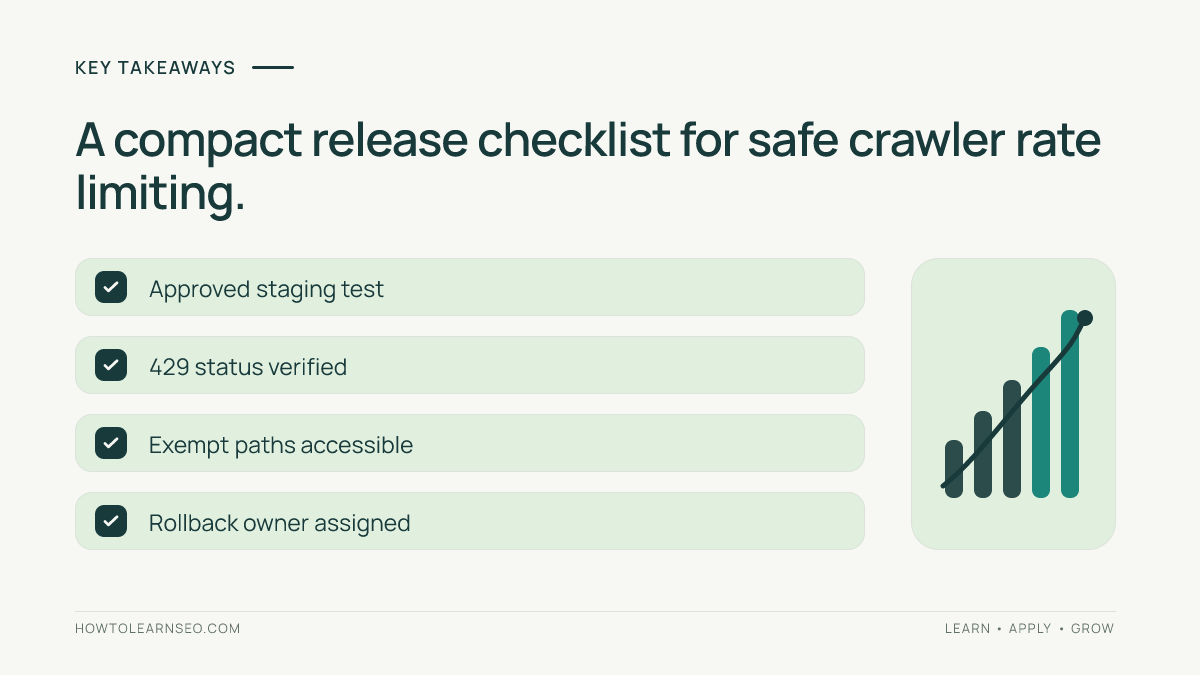
- Confirm owner approval and safe request limits
- Record client identity, threshold and reset window
- Verify HTTP 429 and optional Retry-After
- Check recovery, exceptions and cache behavior
- Assign monitoring and rollback ownership
Different infrastructure layers can produce different headers and log records. This workflow validates observed behavior; it does not prescribe a universal rate limit or authorize production load testing. Ask your hosting or security provider which layer is authoritative if the results disagree.
Frequently Asked Questions
Does HTTP 429 automatically remove a page from Google?
No. A 429 signals temporary rate limiting rather than an explicit removal instruction. Repeated crawl failures can still affect access to content. Inspect crawler logs and official Google documentation instead of assuming a guaranteed indexing outcome.
Is Retry-After required for every 429 response?
No. Retry-After is optional for HTTP 429. It can suggest a delay but does not guarantee every client will obey it. Inspect the actual response rather than assuming your security plugin includes the header.
Can a Googlebot user-agent string establish crawler identity?
No. User-agent strings can be copied. Follow Google’s official crawler verification procedure when an exemption depends on identity. Do not allow unverified requests to bypass limits merely because they claim to be a search crawler.
Why does the staging test return 403 instead of 429?
A firewall or access-control rule may intercept the request before rate limiting runs. Check security events, proxy configuration and plugin ordering. Treat the test as unsuccessful until you identify which rule produced the 403.
Can an IP-based limit affect innocent visitors?
Yes. Several visitors can share a public IP through an office, carrier or gateway. An IP-only limiter may count them together. Test shared-network cases and consider a narrower rule when feasible.
Should I test rate limits on a live WordPress site?
Prefer an authorized staging environment. Even modest tests can trigger defenses or affect visitors. If production confirmation is necessary, coordinate a small controlled check with the site operator and prepare rollback in advance.
Conclusion
Validating AI-generated HTTP 429 rules requires precise inputs and observable responses. Define the policy, test it safely, confirm recovery and exemptions, and monitor deployment. A good rule protects infrastructure without unnecessarily denying legitimate search crawlers and visitors.