To validate an AI-generated WordPress maintenance response, inspect the actual HTTP status, confirm the intended Retry-After behavior, test multiple URL types, and verify that normal service returns afterward. A maintenance banner alone cannot prove that the server is returning a correct temporary-error response.
Quick Answer
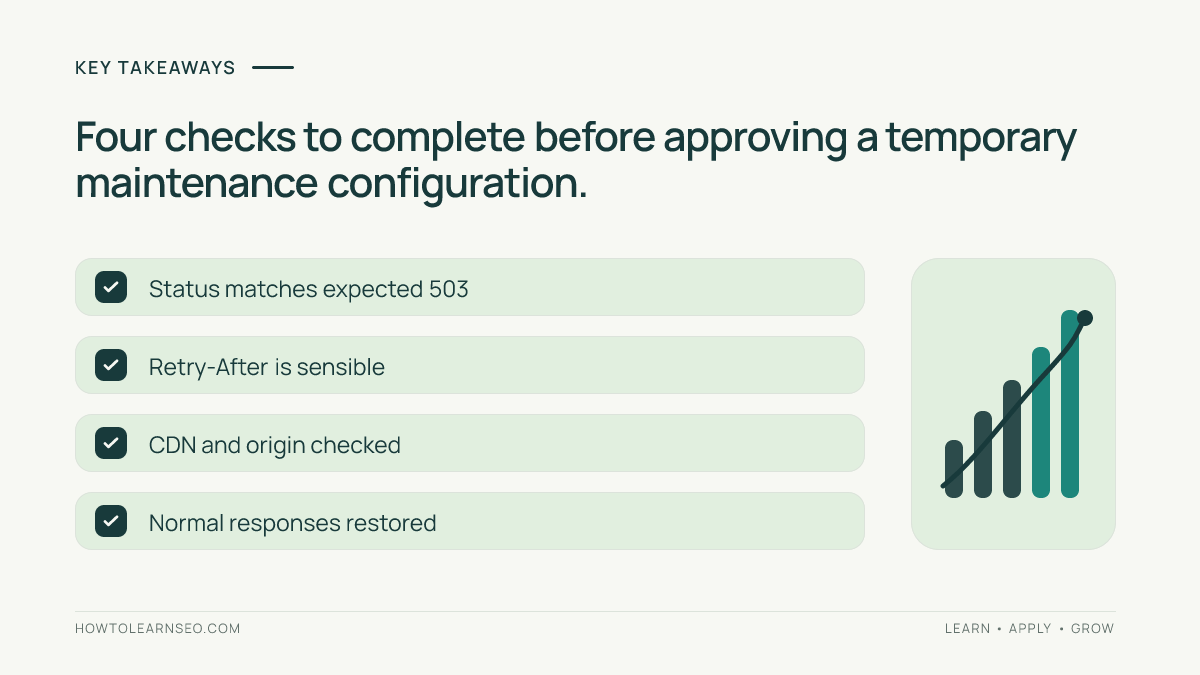
Use curl to capture baseline headers, enable the approved maintenance configuration on staging, and repeat the same requests. A temporarily unavailable HTML page should normally return HTTP 503, optionally with Retry-After. Restore the configuration and confirm that the page returns its original successful status.
Key Takeaways
- Check response headers, not just the appearance of the maintenance page.
- Test the homepage, an article, a category, and a redirected URL.
- Separate CDN behavior from the origin server response.
- Record a rollback and verify recovery before declaring success.
What a WordPress 503 response means
HTTP 503 Service Unavailable indicates that the server is temporarily unable to handle a request, commonly because of maintenance or overload. The HTTP Semantics specification defines the status and permits an estimated recovery time in Retry-After. That status is different from HTTP 200, which signals success, and from HTTP 404, which describes a missing resource.
A WordPress maintenance plugin might show a polished notice while still sending 200. A reverse proxy or CDN might return a cached page rather than the origin response. Therefore, do not approve AI-generated maintenance instructions based on their wording or a screenshot. Require direct HTTP evidence for each affected route.
Prepare the test without disrupting visitors
Start on staging whenever possible. Obtain permission to inspect hosting, plugin, server, and CDN settings. Record the intended maintenance window, responsible operator, and rollback procedure. Select four representative URLs: homepage, a published article, a category archive, and one URL that normally redirects. Keep the sample stable throughout the test.
Before making changes, note the baseline status for every URL and whether a cache layer is involved. A healthy published page usually returns 200, but redirects can legitimately return 301 or 302. Compare each page against its own expected baseline rather than assuming every address must return the same status. The staging SEO audit offers related prelaunch checks.
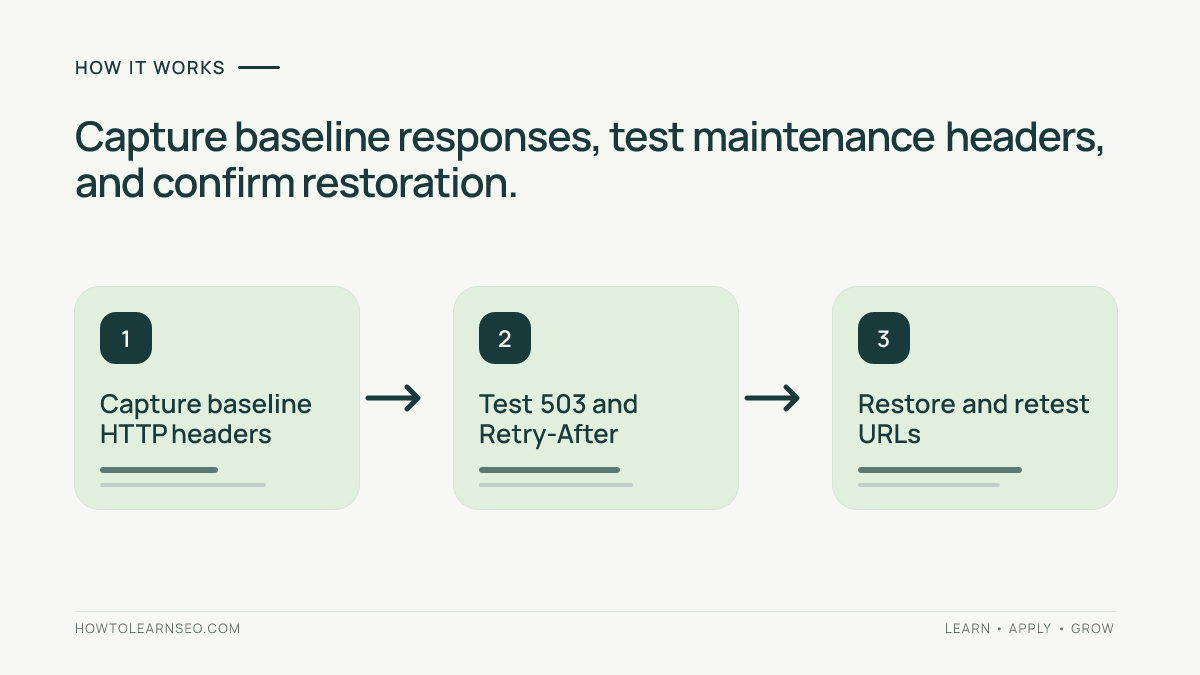
Step 1: Capture the baseline with curl
Run curl -sS -D - -o /dev/null https://example.com/guide/ from a terminal. This prints response headers while discarding the response body. Save the status line, date, location header if present, cache indicators, and the exact URL. Repeat the command for your other sample pages. The example.com address is illustrative; replace it with an authorized staging URL.
Do not automatically follow redirects during the first pass. If the initial response is 302, you need to see that redirect before checking its destination. Record results in a simple table with URL, expected status, observed status, timestamp, and notes. For migration-related redirects, consult the AI redirect-map validation guide.
Step 2: Inspect the AI-generated configuration
Identify exactly where the proposed rule operates. A WordPress plugin may control application responses, a web-server rule may intercept requests before WordPress loads, and a CDN rule may affect traffic at the edge. These approaches are not interchangeable. Ask the person responsible for the site to approve the selected layer and confirm which routes should remain accessible.
Review exceptions carefully. Authentication endpoints, health checks, static files, and administrative paths may need different handling. Do not blindly convert every 404 into 503 or rewrite all requests to the homepage. A temporary maintenance response should reflect temporary unavailability, not conceal unrelated navigation or content errors. Use the navigation audit when link behavior is suspect.
Step 3: Verify status and retry guidance
Enable the approved maintenance rule on staging. Repeat the same curl command against each selected URL. For an intentionally unavailable HTML page, the expected result is a status line such as HTTP/2 503. If configured, inspect Retry-After. Under RFC 9110, it can contain delay seconds or an HTTP date.
Do not interpret Retry-After as a promise that a crawler will return at exactly that time. It is server-provided guidance. Check the actual public-facing response as well as the origin where access permits. A CDN can serve an older cached 200 even when the origin returns 503. Log both observations rather than treating one as proof of the other.
Illustrative example: ten-minute maintenance window
Input: An authorized staging article at https://example.com/guide/ returns 200 before maintenance. The planned window is ten minutes. Rule: During maintenance, return 503 for this HTML route and configure Retry-After: 600. This is a reproducible example specification, not a claim that a real site was tested.
Action: Enable the rule, then execute curl -sS -D - -o /dev/null https://example.com/guide/. Expected output: HTTP 503 and a Retry-After header of 600 if that header was configured. Verification: Compare the returned headers with the written specification. Disable the rule after the window, rerun the command, and confirm the original 200 response.
Edge case: If the result is 200 with a cache-hit indicator, the test has not demonstrated the intended public maintenance behavior. Follow the hosting provider’s documented cache-bypass or purge procedure and repeat the check. If you receive a redirect, inspect its Location and target separately. Never label an unexpected result as a pass.
Step 4: Confirm restoration
After the maintenance window, remove or disable the temporary configuration. Recheck the exact baseline URL set. Confirm that articles, archives, and redirects have returned to their intended statuses. Where a CDN or page cache was involved, verify that stale maintenance responses are not still being served. A lingering 503 is an unresolved availability problem.
Keep a short evidence record for future maintenance windows. Include the change ticket, environment, commands, status codes, headers, cache layer, timestamps, and operator approval. An AI-generated suggestion becomes operationally useful only when a person can repeat the test and understand what passed or failed. The record also helps separate server issues from content or indexing problems.
Limits and mistakes to avoid
A correct 503 does not guarantee that rankings or indexing remain unchanged. Google’s HTTP status and network error documentation explains that server errors affect crawling and that prolonged failures can have indexing consequences. It does not provide a universal outage duration that is safe for every website. Keep maintenance brief and monitor recovery.
Avoid testing only the homepage, confusing visual appearance with status, ignoring edge caches, and leaving temporary rules enabled. Do not make unrelated sitemap or robots changes just because an AI tool suggests them. If sitemap output is affected, test it independently with the XML sitemap validation workflow. Each separate change deserves its own expected result.
Frequently Asked Questions
Should a temporary WordPress maintenance page return 503?
Yes, for genuinely temporary unavailability, HTTP 503 is generally appropriate. A page that merely displays a maintenance notice may still return an incorrect 200.
Is Retry-After required for every 503 response?
No. Retry-After is optional. When used, it communicates an estimated retry delay or date, not a guarantee about crawler scheduling.
Can a browser screenshot prove the status is correct?
No. A screenshot shows rendered content, not necessarily the HTTP status. Inspect network response headers or use curl.
Why might the CDN return 200 during maintenance?
The CDN may be serving a cached successful response. Inspect cache indicators and compare authorized origin and edge requests.
Will a brief 503 automatically remove pages from Google?
Not automatically. However, prolonged server errors can affect crawling and indexing. There is no universal guaranteed safe duration.
What must be checked when maintenance ends?
Verify normal statuses on representative URLs, restore intended redirects, review cache behavior, and confirm temporary rules are disabled.
Conclusion
Validate AI-generated WordPress maintenance instructions through observable HTTP behavior. Capture a baseline, inspect the proposed rule, test 503 and optional Retry-After headers, then confirm recovery on the same URLs. Keep the evidence and rollback plan so future maintenance work is safer and repeatable.