Content decay in Google Search Console is a sustained drop in a page’s organic visibility or clicks after a period of stronger performance. It is a diagnostic signal, not a diagnosis. A reliable investigation separates falling search demand, changing rankings, query mix, indexing problems and competing pages before recommending a content rewrite.
Quick Answer
To investigate content decay, compare comparable date ranges in Search Console, filter to one URL, review clicks and impressions together, inspect the queries that changed, and test whether the page still satisfies search intent. Use the findings to choose a refresh, technical repair, consolidation or no action. Our Search Console beginner’s guide covers the report’s core metrics.
Key Takeaways
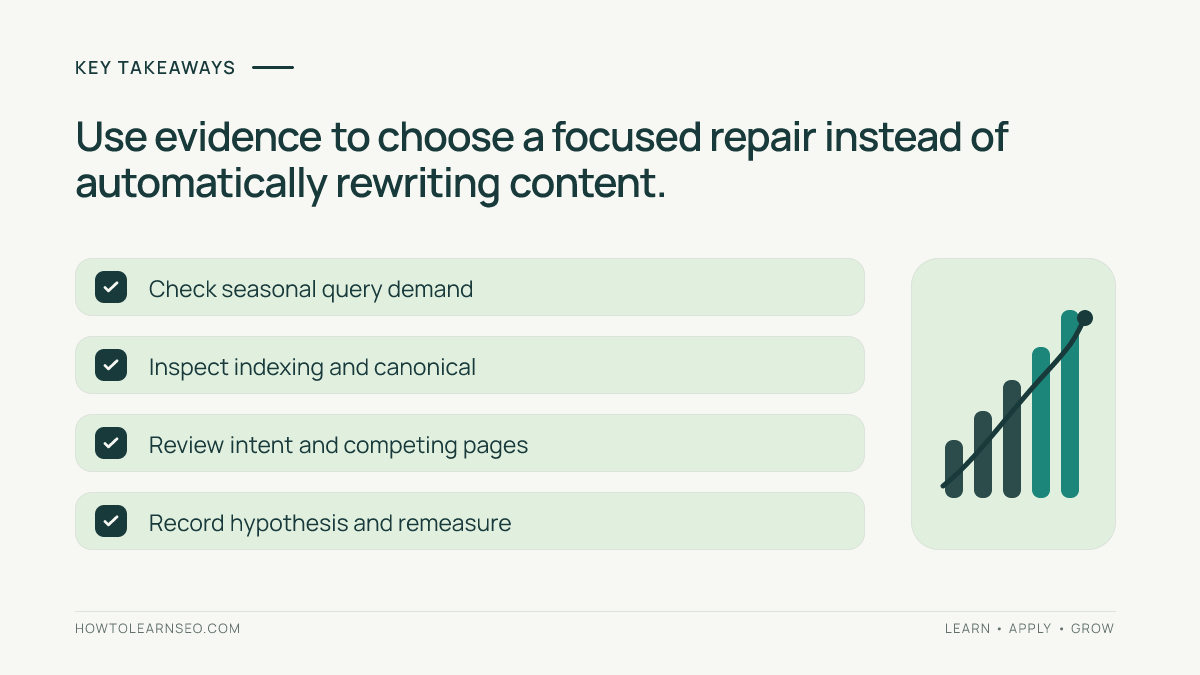
- Use comparable dates and exclude incomplete recent data.
- Analyze page-level and query-level changes rather than site totals alone.
- Separate lost demand from lost visibility and lost click-through rate.
- Check competing site URLs, indexability and search intent before editing.
- Record your hypothesis, proposed fix and verification criteria.
Define decay before opening the report
A page can lose clicks for many reasons. Fewer people may search its topic, an important query may stop showing the page, or a changed search result may attract fewer visits. Agree on a definition before choosing a page to audit. One workable definition is a material decline across multiple comparable weeks that warrants investigation, with materiality judged against the page’s normal volatility and business value.
Do not create a universal percentage threshold and call every breach a problem. An obscure tutorial with a handful of weekly impressions will fluctuate much more than an established guide with stable demand. Prefer pages with enough observations to interpret and note the last meaningful update, promotions, known technical changes and major seasonal influences. This avoids spending editorial effort on statistical noise.
Compare appropriate time windows in Search Console
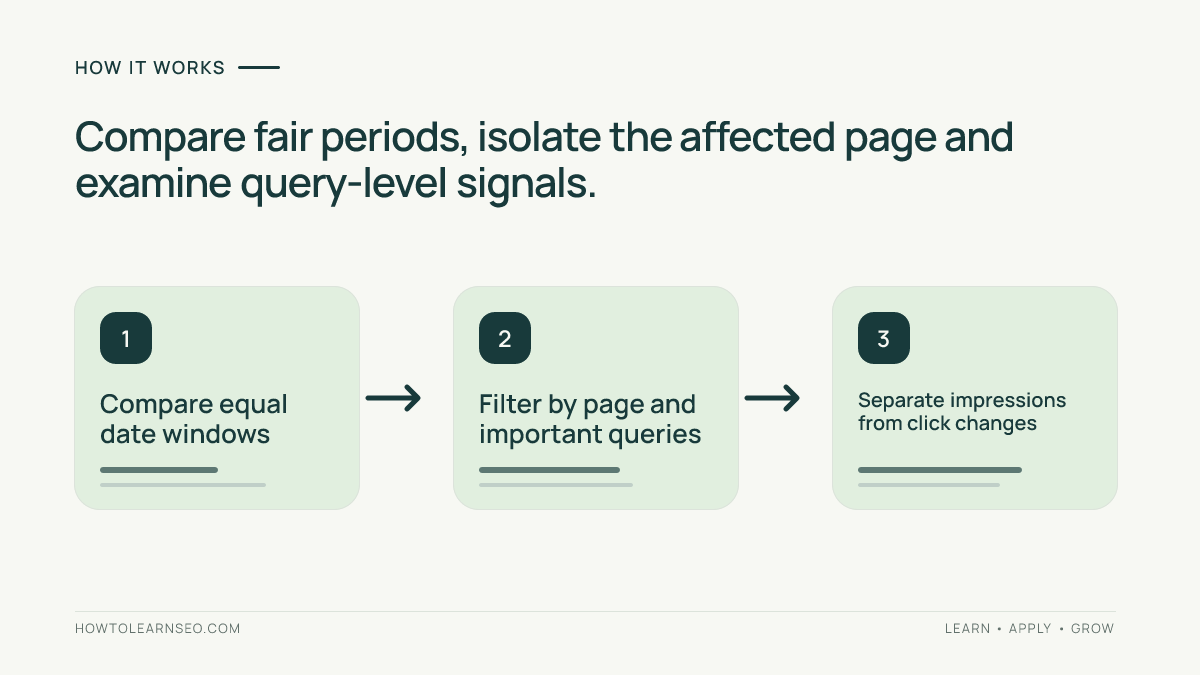
Open Search results Performance, choose Web search and use the date comparison control to compare periods of similar duration. Google’s advanced comparison guidance explains filtering and the difference column. Weekly or monthly aggregation helps reduce day-of-week effects. For seasonal topics, consider the same weeks in a previous year as well as an adjacent period, and recognize that major site changes can make historical baselines imperfect.
Filter to the exact page URL rather than assuming a sitewide fall affects every article. Turn on clicks, impressions, CTR and average position, then inspect the Pages and Queries tables separately. Google’s Performance report overview describes these dimensions. Recent Search Console data can be preliminary; wait for complete reporting dates before making large decisions about a tiny apparent change.
Interpret the combination of clicks and impressions
If both impressions and clicks fall, check whether search demand fell across the relevant topics or the page stopped appearing for important queries. If impressions remain similar while clicks decline, inspect CTR, snippet appearance, competing results and query mix. If average position worsens only slightly while the number of low-position long-tail queries grows, the aggregate may conceal relatively stable performance for the most important phrase.
Do not treat average position as one fixed ranking. Google’s metric definitions explain how impressions, clicks and position are calculated. A query-level comparison is usually more revealing. Add country and device filters when relevant, since a business may serve desktop and mobile customers or different markets with very different demand patterns.
Separate search demand from an on-page problem
Review the phrases that previously produced visibility and ask whether the underlying customer need remains. A seasonal holiday guide may naturally decline after its peak even though the content is excellent. A query about an old software interface may lose interest because the product changed. Conversely, stable demand with disappearing impressions could suggest competition, loss of index eligibility or a mismatch between the page and what searchers now expect.
Use the existing keyword mapping workflow to identify the intended query group and the search-intent guide to assess what would satisfy readers. Examine actual current results cautiously: snippets, formats and competitors can differ by location and device. Do not rewrite a useful educational page into a shopping page merely because a few transactional results appear in one session.
Check indexability and competing pages
Before editing the article, use URL Inspection to confirm the page is accessible and understand Google’s selected canonical where available. Investigate accidental noindex changes, broken redirects, missing content or a mistaken canonical. If these issues appeared around the decline, fix the technical cause rather than adding paragraphs. Our Google indexing guide provides a foundation for this check.
Next select a lost query in the Performance report and review which site URLs appeared for it in each period. A newly published page might now serve the query more effectively, or two overlapping URLs may confuse editorial ownership. Our keyword cannibalization guide explains how to investigate intent overlap. The presence of two URLs alone is not proof of a problem; evaluate their purposes and combined value first.
Illustrative case: a guide losing organic visits
Input: Imagine a fictional tutorial that received 400 clicks and 20,000 impressions during one 28-day period, then 240 clicks and 19,500 impressions in the next comparable period. Click-through rate fell from 2% to roughly 1.23%. These are teaching numbers, not actual Search Console observations. The page remains indexed, and most impressions still come from the same main query group.
Decision rule: Because visibility is broadly similar while clicks declined, investigate CTR and query distribution before rewriting the tutorial. Open the main query’s row, compare its impressions and clicks, examine the displayed title and snippet, and see whether competitors now better answer the question. If the title oversells the answer or the opening lacks an immediate response, plan a focused improvement rather than a complete replacement.
Expected output: A written hypothesis identifying a likely click-through issue, a specific proposed title or opening change and a dated measurement plan. Verify: Compare the same query and URL after sufficient reporting data accumulates. Edge case: If the main query’s impressions also collapsed while a different low-CTR query gained impressions, the aggregate page totals were misleading; repeat the analysis at query level.
Choose the least disruptive useful remedy
Refresh a page when important facts, instructions or screenshots are outdated. Improve a title and answer-first introduction when the content still serves the intent but fails to communicate it clearly. Correct technical indexing faults when the content is sound. Consolidate only when pages genuinely compete for the same reader task and the combined page would be better. Sometimes the right action is to leave a high-quality seasonal page untouched.
Write an experiment log: URL, target query group, original issue, proposed change, implementation date and expected signal. Our content refresh decision guide offers related verification ideas, but this investigation does not require AI-generated recommendations. Google advises writing helpful people-first content; avoid mass changes merely because a dashboard identifies a red number.
Frequently Asked Questions
What is SEO content decay?
Content decay describes a sustained reduction in a page’s organic search visibility or visits relative to an appropriate baseline; it does not by itself identify the cause.
How long should a traffic drop last before investigation?
Inspect enough comparable daily or weekly observations to rule out reporting delays and ordinary variation. The suitable window depends on search demand and the page’s traffic volume.
Should I update every page that loses clicks?
No. Compare impressions, queries, seasonality, page status and search intent first. A lower-click period can reflect demand changes rather than outdated content.
Can average position alone prove content decay?
No. Average position is an aggregate that shifts with query mix, devices, countries and result appearances; analyze query-level trends alongside clicks and impressions.
How do I check whether another page replaced my URL?
Filter Search Console by the relevant query, inspect the Pages dimension for both time windows, then examine canonicals and internal links before concluding cannibalization.
What should be measured after a content refresh?
Document the edits and compare similar periods for the affected queries, impressions, clicks, indexing and useful engagement. Do not claim causation without considering other changes.
Conclusion
Content decay analysis works when comparisons are fair and every proposed change follows a diagnosed problem. Start with clicks and impressions, inspect the affected queries, check technical eligibility and investigate page overlap. Make a targeted improvement only when the evidence supports it, then record the result. The goal is to restore usefulness and visibility, not to refresh every article on a calendar.