
Quick answer: Audit AI search snippet controls in WordPress by checking the rendered robots meta tag, HTTP response headers, and any data-nosnippet attributes on representative URLs. Use nosnippet only when you want to prevent Google from showing a text snippet and using the page as direct input for AI Overviews or AI Mode. Use max-snippet for a page-wide character limit and data-nosnippet for selected sections. Keep Googlebot able to crawl the page so Google can read these controls.
Key Takeaways
- Google Search AI features use the same preview controls as other Google Search results.
- Nosnippet affects every Google search-result format, not only generative AI features.
- Max-snippet limits page-wide text previews, while data-nosnippet targets selected page sections.
- Noindex removes the page from Google Search and is not a narrow AI-content control.
- The audit must examine public output because WordPress settings can be changed by plugins, themes, caches, or server headers.
What AI Search Snippet Controls Actually Do
Google says a page must be indexed and eligible to appear with a snippet before it can qualify as a supporting link in AI Overviews or AI Mode. Its AI features documentation directs site owners to normal Search controls, including nosnippet, max-snippet, data-nosnippet, and noindex. These controls manage eligibility or preview use; they do not improve rankings or guarantee that an eligible page will appear.
| Control | Scope | Use it when | Main risk |
|---|---|---|---|
| nosnippet | Entire page | No text snippet or direct AI input should come from the page | Removes text previews across Google Search formats |
| max-snippet | Entire page | You need a maximum text-preview length | A very small limit can weaken useful previews |
| data-nosnippet | Selected sections | Specific text should stay out of snippets | Invalid or JavaScript-added markup may be unreliable |
| noindex | Entire URL | The URL should not appear in Google Search | The page becomes ineligible for Search, including AI features |
Google’s robots meta specifications say nosnippet also prevents page content from being used as direct input for AI Overviews and AI Mode. A max-snippet value of zero is equivalent to nosnippet, while minus one leaves Google free to choose the length. If conflicting rules exist, Google applies the more restrictive rule.
Prerequisites for a WordPress Audit
- Administrator or editor access to WordPress and its SEO plugin settings.
- Access to the public page source and HTTP response headers.
- A verified Google Search Console property for URL Inspection.
- A sample containing an article, a page, a category archive, and any protected or sensitive template.
- A written decision describing what content may appear in search previews.
How to Audit AI Search Snippet Controls in WordPress
1. Define the Intended Preview Policy
Classify every sampled URL as unrestricted, limited, section-restricted, or excluded from Search. Most public educational pages should remain eligible for normal snippets. Reserve restrictions for a documented reason, such as licensed text, a subscriber-only extract, or confidential information that should not be public at all.
2. Inspect the Rendered Robots Meta Tag
Open the public URL, view its source, and search for a robots meta tag. Do not rely only on the checkbox shown in WordPress. Your SEO plugin, theme, or another extension may output an additional directive. Compare the rendered rule with your policy and with the site’s broader meta robots guidance.
<meta name="robots" content="index, follow, max-snippet:-1">3. Check HTTP Response Headers
Inspect the final URL’s response headers for X-Robots-Tag. A CDN, security tool, or server configuration can add a rule that is invisible in the HTML source. Record redirects and inspect the final destination. If a header and meta tag conflict, treat the more restrictive result as the effective Google instruction.
4. Review Every Data Nosnippet Section
Search the rendered HTML for data-nosnippet. Google supports it on span, div, and section elements. Because it is a Boolean attribute, writing false still activates it. Check closing tags carefully: an unclosed container can exclude far more text than intended. Avoid adding or removing the attribute after load with JavaScript because Google says rendering is not guaranteed.
<span data-nosnippet>Offer available to members only.</span>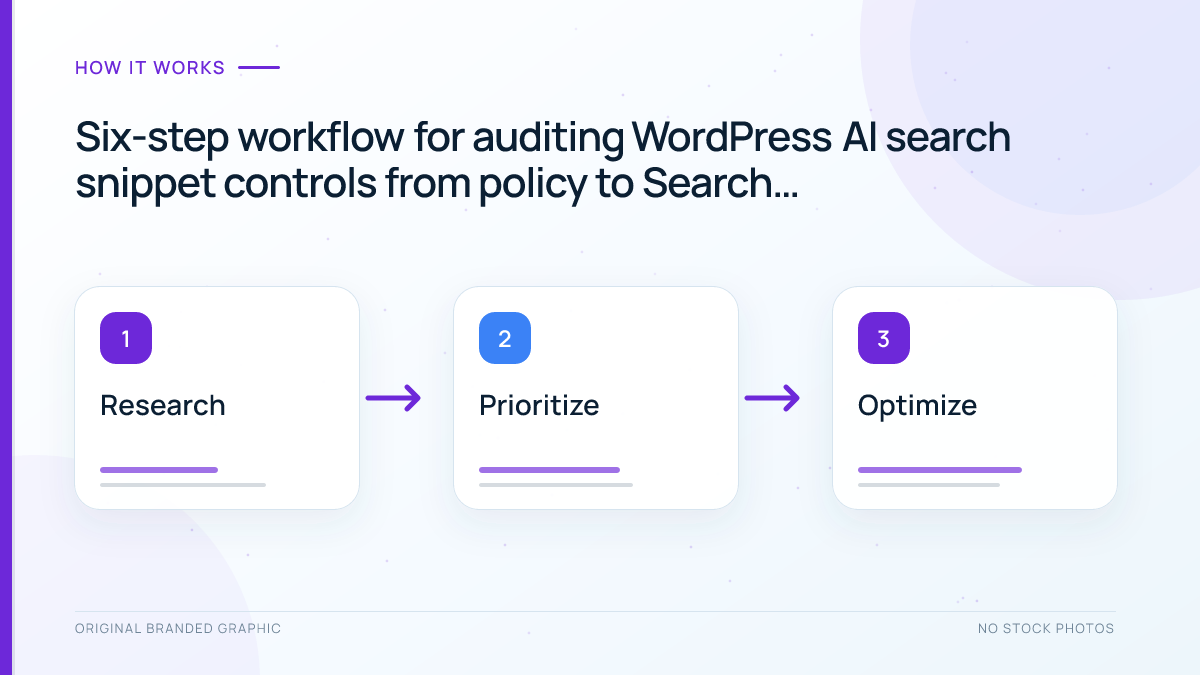
5. Compare WordPress Templates and Plugins
Repeat the checks on posts, pages, archives, and custom post types. Review global SEO-plugin defaults before editing individual URLs. Clear relevant caches after an approved change, then reopen the public source.
6. Verify With Google Search Console
Use URL Inspection to compare Google’s indexed version with a live test. Open the crawled or tested page details and inspect the returned HTML and response headers. For broader inspection steps, see the Google Search Console guide.
Illustrative Worked Audit
Imagine a WordPress comparison page that should remain indexed, but one temporary partner quotation must not appear in snippets. The source shows index, follow, max-snippet:-1, the server sends no X-Robots-Tag, and the quotation is inside a correctly closed span with data-nosnippet. The canonical points to the same public URL.
| Finding | Priority | Repair | Verification |
|---|---|---|---|
| Accidental nosnippet on the whole page | Critical | Remove it after approval | Public source and live inspection show the intended rule |
| Header conflicts with the HTML rule | High | Correct the server or CDN configuration | Final response header is consistent |
| Unclosed data-nosnippet container | High | Fix the HTML boundary | Only the selected quotation remains excluded |
| Documented selective exclusion works | No change | Record the result | Recheck after plugin or theme updates |
The repair preserves normal Search eligibility while limiting one selected passage. If the URL is missing from Google’s index, follow the separate Google indexing workflow rather than changing preview controls without evidence.
Troubleshooting Common Problems
- The rule is correct in WordPress but absent publicly: clear caches and check whether the theme or another plugin controls the final head output.
- Google still shows older text: confirm the current rule is crawlable, then allow time for recrawling and processing.
- The page disappeared from Search: check for noindex in both HTML and response headers before assuming a quality problem.
- Selected text remains eligible: validate the element type, closing tags, and rendered markup without relying on late JavaScript changes.
- The team wants to block only AI training: do not confuse Google Search preview controls with Google-Extended, which concerns some other Google systems.
Limitations and Safe Decision Rules
Snippet controls are broad publishing decisions. They cannot guarantee placement, exclusion from every third-party AI product, or removal of content already copied elsewhere. Robots.txt is also not a substitute because blocking Googlebot can prevent Google from reading the meta rule. Keep genuinely private information behind authentication instead of depending on search directives.
Use the narrowest control that matches the real requirement. Prefer data-nosnippet for an approved passage, max-snippet for a documented page-wide limit, nosnippet when all text previews must be suppressed, and noindex only when the URL should not appear in Google Search. Re-audit after SEO-plugin, theme, CDN, or server changes.
Frequently Asked Questions
Does nosnippet block a WordPress page from indexing?
No. Nosnippet suppresses text snippets and direct input for supported Google Search AI features, but the page may remain indexed unless noindex is also present.
Is max-snippet zero the same as nosnippet?
Yes. Google documents a value of zero as equivalent to nosnippet, while a value of minus one lets Google choose the snippet length.
Can data-nosnippet hide only one section?
Yes. It can exclude text inside a valid span, div, or section element from snippets while leaving the rest of the page eligible.
Should I block Googlebot in robots.txt to stop AI snippets?
No. Blocking crawling can prevent Google from seeing the page-level controls. Keep the page crawlable when you need Google to process those directives.
Do snippet controls guarantee inclusion or exclusion everywhere?
No. They govern supported Google Search behavior and do not guarantee rankings, citations, indexing, or how unrelated third-party AI services use public content.
Conclusion
To audit AI search snippet controls in WordPress, compare the intended preview policy with the public meta tag, response headers, selected data-nosnippet elements, template defaults, and Google’s inspected HTML. Correct accidental restrictions first, verify the live output, and record the decision. Precise controls protect legitimate publishing needs without sacrificing more search visibility than necessary.