To write YouTube descriptions for video SEO, explain the video’s real answer in the opening, add useful context and accurate chapters, and remove repetitive keyword filler. This practical workflow helps creators write descriptions that serve viewers and can be verified after publishing.
Quick Answer
To write a YouTube description for video SEO, begin with a clear summary of what the video answers, naturally include the main topic, add useful context and relevant chapters or resources, and give viewers a truthful reason to watch. Put the most important information early, because only part of a description may appear before viewers expand it. Avoid keyword stuffing, misleading promises and repetitive templates. Verify that the description matches the finished video and measure performance alongside titles, thumbnails and retention.
Key Takeaways
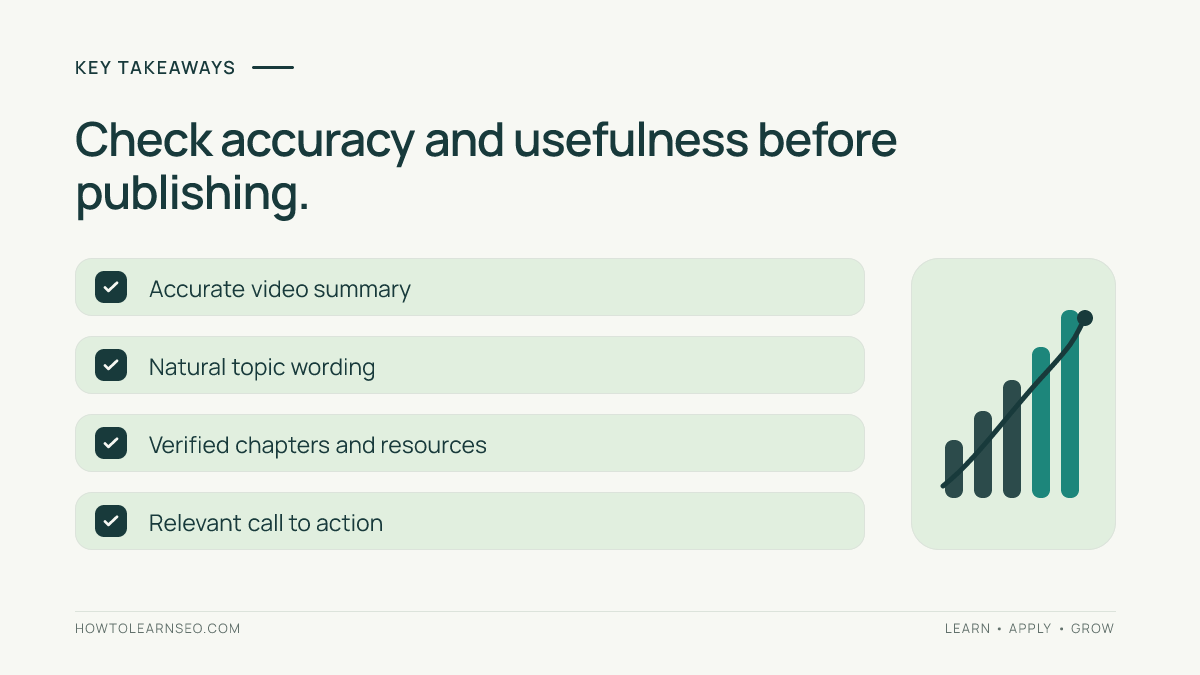
A useful description helps people understand a video’s purpose before they watch. Research the actual viewer question rather than chasing a keyword score. Write an original opening that answers the topic directly. Include relevant details, timestamps when appropriate and a concise call to action. Check links and disclosures. Use natural language instead of repeated search phrases. Do not expect description edits alone to guarantee rankings. Review YouTube Analytics and viewer feedback to learn whether the overall video package serves its audience.
What a YouTube description can and cannot do
A description provides written context for a video, helping viewers decide whether it is relevant and find useful sections or resources. It can reinforce the topic expressed in the title and spoken content. But YouTube discovery depends on many factors beyond the description, including what viewers choose to watch and how satisfied they are. A long description is not automatically better than a short, accurate one. An irrelevant paragraph full of popular phrases can confuse viewers and make the channel look untrustworthy. Treat the description as part of a coherent package: title, thumbnail, actual video, chapters and supporting details should all tell the same story. Google’s YouTube description tips provide a useful official starting point. The goal is discoverability without sacrificing clarity.
Prerequisites before drafting
Have the final video or a reliable transcript, the approved title, a short summary of the answer, and any timestamps you plan to publish. List the intended audience and the exact problem the video solves. If the video makes factual claims, verify them against appropriate sources before linking to further reading. Note whether there are sponsorships, affiliate links or other disclosures requiring attention. If the channel targets a specific country or language, write for that audience instead of mechanically translating keyword phrases. A description written from a rough idea before editing is more likely to promise material that was cut from the final video. Watch the completed opening and ending before publishing so the description matches what viewers will actually experience.
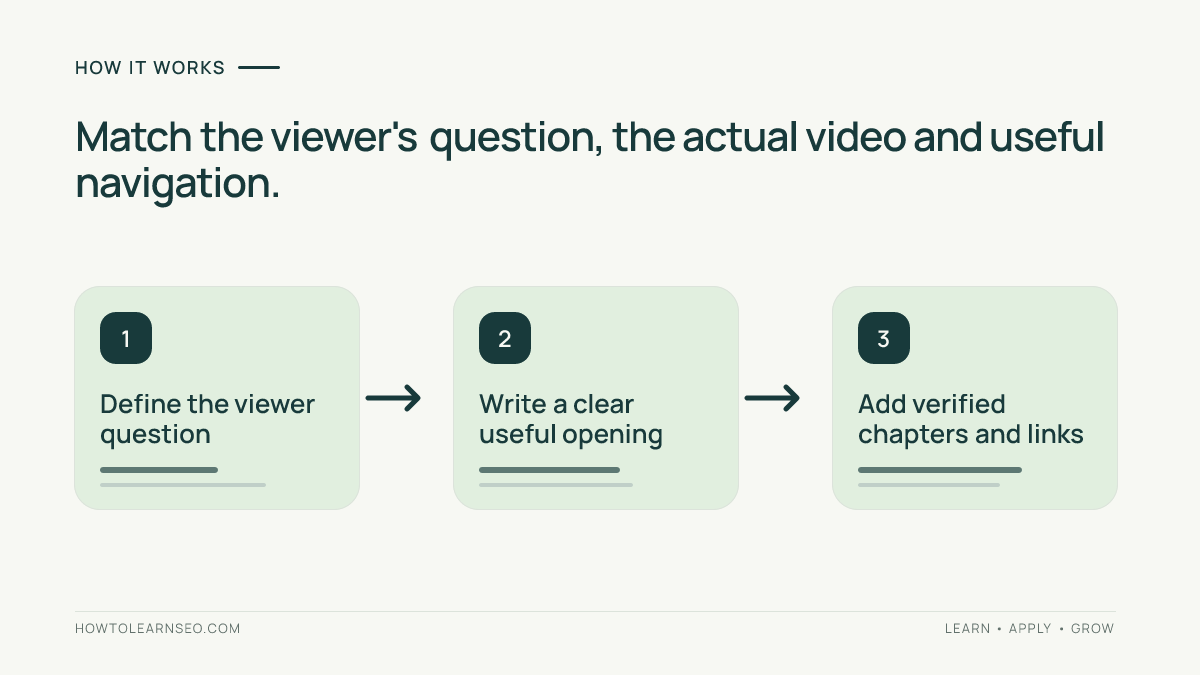
Step 1: Identify one primary viewer question
Write down the question that motivated the video. For a tutorial about cleaning a cast-iron pan, the primary question might be how to remove stuck-on food without damaging the seasoning. The description should answer that question, not attempt to target every cooking-related search. Look at how people naturally phrase the task, and check whether the title already reflects it. If the video is a comparison, identify which alternatives are genuinely discussed. If it is a documentary, identify the central event or mystery. Our keyword research workflow explains how to move from a topic to a focused query. Do not invent search volumes or assume a tool’s estimated difficulty predicts YouTube results.
Step 2: Write a useful opening in plain English
The first one or two sentences should state the subject and the value the viewer receives. Avoid opening with a wall of hashtags, subscription requests or generic channel slogans. For example: Learn how to clean a cast-iron skillet after cooking, including what to do with stubborn residue and how to dry and oil the pan. This sentence tells viewers exactly what the video covers. It does not promise a miracle result or introduce unrelated topics. Use the primary phrase naturally if it fits. Read the opening aloud: if it sounds like a list of search terms, rewrite it as a sentence. The opening should remain accurate even if someone sees only a short preview.
Step 3: Add a compact explanation of the video
After the opening, describe the main steps or sections in two or three short paragraphs. Mention genuinely useful details, such as tools required, common mistakes or conditions that change the advice. Avoid narrating every moment of the video or spoiling a suspenseful payoff unnecessarily. A how-to video benefits from a brief materials list and a note about safety or prerequisites. A research-based video benefits from the key question, scope and relevant sources. Keep claims proportionate to what is shown. If the video is a demonstration rather than a controlled test, do not call its results scientifically proven. The written explanation should make the video easier to evaluate and navigate, not substitute for missing substance in the production.
Step 4: Add chapters only when they help
Chapters can help viewers jump to meaningful sections in longer videos. Use accurate timestamps and labels that reflect the finished edit. Do not invent sections merely to add more keywords. YouTube has formatting requirements for manually added chapters, so verify the current rules before publishing. The official video chapters guidance explains eligibility and formatting. Our YouTube chapters and titles guide covers a broader workflow. If a video is a one-minute short or a continuous performance, chapters may be unnecessary. Check that each timestamp opens the intended moment after upload and that chapter labels are understandable without extra context.
Step 5: Use resources and links selectively
Add links only when they support the video’s purpose: a cited study, a recipe, a downloadable checklist or a relevant channel playlist. Describe what each link provides instead of dropping an unexplained block of URLs. Test destinations and avoid linking to pages that contradict the video. If you include affiliate or sponsored links, follow applicable disclosure requirements and YouTube policies. Avoid promising a free resource that requires an unexpected purchase or account creation. For an educational channel, two carefully chosen references can be more useful than fifteen unrelated links. YouTube’s external links policy is worth reviewing. Links are optional when the video is self-contained; a useful description does not require sending viewers away.
Step 6: Write a specific call to action
A call to action should connect to the content. Instead of repeatedly asking viewers to like, share and subscribe in the opening, invite one useful next step near the end. A tutorial might ask viewers to describe which step they found difficult. A comparison video might ask which option they would choose and why. A documentary could invite viewers to suggest a related question for future coverage. Keep the request brief and respectful. If the channel has a relevant follow-up video, explain how it extends the topic. Do not pressure viewers or claim that subscribing will unlock content that remains public. The strongest call to action follows a genuinely helpful video and gives the audience a clear reason to respond.
Worked example: before and after description
Imagine a fictional channel publishing an eight-minute video titled How to Clean a Cast-Iron Skillet After Cooking. Its original description says: Cast iron cleaning cast iron pan clean skillet fast easy best tips, subscribe now. Input: the finished video demonstrates removing residue, rinsing, drying and lightly oiling the pan. Rule: describe only demonstrated steps and keep the opening readable. Revised opening: Learn how to clean a cast-iron skillet after dinner, remove stuck-on food and dry the pan before storing it. The video walks through a practical cleaning routine and common mistakes. Add verified timestamps for each section and one relevant resource if needed. Expected result: viewers can judge whether the tutorial answers their question. Verification: watch the video against the description and test timestamps. Edge case: the video does not cover restoring heavy rust, so do not promise rust removal. This is an illustrative example, not a measured ranking experiment.
Step 7: Review hashtags and repetitive wording
Hashtags can organize content, but they should be relevant and limited rather than a substitute for an informative description. Avoid lists of unrelated trending tags. Do not repeat the same phrase in every sentence or copy identical paragraphs across unrelated uploads. A channel description template can contain stable information, but each video’s opening and useful details should be unique. If the title says a video compares two cameras, the description should not repeatedly claim it is a buying guide for every camera brand. Relevance matters more than raw repetition. Read the final copy as a prospective viewer: can you understand what the video contains, what you will learn and what it does not cover? Remove anything that distracts from that answer.
Step 8: Check mobile readability and accuracy
Descriptions are often read on phones, where dense paragraphs and long link lists become cumbersome. Use short paragraphs and clear labels where helpful. Put essential context before optional credits or extended references. Check punctuation, spelling, timestamps and the first visible lines. Ensure any product names, dates and statistics match the video. If the production changed after scripting, update the description accordingly. A misleading description can disappoint viewers even if it attracts an initial click. Keep accessibility in mind: a concise written summary can help people understand the subject before deciding to watch. If you provide a transcript or captions, check that they accurately represent the spoken material.
Step 9: Publish and verify the finished package
Upload the video with its approved title, thumbnail and description. Open the public watch page and inspect the description rather than assuming the editing interface reflects the final experience. Confirm that the opening is visible, chapter links work and any external resources resolve correctly. Check whether disclosures appear where needed. Review the description after a day or two for typos or broken links, but avoid making frequent speculative changes without a clear reason. Keep a short change log if you later revise it. A description is one element of the viewer experience; evaluate it alongside the thumbnail promise, the opening hook and whether the video actually delivers its stated answer.
Step 10: Measure outcomes without false attribution
YouTube Analytics can help you understand how viewers discover and interact with your content. Compare relevant traffic sources, impressions, click-through patterns and audience retention where available. A description rewrite may coincide with changes in title, thumbnail, seasonality or recommendations, so do not automatically attribute a performance shift to the description alone. When possible, change one major element at a time and document the date. Our short-video SEO guide covers a different discovery format. For website search reporting, our Search Console review explains why Google web-search metrics should not be mistaken for YouTube Analytics. Focus on viewer satisfaction and relevant discovery, not a guaranteed ranking formula.
Common mistakes and limitations
Avoid promising answers the video never gives. Do not place an unrelated trending phrase in the opening. Do not fabricate chapters or sources. Do not copy the same keyword-heavy description across dozens of uploads. Do not bury essential details beneath repetitive promotion. Do not assume hashtags or longer text guarantee discovery. Avoid evaluating a description independently from title, thumbnail and actual content. YouTube’s ranking and recommendation systems are not fully described by a simple checklist, and performance can change for many reasons. A trustworthy description makes the video easier to understand and use, which is a more defensible goal than claiming a guaranteed ranking boost.
Frequently Asked Questions
How long should a YouTube description be for SEO?
Use enough space to summarize the video accurately, provide useful details and add relevant resources. There is no universal length that guarantees rankings.
Should I put keywords at the start of a description?
Use the primary topic naturally in the opening when it helps viewers understand the video. Avoid repeating phrases unnaturally.
Do timestamps help YouTube descriptions?
Accurate chapters can improve navigation for suitable videos. Follow YouTube’s current chapter requirements and verify timestamps after upload.
Can I reuse the same description on every video?
Reusable channel details are fine, but the opening and substantive information should be unique to each video’s actual content.
Do hashtags guarantee YouTube search visibility?
No. Relevant hashtags may help organize content, but they cannot guarantee search placement or viewer engagement.
How do I know whether a description is working?
Check that it accurately matches the video, then review relevant YouTube Analytics signals alongside titles, thumbnails and audience retention.
Conclusion
A strong YouTube description states what the video answers, helps viewers navigate and accurately represents the finished content. Start with a clear opening, add only useful details, verify chapters and resources, and assess results without assuming one text edit controls discovery. Prioritize the viewer’s understanding over keyword repetition.