This Moz Pro review explains how the platform supports keyword research, rank tracking, site audits and backlink analysis, where its estimates can mislead, and how to evaluate a subscription using practical SEO tasks.
Quick Answer
Moz Pro combines keyword research, rank monitoring, website crawling, and backlink analysis for teams that need a consistent SEO workflow. It is most useful when its reports lead to clear editorial or technical decisions. Its proprietary metrics are estimates, not Google ranking factors, and its subscription value depends on the campaigns, queries, and crawl capacity your team actually needs.
Key Takeaways
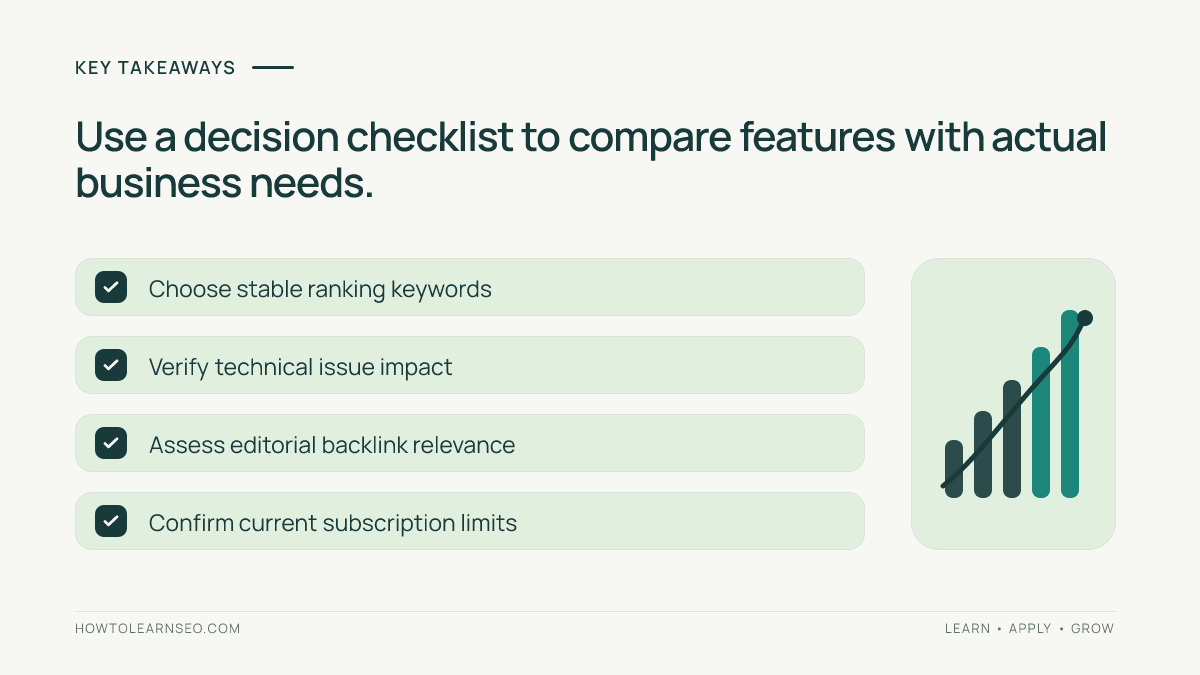
Evaluate Moz Pro against real decisions rather than a feature checklist. Keyword estimates help prioritize research but do not guarantee traffic. Rank tracking needs a stable set of queries and markets. Site Crawl findings need human verification and prioritization. Link metrics are comparative signals rather than proof of link quality. Check current official plan terms before purchasing, and pair third-party research with Search Console and analytics to assess outcomes.
What Moz Pro does
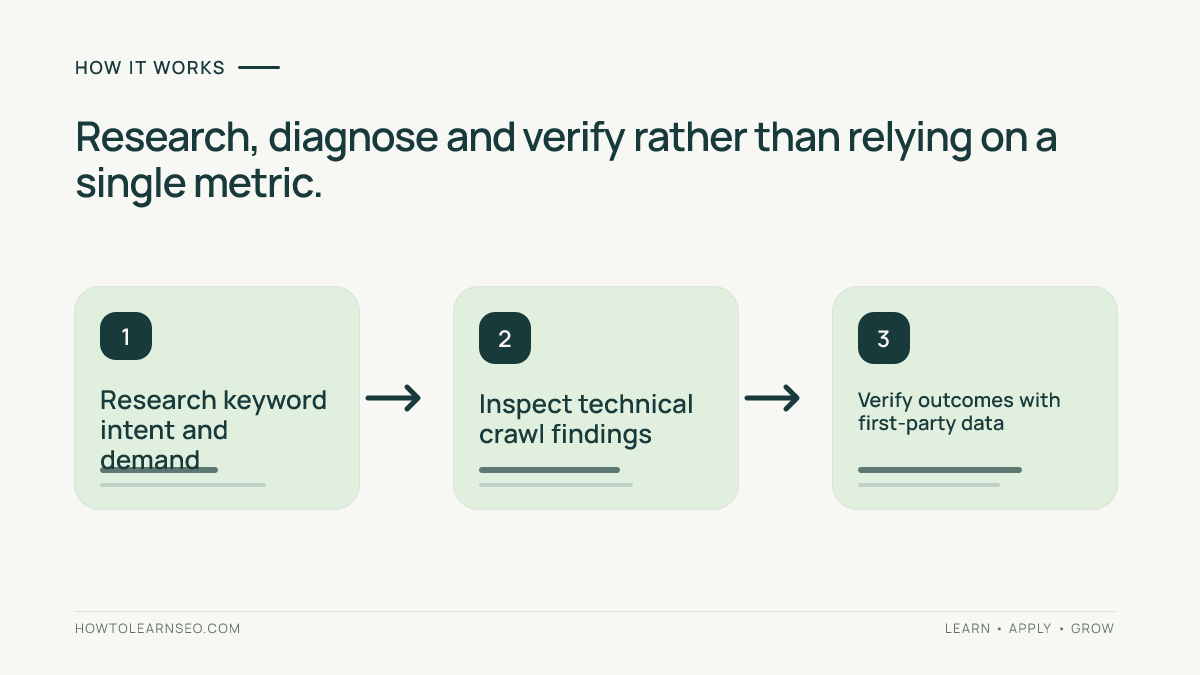
Moz Pro is an SEO software suite designed to connect several recurring research and monitoring tasks. A marketer can explore potential keywords, monitor selected search rankings, investigate website crawl findings, and examine link profiles without treating each task as an isolated project. This breadth can help small teams build a shared vocabulary for their work. Yet the suite does not replace a content strategy, engineering resources, or first-party analytics. It does not know every search performed on Google, nor does it observe every backlink immediately. Think of the platform as a way to generate and organize hypotheses: which pages might deserve attention, which queries seem relevant, and which technical conditions should be checked. The useful output is an action plan that another team member can verify. A dashboard score by itself is not an improvement to the website.
Who should buy Moz Pro
A consultant managing several small websites may appreciate campaign organization and recurring reports. An in-house marketing team may use one interface to establish keyword baselines and create technical work queues. A small agency can standardize how staff discuss visibility trends across clients. The fit is less obvious for a business that needs only occasional keyword ideas or a basic indexing check. A large technical SEO team may need specialist crawling, server logs, or custom data pipelines beyond a general suite. Before paying, list the three decisions that consume the most analyst time. For example, identifying content gaps, locating broken internal links, or preparing monthly search-visibility reports. Estimate how often those decisions recur and who will own the tool. If no one is responsible for reviewing the reports, even a good platform becomes an unused subscription. Purchase only when the workflow and expected benefit are explicit.
Keyword Explorer and search intent
Keyword Explorer supports query discovery and comparison using modeled demand and competition indicators. Start with a real customer problem rather than a broad word. Gather close variations, then group them by the task the searcher wants to accomplish. A service booking query, an instructional question, and a product comparison usually need different page formats. Inspect the current search results manually before deciding that a keyword belongs on a particular URL. An attractive search-volume estimate is not enough if Google consistently shows a page type your site cannot reasonably provide. Also check the target country, language, and spelling variations. Use keyword research to create a mapping of query cluster, intended page, unique reader benefit, and success measure. Avoid publishing several near-identical pages simply because the tool returns several related phrases. Search demand figures are estimates and should not be reported as guaranteed monthly visits.
A worked keyword-selection example
Consider a bicycle repair shop with a brake-service page and a maintenance blog. The team identifies three hypothetical searches: bike repair, bicycle brake adjustment service, and how to stop squeaky bicycle brakes. These examples are illustrative, not results from a live Moz account. The first query has mixed intent; the second may suit a location-specific service page; the third may require a safety-conscious tutorial. Write down each reader job and examine the current results. Assign the service query to the booking page, with clear service details and appointment information. Assign the troubleshooting query to a guide explaining basic checks and when a qualified mechanic is needed. Expected output: two differentiated page briefs, not three overlapping posts. Verification: compare later Search Console impressions, relevant landing-page clicks, and qualified enquiries. Edge case: if video demonstrations dominate the troubleshooting results, consider adding a genuinely useful video instead of relying only on text.
Interpreting keyword difficulty
Keyword Difficulty is a modeled screening signal, not a universal prediction of ranking success. A lower number can help narrow a long research list, but it cannot tell you whether your site has the right content, evidence, or credibility for a particular search. A high-scoring keyword may still expose an underserved niche question. A seemingly easy keyword may have excellent specialist pages already satisfying users. When a score surprises you, inspect the results and compare page purpose, topical coverage, helpful examples, and the resources required to compete. Keep business relevance and content feasibility beside the numerical estimate in your prioritization sheet. Do not call proprietary difficulty a Google ranking factor. If you choose to override the score, record why. That creates a useful decision trail when someone later asks why the team selected one topic instead of another.
Campaign rank tracking setup
A useful campaign begins with the correct domain, geographic market, and a stable set of meaningful queries. Separate branded from nonbranded keywords because the trends answer different questions. Organize queries by product line, topic cluster, or location. Record the baseline before making major content or technical changes. If rankings move, inspect the associated landing page, recent site changes, competitor pages, and search-result features. A position snapshot can vary with location, device, personalization, and measurement method. Avoid rewriting a page after one poor day. Compare consistent reporting periods and annotate major deployments. Rank tracking should tell you where to investigate; it should not be mistaken for the number of customers acquired. Connect tracked terms to Search Console page data and to actual conversion outcomes where possible. Keep the same core keyword set for longitudinal reporting, and show newly added queries separately.
What visibility charts cannot prove
An aggregate visibility score can rise because the tracked keyword mix changed. Adding easier queries may improve the summary without improving commercially important pages. Removing difficult queries can have a similar effect. For a defensible trend, maintain a fixed comparison cohort and describe additions or removals transparently. Rankings also do not translate mechanically into visits. Search demand, click-through behavior, advertisements, and search features affect traffic. Traffic can rise because seasonal demand increases even if positions remain stable. Compare a rank trend with Google Search Console impressions and clicks, then check relevant outcomes in analytics. Our guide to tracking organic search conversions in GA4 explains the measurement layer. When data sources disagree, check definitions, date ranges, market selection, and reporting limitations before drawing a conclusion.
Site Crawl capabilities and boundaries
Moz Pro’s Site Crawl can help surface technical and on-page conditions across accessible URLs. Depending on configuration and current product features, reports may highlight broken links, redirect behavior, or metadata problems. Confirm the crawler can reach the right host, subdomains, and page sections before interpreting findings. A crawler blocked from important pages will produce an incomplete picture. Prioritize warnings according to user impact and business importance. A broken navigation link on a high-value service page may deserve more attention than a harmless warning on an intentionally excluded utility page. Third-party crawls do not prove Google has indexed a URL. Use Search Console’s indexing tools when the question is about Google’s view of a page. For broader audit planning, see our SEO audit framework. Treat crawl findings as hypotheses requiring confirmation rather than a final diagnosis.
From crawl findings to repairs
Create a repair queue with five fields: affected URL, observed problem, likely impact, responsible owner, and verification method. Group repeated symptoms caused by a single template defect. Fifty product pages with the same missing element may require one template repair rather than fifty separate edits. Before opening a ticket, confirm a representative example in a browser or another technical check. Define the expected behavior precisely. For example, a navigation link should reach the intended category without a redirect loop, and the page should be usable on mobile. After deployment, recrawl the affected URLs and verify the actual user journey. A reduced warning count is not proof of higher rankings. It is evidence that particular detectable conditions changed. Continue monitoring the affected pages through first-party reporting where relevant. This makes the audit operational rather than an exercise in clearing colored dashboard indicators.
Link Explorer and referring domains
Link Explorer provides third-party observations about backlinks and referring domains. Begin with pages that serve a clear audience, then investigate why relevant sites link to comparable resources. A competitor backlink gap is not automatically an outreach target. A publication might cite a competitor because it conducted original research, supported a local event, or supplied a useful data resource. Evaluate whether you can contribute something genuinely relevant. A domain with a high proprietary metric but no topical relationship may be less valuable than a modest specialist publication with engaged readers. Third-party indexes differ in discovery coverage and timing. An absent link in one index does not prove it does not exist. For practical relationship-based outreach, see earning local backlinks through partnerships. Avoid paid or manipulative link schemes designed merely to inflate a score.
Domain Authority is not Google’s score
Domain Authority and Page Authority are Moz-created comparative metrics. They are not measurements supplied by Google and should not be presented as direct Google ranking factors. Their values depend on Moz’s models and comparison data, which can change. An increase does not by itself establish that a page gained organic traffic or that a link-building campaign worked. When comparing sites, consider topical relevance, editorial quality, content purpose, and actual first-party outcomes alongside any modeled authority score. A meaningful backlink opportunity should make sense to readers even if no proprietary metric existed. Explain this distinction in client reports. Otherwise, teams may spend resources trying to move a number without improving their website or audience reach. Moz’s own Domain Authority documentation is the appropriate reference for its metric definitions.
On-page optimization recommendations
On-page recommendations are useful starting points, not instructions that must always be followed. A transactional page may need clearer specifications, availability, delivery information, or trust details. A tutorial may need a better example or a more direct answer. Before changing anything, read the page and compare its purpose with the dominant search intent. Check whether the title, headings, internal navigation, and supporting content help users finish their task. Repeating the exact keyword is rarely a sufficient improvement. Record a small set of changes and the reason for each. If the page is already concise and useful, resist padding it merely to satisfy an optimization indicator. Our heading tags guide explains how structural headings support clarity. Measure changes using appropriate page outcomes, not just a tool’s internal score.
Competitor analysis workflow
Choose competitors from the search results for the exact topic you are targeting. A company selling similar products is not necessarily the closest organic competitor for an informational query. Compare a small set of relevant URLs rather than entire domains without context. Review page intent, useful evidence, examples, freshness, accessibility, and the next step offered to readers. Identify an improvement you can actually deliver: perhaps clearer prerequisites, a reproducible walkthrough, or an honest limitations section. Avoid copying wording or assuming a competitor ranks solely because its domain has more links. Record the market, query set, and observation date. Translate the comparison into one content brief with a distinctive reader benefit. If the current results are dominated by videos or tools, a generic long article may not satisfy the intent. A competitive gap is valuable only when it suggests a useful, achievable response.
Reporting that supports decisions
Separate observations from explanations and actions. An observation might be that five tracked service queries declined in one city. An explanation might be that a competing page changed, but this remains a hypothesis until checked. An action could be to review the affected landing page and current results, with an owner and follow-up date. Use consistent date ranges and identify which metrics come from Moz versus Google. Avoid presenting keyword positions as leads or revenue. If stakeholders need business impact, connect organic landing pages to analytics and conversion data. A short report with three defensible decisions is often more useful than a dashboard containing every available chart. Maintain annotations for releases and content changes so later reviews have context. Do not claim causation when only a correlation has been observed.
Moz Pro alongside Search Console
Search Console supplies first-party Google Search reporting for verified properties. Moz Pro supplies independent research estimates, selected rank tracking, crawl findings, and link observations. These datasets overlap in purpose but not in definition. Search Console’s average position is not identical to a dedicated rank tracker checking a chosen query in a particular market. Click and impression totals may also reflect different query coverage and reporting limits. When numbers disagree, inspect geography, device, dates, query anonymization, and page attribution. Use Moz to generate opportunities and diagnostic hypotheses. Use Search Console to assess how Google Search actually displays and sends traffic to your property, subject to its documented limitations. For official reporting definitions, consult Google’s Search Console performance documentation. The combination is stronger than treating either platform as a complete account of search performance.
Pricing and plan allowances
Subscription prices, campaign limits, tracked keyword quotas, crawl allowances, and billing terms can change. Verify them on the official Moz Pro product pages before buying. Do not rely on an amount copied from an old comparison or a screenshot without a date. Ask how many sites, markets, team members, and recurring reports you actually need. Check whether annual billing creates a commitment and whether a trial exposes the features necessary for evaluation. Estimate total cost beyond the subscription: onboarding, analyst time, training, and any specialist tools that remain necessary. A low entry price is not good value if essential quotas force an upgrade. A higher tier is unnecessary if the team cannot use the additional capacity. Write down the current price, currency, plan, and verification date in the purchasing worksheet. This review deliberately avoids asserting an unverified live price.
Alternatives and buying tradeoffs
Moz Pro competes with broader suites and specialist tools. Semrush, Ahrefs, and SE Ranking have their own research and monitoring workflows. Screaming Frog SEO Spider is commonly evaluated for technical crawling; our Screaming Frog review
A seven-day Moz Pro evaluation
Day one: define three decisions the tool must improve and save a baseline from existing reports. Day two: configure a representative campaign and fixed keyword cohort. Day three: investigate ten query ideas and manually inspect the search results for the strongest candidates. Day four: crawl an important section and independently verify at least two findings. Day five: examine referring domains for one valuable page and distinguish editorial opportunities from irrelevant prospects. Day six: prepare a one-page report that separates observations, interpretations, actions, and owners. Day seven: compare time spent, confidence gained, available allowances, and subscription cost. This is a suggested test plan, not a claim that we ran a live Moz account. If a trial or tier prevents a particular check, record the limitation instead of fabricating results. The goal is one actionable decision and a repeatable workflow.
Reproducible decision worksheet
Use five columns: question, input, decision rule, expected output, and verification. Suppose the question is which service page to improve first. Inputs are three service URLs, their Search Console impressions, and a crawl summary. Rule: prioritize a commercially important page with a confirmed user or technical problem over a page that merely has a low modeled score. Expected output: one repair brief with an owner and deployment date. Verification: confirm the repair and monitor the affected page over an appropriate period. Edge case: if the page has almost no impressions, investigate indexing and demand before attributing low conversions to page quality. A second worksheet can assess a new article idea using intent, unique contribution, effort, and available evidence. This approach makes the evaluation reproducible without pretending hypothetical figures are live results.
Common evaluation mistakes
Do not treat estimated keyword volume as guaranteed visitors. Do not describe Domain Authority as Google’s score. Do not react to every daily position fluctuation without checking market and context. Do not declare a technical audit finished because an issue counter decreased. Do not contact every domain in a backlink-gap report without evaluating relevance. Do not compare proprietary metrics from different vendors as if they were standardized measurements. Do not report keyword positions as sales or leads. Do not buy a subscription without deciding who will maintain campaigns and review the findings. Finally, do not assume that a visually attractive report is evidence of a successful SEO strategy. Each mistake is preventable through clear definitions, a small verification habit, and an explicit owner for each action.
Strengths and limitations
Moz Pro’s principal appeal is connecting several common SEO activities in one workflow. It can reduce context switching and make recurring research easier to document. Its limitations matter just as much. Third-party data is incomplete, proprietary scores are modeled, and plan allowances constrain usage. Crawls do not replace manual checks or Google’s indexing evidence. Competitive research produces hypotheses, not causal proof. Some agencies will still need specialist crawling, log analysis, analytics, or data exports. Evaluate the product as one part of an SEO operating system, not a substitute for editorial judgment or technical expertise. If the platform helps a team prioritize a valuable fix, verify it, and communicate the outcome efficiently, it may justify its cost. If the team mainly admires the dashboard without changing decisions, it probably does not.
Maintaining an effective review cadence
A weekly review can address urgent technical findings and newly broken user journeys. A monthly review can assess stable keyword cohorts, content experiments, and meaningful organic outcomes. Keep the agenda short: what changed, what evidence supports the interpretation, what action is approved, and when will the result be checked? Separate new keywords from the baseline cohort. Note major releases and seasonal changes. If a metric moves without a plausible actionable explanation, log it as an observation rather than inventing a cause. Use the same definitions across reports so colleagues do not confuse estimated visibility with clicks or conversions. This discipline matters more than the number of charts exported. It also gives you a fair basis for deciding whether the subscription remains worth renewing.
Documentation and factual trust
Check the official Moz product overview for current features and subscriptions, the Moz learning resources for proprietary metric definitions, and Google documentation for first-party search reporting. Vendor pages describe their products but are not independent proof of performance. Verify interfaces and terms before relying on older tutorials. This review is an editorial workflow assessment, not a claim that every subscription tier was purchased or every feature was independently benchmarked. Avoid invented keyword volumes, ranking guarantees, or precise plan prices. When sharing a recommendation with a client, state which observations came from the tool, which came from Google, and which remain professional judgments. Clear provenance makes an SEO report more useful and more trustworthy.
Frequently Asked Questions
Is Moz Pro good for beginners?
Moz Pro can help beginners organize research and monitoring, but they should first understand search intent, indexing, and the difference between estimated metrics and actual outcomes.
Does Moz Pro replace Google Search Console?
No. Moz Pro offers third-party research and tracking while Search Console reports first-party Google Search performance for verified sites. They serve complementary purposes.
Is Domain Authority a Google ranking factor?
No. Domain Authority is a proprietary Moz metric used for comparative analysis, not a score Google directly uses to rank pages.
Can Moz Pro guarantee better rankings?
No SEO platform can guarantee rankings. Moz Pro can support research and diagnosis, but results depend on implementation, competition, demand, and other factors.
How should I compare Moz Pro with alternatives?
Test the same website, keywords, geography, and tasks across tools. Compare actionable findings, time saved, reporting needs, and current subscription allowances.
Where can I check Moz Pro pricing?
Use the current official Moz Pro pricing and product pages to verify plan costs, billing terms, campaign limits, trial conditions, and feature availability.
Conclusion
Moz Pro is worth evaluating when its research, tracking, crawl, and link reports help your team make verifiable SEO decisions. Test a narrow workflow, compare estimates with first-party evidence, and confirm current plan limits before subscribing. The best platform is the one your team uses consistently to improve actual pages and user outcomes.