A Pinterest pin-to-landing-page audit checks whether the promise in a Pin’s image, title and description is fulfilled by the linked webpage. Before publishing, compare the visitor’s expected answer with the page’s visible content, test the destination on mobile, and confirm that the link opens the intended resource. This review helps website owners avoid sending interested visitors to confusing or unrelated pages.
Quick Answer
Open your draft Pin and destination side by side. Write down the exact benefit promised by the Pin. Check that the linked page delivers that benefit quickly, uses consistent wording, works on a phone and has a clear next step. Fix the Pin or page whenever they disagree. Open the actual destination URL, not merely the homepage, to verify the journey.
Key Takeaways
- Audit the promise, page relevance, mobile usability and destination URL separately.
- Match specific Pin claims to a specific section or resource on the page.
- Use a repeatable pass/fail checklist rather than relying on attractive design alone.
- Measure actual engaged visits and meaningful actions; impressions alone cannot prove useful traffic.
Why a Pinterest destination audit matters
Pinterest discovery often begins with an image and a short headline. Someone saving an idea may have different intentions from someone clicking through to read a tutorial. Your linked page should serve the person who clicks. A Pin advertising a checklist but linking to a broad category archive creates unnecessary work for the visitor, even if the archive contains a relevant article somewhere.
The goal is not to repeat every word on the Pin. It is to preserve the same topic, audience and promised outcome. A concise Pin may say “Fix five common Pin mistakes,” while the page explains each mistake with examples. That is a coherent continuation. A Pin promising a free downloadable template should not lead to a page containing only general advice unless the template is clearly available there.
This is a quality-control workflow, not a claim about a secret Pinterest ranking factor. No public documentation establishes a universal numeric relevance score that guarantees distribution. Use this audit to improve the reader’s experience and reduce avoidable mismatches.
Gather the materials before you review
You need the final Pin creative, proposed title, description, board, destination URL and a phone or mobile browser emulator. Open the destination in a private browser window so logged-in administrator privileges do not hide problems. Keep a spreadsheet with columns for Pin ID, page URL, promise, evidence, mobile result, link result, decision and reviewer notes.
If the article is still being edited, review the preview carefully and repeat the link check after the page goes live. A working editor preview is not proof that an anonymous Pinterest visitor can access the published URL. If the Pin targets a particular country or language, inspect the corresponding public page experience as well.
Step 1: Identify the exact promise made by the Pin
Read the visual headline first, then the title and description. Convert them into one sentence beginning “A person who clicks expects to…”. For example, “A person who clicks expects to learn how to find relevant Pinterest keywords for blog posts.” If you cannot write that sentence, the Pin may be too vague.
Highlight concrete claims such as “step-by-step,” “template,” “examples,” “free,” or “five fixes.” Each creates an expectation that the landing page should satisfy. Numbers are easy to audit: if the Pin says seven steps, the destination should contain seven identifiable steps or explain the framing without misleading the reader.
Avoid dramatic hooks that change the topic. “Why your Pins get no clicks” can lead to a troubleshooting tutorial about low outbound clicks, but should not lead to a generic article about social media branding. Curiosity is useful only when the eventual answer matches what the visitor was led to expect.
Step 2: Check the page’s first-screen relevance
Open the destination on a phone-sized screen. Without scrolling far, identify the page title, introductory explanation and first useful section. Ask whether a newcomer can immediately tell they arrived at the promised tutorial. A relevant article may still frustrate visitors if an intrusive overlay, enormous advertisement or unrelated hero image hides the answer.
The page does not need an identical title to the Pin. It does need recognizable subject continuity. A Pin saying “Pinterest keyword research for beginners” can link to “How to Find Pinterest Search Terms for Your Blog” if the opening clearly teaches that task. If the page begins with unrelated history, move the practical answer closer to the top.
Review navigation and readability. Can the visitor read the content without horizontal scrolling? Are key steps legible? Is the promised checklist accessible without a mandatory unrelated sign-up? These are user-experience checks, not guarantees of ranking or conversion performance.
Step 3: Verify every factual or resource claim
Match each strong Pin claim against evidence on the page. For a “free worksheet” Pin, locate the worksheet and test its download. For a “beginner tutorial,” confirm that the page defines unfamiliar terms and gives usable instructions. For a “current Pinterest settings” Pin, check whether interface steps still reflect the available product and avoid implying unverified features.
For platform details, consult the Pinterest Help Center and Pinterest Business resources rather than relying on an old screenshot. Features and interfaces may change. If a setting is not available to all accounts, describe the eligibility or uncertainty rather than asserting that everyone can use it.
A short Pin about “three checks” may legitimately link to a longer tutorial, but those three checks should be findable. Use a descriptive subheading or concise summary near the top so readers can locate the relevant material without searching through unrelated sections.
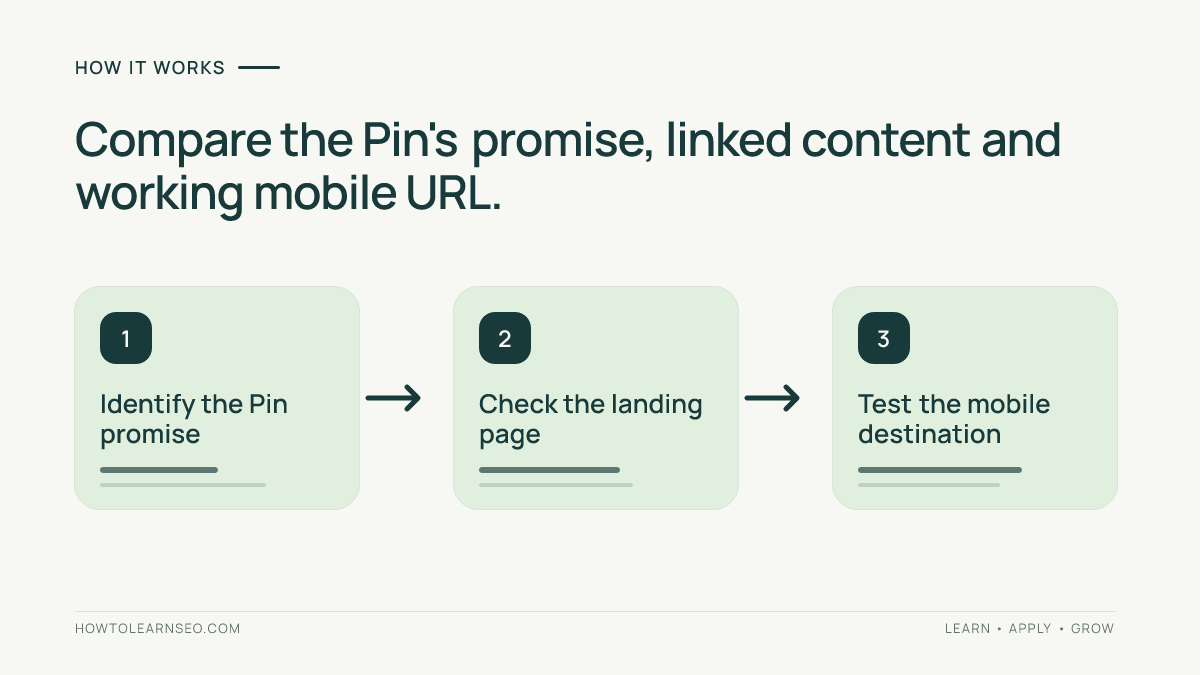
Step 4: Test the actual link and page behavior
Paste the final destination URL into a private tab and check the address after redirects. Confirm that the page loads over HTTPS, does not produce a 404 or login prompt, and is not pointing to a staging domain. If you use tracking parameters, make sure they do not change the visible content or break navigation.
Test at least one mobile browser. Tap important links, verify that images and tables fit, and try the primary action. A page that loads on a desktop may still have an obstructed mobile button or unreadable table. If your destination redirects by region, test the likely visitor journey rather than assuming everyone sees the same page.
Do not use the homepage as a default destination merely because it is stable. Deep-link to the relevant tutorial whenever possible. For website setup, our Pinterest SEO setup workflow offers a more specific destination than the site’s general homepage.
Step 5: Score the match using a simple review sheet
Use four checks: promise fulfilled, visible page relevance, accessible mobile experience, and functioning final URL. Mark each Pass, Fix or Not Applicable, and record evidence. A “Fix” on a central promise or broken URL should block publication until resolved. A minor difference in wording can be corrected without rebuilding the article.
This is an internal editorial decision framework, not a Pinterest-provided score. Do not add up passes and claim that a particular score predicts traffic. A page could pass all four checks and still receive little distribution because audience demand, competition, creative appeal and other factors affect results.
Worked example: a Pin promising a checklist
Suppose a blog publishes a Pin headed “Pinterest Board SEO: 5 Checks Before You Publish.” The proposed destination is a tutorial about planning boards. The reviewer finds a useful discussion of board names and descriptions, but no five-item checklist. The promise check fails, even though the topic is broadly relevant.
There are two defensible fixes. Change the Pin to “Plan Pinterest Boards That Match Your Website Topics,” which reflects the existing article, or add a genuinely useful five-check section to the destination before publication. Review the Pinterest board planning guide and test the final link again. Do not invent five checks in the Pin unless the page teaches them.
Expected result: the Pin and article now describe the same task, and the reader can identify the answer quickly. Verification: a reviewer unfamiliar with the draft can explain the promise and find the corresponding section. Edge case: if the checklist is available only to subscribers, the Pin should disclose that requirement rather than presenting it as unrestricted.
Step 6: Align Pin metadata and surrounding context
After fixing the destination, revisit the Pin title and description. Use clear language that accurately summarizes the page, not loosely related keywords. Our Pin title and description tutorial explains how to communicate expected value without exaggerated claims.
Check the board context. A tutorial about Pinterest traffic measurement belongs with analytics or website-marketing resources, not an unrelated lifestyle collection. A coherent board helps people understand what material they will find, although this audit does not establish a guaranteed ranking effect.
If you design multiple original Pins for one article, vary the useful angle rather than making misleading promises. One creative might emphasize a checklist, another a worked example and a third a common error. Each angle should be supported by a real section of the destination. Keep the core outcome consistent across variations.
Step 7: Measure whether the visit was useful
Once published, inspect Pinterest outbound-click information where available and compare it with website analytics. A click reported by one platform may not correspond one-for-one with a session recorded by another because of consent, browser restrictions, timing and attribution differences. Look for directional patterns, not perfect numerical equality.
Add consistent UTM parameters when appropriate and use GA4 to evaluate landing-page visits and meaningful events. The Pinterest traffic tracking guide covers campaign naming and reporting. For metric definitions, use Google Analytics Help.
Review engagement in context. A reader may find a concise answer quickly and leave satisfied, while a longer session may reflect confusion. Useful measures depend on the page’s purpose: a tutorial might be judged by engaged visits and navigation to the next lesson, while a downloadable checklist may have a relevant download event. Avoid declaring success from impressions or saves alone.
Common failures and practical fixes
- The Pin promises a download but the page has no file: add the resource or remove the claim.
- The Pin links to a broad category: replace the URL with the specific article.
- The page title sounds unrelated: clarify the headline and opening.
- The link works for an administrator but not visitors: test anonymously.
- The mobile page hides the answer: reduce intrusive elements.
- The Pin includes outdated platform instructions: verify official guidance.
Do not respond to weak traffic by changing every Pin and landing page simultaneously. Diagnose the likely failure first. If a Pin receives impressions but few outbound clicks, investigate creative clarity. If people click but the destination fails to load, repair the URL. If visitors arrive but cannot find the promised resource, fix the page-to-Pin match. Different symptoms call for different actions.
Keep a dated audit record so the team can tell what changed. Record creative version, URL, reviewer, problem, correction and verification outcome. This helps avoid reusing an inaccurate promise when making another Pin for the same article.
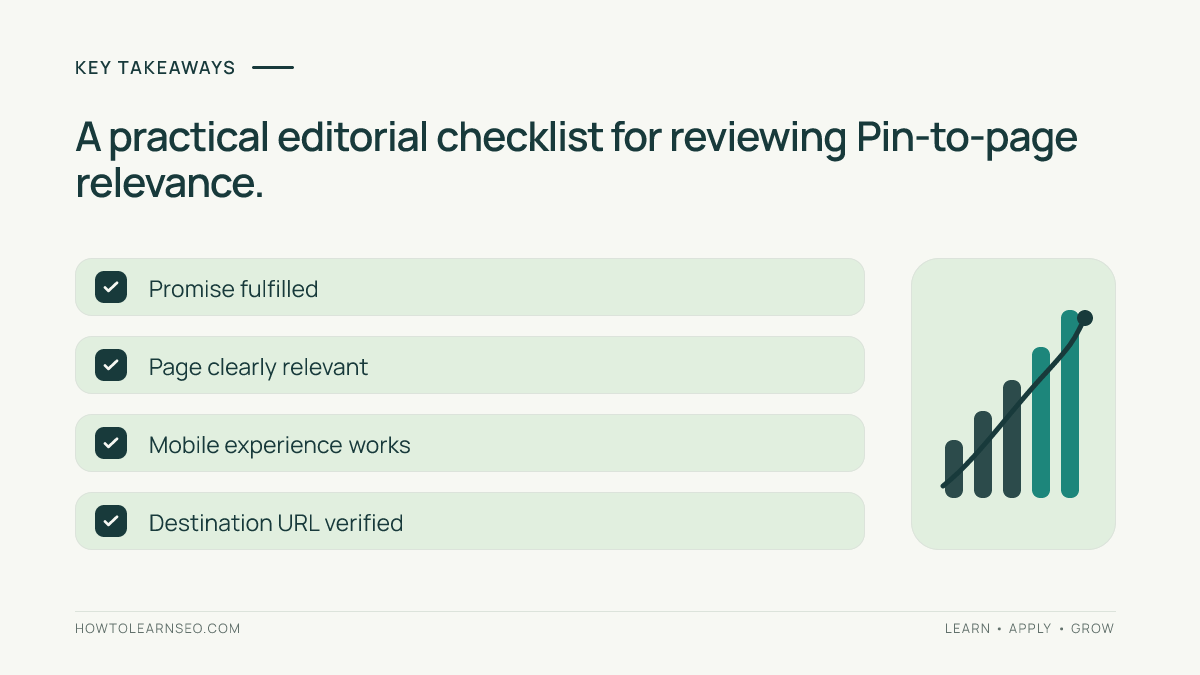
A reusable pre-publication checklist
- Write the visitor’s expected outcome in one sentence.
- Compare every explicit claim with a real page section.
- Check the headline and first screen on mobile.
- Open the final URL anonymously and follow redirects.
- Test the promised action, worksheet or navigation path.
- Confirm title, description and board remain on-topic.
- Record Pass or Fix with evidence; correct blockers.
- Review outbound clicks and relevant website outcomes later.
A Pin-ready summary is: “Before linking a Pinterest Pin to your blog, check its promise, page relevance, mobile experience and destination URL.” That statement can support distinct original visual concepts without pretending that the audit guarantees more visitors.
Frequently Asked Questions
Should a Pinterest Pin and landing page have identical titles?
No. Their wording can differ as long as both clearly describe the same subject and the page fulfills the Pin’s promised outcome.
Can I link several different Pins to one blog post?
Yes, provided each Pin presents a truthful, useful angle that the linked article actually covers. Avoid misleading variations that promise unavailable resources.
Is a homepage a good Pinterest destination?
Usually a specific relevant article serves an educational Pin better. A homepage can be appropriate when the Pin genuinely promotes the site as a whole.
What if the linked page redirects?
Open the complete final URL and confirm that the redirect leads to the intended public resource without losing the promised content or breaking tracking.
Does a passing audit guarantee Pinterest traffic?
No. The audit checks editorial and technical consistency, not distribution. Audience interest, creative quality and other factors still affect results.
How often should I repeat the audit?
Review before each new Pin and whenever the destination changes materially. Recheck older high-value links periodically for broken pages or outdated promises.
Conclusion
A Pinterest pin-to-landing-page audit is a practical safeguard for website traffic quality. Check the promise, verify that the page answers it, test the mobile destination and document corrections. Then measure whether visitors can complete the intended task. The best Pin is not merely clickable; it leads to a page that delivers what the creative offered.