To build a keyword map for a multi-service website, group customer searches by intent and assign each meaningful cluster to a suitable service or informational page. This tutorial shows the worksheet, decision rules, worked example and checks needed to turn keyword ideas into an actionable SEO plan.
Quick Answer
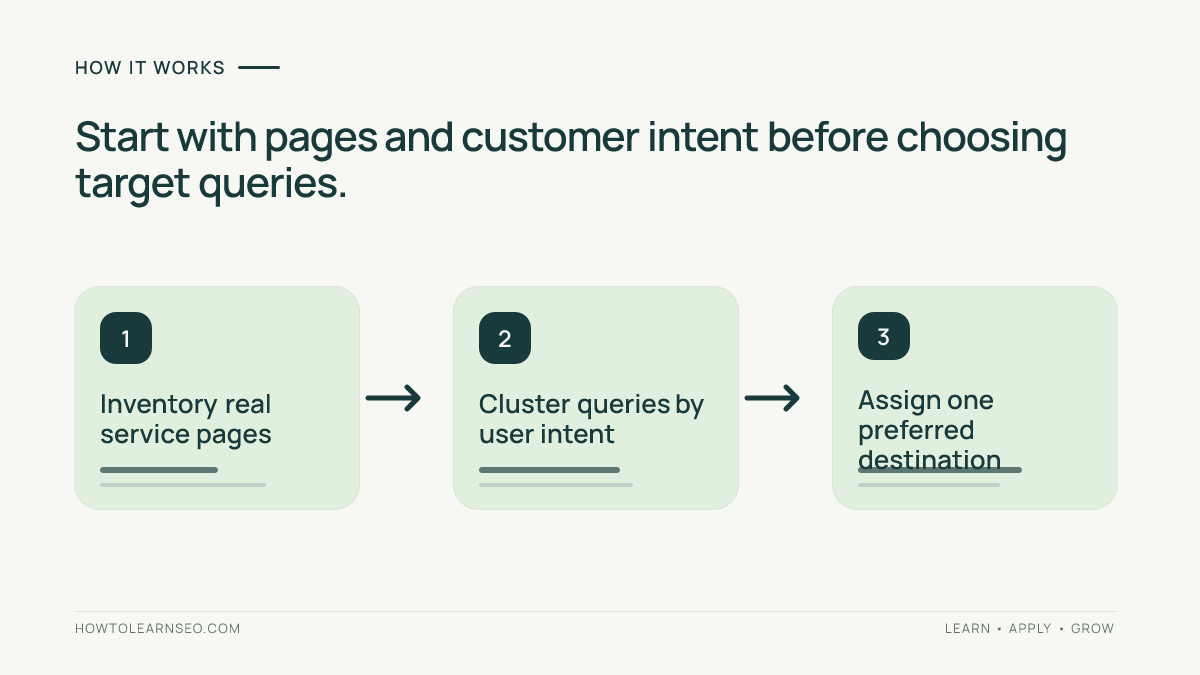
To build a keyword map for a multi-service website, inventory your important URLs, group search queries by distinct user intent, assign each group to one suitable page, and identify where new pages are genuinely needed. The finished map should show a primary topic, supporting queries, search intent, target URL, page type, priority and next action. Validate assignments against actual search results and the website’s services before writing or redirecting anything.
Key Takeaways
Map customer tasks rather than assigning one page to every keyword variation. Use a current page inventory as the starting point. Separate service, location and informational intent where the content truly differs. Give each major query cluster a clear preferred destination. Check competing URLs before creating new pages. Keep assumptions about search volume and difficulty clearly labeled when verified data is unavailable. Finish with a prioritized implementation sheet and a plan to monitor changes.
Gather prerequisites before mapping
You need a list of live and planned service pages, a clear description of what the business actually offers, the markets it serves and an initial set of relevant search phrases. Export URLs from the CMS or a site crawl, including each page’s title, status and canonical target if available. Collect customer questions from sales and support teams. Search Console can provide observed queries for verified properties, but it does not reveal every query. Keep one worksheet for the inventory and another for keyword ideas. Do not start by copying a competitor’s entire keyword list. Your map should reflect products and services the business can fulfill.
Define the website’s service hierarchy
Write down the broad services and the meaningful subservices underneath them. A fictional home-services company might offer plumbing, electrical repairs and air-conditioning maintenance. Plumbing may contain emergency leak repair and water-heater installation if each service has distinct customer needs and the business genuinely offers both. Keep informational guides separate from commercial service pages unless a single page can satisfy both intents naturally. This hierarchy provides a sanity check before keywords are assigned. If the business does not provide a service, do not create a landing page merely because a phrase looks popular.
Collect keyword candidates without inventing metrics
Start with the language customers use in inquiries, website search and service descriptions. Add phrases from observed Search Console queries and manually inspected search results where available. Include natural variants, problem-oriented questions and local modifiers when relevant. Avoid assigning exact monthly search volume or keyword difficulty unless a trustworthy accessible source supplies those figures. A spreadsheet can still rank opportunities using confirmed business importance, existing page coverage and clear intent. Our advanced Search Console review explains why visible query lists are incomplete. Treat keyword research as evidence gathering, not a contest to produce the longest possible list.
Group phrases by what the searcher wants
Compare the likely outcome a searcher expects. Someone searching emergency plumber may want immediate help, while someone asking why a pipe makes noise may need an explanation. These phrases should not automatically share a destination. Conversely, water-heater fitting and water-heater installation may belong to one service page when search results and local terminology indicate similar intent. Inspect a small sample of current results for ambiguous clusters and record the decision. Do not rely solely on word similarity. Grouping by meaning helps avoid dozens of thin pages that compete with one another and confuse visitors.
Assign one preferred page to each cluster
For each cluster, select an existing page that can fully satisfy the task. If the site already has a strong water-heater installation page, assign closely related commercial queries there rather than creating a second nearly identical page. Record the URL and whether the page needs a title update, better content, clearer navigation or no change. If no existing page meets the intent, mark a potential new page for review. The decision should be based on a distinct customer need and sufficient real service information. Our internal linking guide can help connect supporting guides and service pages once the map is approved.
Create a usable mapping spreadsheet
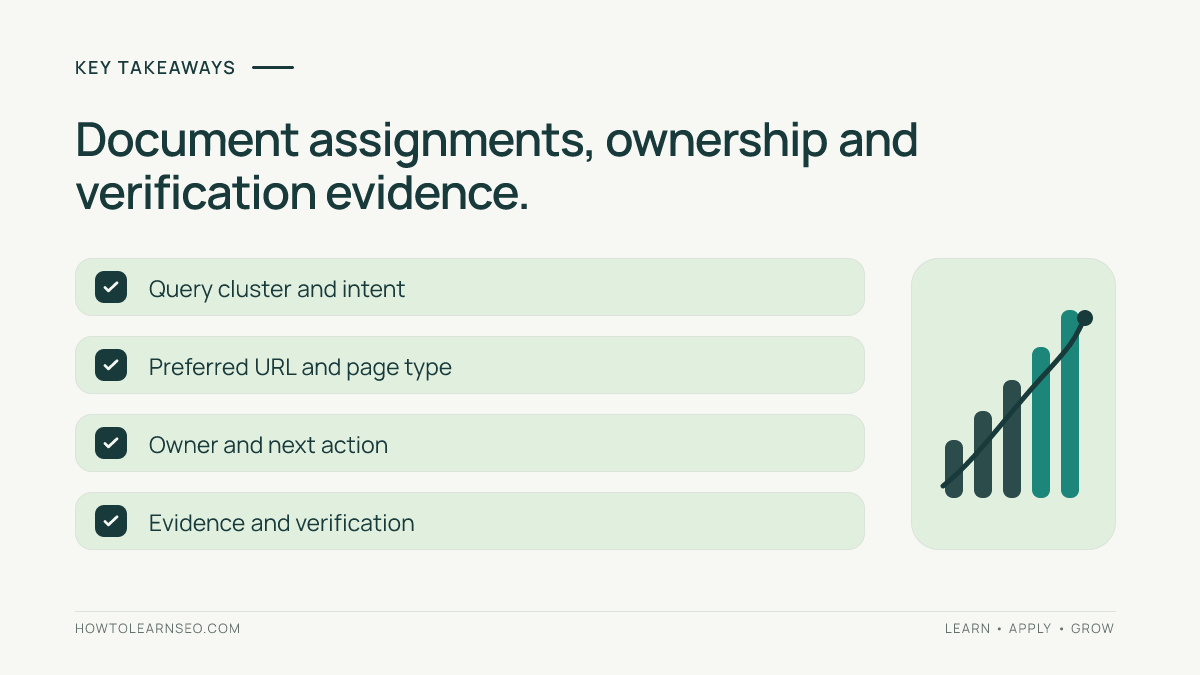
Use columns for cluster name, primary query, supporting phrases, intent, preferred URL, page type, target audience, business priority, evidence, action and owner. Include a status such as existing, improve, create or consolidate. For each decision, write one short reason. A keyword map becomes useful when a content writer can understand the page’s purpose and a developer can identify the correct URL. Avoid fields that nobody can maintain. If a query could plausibly match two pages, flag it for review rather than silently assigning it to both. Keep a date column so the team knows when the assignment was last checked.
Worked example: three plumbing searches
Imagine a fictional repair company serving one city. Its inventory includes /plumbing/, /emergency-plumber/ and /water-heater-installation/. Inputs are these three URLs and the phrases plumber services, emergency leak repair, burst pipe help, and install water heater. Rule: group phrases by whether the customer needs a general service overview, urgent assistance or a specific installation. Action: assign plumber services to /plumbing/, urgent phrases to /emergency-plumber/ and installation phrases to /water-heater-installation/. Expected result: three clear page briefs with distinct calls to action. Verification: inspect live page content, navigation and the relevant search results, then monitor page-level Search Console evidence. Edge case: emergency water-heater repair may overlap both urgent and heater services; inspect intent and actual response capability before choosing one destination. These are illustrative examples, not measured keyword rankings.
Handle location modifiers carefully
A multi-service company may also operate across several cities. Do not generate one near-identical page for every town unless each page offers meaningful local information and a genuine service presence. Distinguish location intent from service intent. A service-area page can explain coverage, local availability and relevant practical details without pretending to operate a staffed office where none exists. Our service-area page tutorial covers that workflow. Add location-specific mapping only where the business can satisfy the searcher’s expectations. The map should show whether a city query belongs to an existing service-area page or requires a genuinely distinct page.
Find cannibalization without overreacting
Two pages appearing for related queries is not automatically a problem. The concern is whether they compete for the same intent and leave users unsure which page to choose. Review their content, internal links and actual purpose. If one is a buying guide and the other is a service page, both may be justified. If both advertise the same service with almost identical information, consolidation or clearer differentiation may help. Do not redirect pages based only on one day’s ranking data. Record the intended destination and verify that any change preserves useful content and visitor pathways. A map is a decision aid, not an automatic redirect instruction.
Turn the map into content briefs
For each approved page, write a brief containing the target customer, primary job, key questions, required proof, useful examples, internal links and conversion action. The keyword cluster informs terminology, but the page should read naturally. A service page may need eligibility details, coverage, response expectations and a clear contact method. A supporting article may need troubleshooting steps and safety caveats. Our SEO content brief template offers a planning structure. Do not promise a particular ranking because a phrase appears in a heading. The objective is a page that genuinely answers the assigned search need.
Check technical and navigation alignment
Before publishing a new mapped page, confirm that the intended URL is accessible, indexable where appropriate and linked from relevant navigation. Review canonical declarations and avoid creating duplicate parameter or archive versions as substitutes for a real service page. The official Google helpful-content guidance emphasizes content made for people. Google’s canonicalization documentation explains how duplicate URL signals work. A good keyword map coordinates content intent with technical implementation rather than treating keywords as an isolated spreadsheet exercise.
Prioritize the next actions
Sort the map by business importance, severity of current gaps and implementation effort. Updating a high-value existing service page may be more useful than launching five speculative new pages. Fix misleading navigation before spending time on minor wording changes. Give each task an owner and an acceptance criterion. For example, an approved emergency service page should clearly explain availability, service area and how to request help. When resource estimates are uncertain, mark them as estimates. Avoid prioritizing solely by an unverified search-volume number. A smaller set of completed, useful pages is better than a backlog of overlapping ideas.
Verify the map after implementation
Check that the published pages match their briefs and that internal links lead to the intended destinations. Confirm titles, headings, canonical URLs and important calls to action. Monitor relevant pages and query groups in Search Console with consistent date and country settings. For business outcomes, use properly configured analytics and verified leads rather than assuming every organic click is valuable. Our GA4 review explains outcome reporting limitations. Google’s Performance report documentation describes the search metrics. Annotate releases and allow time for data to develop before claiming success.
Maintain the map as services change
Review the map when the company adds or retires services, expands into a new location or changes navigation. Check for newly competing pages and outdated assignments. Do not rewrite every URL because a synonym becomes popular. Update the intent evidence and business priorities, then change only what has a clear reason. Keep previous decisions in a change log so the team can explain why a cluster moved. A useful keyword map is a maintained plan connecting customer needs to actual pages, not a one-time keyword dump.
Common pitfalls and limitations
Avoid one-page-per-keyword thinking, thin location clones, unsupported service claims and keyword assignments based solely on automated similarity. Search results can change by location and time, so document when intent was checked. Search Console data may omit queries, and third-party estimates are not ground truth. Do not assume two URLs need consolidation merely because both receive impressions for the same phrase. Confirm their purposes first. The map cannot guarantee rankings; it can make content planning, internal navigation and measurement more coherent.
Frequently Asked Questions
What is a keyword map for SEO?
It is a document assigning groups of related search queries and user intents to appropriate existing or planned website pages.
Should every keyword have its own page?
No. Closely related phrases with the same user intent usually belong together on one useful page.
Can I create a keyword map without paid SEO tools?
Yes. Use your page inventory, customer language, manual search-result checks and available Search Console data while labeling unknown metrics.
How do I map keywords for multiple cities?
Create distinct location assignments only where the business genuinely serves the area and the page can provide meaningful local information.
How often should a keyword map be updated?
Review it after major service, location or website changes and periodically check important page assignments against current intent.
Does keyword mapping prevent cannibalization?
It helps identify overlapping page intent, but pages can legitimately share some queries and mapping does not guarantee rankings.
Conclusion
A useful keyword map connects real customer tasks to the right website pages. Inventory the site, group phrases by intent, assign preferred destinations and document actions. Verify each change against live pages and meaningful search outcomes, then maintain the map as the business evolves.