This SE Ranking review examines how to evaluate its keyword research, rank tracking, competitor intelligence, site audits, backlink analysis and reporting without confusing software estimates with verified search outcomes. It includes a reproducible example, a comparison framework and clear limitations.
What SE Ranking is designed to do
SE Ranking is an SEO software platform that brings keyword research, rank monitoring, competitor analysis, site auditing, backlink analysis and reporting into a shared workspace. Its value is not that every report provides an answer automatically. The value is that a practitioner can move from a question about search visibility to a prioritized investigation without repeatedly exporting data between unrelated applications. The platform is especially relevant to teams that need recurring monitoring as well as occasional research.
An SE Ranking review should separate the questions the software can help answer from the decisions a human still needs to make. A ranking chart can show movement, but it cannot establish that a content edit caused the change. A site audit can flag a missing description, but it cannot decide whether rewriting that description is the best use of an editorial team’s time. Treat each report as evidence to interpret, not a list of instructions to obey.
The main evaluation criterion is therefore workflow fit. Someone responsible for five local clients may value location-specific rank monitoring and report organization. An in-house content team may care more about keyword clusters, competing pages and the ability to revisit opportunities monthly. A technical SEO specialist may need crawl diagnostics but still prefer a dedicated crawler for complex JavaScript or large-scale investigations.
Quick Answer
SE Ranking is worth considering when you need a connected set of SEO research, monitoring and reporting workflows rather than a single-purpose keyword tool. Evaluate it using your own websites, target locations, search queries and reporting requirements. Its metrics are estimates or observations with different collection methods; verify important decisions against first-party data and actual search results. Pricing, limits and included features can change, so check the current plan terms before committing.
Key Takeaways
Start with one concrete job: identify pages losing visibility, build a realistic keyword plan or monitor a client market. Test the entire job from initial question to actionable output instead of judging a dashboard screenshot. Compare keyword estimates with Google Search Console, check ranking locations carefully and sample audit warnings manually. Decide whether the reporting cadence, project limits and collaboration options justify the subscription. Avoid assuming that any third-party visibility metric is a Google ranking factor.
Keyword research: from broad terms to useful page plans
Begin with a seed phrase that reflects a real customer problem. A home services company might start with ’emergency boiler repair’ rather than the generic word ‘boiler’. Explore related queries, intent clues and competing search results. Then separate searches that deserve a dedicated service page from questions that belong in a troubleshooting guide. The goal is a manageable page map, not a spreadsheet containing every variation of the same phrase.
Keyword volume and difficulty figures are directional planning signals. They are not guaranteed traffic and they do not tell you whether your particular page can satisfy the searcher. Check whether the visible results are local listings, product pages, informational guides or official documentation. If the result format conflicts with your planned page, change the page format or choose another keyword. A low-looking difficulty score does not override a clear intent mismatch.
Build a short opportunity table with query, user task, intended URL, result format, priority and validation notes. For each query, record why the target page would be different from what already exists on your site. This prevents a common failure: publishing five near-identical posts because the research tool shows five slightly different phrases. A smaller cluster with clear ownership is easier to maintain and measure.
Competitor research: compare pages, not just domains
Domain-level comparisons can identify broad coverage gaps, but they are often misleading when two sites have different business models. A national marketplace will naturally rank for many topics that a local consultant should not pursue. Filter competitors to those competing for the same audience and the same kind of query. Review the actual ranking pages before interpreting a missing-keyword list as a content brief.
Choose a small set of relevant competitors and group their visible pages by intent: commercial services, informational education, category pages and supporting resources. Note which pages answer questions your site cannot currently answer. Then inspect the quality and relevance of the competitor’s page. A gap is useful only if you have the expertise and assets to create a genuinely better answer.
Competitor traffic estimates are not access to a rival’s analytics account. They can be useful for directional comparison, but they should never be presented to stakeholders as measured sessions or conversions. When presenting findings, label estimated visibility separately from your site’s verified Search Console clicks and impressions. This distinction prevents a visually impressive report from becoming a false performance claim.
Rank tracking: set up the right comparison
Rank monitoring is most useful when the query set, geography, device and search engine reflect the business. A dentist serving one city should not interpret a national average as the position a nearby patient sees. Configure the relevant location and device before collecting a baseline. Record branded and nonbranded terms separately because they answer different strategic questions.
Do not interpret a one-day movement as a durable trend. Search results vary with location, freshness, personalization and interface features. Look for a pattern across several observations and compare it with Search Console query-level data. If a tracked keyword moves but impressions remain stable, investigate the measurement difference before announcing a win or loss.
A good weekly review asks three questions: which important queries changed materially, which landing pages changed with them, and whether the movement matters to business outcomes. A rise on an irrelevant query may not deserve attention. A modest decline on a high-converting service query may warrant immediate investigation. Prioritize by business relevance, not simply by the largest number in a ranking-change column.
Site auditing: turn warnings into a repair queue
A site audit is a useful inventory of potential technical issues, not an automatic ranking diagnosis. Crawl findings may include broken internal links, redirects, duplicate titles, missing metadata, canonical inconsistencies and indexability questions. Some findings are urgent, while others are normal design choices. The important step is to map each warning to an affected URL, the actual user or crawler consequence and a safe fix.
Start by checking the crawl configuration and scope. A staging environment, a parameter-heavy store or a site that blocks the crawler can distort results. Confirm that important templates and representative URLs were reached. If a report flags an inaccessible page, test the HTTP response and robots rules yourself before concluding that search engines face the same restriction.
Create a repair queue with issue, affected template, severity, owner, proposed change, test URL and verification method. Fix a small representative sample before applying a template-wide update. For example, if a category template produces duplicate title elements, repair one staging page and confirm the rendered HTML and indexing directives. Then deploy and rerun the affected crawl. The audit becomes useful when it closes this verification loop.
Backlink analysis: investigate relevance and risk
Backlink databases help discover linking domains, referring pages and changes in link coverage. They are not complete inventories of every link on the web, and two vendors may report different totals because their crawlers discover different pages. Compare trends within the same data source before treating a change in counts as a real-world event.
Review promising links for topical relevance, placement, context and whether the referring page appears to serve real readers. A useful industry association mention may be more valuable to your outreach strategy than dozens of irrelevant directory listings. Conversely, a suspicious-looking link in a third-party tool is not proof of a Google penalty. Do not disavow links solely because a proprietary score labels them toxic.
For link acquisition, focus on reasons someone would genuinely cite your content: original explanations, local resources, useful tools or authoritative subject expertise. Track outreach outcomes separately from discovered links. A newly discovered backlink may have existed for months. Confirm the source page, destination URL and link behavior before reporting that a campaign produced it.
Local SEO workflows and location sensitivity
Local businesses should evaluate whether keyword and rank monitoring can be configured around the places they actually serve. A company operating in two cities may need separate location views, different landing pages and distinct competitor sets. Combining everything into a single national dashboard can hide meaningful differences in demand and search-result composition.
Use local results to identify customer tasks: booking a service, comparing providers, finding hours or understanding coverage areas. Then map those tasks to accurate service and location pages. Avoid creating thin city pages that differ only by a place name. Include genuine service details, operating constraints and proof relevant to each location.
Remember that a rank-tracking location is a measurement setting, not a substitute for checking the actual local search experience. Business profiles, maps and organic listings can occupy different surfaces. For important local queries, review the live result layout and compare it with first-party business-profile and website outcomes when those sources are available.
Reporting: make the numbers decision-ready
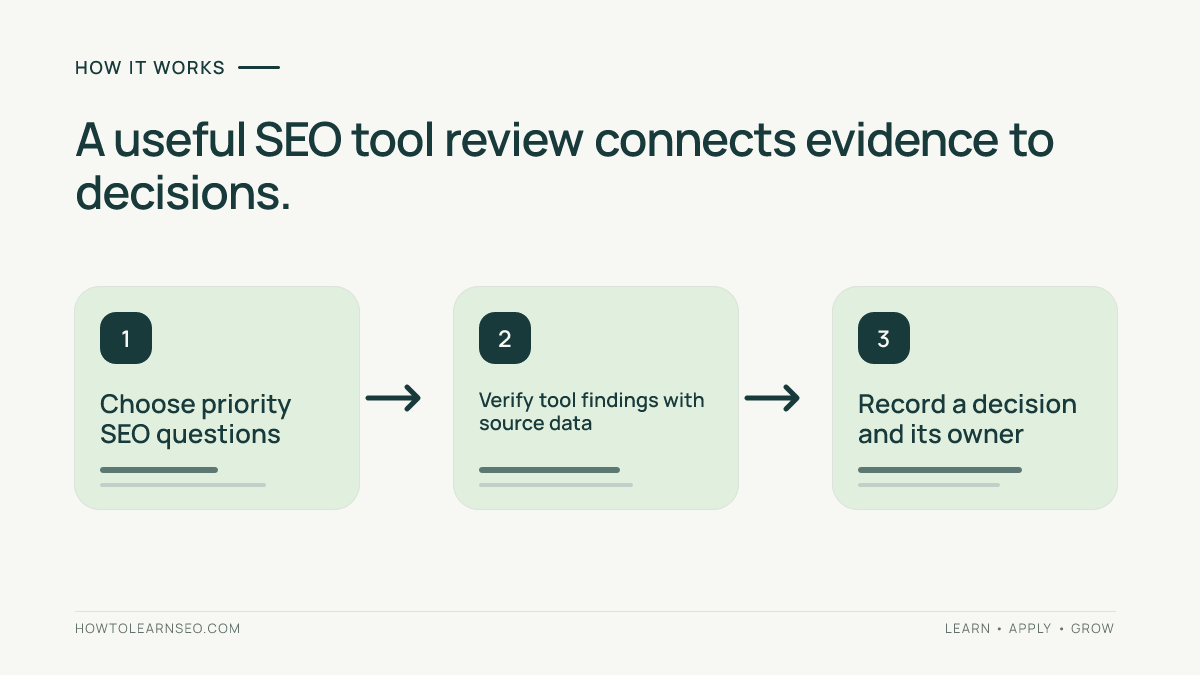
Reporting is a major reason teams adopt an integrated SEO suite. A useful report does more than combine charts. It should explain the objective, measurement window, meaningful changes, limitations and next actions. Keep verified business outcomes distinct from third-party estimates. If the tool shows estimated competitor traffic, label it as estimated. If Search Console shows clicks, label them as observed search-performance data.
Build separate views for executives and practitioners. An executive summary might show qualified organic conversions, priority page trends and work completed. A practitioner report may include query groups, crawl issue ownership and pages needing review. Avoid filling every report with every available metric. More charts can make a report harder to act on.
Before automating delivery, run one report manually and check its date range, filters, project selection and branding. Verify that a client cannot see another client’s data. Decide who will explain anomalies and which changes should trigger investigation. Automation saves preparation time only when the underlying measurement and interpretation are trustworthy.
Worked example: a service business with falling leads
Imagine a fictional heating repair company with one important page: /emergency-boiler-repair/. Its marketing team notices that qualified enquiry submissions have declined. The team wants to know whether search visibility changed, whether a technical issue appeared or whether visitors stopped converting. This is an illustrative scenario, not a claim about a real client or a test conducted with SE Ranking.
First, list five queries that match the page’s actual service, including a city-qualified variation. Configure a consistent location and device for rank monitoring. Record the baseline date, target URL and current search-result intent. Next, compare the page’s impressions, clicks and queries in the site’s organic conversion tracking workflow and Search Console. If rankings look stable but enquiries fall, do not assume an SEO visibility problem.
Second, run a focused audit of the landing page and its internal paths. Check its HTTP status, indexability, canonical, prominent internal links and mobile usability. Suppose the illustrative audit finds a broken internal link from the main services page. Repair that link, verify it returns the intended destination and rerun the relevant crawl. Do not claim the repair will restore enquiries; it fixes a demonstrable navigation problem.
Third, review competing pages for the same query intent. If they clearly explain emergency response hours and the company’s page does not, confirm the real operating hours and update the page with accurate information. Record the change date. Fourth, monitor impressions, clicks and qualified enquiries over a meaningful comparison period. Check seasonality, advertising changes and form functionality. The expected result is a documented diagnosis and verified fixes, not a guaranteed ranking gain.
An important edge case is that the business may receive fewer leads despite stable organic clicks because the contact form is broken. In that situation, the correct action is a conversion-path repair, not another keyword expansion exercise. This example demonstrates why SEO suite data should be connected to first-party outcomes before deciding what to change.
How to evaluate data quality before trusting a report
Start by writing down the source of every metric. Keyword volumes are modeled estimates, rankings are observations under specific conditions, crawl warnings reflect what the crawler encountered and backlink counts depend on a vendor’s index. First-party Search Console data describes your site’s appearance and interactions in Google Search, but even that has documented filtering and aggregation limitations.
Sample a few important queries and pages manually. Compare tracked queries with the search-result layout for the configured market. Compare your own page’s Search Console performance with the tool’s directional trend, not necessarily its absolute estimated traffic. If a report differs, investigate date windows, country, device, query grouping and data refresh cadence before calling either source wrong.
Document the difference between an actionable discrepancy and an expected methodological difference. For example, a tool may track one keyword daily while Search Console aggregates many query variations. These measures need not move identically. The purpose of triangulation is to avoid overconfident conclusions, not to force different datasets to match.
Pricing, plans and limits: what to verify
Subscription decisions should start with the work your team must perform each month. Make a list of active projects, tracked keywords, desired update frequency, audit scope, historical comparisons, users, exports and reports. Then check the vendor’s current plan page for the features and limits that apply to that workload. Do not rely on an old review’s quoted price; packaging and promotions can change.
Calculate the effective cost of the complete workflow, not merely the headline subscription. A cheaper plan may be unsuitable if it cannot track the required number of locations or if the team must export data manually for each client. Conversely, paying for broad competitive intelligence may be wasteful when the only recurring task is checking a small set of local terms.
Check trial conditions, billing period, cancellation terms, project limits and any add-on charges directly before purchase. The official SE Ranking website is the starting point for current product details, while its subscription information should be checked for current terms if that page is available. Treat any unavailable page as a prompt to navigate from the official site rather than assuming old figures remain valid.
SE Ranking versus specialist SEO tools
An integrated suite and a specialist crawler solve overlapping but different problems. SE Ranking may be attractive when keyword discovery, monitoring and reporting need to coexist. A dedicated crawler can be preferable when the primary job is investigating complex site architecture, rendering or technical edge cases. For a detailed look at that specialist approach, read the Screaming Frog SEO Spider review.
Broad competitor-research suites also differ in interface, dataset coverage, reporting and workflow preferences. The Ahrefs review examines a research-oriented alternative, while the Semrush review provides another reference point. Do not select a tool based on a single proprietary score or a list of feature names that appear similar across vendors.
Create a scorecard with your five highest-value tasks. For each candidate, record whether the task can be completed, how many steps it takes, whether the output is understandable, how much manual verification remains and which limits matter. Give more weight to repeated tasks than to occasional novelty features. A tool that makes your weekly reporting reliable may outperform a richer suite whose workflow your team never adopts.
Who should consider SE Ranking and who may not need it
A small agency managing several similar websites may benefit from centralized projects, repeatable tracking and client-ready reporting. An in-house team may value being able to connect content planning with technical and competitive investigation. A solo site owner might find a suite helpful during a structured growth project but excessive for a very small site with limited publishing and reporting needs.
Beginners should not assume that subscribing replaces foundational learning. Start with the actual site, its indexability, page quality and first-party search performance. Our Google Keyword Planner tutorial explains a complementary source of keyword ideas. Free first-party tools may answer many early questions before a paid platform becomes necessary.
Technical specialists should check whether the suite supports their particular crawl depth, rendering requirements and export needs. Content strategists should check whether competitor gaps are easy to validate and map to distinct pages. Agencies should evaluate access control and report delivery. The right buyer is defined by a recurring workflow, not by job title alone.
Practical trial checklist and decision framework
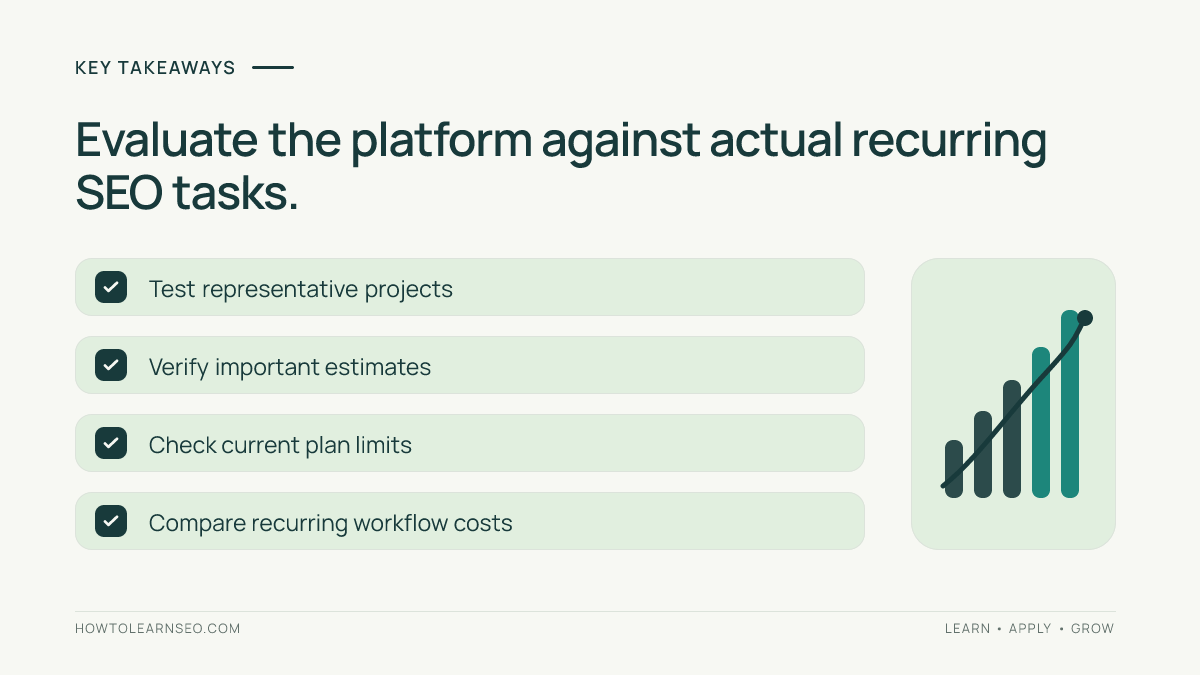
Before opening a trial, prepare one representative project and a short list of questions. Which pages are losing meaningful visibility? Which missing topics serve real customer needs? Which technical issues affect important templates? Which competitor pages are worth studying? Which numbers must appear in the next stakeholder report? A trial without specific questions usually turns into unstructured dashboard browsing.
During the trial, run one keyword investigation, one competitor-page comparison, one location-specific rank baseline, one focused site audit and one report. Save the inputs and note how each result changed your next action. Where possible, compare important findings with Google’s Search Console performance documentation and Google’s crawler guidance. These official sources help distinguish search-system behavior from vendor-specific interpretation.
Finally, score each workflow on usefulness, verification burden, repeatability and cost. If the tool uncovers relevant opportunities but the team cannot act on them, buying more data may not solve the bottleneck. If the reporting workflow saves time and the insights are routinely checked, the platform may earn its place. Make the decision using completed tasks rather than an attractive interface or an assumed return on investment.
Limitations and mistakes to avoid
The first mistake is treating modeled traffic, difficulty and visibility scores as exact measurements. The second is assuming that every audit warning is urgent. The third is building content around competitor keyword lists without checking whether the audience or page intent matches. The fourth is confusing daily rank changes with lasting organic performance. Each mistake can lead to unnecessary work even when the underlying tool is functioning correctly.
Another mistake is judging a platform entirely by one market or one keyword. Data coverage and result composition vary across countries, industries and query types. Test the locations and devices you actually care about. Check feature availability for your specific plan and date. If a feature is missing or restricted, document the limitation rather than assuming an upgrade will automatically improve outcomes.
Do not use a backlink risk score as a reason for mass disavowal, and do not present estimated competitor traffic as verified analytics. Avoid promising that an audit fix or new content cluster will produce a particular ranking. The responsible workflow is to document the hypothesis, implement a justified change and observe what happens with appropriate controls.
Final verdict: choose by repeatable work
SE Ranking is a reasonable candidate for teams seeking a connected SEO research, monitoring, auditing and reporting workflow. Its potential advantage is operational continuity: the same project can support discovery, diagnosis and recurring review. That advantage matters only when the team’s actual tasks fit the product’s available features, limits and pricing.
The strongest purchasing test is not whether the platform can display a large number of metrics. It is whether a practitioner can turn its reports into accurate, prioritized actions and then verify the results. Compare alternatives with the same project, search market and questions. If first-party tools already meet the need, there may be no reason to subscribe yet.
Use this review as an evaluation framework rather than a substitute for a current product demo. Check the official feature and pricing information before making a decision, and confirm that any promised capability is available in the plan under consideration.
Frequently Asked Questions
Is SE Ranking suitable for beginners?
It can be useful for beginners with a clear project, but start with one workflow and verify important findings in first-party tools rather than learning every dashboard at once.
Does SE Ranking show exact Google search traffic?
No. Third-party traffic and keyword metrics are estimates. Use Google Search Console and analytics data to evaluate your own observed search performance and outcomes.
Can SE Ranking replace Google Search Console?
No. Search Console provides first-party information about your property’s Google Search performance and indexing. An SEO suite offers complementary research and monitoring perspectives.
Is SE Ranking better than Semrush or Ahrefs?
That depends on your recurring tasks, markets, project limits, budget and preferred workflows. Test the same representative questions in each platform before choosing.
Can an SE Ranking audit guarantee better rankings?
No. An audit identifies possible issues. Prioritize verified problems, implement safe changes and measure results; rankings depend on many factors beyond an audit.
What should I check before subscribing?
Confirm current plan limits, tracked keywords, locations, projects, reporting, users, trial terms and cancellation conditions on the official website before paying.
Conclusion
Use SE Ranking to support an explicit research, monitoring or reporting job, not as a replacement for judgment. Start with representative queries and pages, validate meaningful findings, check current plan limits and choose the tool that helps your team take better documented actions.