Pinterest Analytics for website traffic helps site owners distinguish Pins that attract attention from Pins that actually encourage visits. Review outbound clicks, compare similar Pins over a consistent period, and check the resulting website sessions in Google Analytics 4 (GA4). Then decide whether to improve the creative, the linked article, or the measurement setup. This guide offers a practical decision workflow rather than a promise of traffic growth.
Quick Answer
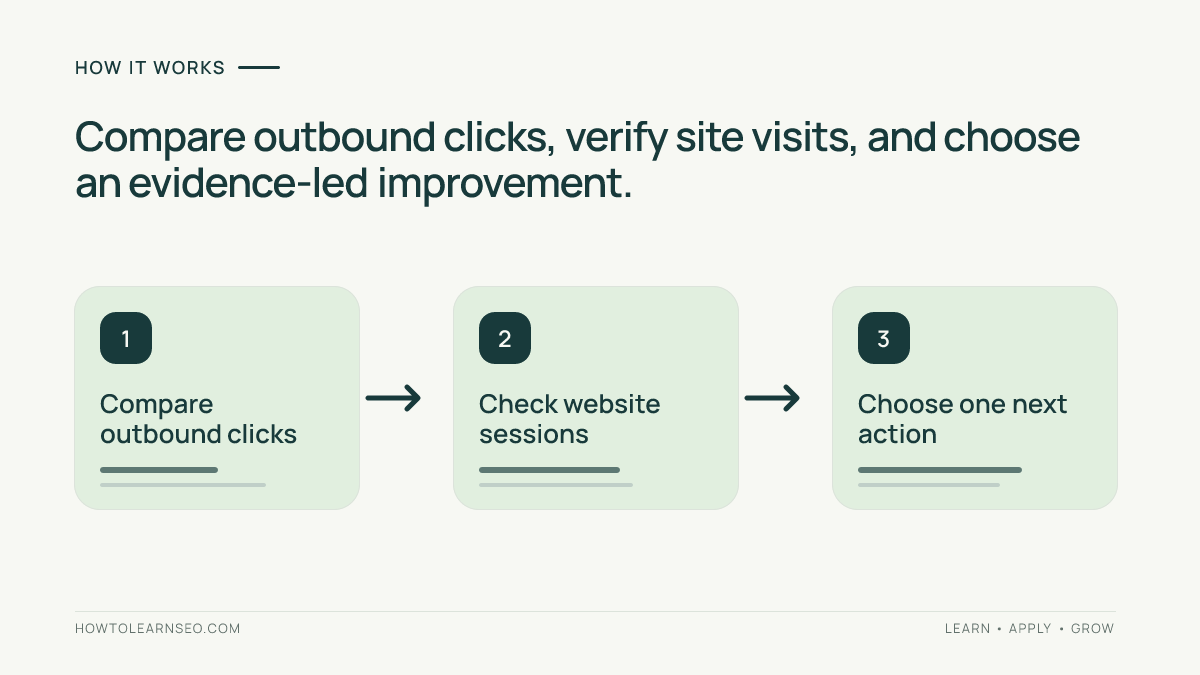
In a Pinterest business account, open Analytics and choose a consistent date range. Review outbound clicks for Pins linking to your site, recording impressions and saves as supporting context. Compare those results with Pinterest-attributed sessions and useful actions in GA4. Prioritize the Pins producing relevant visits; investigate high-visibility Pins with few clicks separately. Record one action per Pin and review again after sufficient data accumulates.
Key Takeaways
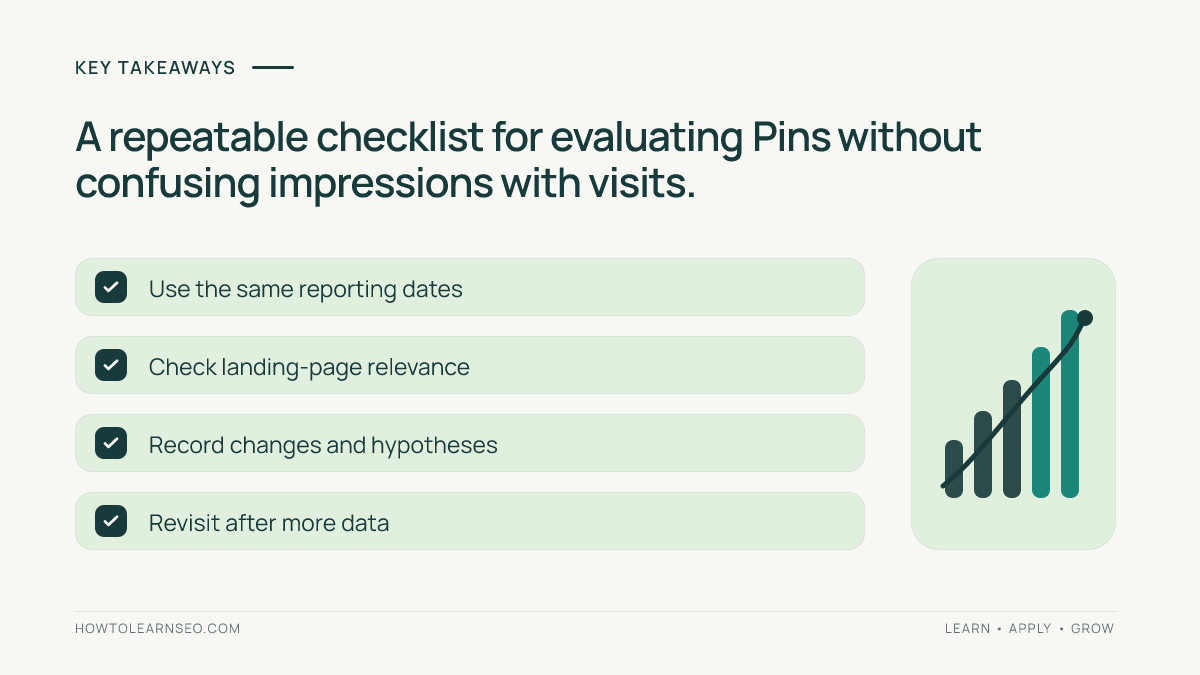
- Impressions show exposure, not completed website visits.
- Outbound clicks are the most relevant Pinterest-side traffic signal.
- GA4 sessions and engagement provide an independent website-side view.
- Compare similar reader intents and equivalent observation periods.
- Fix misleading Pin promises or poor landing pages before scaling creative production.
Prepare Your Website and Reporting Access
You need access to a Pinterest business account, its Analytics reports, and a website whose tracking you can inspect. Confirm that your important Pins link to public pages that work on mobile. Test the actual destination, not just the homepage. A redirected, missing, or inaccessible article can waste a visitor’s click even if the creative itself is effective.
Keep a list of your main website tutorials and their associated Pins. When a destination does not match its promise, follow the Pin-to-landing-page relevance audit before evaluating creative performance. If you have only a few Pins or limited impressions, use this process to establish a baseline rather than to declare winners prematurely.
Understand What Pinterest Metrics Can Tell You
Impressions and saves are not visits
An impression records display activity under Pinterest’s reporting definitions. Saves represent another kind of interaction: people choosing to store content. Both can suggest discovery or future interest, but neither proves that someone reached your site. A Pin with a beautiful image may attract saves without encouraging readers to open the linked tutorial. That is not necessarily a bad Pin; it simply serves a different observable outcome.
Outbound clicks are closer to the traffic objective
Outbound clicks indicate actions toward an external destination under Pinterest’s reporting rules. Inspect the current tooltip in your account because metric labels and availability can change. They are not identical to successfully loaded pages. Visitors may abandon a slow page or block measurement. Do not promise that each outbound click will appear as one GA4 session.
GA4 explains what happens after arrival
In GA4, review sessions, landing pages, engagement, and relevant key events associated with Pinterest referrals or campaigns. For an SEO tutorial site, a meaningful outcome might be a second article view or a newsletter signup measured with consent. A session alone does not prove the reader found the answer. Likewise, a short session does not automatically mean the content failed: some visitors find a concise answer quickly.
Step 1: Choose a Comparable Date Range
Open Pinterest Analytics and locate the available content or Pin performance report. Select a defined period, such as the last 28 complete days, and write the dates at the top of your worksheet. Use the same range for every Pin in this comparison. Record publication dates too, since a Pin published yesterday has had less time to collect activity than one published several weeks ago.
When studying seasonal content, also inspect a longer historical window if it is available. Do not mix a holiday Pin’s peak week with an evergreen Pin’s quiet week and call the difference a creative victory. If the account is small, consider collecting more data before acting on a few clicks. Consistency makes your decisions explainable later.
Step 2: Create a Simple Pin Performance Worksheet
Make columns for Pin URL, topic, destination URL, publication date, reporting window, impressions, saves, outbound clicks, and next action. Export the data if your current interface supports it; otherwise record the visible values manually. Add a custom outbound-click ratio calculated as outbound clicks divided by impressions multiplied by 100. Clearly label it as your own diagnostic calculation, not an official ranking factor or universal benchmark.
Group Pins by reader job. A tutorial on researching Pinterest keywords should not be treated as interchangeable with a seasonal checklist. Use the Pinterest keyword research tutorial to clarify audience intent before comparing performance. Add a final column for your decision: expand, improve creative, improve landing page, or monitor. Write a one-sentence reason based on evidence.
Step 3: Compare Realistic Example Data
Consider three fictional Pins observed during the same 28-day window. The numbers below are invented only to demonstrate a repeatable calculation; they are not Pinterest benchmarks or claimed test results. Pin A received 2,000 impressions and 40 outbound clicks. Pin B received 5,000 impressions and 25 outbound clicks. Pin C received 800 impressions and 24 outbound clicks. Their calculated outbound-click ratios are 2%, 0.5%, and 3%, respectively.
| Pin | Impressions | Outbound clicks | Custom ratio |
|---|---|---|---|
| A | 2,000 | 40 | 2% |
| B | 5,000 | 25 | 0.5% |
| C | 800 | 24 | 3% |
Pin A brings the largest absolute number of outbound clicks, despite having fewer impressions than B. Pin B earns exposure but appears less persuasive about visiting the website. Pin C has the highest calculated ratio but a smaller sample, so its apparent advantage could change as more people see it. These observations suggest questions to investigate; they do not establish why each Pin performed differently.
Start with absolute outbound clicks for contribution, use the ratio to explore message relevance, and verify on-site quality before expanding a design. The edge case is a Pin with ten impressions and one click: its 10% calculated ratio sounds impressive but is far too fragile to justify a strong conclusion. Always examine sample size and publication age.
Step 4: Check Website Sessions in GA4
Open GA4 traffic acquisition reporting and examine session source or session source/medium for Pinterest-related visits. If your links use UTM parameters, inspect the corresponding campaign dimensions. Align the reporting dates as closely as possible with Pinterest Analytics. The Pinterest traffic and GA4 UTM guide explains consistent campaign naming and avoids confusing tagged visits with untagged referrals.
Next, inspect landing pages and relevant engagement or key events. Where possible, isolate Pinterest-associated sessions for the specific destination. Be cautious: the same article may also receive Google Search, direct, or email visits. Avoid attributing all activity on a page to Pinterest simply because a Pin links there. Consent settings, blockers, session definitions, and attribution can explain differences between platform clicks and website sessions.
If Pinterest reports clicks but GA4 shows few visits, test the actual URL on mobile and review analytics tagging before rewriting the Pin. If the Pin itself receives impressions but few outbound clicks, consult the separate impressions-without-clicks diagnostic. These are different problems, and applying the wrong fix wastes time.
Step 5: Match Each Pattern to a Specific Action
Many clicks and useful visits
Keep the underlying article helpful and consider another original visual angle that truthfully represents it. Test a different headline emphasis, illustration, or information hierarchy without changing the destination promise. The fresh Pin creative testing guide explains how to record changes and compare designs without treating every fluctuation as proof.
Many impressions but few outbound clicks
Inspect whether the Pin communicates a specific benefit. A vague headline such as “Amazing Pinterest Tricks” tells readers little about the linked tutorial. A truthful headline such as “Compare Pin Outbound Clicks with GA4 Sessions” makes the expected result clearer. Confirm that the image remains readable on mobile and that the title and description accurately describe the destination.
Clicks but weak website engagement
Review the destination’s first screen, loading behavior, mobile layout, and content. Does the opening answer the question promised by the Pin? Are intrusive elements obscuring the tutorial? Can visitors find the steps without searching through unrelated material? Fix the page experience before generating several more Pins for a destination that does not meet visitor expectations.
Little exposure or sparse data
Monitor the Pin rather than overreacting. Correct broken links immediately, but do not infer audience preferences from a handful of impressions. Try distinct useful reader topics over time rather than repeatedly publishing nearly identical visuals. A low-data Pin is an observation awaiting evidence, not proof that its topic is worthless.
Step 6: Establish a Weekly Review Routine
Once a week, verify that important destinations work, update the worksheet using a consistent reporting period, and choose one clear improvement. Write down the hypothesis: for example, “A clearer tutorial outcome may attract more outbound clicks.” Record what changed and when. Review the result after enough new exposure has accumulated. Keep the old Pin’s historical record rather than replacing it with the new design’s data.
For landing-page edits, note the date and the exact section improved. A rise in engagement after editing may be encouraging, but other traffic changes can occur simultaneously. Do not claim causation without a suitable comparison. This disciplined routine is useful even when your site has little traffic because it separates observation from assumption and prevents impulsive redesigns.
Common Mistakes to Avoid
- Calling impressions or saves website visits.
- Expecting Pinterest clicks to match GA4 sessions exactly.
- Comparing Pins with unrelated search intents or different observation windows.
- Trusting a high custom ratio from a tiny sample.
- Changing the Pin and destination together without documenting either change.
- Assuming an attractive Pin can rescue an irrelevant or inaccessible article.
Check Pinterest Business and the Pinterest Help Center for current Analytics terminology and account requirements. Use Google Analytics Help for GA4 metric definitions. These official resources are more dependable than old screenshots or unsupported claims about hidden recommendation algorithms.
Pin-Ready Hooks for This Tutorial
Three distinct visual concepts could communicate the article’s value: “Which Pins Actually Bring Visitors?”, “Impressions vs Outbound Clicks”, and “Check Your Pinterest Results in GA4.” Each should link to this tutorial only if its headline and graphic match the content. These are ideas for later creative work, not Pins already generated or scheduled.
Frequently Asked Questions
Which Pinterest metric is best for website traffic?
Outbound clicks are the closest Pinterest-side signal for visits toward an external site. Verify actual observed sessions and meaningful actions in GA4.
Why do outbound clicks and GA4 sessions differ?
Clicks and sessions use different definitions. Page loading, consent, blockers, tagging, and attribution can also affect what each tool records.
Should I prioritize saves or outbound clicks?
For a website-traffic objective, start with outbound clicks and visit quality. Saves can indicate interest but do not demonstrate completed visits.
How frequently should I review Pinterest Analytics?
A weekly review using a consistent reporting window is a useful starting point. Adjust frequency to the volume and reliability of your data.
Can a new Pin be compared with an older one?
Yes, cautiously. Record publication dates and observation periods, and prefer similar-age cohorts when testing different creative approaches.
Does a high outbound-click ratio guarantee success?
No. A ratio can look high on very little data, while useful website traffic depends on actual visits and the experience after arrival.
Conclusion
Pinterest Analytics for website traffic is most useful when it leads to a specific decision. Compare outbound clicks fairly, examine website-side results, identify the weak point in the visitor journey, and make one documented improvement. Repeat the review without mistaking exposure for qualified traffic or treating an illustrative calculation as a platform benchmark.