
A WordPress table of contents should help readers scan a long page and jump to the section they need. A reliable audit verifies the heading outline, anchor destinations, crawlable links, keyboard and mobile behavior, and the rendered page. It also prevents links to missing or duplicate section identifiers.
Quick Answer: How Do You Audit a WordPress Table of Contents?
Choose a representative long article, map its headings, and compare that outline with every table-of-contents link. Click each link on desktop and mobile, inspect the rendered anchors, and test keyboard navigation. Repair the heading or generator that owns the error, clear caches, and retest. A good table of contents improves orientation and access to sections, but it does not guarantee rankings, featured snippets, or an AI citation.
What You Need Before Testing
- A public long-form article and a staging copy for changes.
- Editor access plus access to the plugin, theme, or custom block that creates the list.
- A desktop and narrow mobile viewport.
- A browser inspector for checking links and section identifiers.
- A record of each issue, owner, priority, and retest result.
First identify how the list is produced: manually, by a plugin, by a theme, or from heading blocks. WordPress explains that headings organize page sections and that the editor’s document overview shows the outline. Do not install a second generator before checking what already exists.
Plan the Expected Outline
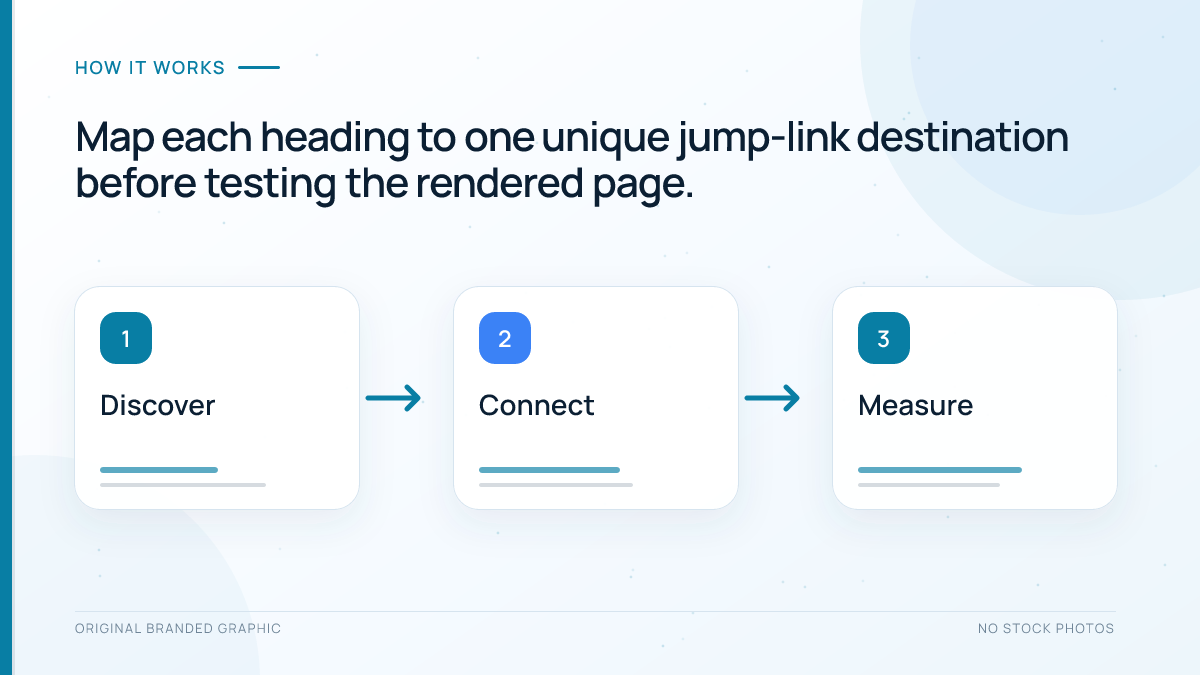
Write the intended section order before testing links. The list should summarize the article, not reproduce every label. Include major H2 sections and selected H3 items only when they distinguish substantial subsections. The heading tags guide explains the hierarchy.
| Section | Include in the list | Reason |
|---|---|---|
| Quick answer | Usually yes | Direct route to the core response |
| Major audit step | Yes | Represents a distinct reader task |
| Short explanatory H3 | Optional | Include only when it improves choice |
| Frequently asked question | Usually no | A long nested list can become noisy |
W3C’s in-page navigation guidance describes a table of contents as a useful outline whose links jump to heading anchors. It commonly belongs in a navigation landmark so assistive technology users can find it. Keep its label specific, such as On this page, when another main navigation menu is present.
Audit the Headings and Jump Links
Compare list text with heading text
Each link should set an accurate expectation. Shortening a long heading is acceptable when the meaning remains clear, but vague labels such as Details or More weaken scanning. The link order should follow the reading order. If an H3 appears before its parent H2, repair the heading outline rather than rearranging only the visible list.
Check every destination identifier
Click each entry and confirm that the browser moves to the correct section. Inspect the link destination and the matching heading identifier. Identifiers must be unique on the page. Duplicate identifiers can send two links to the same section, while a stale identifier may leave the URL fragment changed without moving the reader.
Confirm links are crawlable
Google’s link guidance recommends standard anchor elements with destinations in the href attribute. A script-only control may work for some visitors but is less dependable as a link. The destination can be a fragment on the same page, while the visible wording should remain descriptive. For broader wording decisions, use the anchor text guide.
Test the Reader Experience
Use the keyboard to reach the table and activate several entries. Focus should remain visible, and destination headings should not disappear beneath a sticky header. If they do, adjust shared scroll spacing rather than adding empty paragraphs.
Repeat the test on a narrow screen. The list may wrap, collapse, or scroll, but its control must remain understandable. If it begins collapsed, the label should explain what opens. Test a compact design before hiding it on mobile.
Check the browser’s back button after following a jump link. The page should return predictably. If the generator uses scripting, confirm that content remains present and important navigation does not depend on a fragile interaction.
Worked Example and Prioritized Repair
Consider an illustrative WordPress tutorial with six H2 sections. Its generated list contains five entries because a renamed heading kept an old cached link. Two different H2 headings share the identifier audit, and a sticky header covers the destination text on phones. The list also includes nine FAQ questions, making the mobile panel longer than the article introduction.
- High priority: create unique, stable identifiers and update the stale link so every destination works.
- High priority: clear page and CDN caches, then inspect the rendered page rather than trusting the editor preview.
- Medium priority: add scroll spacing so each target heading remains visible below the sticky header.
- Medium priority: limit the list to the six primary sections and keep FAQs discoverable under their own heading.
- Verification: retest mouse, keyboard, mobile, copied fragment URLs, and the browser back button.
This repair improves navigation and removes technical contradictions. It does not demonstrate a ranking gain. Measure outcomes separately: technical checks confirm working links, behavior data may show section use, Search Console reports organic performance, and conversions measure business value.
Troubleshoot Common Problems
- Two tables appear: disable one plugin, theme option, or manual block on staging.
- Links break after edits: regenerate the list or preserve stable identifiers when headings change.
- The wrong heading opens: search the rendered HTML for duplicate identifiers.
- Targets hide under the header: correct scroll spacing in shared styles.
- The list is too long: include major tasks instead of every nested heading.
- JavaScript builds the list late: inspect the rendered document and ensure links use valid destinations.
A table of contents supports navigation inside one document. It does not replace contextual links to other useful pages, which are covered in the internal linking guide. Add this test to the final checks in the SEO-friendly blog workflow.
Search and AI Limitations
Clear headings, textual content, and crawlable links are sound web practices, but a table of contents is not special AI markup. Google’s current AI features guidance says no additional technical requirements or special schema are needed beyond normal Search eligibility. Do not add invented TableOfContents schema or claim that jump links force a passage to be quoted.
You can verify crawlability, rendered headings, and working jump links. You cannot infer an AI mention from a crawler visit, URL fragment, or normal impression. Evaluate content usefulness and identifiable outcomes separately.
Frequently Asked Questions
Does every WordPress article need a table of contents?
No. A short page with only a few obvious sections may not benefit from one. Use a table of contents when readers need help scanning or jumping through a long resource. The decision should follow the page structure and reader task, not an arbitrary word-count rule.
Should every heading appear in the table of contents?
No. Include the major sections and only those subsections that materially help readers choose a destination. Listing every small heading can make the navigation harder to scan, especially on phones. Keep the order aligned with the article and preserve the real parent and child relationships.
Can changing a heading break an existing jump link?
Yes. Some generators rebuild the destination identifier from the heading text, while manual links may keep the old fragment. After renaming a heading, click the corresponding entry and test any copied section URL. Stable custom identifiers can reduce breakage when editors understand how they are maintained.
Does a table of contents require structured data?
No special structured data is required for an on-page table of contents. Use semantic headings, a clearly labelled navigation region when appropriate, and normal links to unique section destinations. Do not invent schema or assume that valid markup guarantees a special Google or AI search treatment.
Do jump links improve AI search visibility?
Jump links can improve navigation and make a long page easier to explore, but they do not guarantee an AI mention or citation. Google says AI search features use normal Search foundations and require no special schema. Focus on useful content, clear structure, crawlability, and honest measurement.
Conclusion
A dependable WordPress table of contents mirrors the real heading outline, uses descriptive crawlable links, reaches unique destinations, and works with keyboard and mobile navigation. Audit the rendered page, repair the component that owns the error, and retest after heading, plugin, theme, or cache changes without promising a ranking or AI-visibility result.