To research Pinterest keywords for website traffic, connect real search language to a useful destination page, validate intent, and measure actual visits. This guide explains a repeatable Pinterest keyword research workflow for bloggers and website owners without inventing search volumes or algorithm promises.
Quick Answer
To do Pinterest keyword research for a website, start with a specific reader problem, collect search phrases from Pinterest’s own search interface, compare their relevance with Pinterest Trends where available, and group them by intent. Assign one primary phrase to each useful article and Pin concept. Write a clear title and description that match the destination page, then monitor outbound clicks and engaged visits rather than judging success from impressions alone.
This method is deliberately qualitative. Pinterest autocomplete suggestions and Trends patterns are research clues, not verified monthly search volumes or guarantees of distribution. A phrase that sounds popular may still bring the wrong visitor if your page cannot answer the question.
Key Takeaways
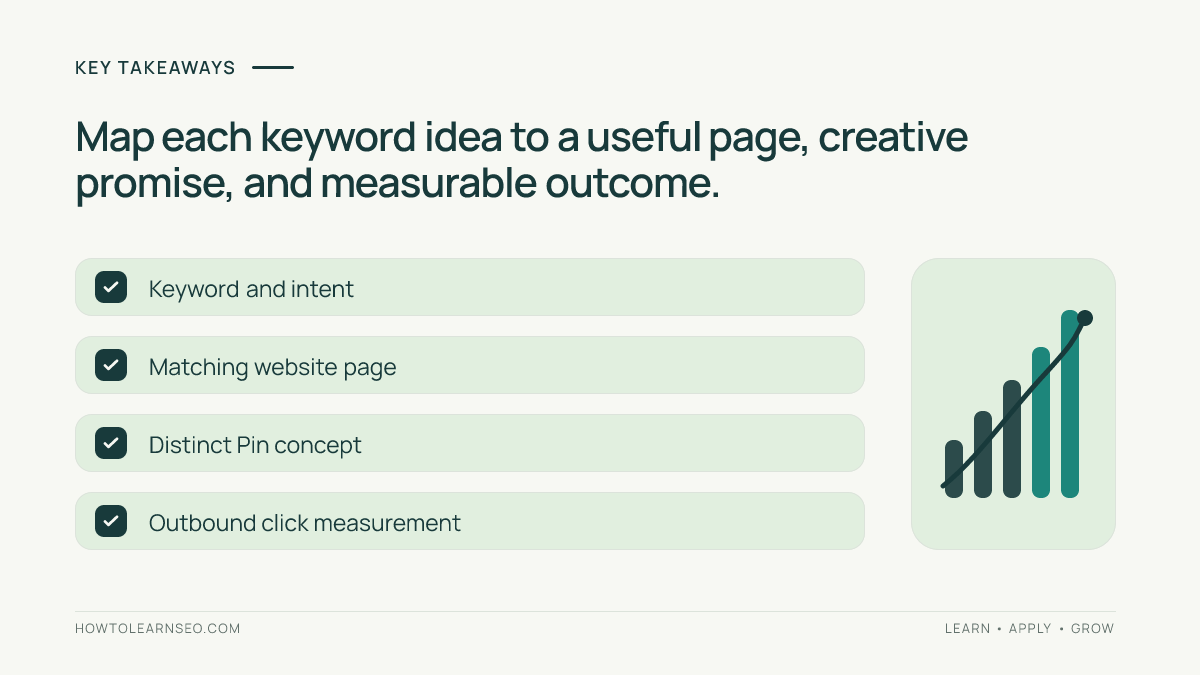
Choose keywords around tasks that your website genuinely solves, not around broad interests that merely attract saves. Keep a worksheet recording the candidate phrase, search intent, destination URL, proposed Pin angle, evidence source, and review date. Use Pinterest Trends to compare relative interest where the feature supports your market and query. Create original Pins with accurate descriptions, and check website sessions and useful actions after publication.
Start With the Website Page, Not the Pin
Open the exact article you want to promote and write a one-sentence promise: what can a visitor do after reading it? For example, an article teaching UTM tracking promises to help website owners identify Pinterest referrals in GA4. That is much narrower than a generic promise to grow on social media. A narrower topic makes the Pin easier to explain and helps visitors understand what they will receive.
List three reader questions that the page answers. For a Pinterest analytics tutorial, those might be how to label campaign links, where to find referral sessions, and how to distinguish impressions from outbound clicks. These questions are candidate keyword themes, but not yet confirmed phrases. Check whether the existing article genuinely addresses each one. If not, do not advertise that benefit.
If your page is a broad beginner guide, choose one focused subsection for the Pin rather than stuffing several unrelated keywords into a single headline. The destination still needs to answer the focused promise without requiring visitors to search the page for a hidden answer. For related planning, see our first-month Pinterest SEO workflow.
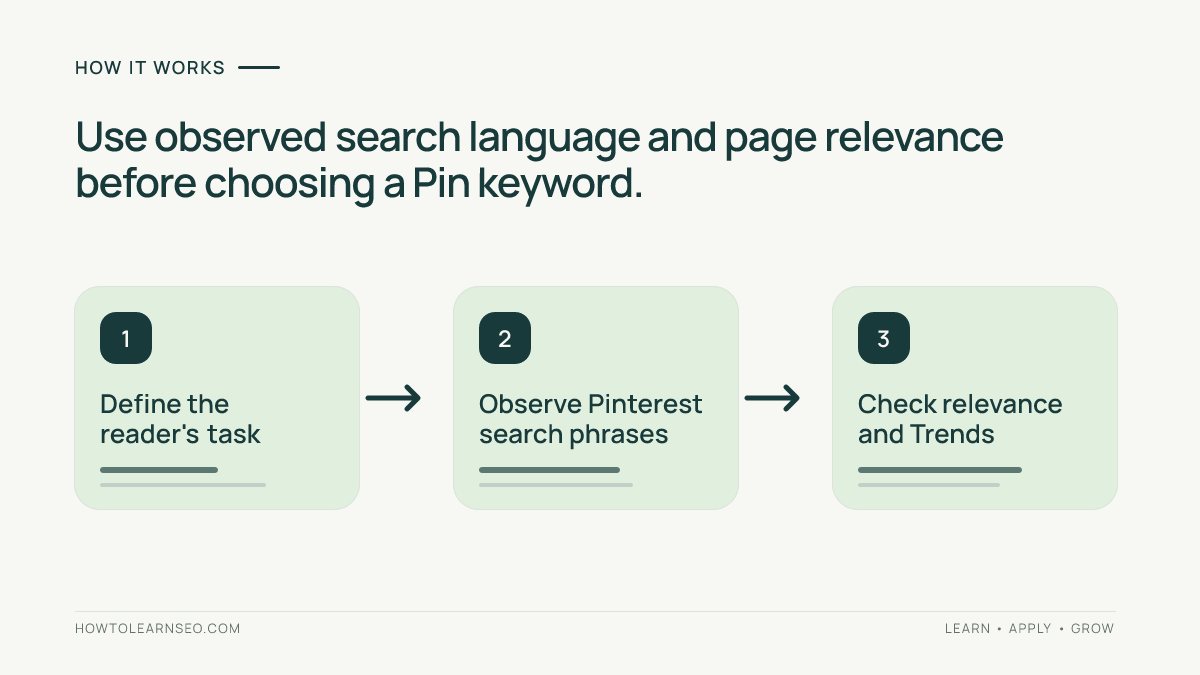
Collect Candidate Queries From Pinterest Search
Use Pinterest search as a research surface. Enter a seed phrase that reflects the reader’s task, such as “Pinterest website traffic,” and note any suggestions actually displayed. Repeat with a narrower variant such as “Pinterest traffic analytics.” Suggestions can vary by location, account context, device, and time; never present a phrase as an autocomplete result unless you personally observed it during research.
Record the wording exactly, including whether it describes a question, checklist, template, or example. Do not assume the suggestion is a high-volume query. It is simply a clue that may help you speak the audience’s language. Avoid collecting dozens of barely different phrases; five to ten distinct candidate intents are more useful than a huge list of synonyms.
Inspect the visible results for a few candidates. Ask whether the dominant Pins are educational guides, templates, product inspiration, or something else. If the result page emphasizes printable planners while your article is a technical GA4 tutorial, the phrase may be a poor match despite sharing the word Pinterest. Save observations with dates because search interfaces and results can change.
For each phrase, note one of three decisions: use for this page, reserve for another article, or reject as irrelevant. That decision prevents a keyword list from becoming an excuse to create duplicate pages. The Pin title and description guide explains how to translate an approved phrase into useful reader-facing copy.
Use Pinterest Trends Without Inventing Search Volume
When accessible, open Pinterest Trends and check whether the tool provides relevant results for your target geography and phrase. Compare related topics and examine the displayed period rather than treating one short spike as a permanent opportunity. The interface, available countries, and features may change; record what you can actually see instead of describing unavailable filters.
Trends data is a relative signal. A rising curve does not reveal an exact number of searches, expected clicks, or competition level. Nor does it prove that your specific article will rank in Pinterest search. Use it to decide when a seasonal angle deserves attention and whether the language fits the audience, not to manufacture forecasts.
For an evergreen article, prefer a durable problem that remains relevant outside a seasonal peak. If a trend is clearly seasonal, prepare the article and original creative before the likely interest window, but avoid claiming that a particular number of days in advance is universally optimal. Track the actual publication date and subsequent results to refine your own planning.
When Trends does not return useful information, record “no usable Trends signal” and continue using search observations, audience questions, and page relevance. Lack of a trend chart is not proof that a keyword has zero demand. The correct decision may be to test one highly relevant Pin and learn from real traffic rather than discard a helpful tutorial.
Map One Intent to One Landing Page
Create a worksheet with columns for candidate phrase, reader intent, landing page, primary promise, Pin concept, evidence, and status. For example, “track Pinterest traffic in GA4” belongs to a tracking tutorial, while “Pinterest board planning” belongs to a board-organization tutorial. These topics can support each other, but they should not be collapsed into one vague landing page.
Use a simple rule: if two candidate phrases require essentially the same answer and the same reader task, treat them as one intent group. If they require different instructions or deliverables, separate them. That is an editorial judgment, not a numerical keyword-difficulty formula. Keep the original URL stable when the page already satisfies the need; do not create a near-copy solely to target a spelling variation.
Consider this illustrative example. Input: a tutorial about UTM parameters and three candidates—“Pinterest referral tracking,” “Pinterest board ideas,” and “GA4 Pinterest sessions.” Action: assign the first and third to the tracking article, but reserve board ideas for a separate page. Expected result: a Pin that promises a tracking walkthrough and links directly to the matching guide. Verify by opening the destination and confirming that the first screen makes the tracking task obvious.
Edge case: a Pin about “free Pinterest analytics templates” should not link to the tracking tutorial unless it actually contains a usable template. A technically related article is not enough. If the promise and page differ, revise the Pin angle or improve the page before publishing. For a practical relevance checklist, consult our Pin-to-landing-page audit.
Turn Keyword Research Into Two Distinct Pin Concepts
Once the phrase is approved, create two original visual concepts with genuinely different learning hooks. One might show a compact three-step workflow; another might show a diagnostic checklist. Both can link to the same useful article when each accurately represents a distinct part of it. Changing only a background color while recycling the same message is not a meaningful content strategy.
Write the Pin title for comprehension before optimization. A specific title such as “Track Pinterest Visits in GA4” is clearer than “Secret Pinterest Traffic Hack.” Use the description to explain what the visitor will learn, naturally mentioning relevant terms without repeating the same phrase mechanically. A call to action can invite readers to follow the tutorial on your website, but should not imply instant results.
For design decisions, use our fresh Pin design testing guide. Make labels legible on mobile and ensure that screenshots or diagrams are accurate. Do not invent screenshots of Pinterest reporting interfaces. Original instructional graphics can often communicate a workflow more clearly than an imitation dashboard.
A Pin-ready hook for this tutorial is: “Stop guessing which Pinterest keywords fit your blog. Match search intent, Trends clues, and your landing page before designing the Pin.” A second concept could emphasize the worksheet: “Five columns that turn Pinterest keyword ideas into relevant website visits.” These are creative briefs, not claims that Pins have been produced or scheduled.
Publish, Measure, and Improve the Keyword Map
Before publishing, open the destination URL on a phone, check that it loads, and compare its heading with the Pin’s promise. Confirm that the link goes to the intended page rather than the homepage. Add consistent UTM parameters when campaign-level attribution is needed, taking care not to create broken or duplicate destination URLs. Keep a record of the original Pin and its final link.
Use Pinterest Analytics, where available, to review impressions, saves, and outbound clicks. These measures answer different questions: impressions describe exposure, saves describe a form of interest, and outbound clicks indicate attempts to visit an external destination. In GA4, examine sessions and engagement from Pinterest-related traffic, recognizing that attribution, consent, redirects, and reporting delays can affect the numbers.
Our Pinterest GA4 and UTM walkthrough explains the measurement setup. Compare a reasonable observation window with your own prior baseline, not with an invented industry benchmark. If impressions rise but outbound clicks remain weak, check the creative promise and audience fit. If outbound clicks appear but GA4 sessions are unexpectedly low, inspect redirects, tags, consent, and reporting configuration before declaring the keyword a failure.
Change one meaningful variable at a time, such as the Pin hook or the landing-page introduction, and record the change date. Organic distribution is variable, so a small test cannot isolate every cause. Still, a disciplined change log is more useful than repeatedly rewriting every title after one quiet day. The goal is a growing library of relevant pages and clear creative experiments, not a promise of viral traffic.
Common Mistakes and a Practical Review Checklist
The first mistake is equating search suggestions with measured volume. The second is chasing a trending phrase that the destination article does not answer. The third is assigning several unrelated intents to one Pin description. The fourth is interpreting impressions as website traffic. Each mistake is avoidable with a simple evidence column and a prepublication page check.
Review the keyword worksheet monthly or after meaningful new data arrives. Remove unsupported claims, merge synonyms, update changed links, and mark seasonal ideas for later review. Retain rejected ideas with a short reason so another editor does not repeat the same investigation. Avoid claiming that Pinterest is a guaranteed backlink or ranking source; a Pin link and an editorial backlink are not interchangeable.
A useful release checklist asks: Is the reader job clear? Does the landing page solve it? Is the phrase supported by actual observation or explicitly marked as a hypothesis? Does the Pin headline accurately describe the page? Is the link functional? Are the planned measurements defined? If any answer is no, fix the mismatch before publishing.
For platform-specific guidance, consult Pinterest Help and Pinterest Business. For reporting definitions and attribution behavior, consult Google Analytics Help. These primary sources should take precedence over unsupported advice about hidden algorithms or universal posting formulas.
Frequently Asked Questions
Does Pinterest autocomplete show monthly search volume?
No. Suggestions can help identify wording and possible intent, but they do not provide verified monthly search counts. Record them as qualitative clues.
Can I use Pinterest Trends for every country?
Availability and supported features vary. Check the current interface for your target market, and do not assume that a missing chart means zero interest.
Should several keyword variations have separate blog posts?
Not when they serve the same reader task. Group close synonyms around one useful page, and create separate posts only when the required answer differs materially.
How many keywords should I put in a Pin description?
There is no universal ideal count. Write a clear description that accurately explains the linked page and includes relevant language naturally without repetitive stuffing.
Do Pinterest impressions count as website visits?
No. Impressions reflect Pin exposure, while outbound clicks and website analytics help assess visits. Reporting differences can occur because of attribution and tracking conditions.
When should I change an underperforming Pin?
First check that the link works, the promise matches the page, and the reporting window is meaningful. Then test one substantive creative or message change and document it.
Conclusion
Pinterest keyword research works best when it starts with a useful website page and ends with measurable reader outcomes. Collect real query clues, interpret Trends cautiously, group phrases by intent, and make each Pin promise match its destination. Revisit the worksheet as evidence accumulates. That process produces a defensible content plan even when exact keyword volume or ranking forecasts are unavailable.