To optimize location pages for multi-store SEO, publish accurate and useful pages for genuine branches, connect them through accessible navigation and maintain their information as the business changes. This guide shows how to plan, launch and verify the pages without creating doorway content.
Quick Answer
To optimize location pages for a business with multiple physical stores, create one useful page for each genuine branch. Display its accurate name, address, phone number, hours, available services and directions. Link every branch from a crawlable store finder, keep business listings consistent, and verify the pages on mobile. Avoid generating pages for cities where no real store exists. The objective is to help a customer confidently choose and visit the right branch.
Key Takeaways
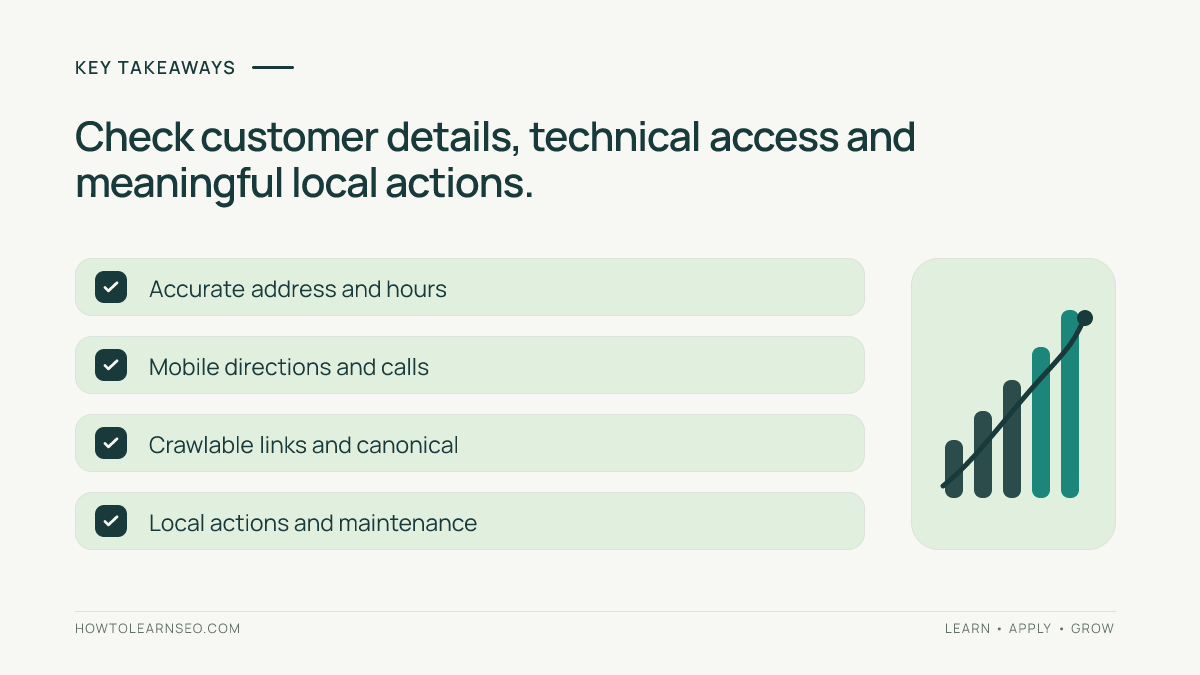
Start with an approved store inventory. Give every genuine branch a stable URL and unique useful details. Keep opening hours, contact information and available services correct. Connect location pages through navigation that works without a map interaction. Use accurate structured data when appropriate. Check indexability, canonical signals and mobile access. Measure useful actions such as directions or booking clicks, but do not confuse clicks with completed store visits. Maintain a process for updates and closures.
Prepare an authoritative store inventory
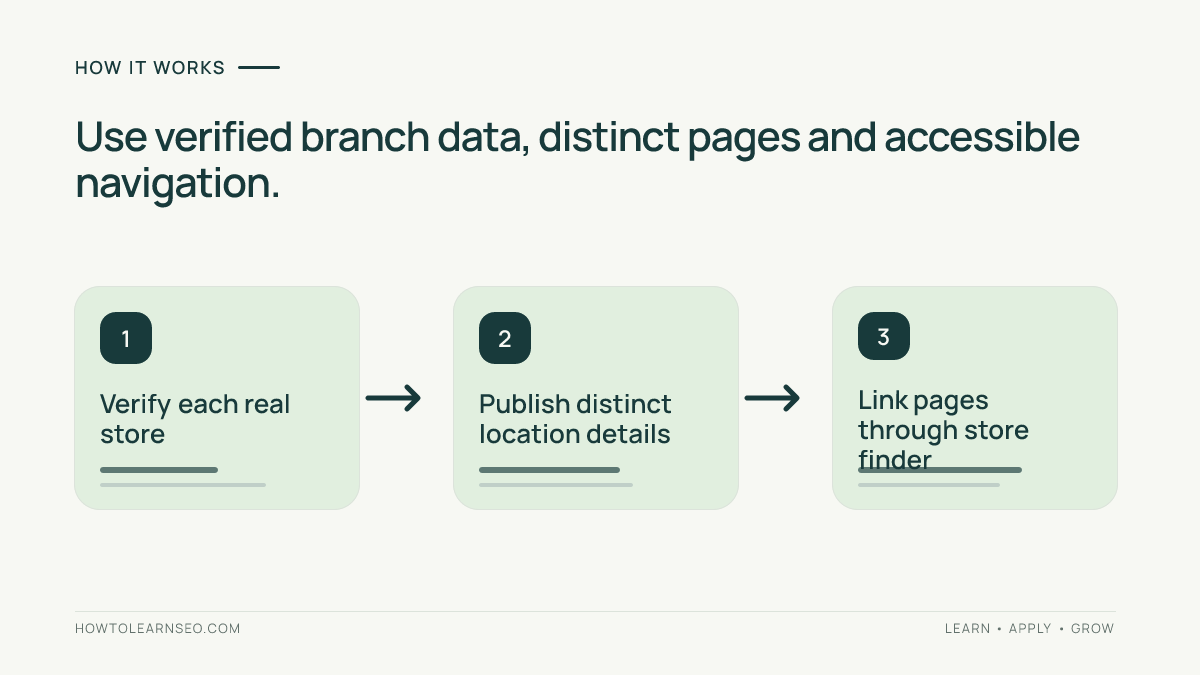
Before editing the website, ask operations staff to verify the active branches. Record each location’s public name, complete address, phone number, hours, available services, appointment requirements and store identifier. Include parking and accessibility information when confirmed. Mark temporarily closed and relocating branches separately. Assign an owner who can approve changes. This source of truth prevents conflicting details across the website and local listings. A service-area business without a customer-facing storefront needs a different approach; see our service-area page guide. Do not invent addresses to target more towns. Confirm whether branch details are maintained manually or can be populated safely from a central database.
Create one useful URL per real branch
Use stable URLs such as /stores/northside/ and /stores/riverside/. Each URL should represent a distinct physical branch, not a different keyword spelling. If two stores share a city, distinguish them with a neighborhood or recognizable shopping center. Preserve useful existing URLs where possible and plan relevant redirects when a branch moves. Avoid publishing dozens of near-identical city pages with no local presence. Google discusses doorway practices in its search spam policies. A good location page answers where the business is, what customers can do there and how they can contact it. It should never pretend to be a separate business when it is not.
Place essential details above the fold
Display the branch name, full street address, phone number and current hours near the beginning of the page. Include a directions link, and explain whether customers can walk in or must book. Use tappable phone links on mobile and selectable address text. If the store is inside a mall, mention the correct entrance, floor or parking area when verified. Do not rely only on an embedded map because it may load slowly or be inaccessible. Keep temporary changes visible and maintain them promptly. Accurate practical information is more useful than a long promotional introduction. Test that a visitor can find the address and start navigation without searching through a complicated page.
Write content specific to that location
Explain what makes each branch useful. A bicycle retailer might offer repairs at Riverside but only retail sales at Northside. A clinic might have different practitioners and booking options at each address. Mention real nearby landmarks only when they help visitors find the entrance. Avoid inserting city names into generic paragraphs or inventing unique features. National policies can remain consistent across branches, but local information must reflect the actual location. Where relevant, include verified photographs showing the storefront, entrance or facilities. Our local SEO introduction explains the broader relationship between website content and local discovery. Write for someone preparing to visit, not just for a crawler.
Build an accessible store finder
Create a central locations directory organized by region, city or another intuitive grouping. Each result should contain a normal link to its location page. A map can enhance the experience, but users should not need to click pins to reveal every store URL. Provide meaningful anchor text such as Riverside bicycle shop instead of repeating click here. Check that location links are present in rendered HTML and accessible to keyboard users. For a large network, avoid adding hundreds of branch links to every page footer. Regional directory pages can keep navigation manageable. Our internal linking tutorial explains why reliable navigation paths matter. Test the store finder on mobile, where many local searches happen.
Align listings with website information
Review the corresponding Google Business Profile for each eligible branch. Confirm that its address, public name, hours, contact details and website link agree with approved records. Do the same for other important business listings where appropriate. Google’s business representation guidelines explain eligibility and naming considerations. Do not add keywords to the official business name simply to influence visibility. When a store closes or moves, update both the website and the listing records. Our Business Profile checklist covers the listing workflow. Consistency helps customers reach the correct place, but no single update guarantees a local ranking improvement.
Add appropriate local structured data
If structured data fits the page, choose a relevant LocalBusiness type and supply only information that accurately describes the visible store. The address, phone and opening hours should come from the same verified records used on the page. Do not fabricate ratings, reviews or services. A shared template must populate each branch with its own details rather than copying the headquarters address everywhere. Test representative rendered pages and correct template-level errors before scaling. Google’s LocalBusiness structured-data documentation provides supported implementation guidance. Structured data helps clarify content, but valid markup does not guarantee a special search appearance. Customer-facing accuracy takes priority over passing a test with invented values.
Worked example: three bicycle stores
Imagine a fictional bicycle retailer with Northside, Riverside and Central branches. Its old website lists all three addresses on one page. Input: a verified spreadsheet containing each branch’s address, hours, repair availability and contact information. Decision rule: create a separate page only for an actual branch with useful local facts. Action: publish /stores/northside/, /stores/riverside/ and /stores/central/, connect them through the directory and display each store’s verified services. Expected result: visitors can select a suitable store and get accurate directions. Verification: open each page on mobile, test the phone and directions links, inspect rendered addresses and check the directory links. Edge case: Riverside temporarily stops repairs. Update its page and listings immediately rather than leaving a misleading promise. This is an illustrative scenario, not a measured case study.
Verify indexability and canonical URLs
Check that each intended location page returns a successful response, is not unintentionally marked noindex and declares an appropriate canonical URL. Review sitemap entries and internal links for obsolete addresses. If a store page redirects, confirm the destination actually serves the same customer need. Do not redirect every closed branch to an unrelated homepage without considering whether a closure notice would be more helpful. When JavaScript loads store details, inspect the rendered page and confirm that important text and links remain accessible. Test a representative sample across templates and regions. Google’s canonicalization guidance explains how preferred URL signals work. A canonical declaration is a hint, not an indexing guarantee.
Test mobile usability and accessibility
Open the page on a real mobile viewport. Confirm that the address, opening hours, call action and directions link remain visible and usable. Buttons should be easy to tap, and maps or booking widgets should not cover essential information. Provide text alternatives for useful store photographs and accessible labels for interactive controls. Keep images appropriately sized and limit unnecessary scripts. A page can look attractive on a desktop yet fail customers trying to find an entrance while traveling. Test with slow connectivity where practical. The most important result is a visitor who can understand the branch details and complete the next step without frustration.
Measure outcomes without inventing certainty
Use Search Console to review visibility and clicks for relevant location URLs, recognizing that some query information is limited. Use correctly configured analytics to observe calls, directions clicks or booking actions. A directions click is not proof of an actual store visit, and a phone tap is not proof of a completed conversation. Compare similar periods and annotate closures, promotions and seasonal changes. A small branch may attract fewer visits but still serve its neighborhood well. Our advanced GA4 review explains tracking and attribution limitations. Focus on meaningful customer outcomes alongside visibility, not a single ranking position.
Maintain pages when branches change
Assign a responsible team member to update hours, services, phone numbers and temporary closure notices. Review the store directory and representative location pages after major operational changes. If the business has many branches, prioritize incorrect details and broken contact actions before polishing minor wording. Keep a change log with the affected location, approved update, owner and verification result. For a permanently closed store, decide whether an informative notice or relevant redirect best serves former customers. Avoid silently leaving outdated hours online. Accurate maintenance protects both the visitor experience and the usefulness of the website’s local information.
Mistakes to avoid during rollout
Do not publish fake location pages for neighboring cities. Do not reuse the same generic paragraph with only a place name changed. Do not copy unverified addresses from directories. Avoid hiding all store links behind a map widget. Do not add fabricated reviews or services to structured data. Do not judge every branch by one traffic threshold. Do not assume a valid canonical tag guarantees indexing. Most importantly, do not scale the template until the source records, mobile experience and store-finder links work reliably. A smaller set of correct pages is more useful than a larger collection of misleading ones.
Launch checklist and acceptance criteria
Before launch, verify the store inventory, unique URLs, visible branch details, accurate hours, local services, accessible directory links and mobile directions. Inspect indexability, canonical signals and structured data where relevant. Test the live pages after publishing and record the release date. The acceptance criterion is straightforward: a customer can identify the right real branch, contact it and reach it using accurate information. Monitor meaningful actions and review records after changes. If a branch fails the checklist, correct the underlying data or template rather than adding more SEO copy. This process scales to a larger network without sacrificing accuracy.
Frequently Asked Questions
Should every store have its own location page?
A genuine customer-facing branch usually benefits from its own useful page with accurate details and clear navigation.
Can I create pages for cities without a store?
Do not present nonexistent branches as physical locations. Use honest service-area information when applicable.
Do all location pages need different content?
Include genuinely different branch details such as services, access instructions and opening hours rather than swapping city names.
Does LocalBusiness schema guarantee local rankings?
No. Accurate structured data can clarify information, but it does not guarantee a ranking or special search feature.
What happens when a branch closes?
Update the website and listings promptly, then choose an appropriate closure notice or relevant redirect.
How can I measure location page success?
Review search visibility alongside properly tracked calls, directions or bookings, while recognizing that these actions are not completed visits.
Conclusion
Good location pages help customers choose and visit a real branch. Start with verified store data, build distinct pages and a useful directory, then test mobile access, indexability and contact actions. Maintain the details over time. Accuracy and customer usefulness matter more than generating large numbers of city pages.