Google Trends for SEO is a free way to study relative interest, seasonality and emerging search questions. It helps content teams decide when a subject matters and whether public interest is changing, but it does not reveal absolute monthly keyword volume or organic ranking difficulty. Used carefully, Trends adds context to keyword research without replacing it.
Quick Answer
Use Google Trends for SEO by comparing relevant search terms or topics, selecting the target region and time window, inspecting recurring seasonal patterns, and reviewing related top and rising searches. Record the filters and compare findings with search intent and reliable keyword data when available. Treat a Trends score as relative interest, not search volume. Start with our keyword research guide for the broader workflow.
Key Takeaways
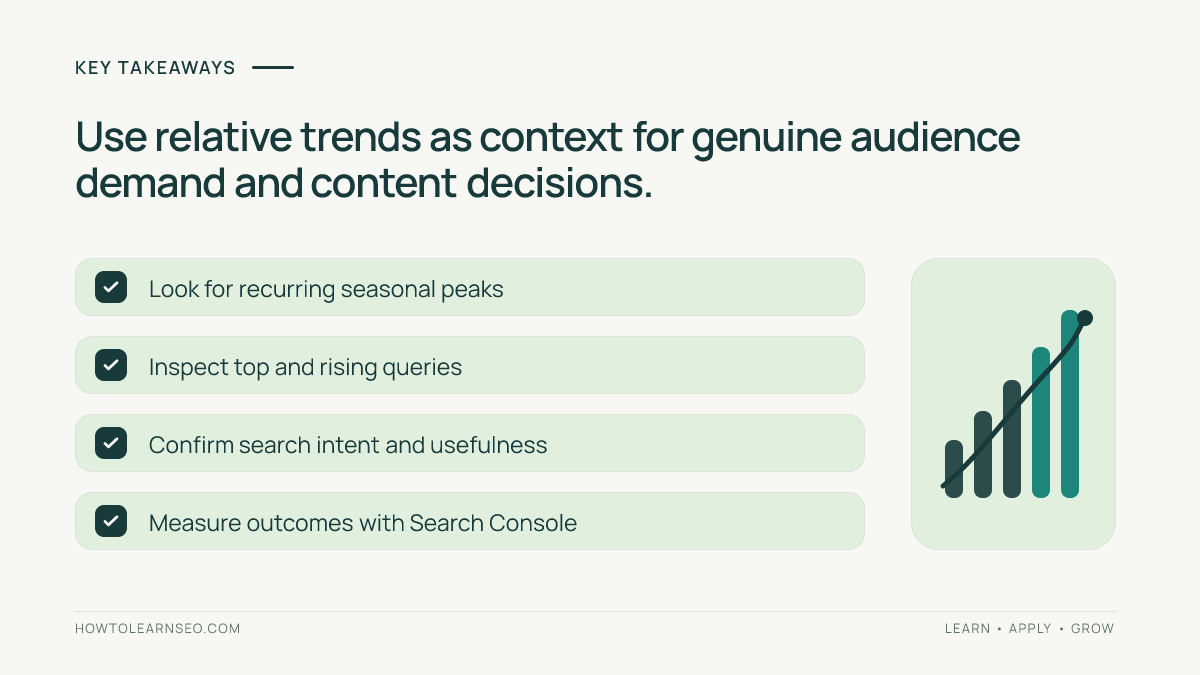
- Google Trends uses a normalized 0–100 index, not monthly volume.
- Region, timeframe, search type and term-versus-topic selection change interpretation.
- Recurring spikes can support publishing calendars and seasonal updates.
- Rising queries are prompts for research, not automatic article assignments.
- Validate usefulness, intent and competition before committing to content.
Understand what the 0–100 scale actually measures
Google Trends samples search requests and normalizes interest against all searches in the selected geography and time range. The points are then scaled so the comparison’s relative peak is 100. Google’s Trends data FAQ explains why equal index values across regions do not imply equal numbers of searches. The index is most useful for direction and relative patterns within a carefully defined comparison.
A score of 50 does not mean fifty monthly searches. Nor does a zero always mean zero users: very small samples may be suppressed or affected by noise. This matters for long-tail SEO. A niche phrase can be valuable to a specialist audience even when Trends shows little data. Use another verified source to estimate absolute demand if the decision depends on counts.
Configure a meaningful comparison
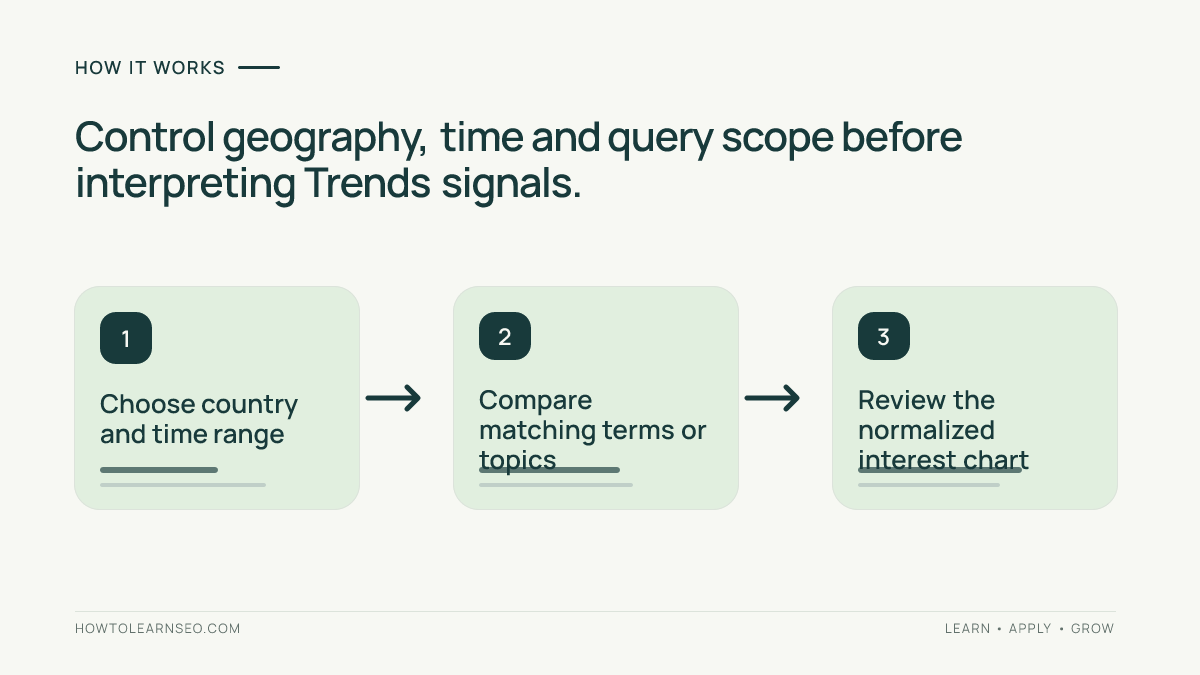
Open Explore and enter one focused query or recognized topic. Select the country where your audience actually lives, a period long enough for the decision, the relevant category if ambiguity exists, and Web Search unless another search type is appropriate. Compare terms that represent a similar level of specificity. Do not contrast a broad industry with a very narrow product phrase and conclude the narrow page is unworthy of publication.
Google’s comparison guide explains how terms and topics differ: a topic groups related searches across languages, while a term follows a text-matching approach. Use a search term when the exact phrase matters, and a topic when you are studying the broader concept. Record which you selected. The keyword mapping guide helps match these observations to distinct search purposes.
Identify genuine seasonality rather than one-time noise
Review a multi-year chart for subjects that follow calendars, weather, school terms or annual events. A repeating peak is more useful for a planning calendar than one isolated spike. Compare several years and note whether interest tends to rise before the event. Publishing early enough to be discovered and reviewed can be more useful than publishing on the exact day everyone starts searching.
Check the same country across each comparison. A topic may peak in summer in one hemisphere and winter in another. Also consider that product names, terminology and search behavior change over time. Google’s quick comparison guidance describes ways to compare periods and historical benchmarks. Do not project a precise future traffic total from a normalized chart.
Use related queries to uncover reader questions
Open the related searches section and distinguish Top from Rising. Top captures commonly associated searches in the selected scope, while Rising highlights the strongest growth relative to a previous period. Google’s related search documentation explains these labels. They can reveal an emerging concern or a different way readers describe a problem, but they do not prove that a page will earn traffic.
Investigate the actual meaning of each promising query. Is it a practical question, a product to buy, a definition, or a fleeting headline? Does your website already satisfy it? Our search intent guide explains why similar words can still represent different tasks. Do not create a new page for every synonym in a related-search panel.
Distinguish temporary headlines from durable topics
A sharp spike around a news event may collapse quickly. An evergreen topic may have lower daily excitement yet remain useful for years. Compare whether the reader’s problem will still exist after the event and whether your organization can provide genuinely helpful evidence. For an SEO education website, a clear guide to site architecture may be more durable than an unverified rumor about a search product update.
Use Trends to schedule updates around durable seasonal demand, not to justify articles outside your expertise. Our topic-cluster tutorial shows how supporting guides can reinforce a broader educational hub. Google emphasizes people-first content rather than mass production designed only to chase search visibility.
Worked example: planning a seasonal gardening guide
Input: Imagine an educational gardening site comparing “winter plant care” and “summer plant care” in a particular country over five years. Its team suspects the winter guide needs updating before a recurring seasonal peak. These are hypothetical inputs; no live Trends chart or numeric search-volume findings are claimed here.
Action and decision rule: Set the same geography, category, search type and five-year window for both phrases. Inspect whether winter-care interest repeatedly rises in similar months. Review related searches for specific reader problems, then check existing content and current search results to ensure that any proposed page fills a real gap. A recurring pattern supports a planned review; it does not prove monthly demand.
Expected output: A calendar entry to review the existing winter-care guide before the recurring interest period, with a list of verified questions to address. Verify: Save the filter settings and chart date, check that the pattern recurs across multiple years, then measure Search Console performance after publication. Edge case: If the trend comes from only one unusual year, do not treat it as reliable seasonality.
Turn signals into a defensible editorial decision
Use a small topic evaluation record: reader problem, target geography, Trends context, existing page, intent, competing content, available expertise and planned action. You may decide to refresh a current guide, create a focused supporting page, or do nothing. A zero in Trends or a rising query alone should not determine publication. Rankability needs separate assessment of the actual search results.
Track the outcome after changes using Search Console’s query and page reports, as explained in our Search Console guide. Avoid claiming a seasonal article caused the rise merely because its traffic and general interest increased together. Compare appropriately and keep a change log so future decisions become more grounded.
Frequently Asked Questions
Does Google Trends show monthly keyword search volume?
No. The Explore index normalizes sampled search interest on a relative 0–100 scale for the selected terms, place and dates; it does not show an absolute number of monthly searches.
What does a Google Trends score of 100 mean?
It marks the highest relative interest point within the selected comparison, not 100 searches or a fixed number of people.
What is a rising query in Google Trends?
It is a related search whose interest grew substantially during the selected period compared with the preceding period, not automatically a high-volume opportunity.
How do I compare evergreen and seasonal topics?
Inspect multiple years and relevant countries, compare the timing and consistency of recurring peaks, then combine the pattern with real audience needs.
Why does a niche keyword sometimes show zero?
Google Trends filters very low-volume terms and uses sampling. A zero does not prove that nobody searched for the phrase.
Can Google Trends predict which keyword will rank?
No. Search interest is one planning signal. Ranking opportunity also depends on search intent, competing results, content quality and the website’s relevance.
Conclusion
Google Trends for SEO is strongest as a contextual research tool. Configure comparisons carefully, interpret normalized values honestly, distinguish recurring demand from temporary spikes and connect findings to real user needs. When a topic merits content, use Trends to improve timing and coverage while leaving absolute volume and ranking claims to evidence that can actually support them.