
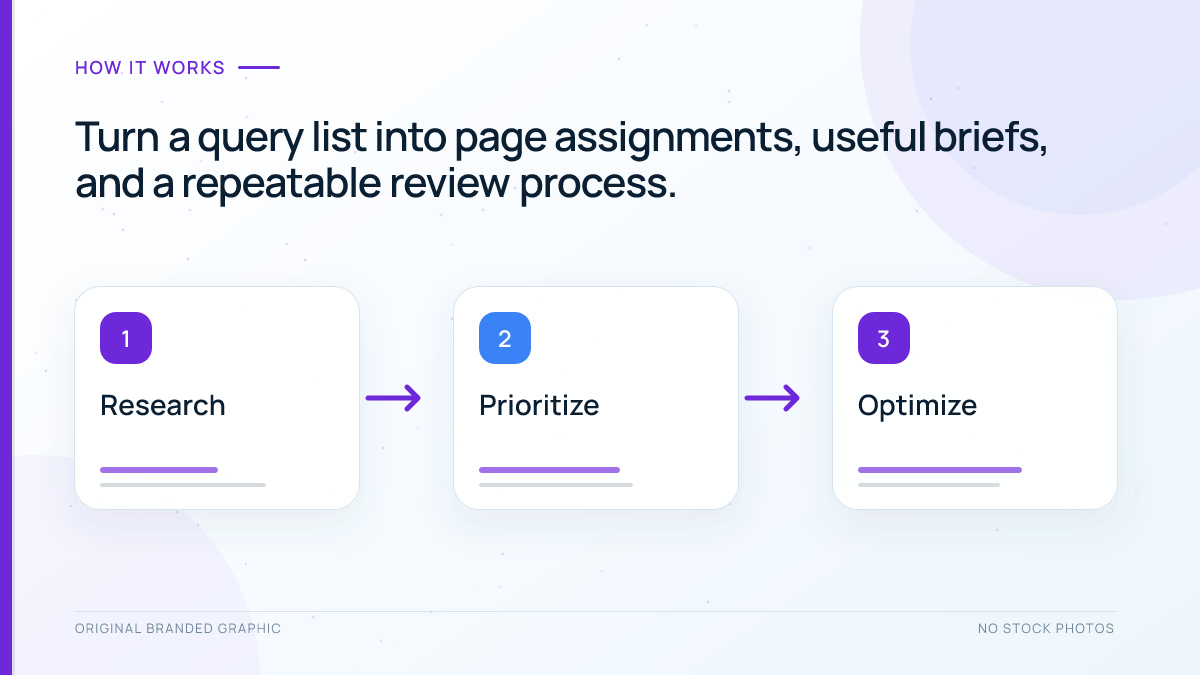
Keyword research gives you a list of searches your audience makes. Keyword mapping turns that list into a clear plan for your website: which page should answer each group of searches, which existing pages need improvement, and which new pages are worth creating.
Without that connection, it is easy to publish several articles that solve the same problem while overlooking an important question entirely. This guide shows you how to build a practical keyword map, choose suitable target pages, and use the map to guide content and optimization decisions.
Quick Answer
Keyword mapping is the process of assigning a group of related search queries to the most suitable existing or planned page on a website. A useful map records the page, its main topic, the reader’s intent, supporting keywords, and the next action. It is an editorial planning document; creating one does not instruct Google to rank a particular URL.
Key Takeaways
- Group keywords by the problem a reader wants to solve, rather than by shared words alone.
- Review published pages and unpublished content before planning another article.
- Use one clear main topic per page as a planning principle, while allowing related queries that the page can answer well.
- Improve a suitable existing page before creating a second page for the same purpose.
- Validate your assignments with search results, page content, and actual performance data.
- Keep the map connected to content briefs, internal links, ownership, and review dates.
Table of Contents
- What a keyword map helps you decide
- What to prepare before mapping
- Which fields your map needs
- How to build a keyword map step by step
- A worked keyword mapping example
- How to handle overlapping pages
- How to review and maintain your map
- Common mistakes and a final checklist
- Frequently Asked Questions
What Does Keyword Mapping Help You Decide?
A keyword map connects three things: a searcher’s need, the content that can meet it, and a specific page on your site. It makes the purpose of each page visible before you spend time writing or changing it.
For example, someone searching for “how to make cold brew” needs instructions. Someone searching for “buy cold brew coffee” is looking for products. Both searches concern cold brew, but a recipe and a product category serve different purposes. Giving them separate destinations can be sensible even though their vocabulary overlaps.
The reverse also matters. “Cold brew recipe” and “how to make cold brew at home” may belong together if one clear tutorial can satisfy both. Making a separate article for every wording variation creates additional work without necessarily providing additional value.
Keyword research discovers opportunities. A keyword map assigns those opportunities to pages. A content calendar schedules the resulting work. These documents can share information, but the mapping decision should come before setting a publication date. If you still need a query list, start with our beginner keyword research tutorial.
What Should You Prepare Before Mapping Keywords?
You can begin in an ordinary spreadsheet. Paid software is optional; the quality of your page assignments matters more than the size of your keyword export.
- A page inventory: Record published URLs, page titles, content types, and the actual purpose of each page. Include articles, categories, product pages, service pages, and useful landing pages.
- An unpublished-content inventory: Review drafts, pending reviews, private content, scheduled posts, and approved briefs. They may already cover a topic you are about to assign.
- A researched keyword list: Keep the query, intended audience, target country and language, and any available demand or difficulty estimates. Record where each estimate came from.
- Performance evidence: For an established site, collect relevant query and page data from Google Search Console. For a new site, begin with research and label assignments as provisional.
- A business or learning objective: Decide whether a page should teach, help compare options, generate an inquiry, or support a purchase. This helps you prioritize meaningful opportunities.
Do not treat a crawler export as a complete editorial inventory. A crawler may find public URLs without seeing unpublished briefs, and it may collect filter or parameter URLs that are not separate content opportunities. Combine technical discovery with a review of your content management system.
Which Fields Should a Keyword Map Include?
For a beginner, one row per target page usually makes the map easiest to manage. Store the page’s related query group in that row or on a separate research tab connected by a page identifier.
| Field | What to record | Why it matters |
|---|---|---|
| Page identifier and URL | The existing public URL, or a clearly labeled planned page | Connects the assignment to a specific destination |
| Publication status | Published, draft, scheduled, private, or planned | Prevents duplicate work and premature internal linking |
| Primary keyword or topic | A representative query that describes the main purpose | Keeps the page focused |
| Supporting queries | Related searches the same page can usefully answer | Guides coverage without creating a page for every phrase |
| Intent and page type | The reader’s task and the format needed to complete it | Checks whether the destination fits the search |
| Audience and market | Language, country, and relevant customer or reader segment | Separates genuinely different needs |
| Next action and priority | Keep, improve, create, investigate overlap, or defer | Turns research into a work queue |
| Owner and review note | The responsible person, review date, and evidence behind the decision | Makes future changes accountable |
Add metrics only when you will use them. Search volume, impressions, clicks, and conversions measure different things. A page’s impressions do not equal the total number of searches for its keyword, and estimated search volume is not a promise of traffic. Do not add together every variant’s volume without checking the tool’s methodology; some estimates may overlap.
How to Build a Keyword Map Step by Step
Step 1: Understand What Each Existing Page Actually Covers
Read the page, rather than assigning keywords from its title alone. Note the main question it answers, the audience it serves, and the next action it offers. A broadly titled guide may already contain a useful answer to a more specific query.
Separate genuinely distinct pages from technical variations of the same page. Tracking parameters, alternate paths, and duplicate versions should not automatically receive their own keyword groups. Record the preferred public destination and investigate unclear cases before expanding the map.
For unpublished content, inspect the brief or draft closely enough to identify its intended learning objective. Mark its status clearly. An unpublished article can reserve a topic in your plan without becoming an internal-link destination.
Step 2: Group Queries Around a Shared Reader Task
Begin with a small part of your site, such as one service or one learning cluster. Place closely related queries together when the same page could satisfy them without changing its central purpose.
Use a plain-language intent statement for each group. “Learn how to prepare cold brew at home” is more useful than simply labeling everything “informational.” It tells a writer what the reader should be able to do after visiting the page.
Watch for modifiers that change the task. “Recipe,” “best,” “price,” “near me,” and “repair” can point to different needs. A shared product name is insufficient evidence that all those searches belong on one destination.
Our guide to search intent explains how to distinguish these needs before choosing a content format.
Step 3: Check Whether Search Results Support the Group
Review representative queries in the country and language you intend to serve. Look at the types of results: tutorials, category pages, product pages, comparison articles, tools, or local listings. Open relevant results to understand what readers receive, rather than judging intent from titles alone.
If several queries consistently return many of the same pages and similar formats, that supports grouping them. If one returns shopping categories while another returns instructional guides, reconsider the grouping. Search-result overlap is evidence for an editorial decision, not a universal numerical rule.
Record a short reason when you split an ambiguous group, including the market and date of your review. Search results vary, so a later reviewer needs to understand the task distinction you observed. Competitors’ pages may serve a different audience or leave an important need unanswered; use their results as evidence while planning your own useful answer.
Step 4: Choose the Best Existing Page or Plan a New One
For each query group, ask whether an existing page can satisfy the task with reasonable improvements. If it can, assign the group there. The strongest destination is the page with the right purpose and useful content, rather than whichever URL happens to contain the keyword.
Create a new page when the reader needs a meaningfully different answer, format, product selection, or service. A buying query may belong on a category page, while an implementation query belongs in a tutorial. Keep a broader overview when it has its own purpose and can guide readers to focused resources.
Use the decision table below to make the next action explicit.
| Situation | Mapping decision | Next action |
|---|---|---|
| A suitable page exists and answers the task well | Assign the group to that page | Keep it and monitor relevant performance |
| A suitable page exists but misses an important answer | Keep the assignment on the existing page | Improve its coverage, examples, or usability |
| No page serves the reader’s task | Assign the group to a planned page | Create a focused brief before scheduling work |
| Two pages serve essentially the same task | Flag the assignment for review | Compare content and performance before choosing a remedy |
| A draft or scheduled post already covers the task | Assign the group to that unpublished item | Coordinate its brief and publication status |
| The topic is irrelevant to the audience or business | Leave it outside the active plan | Defer it even if demand estimates look attractive |
Your map should fit the site’s navigation and relationships between pages. Use our website architecture guide when deciding how a new destination belongs within an existing section.
Step 5: Pick a Primary Keyword and Relevant Supporting Queries
Choose a representative primary keyword that accurately describes the page’s central purpose. Consider relevance, intent, audience language, and available demand evidence together. Selecting the largest-volume term can mislead the brief if that term calls for a different kind of page.
The primary keyword is a planning label, and one page can appear for many relevant searches. Using one representative topic per page is an editorial method, not a Google requirement. Related queries belong together when they call for supporting explanations, examples, or practical details within the same task.
For a cold brew tutorial, supporting searches might concern the coffee-to-water ratio, steeping time, and suitable grind size. A query about choosing equipment could need a short explanation within the tutorial or a separate comparison, depending on the depth readers expect.
There is no useful fixed quota for secondary keywords. Stop adding queries when they pull the page away from its purpose. Google’s SEO Starter Guide explains that its language-matching systems can connect pages with relevant searches even when every exact wording is not present.
Step 6: Turn Each Assignment Into a Content Brief
A map becomes useful when someone can act on it. For every page that needs work, write a short brief covering the reader’s task, the required answers, the intended format, and how that page differs from nearby content.
- Reader outcome: What should the visitor understand or accomplish?
- Scope: Which questions belong on this page, and which deserve a related resource?
- Evidence and examples: What demonstrations, source checks, or illustrations are needed?
- Page presentation: What descriptive title and headings would help the reader navigate the answer?
- Next action: Should the visitor continue learning, compare options, contact the business, or buy?
Use the main topic naturally where it helps describe the page. Avoid repeating every supporting keyword in every heading. Our on-page SEO guide covers the implementation details after the assignment and brief are settled.
In WordPress, entering a focus keyword into an SEO plugin supports your editing checks. It does not submit a keyword-to-URL instruction to Google. The visible content still needs to deliver the promised answer.
Step 7: Plan Useful Internal Links and a Review Date
Record which published pages could help readers discover the target and which related resources the target should reference. Choose links because they explain a next step or provide useful context. A keyword map can reveal these relationships, but it should not produce a requirement to link every page to every other page.
Keep planned links to drafts separate from live links. After a page is published, verify its exact public URL before adding it to another article. Use descriptive anchor text that fits the sentence and accurately represents the destination.
Assign an owner and a review date to unfinished work. A small site might review its active map monthly and check each new brief against it before publication. A larger team may review the relevant section whenever products, services, or content responsibilities change. Treat this as a practical starting schedule and adjust it to the pace of your work.
For practical linking guidance, see our explanation of internal linking.
A Worked Keyword Mapping Example
Imagine a small coffee shop that sells bottled drinks and publishes brewing lessons. The following example is hypothetical: the query groups illustrate planning decisions, rather than measured demand or verified search results.
| Target page | Representative keyword | Supporting queries | Reader task | Next action |
|---|---|---|---|---|
| Existing home brewing tutorial | how to make cold brew | cold brew ratio; cold brew steeping time | Make a drink at home | Improve missing instructions |
| Existing bottled-drink category | buy cold brew coffee | bottled cold brew; cold brew delivery | Browse and purchase drinks | Check selection and delivery information |
| Planned comparison article | cold brew vs iced coffee | cold brew and iced coffee difference | Understand how the drinks differ | Create a focused comparison brief |
| Existing coffee shop location page | coffee shop in the served neighborhood | coffee shop opening hours; coffee shop directions | Visit the physical business | Verify useful location details |
Notice that the tutorial receives several related queries, while the buying and visiting queries receive different page types. The comparison gets a separate brief because its central purpose differs from making or purchasing a drink.
Before creating that comparison, the shop should inspect its existing articles and unpublished plans. If a suitable draft already explains the difference, the right action is to refine that draft’s brief and mapping entry. The map should coordinate work across publication statuses.
This example also shows why page-level prioritization beats sorting keywords by volume alone. A modest-demand location query may matter greatly to a physical business, while a popular query outside its actual product range may offer little useful opportunity.
How Should You Handle Overlapping Pages?
Two pages mentioning the same keyword does not automatically create a problem. A product page and a troubleshooting guide can share terminology while helping readers with different tasks.
Keyword cannibalization is a common SEO label for unwanted overlap between pages intended to serve substantially the same searches. Treat it as a diagnosis to investigate, rather than a penalty to assume. A changing ranking URL, by itself, does not prove that consolidating pages will improve results.
Compare the pages’ purposes, actual answers, performance history, and usefulness to readers. Then choose an appropriate response:
- Keep both: Each page has a distinct task, audience, or format. Clarify their briefs and linking relationships.
- Improve the intended destination: One page fits the task but provides an incomplete or unclear answer.
- Differentiate the pages: Both are useful, but their titles and content make their distinct purposes difficult to recognize.
- Consolidate redundant content: One stronger resource can serve the same task better. Preserve useful material and plan any permanent redirect carefully.
- Investigate technical duplicates: Several URLs show duplicate or very similar content. Review canonicalization separately from the editorial assignment.
A canonical tag is not a general solution for two different articles that share a topic. Google’s canonicalization guidance concerns duplicate or very similar pages. Choose a technical remedy based on the actual relationship between the URLs, and check links and tracking before making changes.
How Can You Review Keyword Mapping in Search Console?
For an established website, compare the destination you intended with the pages Google actually shows for relevant queries. Our Google Search Console guide explains the broader reporting setup.
- Open the Search results performance report and choose a useful date range. Keep the search type, country, and device settings consistent while comparing pages.
- Apply a query filter for a representative search or a closely related group. Select the Pages dimension to see which URLs received performance data under that filter.
- Alternatively, filter for a mapped page and select Queries to examine the searches associated with it.
- Compare the observed queries with the reader task in your brief. Unexpected but relevant searches may suggest a helpful addition; irrelevant ones may reveal an unclear page purpose.
- Record the observation and a specific next action. Investigate before changing a URL, merging content, or creating another page.
The official filtering documentation explains how to combine filters and compare report views. This process checks an editorial hypothesis; the report does not label your preferred keyword-to-page assignments as correct or incorrect.
There are limits to the evidence. Google explains in its dimensions and data groupings documentation that some queries are omitted for privacy, query tables are incomplete, and most performance data is assigned to the canonical URL. A missing query row does not establish that nobody searched for it.
Review patterns across a meaningful period rather than reacting to a single day’s movement. For a low-traffic page, you may need more time and qualitative checks before making a decision. Use relevant clicks and business or learning outcomes alongside rankings, and document other changes that could explain the result.
Common Keyword Mapping Mistakes
Creating a Separate Page for Every Variation
Small wording differences do not necessarily represent separate reader needs. Before adding another page, explain what that page would let the reader accomplish that the current destination cannot.
Sending Every Keyword to the Homepage
A homepage can introduce a business, but it rarely provides the best destination for every detailed question, product need, or service requirement. Select the page whose content matches the task.
Assigning Keywords Without Reading the Content
A matching title or URL can hide an intent mismatch. Inspect the answer, format, and next action before declaring a page suitable. Avoid changing a working URL merely to insert a keyword.
Publishing From a Keyword List Without Checking Drafts
Unpublished work still affects the plan. Include it in the map, identify the owner, and resolve conflicting briefs before another writer begins a similar article.
Treating a Finished Spreadsheet as a Finished SEO Task
The document provides direction. Put it to work by improving useful content, maintaining accessible pages, and evaluating results. Google’s people-first content guidance offers a useful quality check: the page should help its intended audience accomplish a real goal.
A Practical Keyword Mapping Checklist
- The inventory includes both live pages and unpublished content plans.
- Every query group has a clear reader task and a relevant audience.
- The target page’s format fits that task.
- The primary keyword represents the page accurately.
- Supporting queries stay within the page’s useful scope.
- Potential overlap has a documented review decision.
- Planned pages have a brief and an owner.
- Live internal links use verified public destinations.
- Each active assignment has a next action and review date.
Start with one manageable section of your website. Complete the assignments, act on the most useful improvements, and then extend the same process to the next section. A small map that guides real decisions is more valuable than an enormous export nobody maintains.
Frequently Asked Questions
Can I create a keyword map before my website launches?
Yes. Begin with planned page names, researched query groups, and the task each page will serve. Mark the assignments as provisional because you do not yet have search performance data. When pages go live, replace planned destinations with verified public URLs and revisit the assignments using actual content and available query evidence.
How many keywords should I assign to one page?
There is no fixed number that makes a page effective. Choose one representative primary topic and include supporting queries that the same page can answer naturally. Split the group when a query needs a different task, format, or depth. A coherent answer matters more than reaching a target keyword count.
What if Google shows a different page from the one I mapped?
Check whether the displayed page actually serves the query better, then review the intended page’s content, accessibility, indexing, and internal links. Your assignment may need improvement or revision. Avoid immediately deleting the other page or forcing a redirect; first determine whether the pages are redundant or satisfy different reader needs.
Should product pages and category pages target the same keywords?
They can share relevant vocabulary while serving different purposes. A category helps visitors browse a range, whereas a product page explains a particular item. Assign broad shopping queries and specific product queries according to those tasks, then check representative results. Shared words alone are not a reason to merge the pages.
Do I need paid SEO software for keyword mapping?
No. A spreadsheet, a reliable content inventory, manual search-result checks, and available Search Console data can support a useful map. Paid tools can make discovery and analysis faster, especially on larger sites. They still need editorial review because automated groups may combine queries with different audiences or search intents.
How should I map keywords for different languages or countries?
Record the language and market for each destination, and research how that audience searches. A translated keyword may not express the same intent or demand in another market. Keep genuinely distinct localized pages identifiable in the map, while avoiding unnecessary versions that offer the same information to the same audience.
Conclusion
Keyword mapping gives every useful query group a clear destination and every content task a reason. Build the map from the pages and plans you already have, group searches by reader needs, and choose improvement or creation based on the answer required.
Keep the document current as your site grows. Its value comes from clearer briefs, better page choices, and useful connections between resources, followed by careful review of how those pages perform.